
Image creation or deployment hangs on "calling subprocess.Popen"
Problem
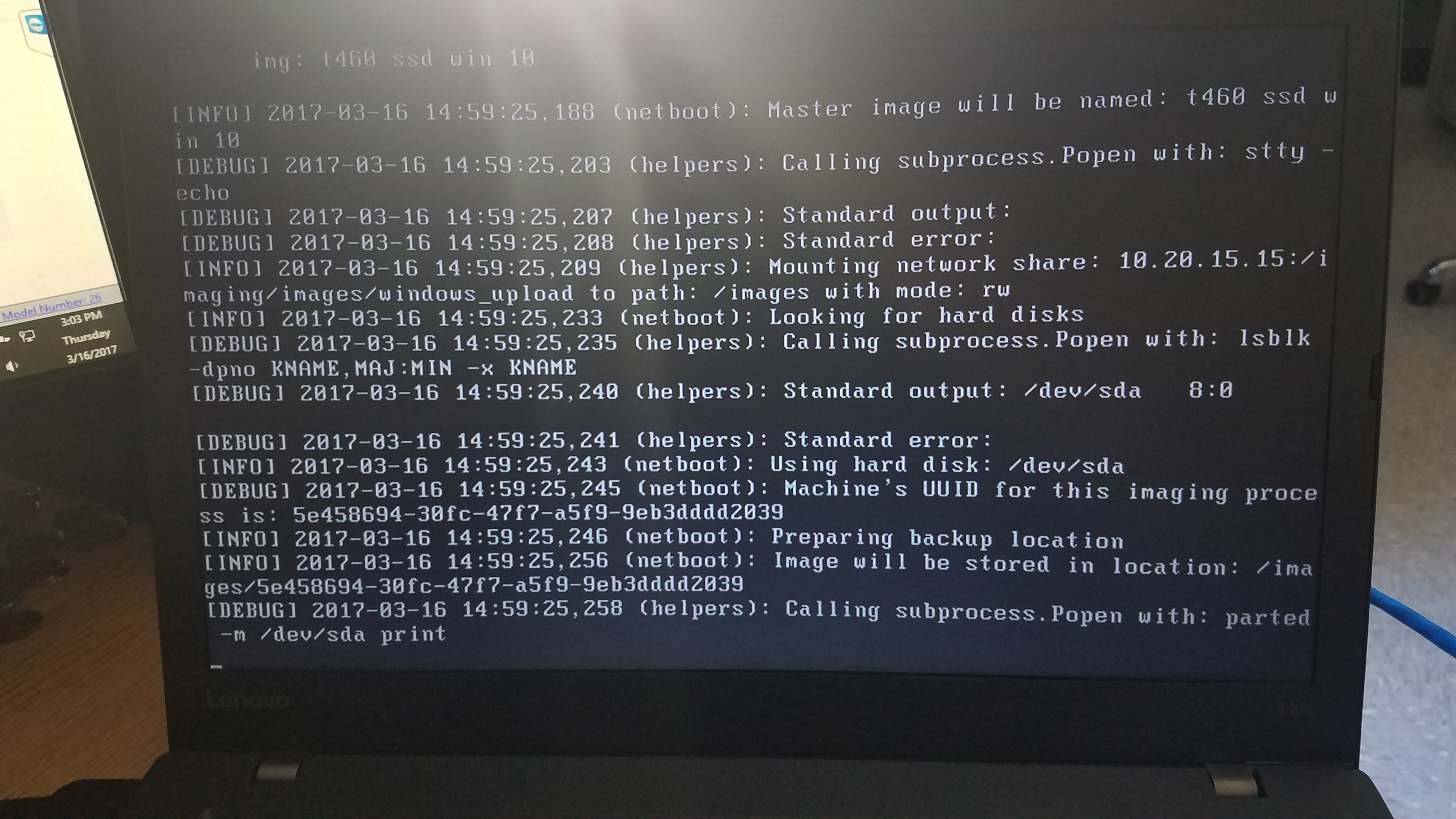
WhenDuring tryingWindows toimage create a Master image,capture or deploy a freshly captured image on a Windows device,deployment, the entireIVS processcan will stallhang at the message "Calling subprocess.Popen with: parted -m /dev/sda print".

Solution
TheThis causeusually ofpoints this issue isto a bad or unreadable partition table on the machinetarget thatdevice. resultsTo inclear anit, imagingenable creationthe orIVS deploymentdebug stall.prompt, Inboot orderthe toaffected resolvedevice, thisand issue,run youthe willpartition needcleanup to modify a filecommand on the Imagingcorrect Virtualdisk.
The (IVS)sgdisk command clears partition data on the selected disk. Verify the drive name before running it; the screenshot shows and--zap/dev/sda, but your device may use a promptdifferent ondisk the device you are wanting to capture the image from / deploy to.
The following steps will allow you to clear the error from the device.name.
-
Make a note of the partition that
seems to beappears stuck.FromIn thescreen shotscreenshot it is "/dev/sda". Your drive may have a different name. -
OnceAfter you know the drive name,go ahead andturn off the machine that is stuck capturing or deploying the image. -
Connect to your IVS and run the below command.
touch /etc/fw_master_debug -
PXE boot the machine giving the error again.
-
The machine will go to a prompt where you are able to type the below command. For the example, "/dev/sda", but yours may be different.
sgdisk --zap /dev/sda -
ShutdownShut down the machine you are capturing the image from/or deploying the image to. -
Run the below command on your IVS to delete the file you created.
rm -rf /etc/fw_master_debug -
PXE boot the machine
againagain.toThe image capture or deployment should continue past theimage and it will no longerprevious hangat the step.point.