
Apple Profile: Apple Intelligence
What
FileWave can configure Apple Intelligence and related intelligence controls in the Apple Restrictions payload. Apple Intelligence restrictions first appeared in FileWave 15.5.0, and newer FileWave releases expose additional related options as Apple expands the payload.
When/Why
Use these restrictions when you want to delay or limit Apple Intelligence features on managed devices for privacy, compliance, or support-readiness reasons.
- Privacy and data handling: reduce exposure to features your organization has not approved yet.
- Compliance: align device behavior with internal policy or regulated environments.
- Support readiness: give your team time to test new features before users start relying on them.
How
- Open the Apple Profile editor. Create a new Profile Fileset or edit an existing one in FileWave Central or FileWave Anywhere.
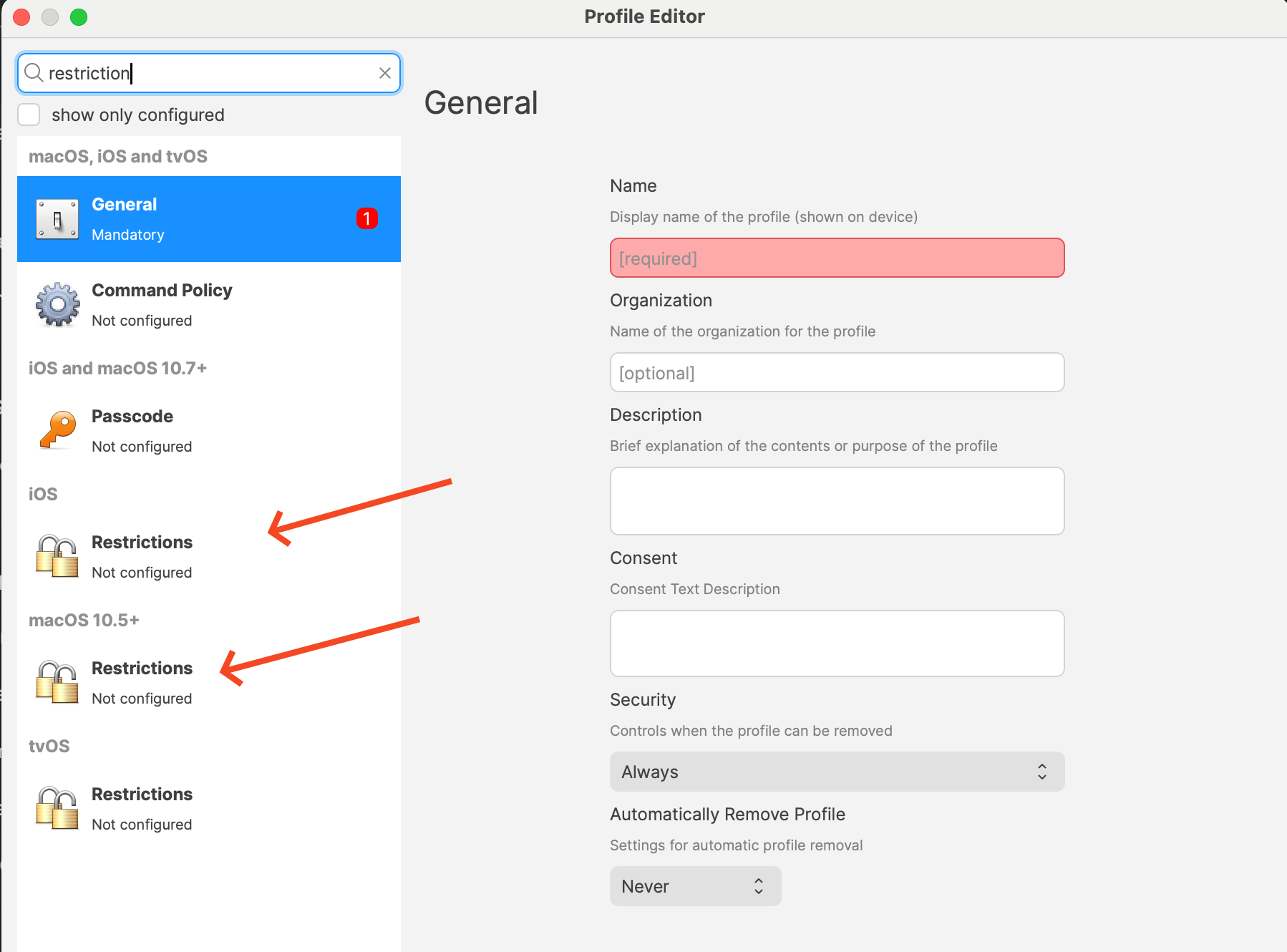
- Add the Restrictions payload for the target platform. The screenshot below shows where the platform-specific Restrictions payloads live.
- Configure the settings you want. The exact list depends on platform and FileWave version. Current payload labels include items such as:
- Allow creating new Genmoji
- Allow Image Playground
- Allow Apple Intelligence writing tools
- On supported platforms, options such as Notes transcription, Mail Smart Replies, manual email summaries, Image Wand, external intelligence integrations, Safari Summary, Visual Intelligence Summary, and Apple Intelligence Report
- Review the rest of the Restrictions payload before saving. Every restriction you set in that payload deploys together, so confirm you are not accidentally changing unrelated settings.
- Deploy the profile to the correct devices. Some options are supervised-only, and macOS, iOS, and iPadOS do not expose the exact same set of controls.
Related Content
Digging Deeper
This area keeps moving. Apple adds new intelligence-related controls over time, and FileWave surfaces them as the underlying OS frameworks make them available.
If your goal is a cautious rollout, check the labels shown in the Restrictions payload for each platform instead of assuming every Apple Intelligence setting appears everywhere.