
Apple Profile: Apple Intelligence
What
Apple has introduced new controls that allow Mobile Device Management (MDM) solutions to manage and restrict the use of Apple Intelligence features on managed devices. Starting with FileWave 15.5.0, administrators can configure these settings within the Restrictions payload in profiles. This enhancement provides organizations with the ability to enable or disable specific AI-powered features across their device fleets, offering greater control over how these functionalities are utilized within the enterprise.
When/Why
Organizations may have concerns about the use of AI features on company devices, particularly regarding data privacy and the potential for confidential information to be inadvertently shared or processed. By controlling Apple Intelligence features, IT administrators can:
- Ensure Data Security: Prevent sensitive data from being processed by AI features that might store or transmit information in ways that are not aligned with company policies.
- Maintain Compliance: Adhere to industry regulations and organizational policies that restrict the use of certain technologies.
- Manage Feature Adoption: Delay or control the rollout of new AI features until they have been thoroughly evaluated and approved by the organization.
- Standardize User Experience: Provide a consistent set of features across all managed devices, reducing potential confusion or support issues.
How
To configure Apple Intelligence restrictions in FileWave 15.5.0 and above:
- Access the Profile Editor:
- Open FileWave Central or login to FileWave Anywhere.
- Create a Profile Fileset.
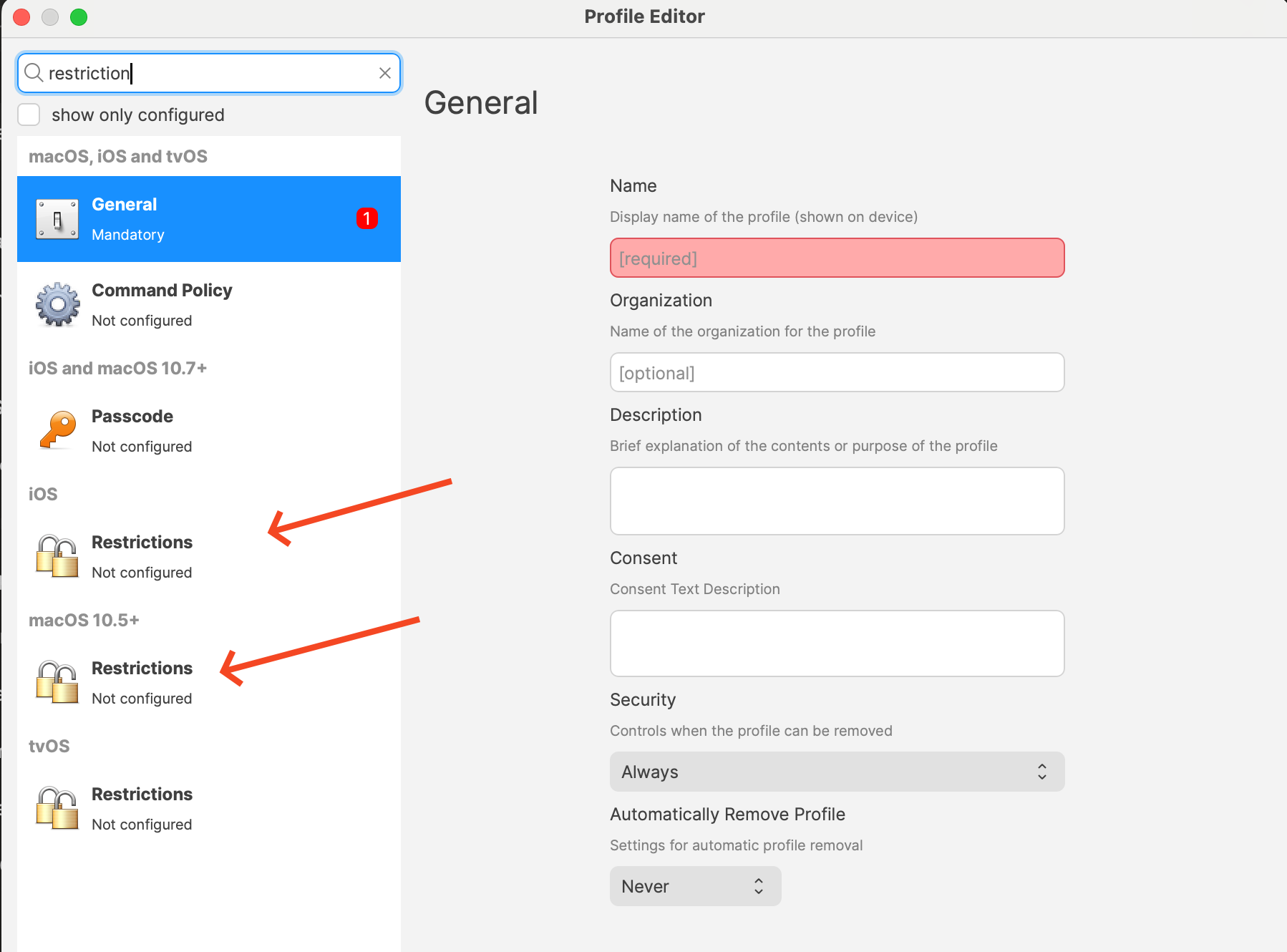
- Add the Restrictions payload for macOS or iOS.
- In the profile editor, add the Restrictions payload to your profile by picking one of them and clicking Configure...
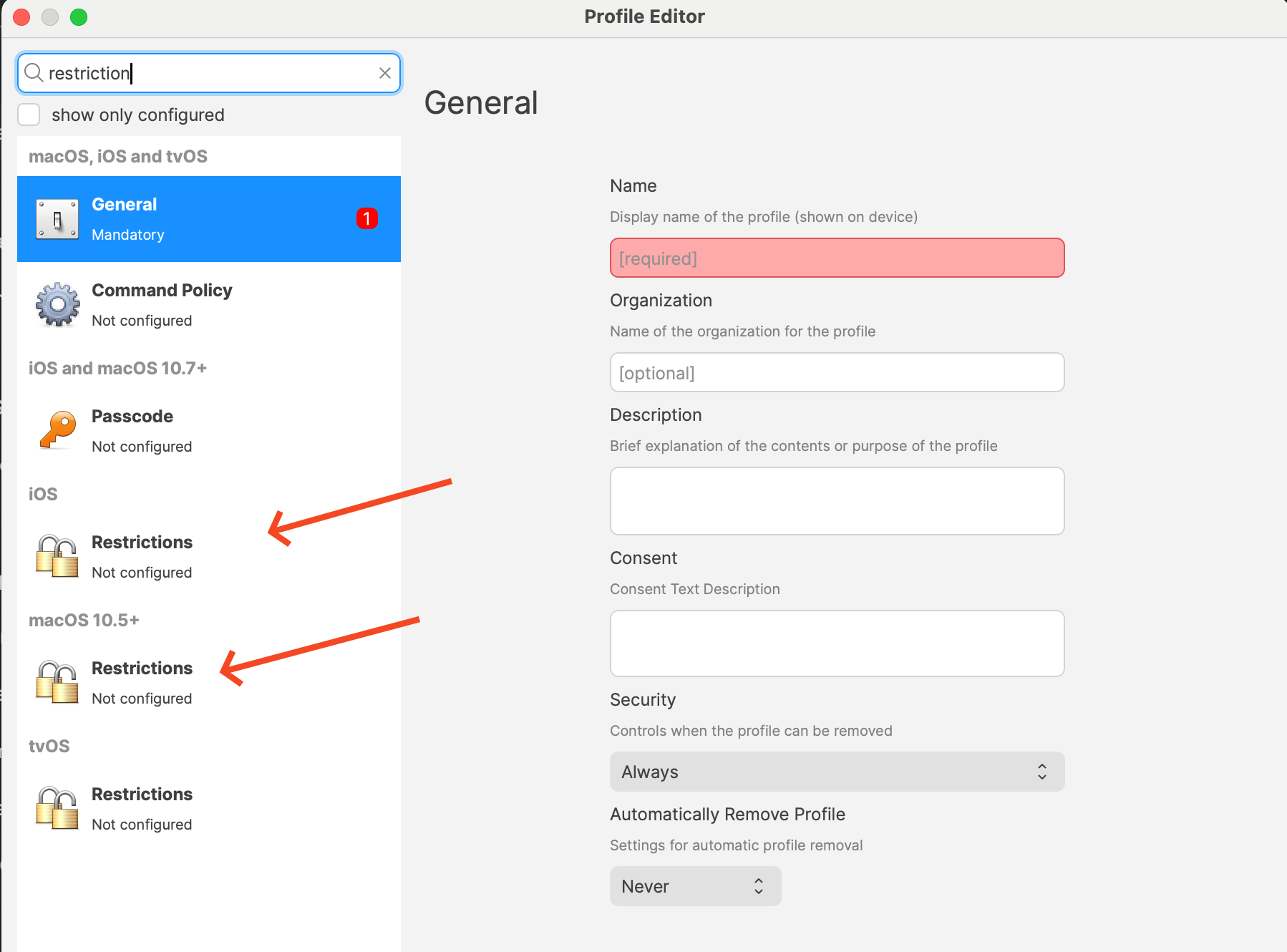
- Configure Apple Intelligence Restrictions:
- Within the Restrictions payload, locate the new settings related to Apple Intelligence features.
- Available Restrictions:
- Allow Genmoji (allowGenmoji): Controls the use of personalized emoji generation.
- Allow Image Playground (allowImagePlayground): Manages access to interactive image editing features.
- Allow Image Wand (allowImageWand): Enables or disables AI-powered image manipulation tools.
- Allow Personalized Handwriting Results (allowPersonalizedHandwritingResults): Manages personalized handwriting recognition.
- Allow Writing Tools (allowWritingTools): Enables or disables AI-assisted writing features.
- Disable Specific Features:
- For each feature you wish to restrict, uncheck the corresponding box to set the option to Disabled.
- Keep in mind that all options in a Restrictions profile are applied so review the profile to ensure everything is the way you want or consider if you already have a Profile that you simply want to edit these options on.
- Save and Deploy the Profile:
- Save your changes to the profile. Remember you may need one for iPads/iPhones and another for macOS.
- Ensure the profile you are distributing targets the appropriate devices (macOS, iOS, iPadOS).
- Deploy the profile to the target devices.
FileWave 16.4 DDM option
The Restrictions profile described above remains the traditional MDM workflow. FileWave 16.4 also provides a dedicated Apple Intelligence Settings DDM Configuration for supported iOS, macOS, and visionOS devices.
The DDM editor covers a broader Apple Intelligence policy surface, including Writing Tools, Genmoji, Image Playground, Image Wand, Smart Replies, content summarization, transcription, and supported privacy controls such as requiring Dictation or Translation processing to remain on-device.
FileWave 16.4 also provides a separate External Intelligence Settings DDM Configuration for third-party AI services. Use it to control external intelligence providers, account sign-in, and approved enterprise workspaces where those controls are supported.
| Workflow | Use it when |
|---|---|
| Apple Profile > Restrictions | You need the established MDM restrictions workflow or manage devices that are not using the applicable declaration. |
| DDM Configuration > Apple Intelligence Settings | You need FileWave 16.4’s dedicated Apple Intelligence declaration and expanded declarative controls. |
| DDM Configuration > External Intelligence Settings | You need governance for third-party AI providers, sign-in, or approved enterprise workspaces. |
Choose one authoritative policy path for each setting. Apple does not define a reliable result when conflicting MDM and DDM controls manage the same behavior. Do not depend on whichever payload appears more restrictive.
See Apple Device Management – DDM Configurations for creation, deployment, status, and JSON import/export guidance.
Related Content
- Apple Device Management – DDM Configurations
- FileWave Version 15.5.0
- Profile Editor details for Apple
Digging Deeper
As artificial intelligence continues to integrate into everyday device functionalities, organizations face the challenge of balancing innovation with security and compliance. Apple Intelligence features offer powerful tools that can enhance productivity and user experience, such as AI-driven image editing, personalized handwriting recognition, and advanced writing assistance.
However, these features may raise concerns about data privacy, as they often process personal or sensitive information. By utilizing the new restrictions in FileWave 15.5.0, administrators can proactively manage these features, ensuring that only approved AI functionalities are accessible on company devices.
Key Considerations:
- Data Privacy: Disabling certain AI features can prevent the potential leakage of confidential or protected information, aligning with the principle that the best way to protect data is not to collect it unnecessarily.
- Regulatory Compliance: Organizations subject to strict data protection regulations may need to disable specific features to remain compliant.
- User Training: Educate users about the AI features available on their devices and the reasons why certain features may be restricted.
Staying Informed:
- Monitor Updates: Keep abreast of Apple’s announcements regarding new AI features and corresponding MDM controls.
- Participate in Beta Programs: Consider enrolling in Apple’s AppleSeed for IT program to test upcoming releases in your work environment and prepare for future changes.
- Regular Policy Reviews: Reassess your organization’s device management policies regularly to accommodate new technologies and evolving security landscapes.
By effectively managing Apple Intelligence features through FileWave’s MDM solution, organizations can enjoy the benefits of Apple’s latest innovations while maintaining control over their data and compliance obligations.
No comments to display
No comments to display