Apple Profile: Apple Intelligence
What
Apple has introduced new controls that allow Mobile Device Management (MDM) solutions to manage and restrict the use of Apple Intelligence features on managed devices. Starting with FileWave 15.5.0, administrators can configure these settings within the Restrictions payload in profiles. This enhancement provides organizations with the ability to enable or disable specific AI-powered features across their device fleets, offering greater control over how these functionalities are utilized within the enterprise.
When/Why
Organizations may have concerns about the use of AI features on company devices, particularly regarding data privacy and the potential for confidential information to be inadvertently shared or processed. By controlling Apple Intelligence features, IT administrators can:
Ensure Data Security: Prevent sensitive data from being processed by AI features that might store or transmit information in ways that are not aligned with company policies.
Maintain Compliance: Adhere to industry regulations and organizational policies that restrict the use of certain technologies.
Manage Feature Adoption: Delay or control the rollout of new AI features until they have been thoroughly evaluated and approved by the organization.
Standardize User Experience: Provide a consistent set of features across all managed devices, reducing potential confusion or support issues.
How
To configure Apple Intelligence and related intelligence controls in the Apple Restrictions payload. Apple Intelligence restrictions first appeared in FileWave 15.5.0, and newer FileWave releases expose additional related options as Apple expands the payload.above:
When/Why
Use these restrictions when you want to delay or limit Apple Intelligence features on managed devices for privacy, compliance, or support-readiness reasons.
Privacy and data handling: reduce exposure to features your organization has not approved yet.
Compliance: align device behavior with internal policy or regulated environments.
Support readiness: give your team time to test new features before users start relying on them.
How
OpenAccess the Apple Profile editor.Editor:
- Open FileWave Central or login to FileWave Anywhere.
Create a
newProfile Profile Fileset or edit an existing one in FileWave Central or FileWave Anywhere.Fileset.
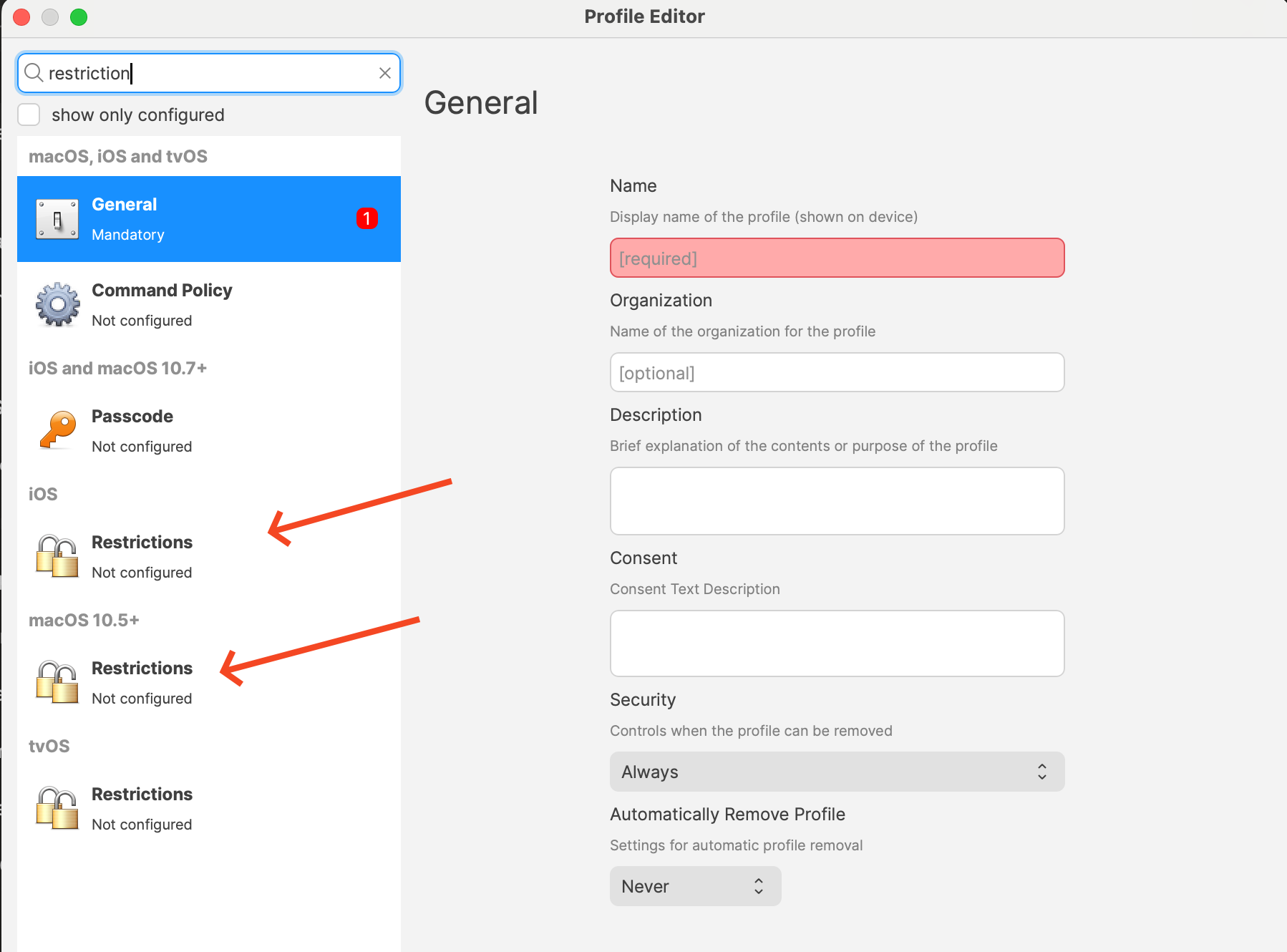
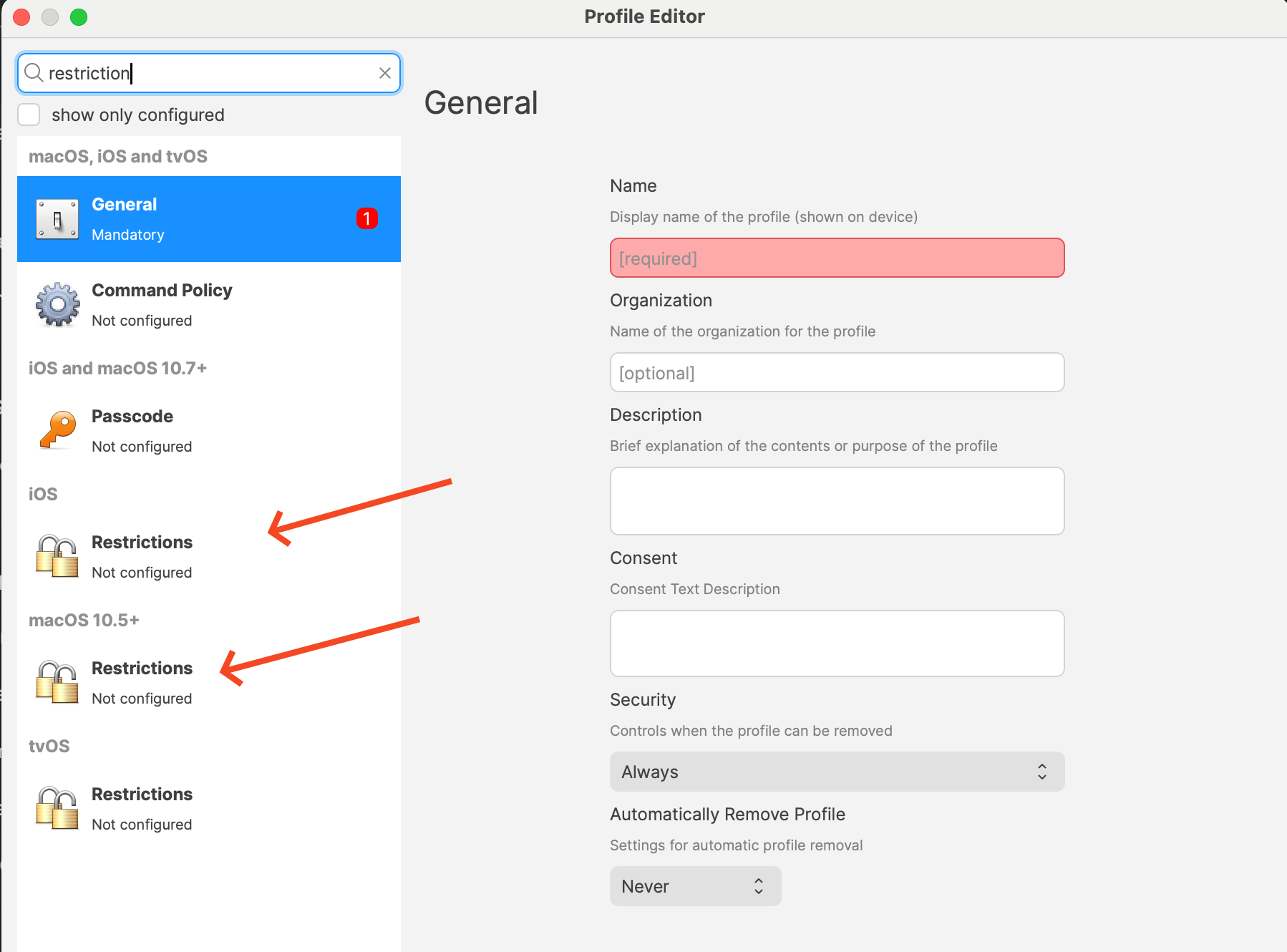
Add the Restrictions payload for themacOS targetor platform.iOS.
The screenshot below shows whereIn the
platform-specificprofile editor, add the Restrictions payloadspayload live.to your profile by picking one of them and clicking Configure...
Configure the settings you want. The exact list depends on platform and FileWave version. Current payload labels include items such as:
Allow creating new Genmoji
Allow Image Playground
Allow Apple Intelligence writing tools
On supported platforms, options such as Notes transcription, Mail Smart Replies, manual email summaries, Image Wand, external intelligence integrations, Safari Summary, Visual Intelligence Summary, and Apple Intelligence Report
ReviewConfigure theApple restIntelligence ofRestrictions:
Within the Restrictions
payloadpayload, beforelocate saving.the new settings related to Apple Intelligence features.
Available Restrictions:
Allow Genmoji Every(allowGenmoji): restrictionControls the use of personalized emoji generation.
Allow Image Playground (allowImagePlayground): Manages access to interactive image editing features.
Allow Image Wand (allowImageWand): Enables or disables AI-powered image manipulation tools.
Allow Personalized Handwriting Results (allowPersonalizedHandwritingResults): Manages personalized handwriting recognition.
Allow Writing Tools (allowWritingTools): Enables or disables AI-assisted writing features.
Disable Specific Features:
For each feature you
wish to restrict, uncheck the corresponding box to set
the option to Disabled.
Keep in
mind that
payloadall deploysoptions together,in a Restrictions profile are applied so
confirmreview the profile to ensure everything is the way you want or consider if you already have a Profile that you simply want to edit these options on.
Save and Deploy the Profile:
Save your changes to the profile. Remember you may need one for iPads/iPhones and another for macOS.
Ensure the profile you are
notdistributing accidentallytargets changingthe unrelatedappropriate settings.devices (macOS, iOS, iPadOS).
Deploy the profile to the correcttarget devices.
Some
options are supervised-only, and macOS, iOS, and iPadOS do not expose the exact same set of controls.
Related Content
FileWave Version 15.5.0
Profile Editor details for Apple
Digging Deeper
AvailabilityAs artificial intelligence continues to integrate into everyday device functionalities, organizations face the challenge of balancing innovation with security and compliance. Apple Intelligence features offer powerful tools that can enhance productivity and user experience, such as AI-driven image editing, personalized handwriting recognition, and advanced writing assistance.
However, these features may raise concerns about data privacy, as they often process personal or sensitive information. By utilizing the new restrictions in thisFileWave area15.5.0, dependsadministrators can proactively manage these features, ensuring that only approved AI functionalities are accessible on threecompany thingsdevices.
atKey once:Considerations:
Data Privacy: Disabling certain AI features can prevent the
Applepotential platform,leakage of confidential or protected information, aligning with the
OS/frameworkprinciple version,that the best way to protect data is not to collect it unnecessarily.
Regulatory Compliance: Organizations subject to strict data protection regulations may need to disable specific features to remain compliant.
User Training: Educate users about the AI features available on their devices and the
FileWave version exposing the payload.
That isreasons why thecertain Restrictionsfeatures payloadmay willbe notrestricted.
always
showStaying theInformed:
same
Monitor Updates: Keep abreast of Apple’s announcements regarding new AI features and corresponding MDM controls.
Participate in Beta Programs: Consider enrolling in Apple’s AppleSeed for IT program to test upcoming releases in your work environment and prepare for future changes.
Regular Policy Reviews: Reassess your organization’s device management policies regularly to accommodate new technologies and evolving security landscapes.
By effectively managing Apple Intelligence controlsfeatures onthrough macOS,FileWave’s iOS,MDM solution, organizations can enjoy the benefits of Apple’s latest innovations while maintaining control over their data and iPadOS.compliance A missing toggle on one platform usually means Apple does not expose that control there yet, or it is not available for the OS/FileWave combination you are using, not that the profile editor is malfunctioning.obligations.
Many of the source-visible Apple Intelligence controls in FileWave are also marked Supervised devices only. If you are planning a cautious rollout, verify the exact labels on the target platform and test the profile on a supervised pilot device before you promise a specific control set to users or stakeholders.