
Setting Timezones on Apple Devices
What
InUse a Command Policy profile when you need FileWave 14.1+ you are able to makeset commandthe policytime profileszone foron iOSsupervised (14+iPhone, supervised)iPad, andor tvOSApple (14+TV supervised) devices.
When/Why
SettingThis is useful for shared-device fleets, classroom devices, carts, labs, or Apple TVs that should stay on the timezoneorganization’s canexpected helplocal atime instead of relying on the user withto theircorrect localization settings.it.
How
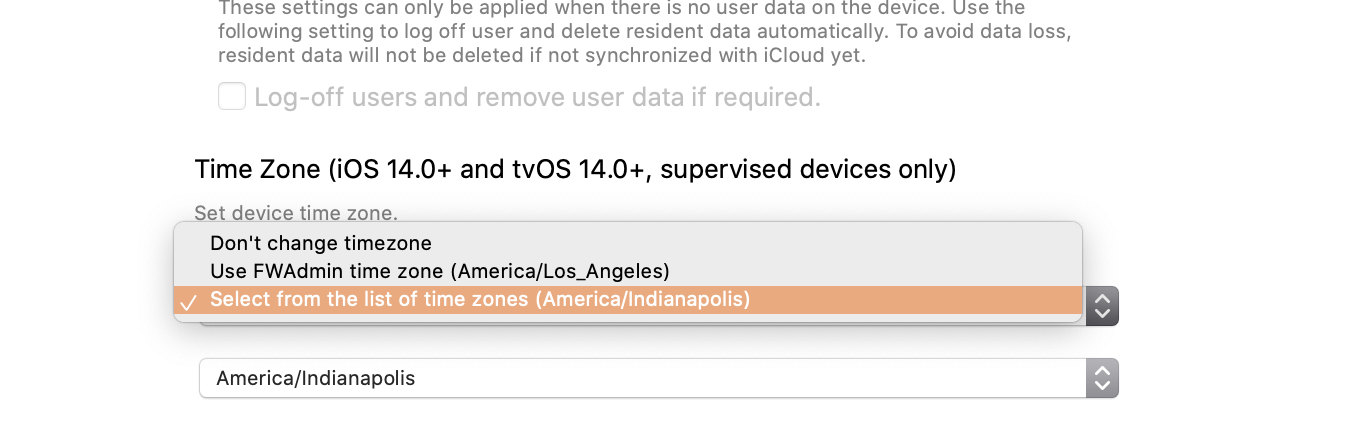
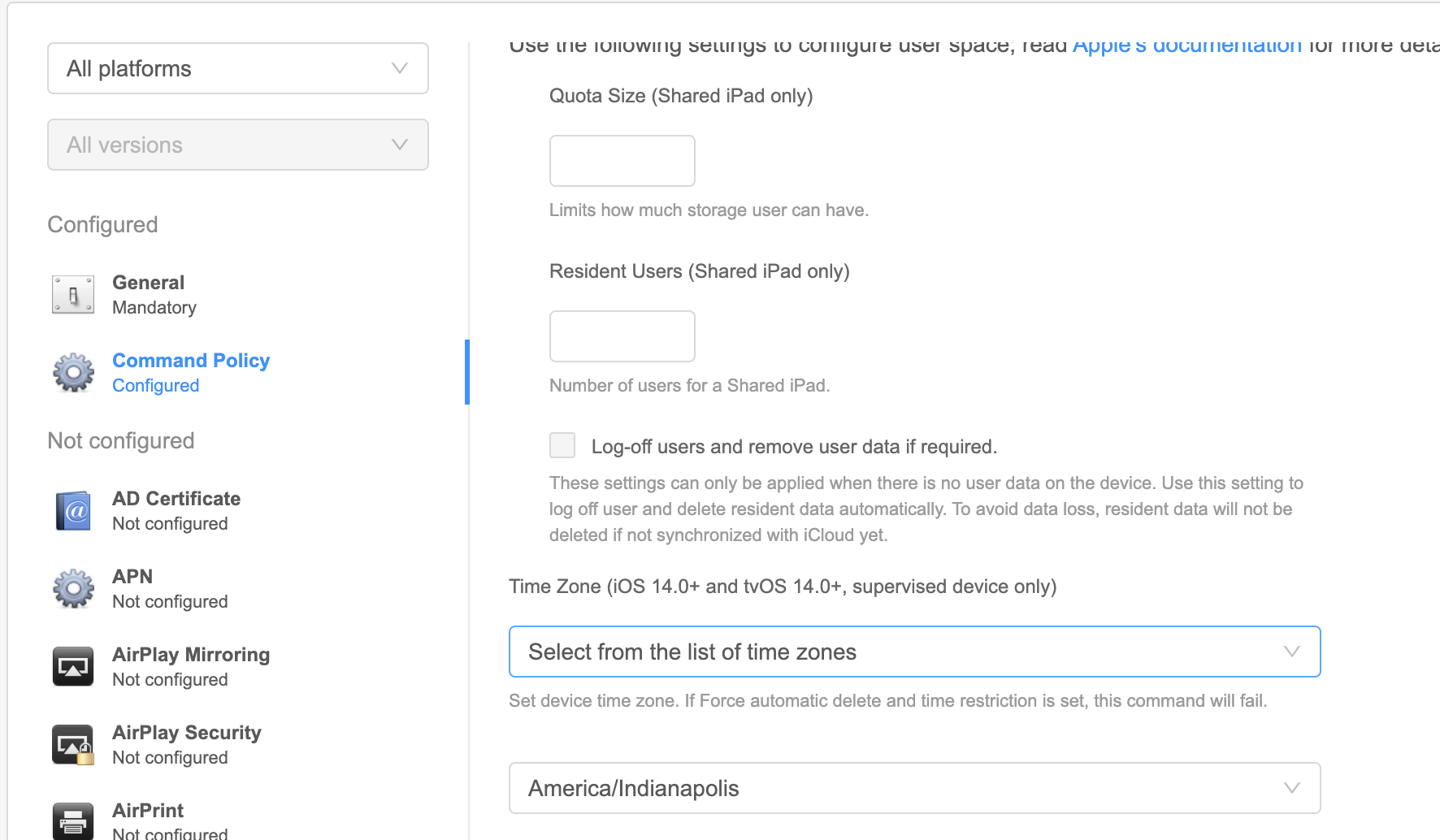
| 1. Filesets view 2. New Mobile ( or Desktop) Fileset 3. Profile 4. Command Policy 5. Configure... 6. Find "Time Zone" You can choose between * Don't Change timezone - (Default) Does nothing * Use FWAdmin time zone (X) - * This option is * Select from the list of all time zones - A second drop down list will show of available timezones
|
1. Payloads 2. Plus   3. Command Policy 4. Configure 5. Find "Time Zone" You can choose between * Don't Change timezone - (Default) Does nothing * Use FWAdmin time zone (X) - If * Select from the list of time zones - A second drop down list will show of available timezones
|
Please remember, Command Policy profiles are not persistent.restrictions. Meaning aA user couldcan change itthe attime anytimezone after thisthe command has beenis received, butalthough the command policy doescan re-applyreapply periodically. So, it is not a "restriction" per se.