
CrowdStrike Falcon Protection (macOS)
Description
Needing to deploy to CrowdStrike Falcon antivirus to your macOS fleet? FileWave has you covered.
CrowdStrike's flagship product is called Falcon, which is a cloud-native platform that combines next-generation antivirus, endpoint detection and response (EDR), threat intelligence, and proactive threat hunting. Falcon aims to provide real-time visibility into endpoint activity, rapid threat detection, and automated response to security incidents.
Ingredients
- FileWave Admin Central
- CrowdStrike Falcon
ProfileProfiles(Intelor - One
AppleforSilicon)macOS Sonoma and earlier
Directions
Deploying the CrowdStrike Falcon to your devices
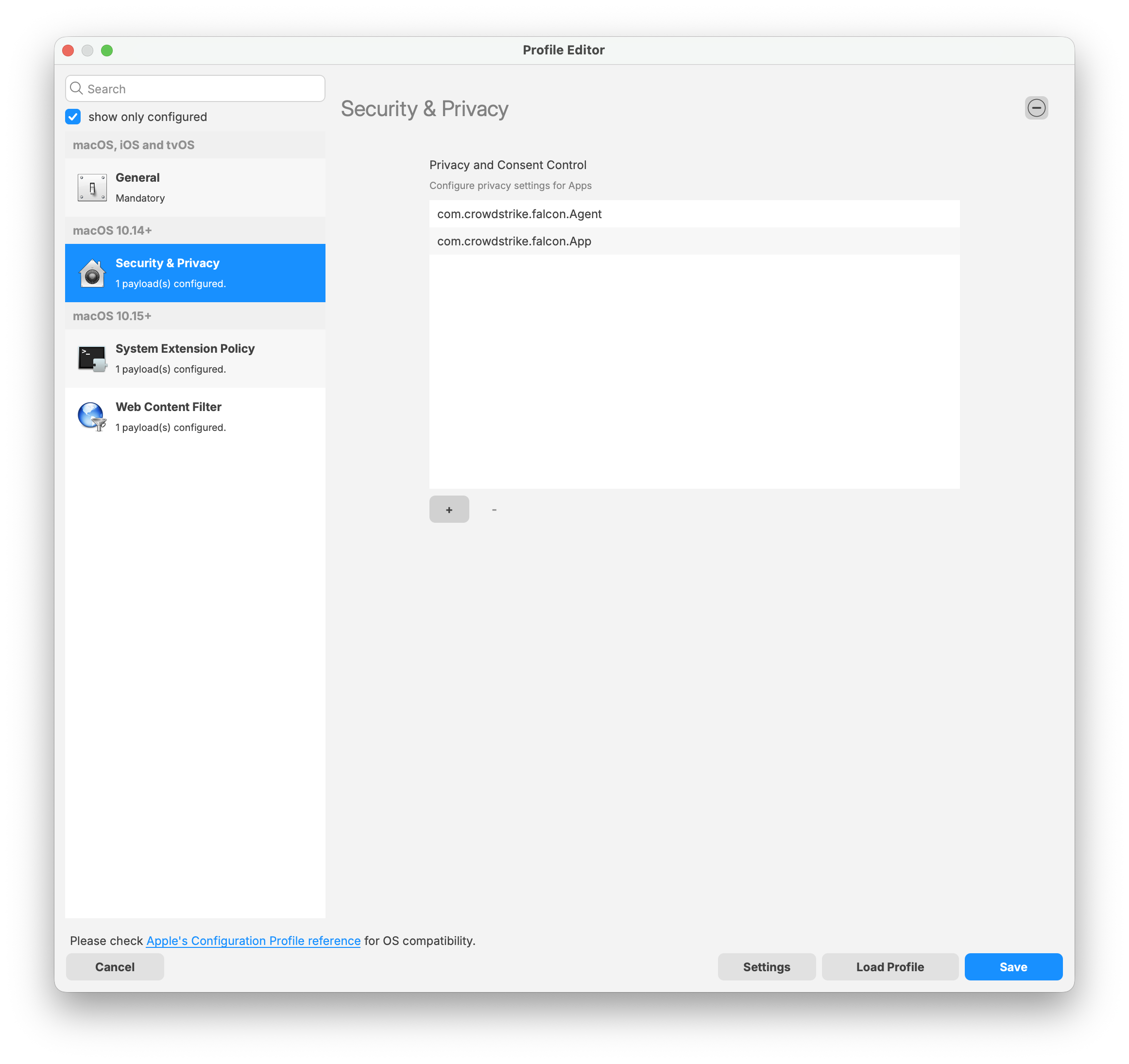
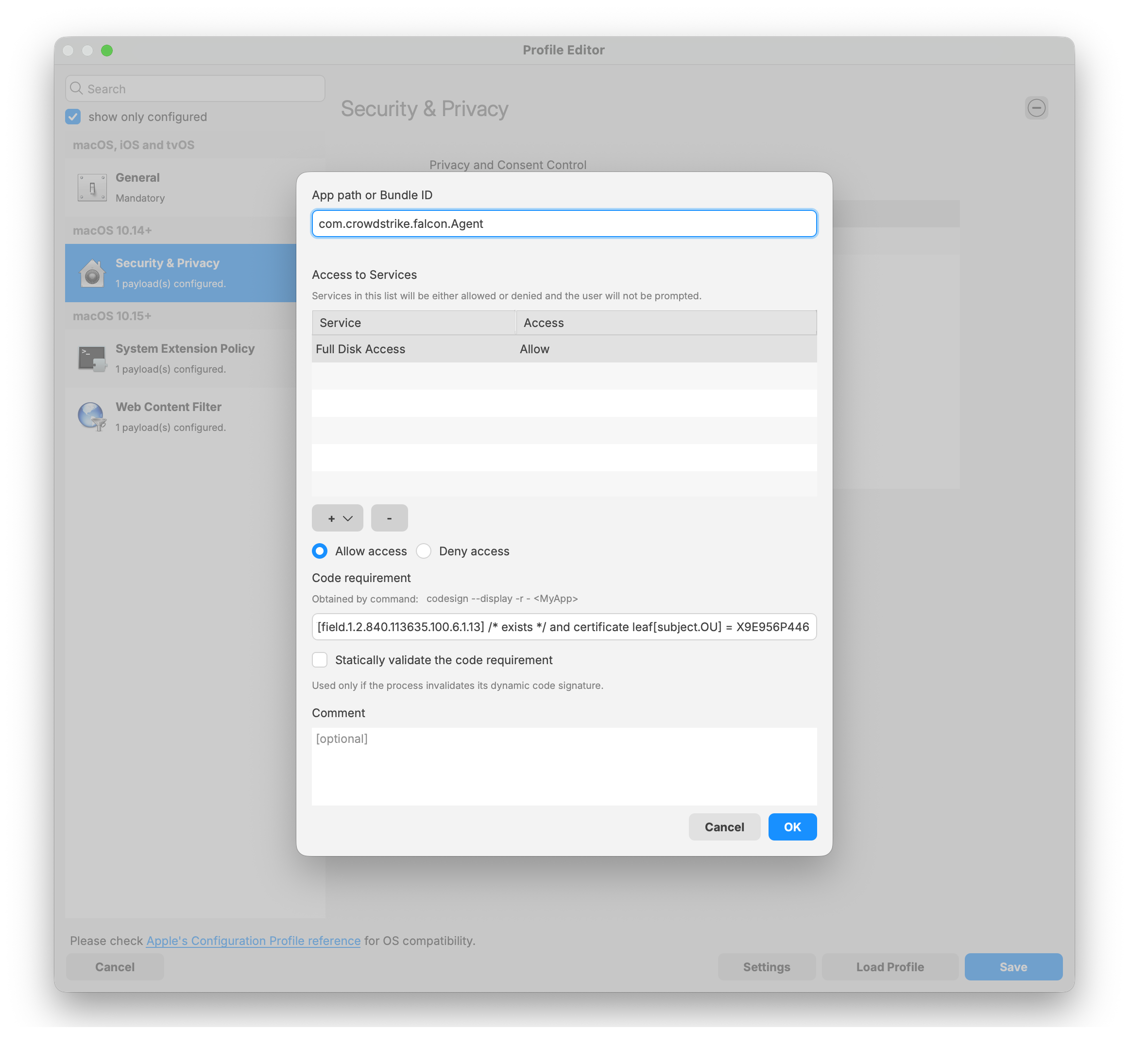
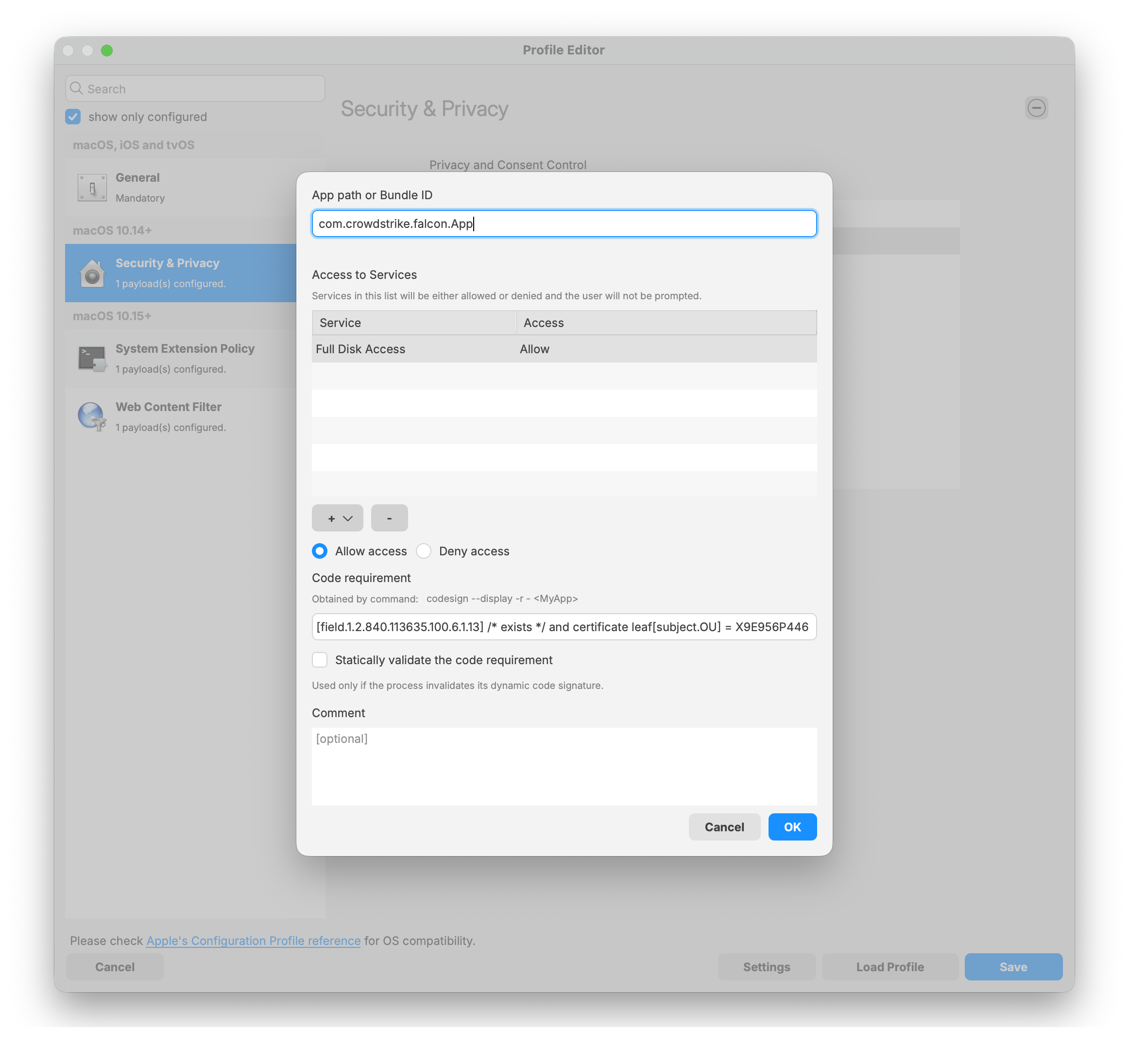
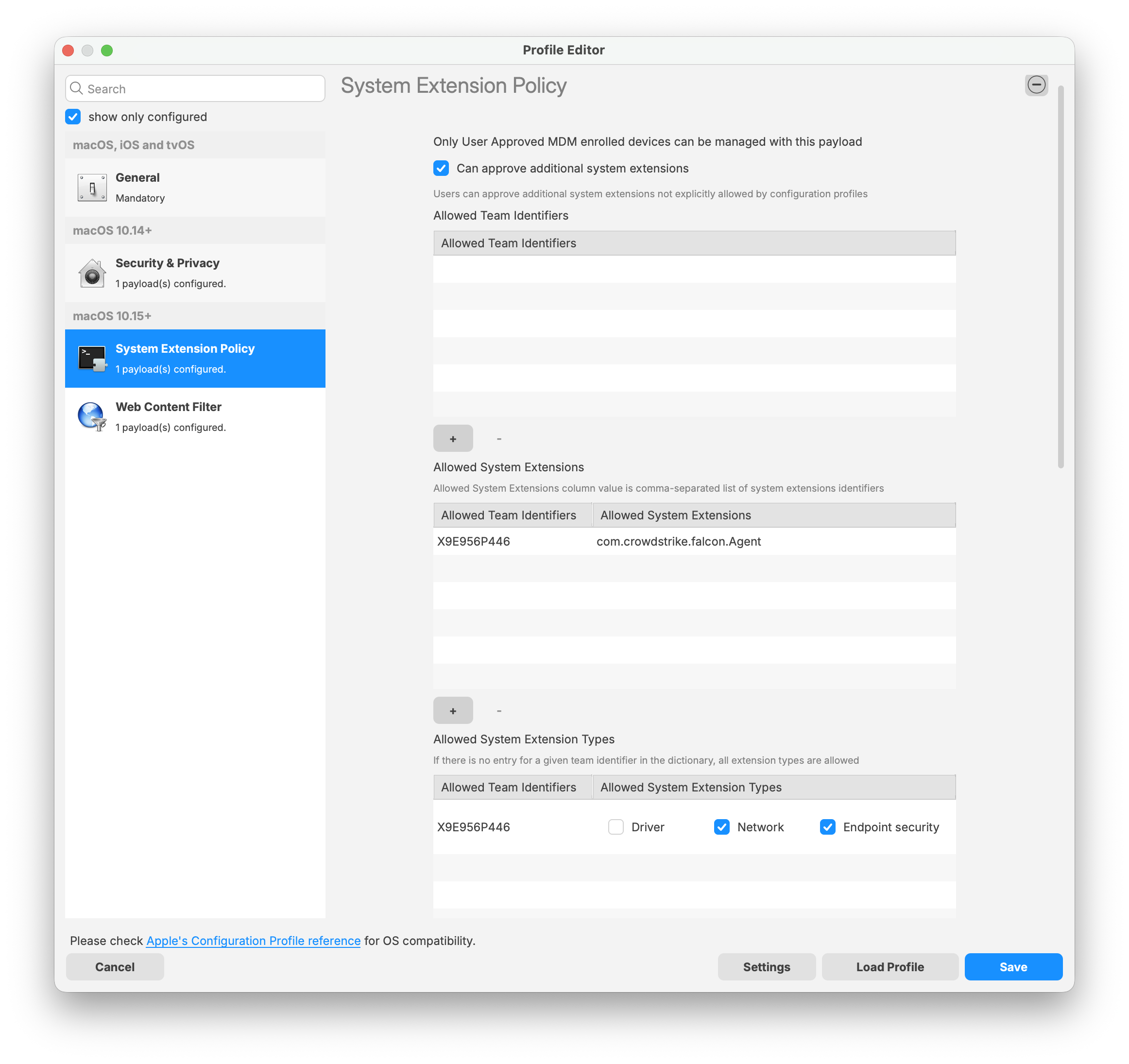
CrowdStrike deployment foron macOS requires three filesets: two Filesets: one TCC profileprofiles and the PKG installer. The required TCC profileprofiles is dependentdepend on whichthe architecturemacOS version in your macOSenvironment. fleetScreenshot is, bothexamples are providedincluded in this article foras download.a reference if you choose to create the profiles manually.
The PKG installer hasshould also include two scripts that will execute withapply your CrowdStrike Falcon license and checkverify forthat the appropriate TCC profile to beis installed before the CrowdStrike application.application is deployed.
Download the TCC profile
Note: Please downloadlog in to your CrowdStrike portal and verifydownload the latest TCC profiles. The screenshots below are provided for reference if you choose to create the TCC profileprofiles for your macOS architecture. Below are screen shots of both Intel and Apple Siliconmanually.
IntelFalcon based macOS devices:
FalconConfiguration Profile for Intel.fileset.zipSonoma and earlier:
IntelSonoma basedand earlier TCC Profile
Security & Privacy Payload:
Access to service:
System Extension Policy Payload:
Web Content Filter Payload:
Socket Filter Designated Requirement:
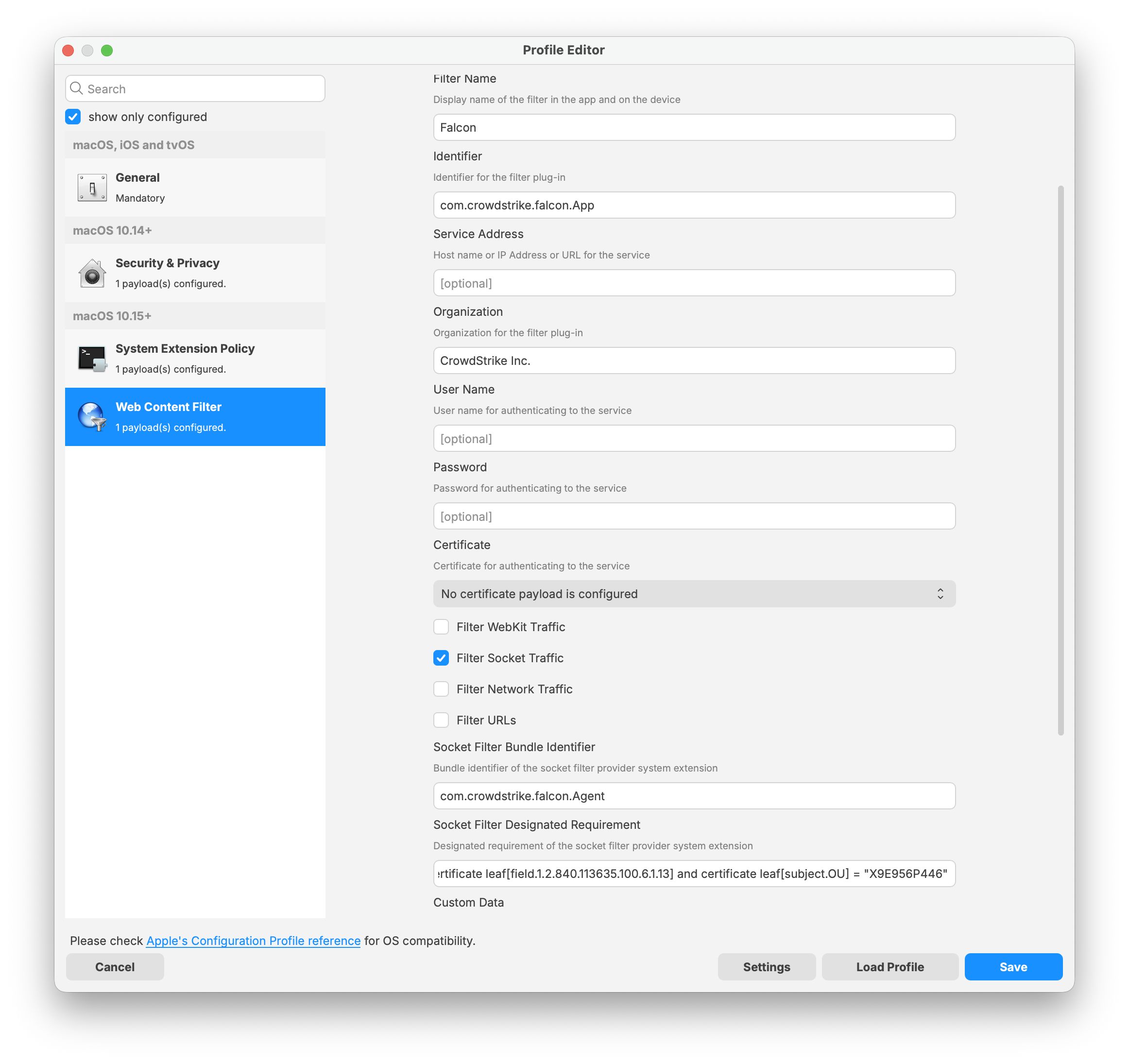
Apple Silicon based macOS devices:
Falcon profileConfiguration Profile for M1.fileset.zipSequoia and later:
AppleSequoia Siliconand basedlater TCC Profile
System Extension Policy Payload:
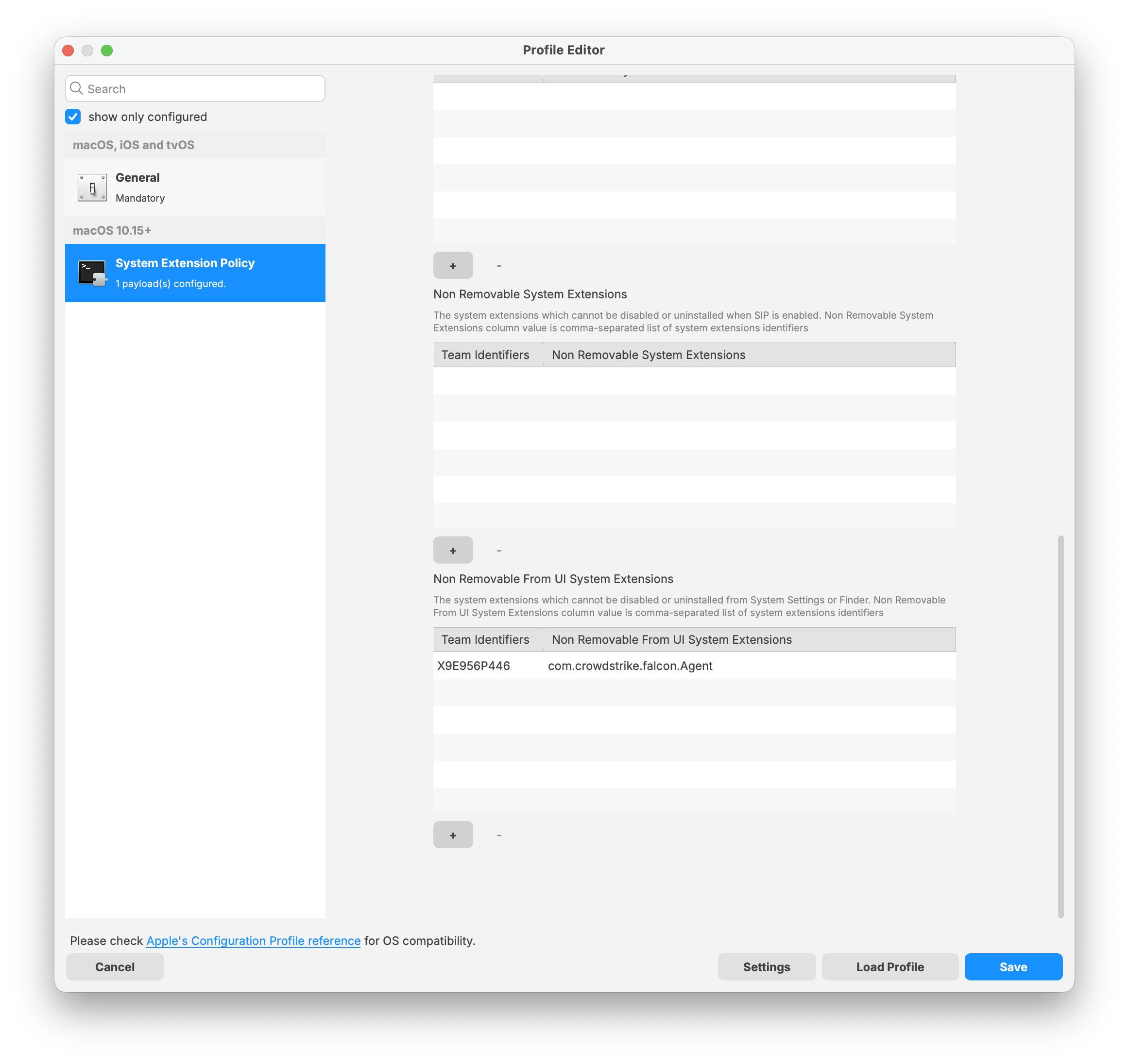
Download the PKG installer
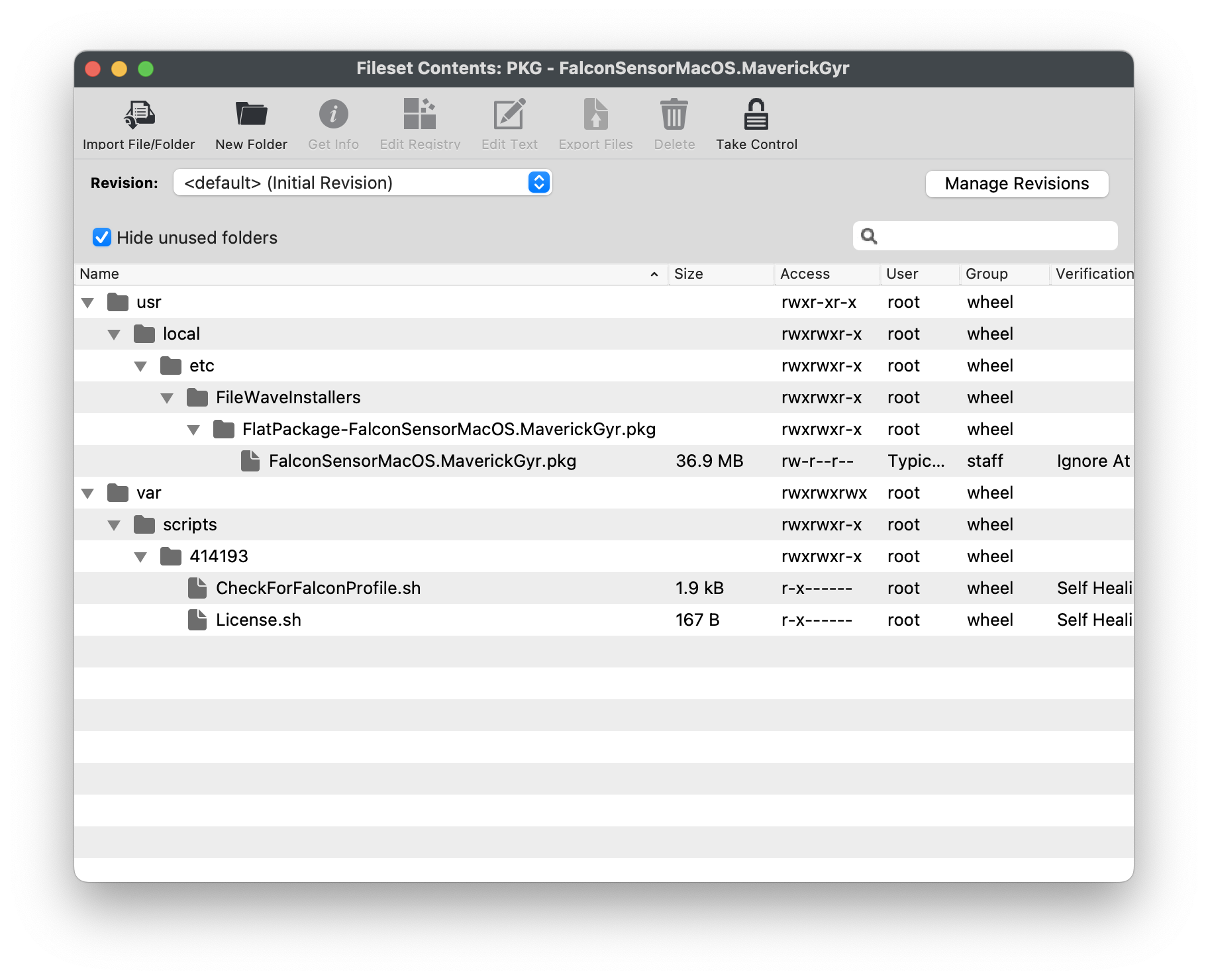
The PKG installer willfileset haveincludes three componentscomponents. The template below can be used to upload your specific version of the CrowdStrike PKG installer. Ensure the installation folder and PKG file name are labeled correctly to support a successful deployment.
Note: Please log in theto Fileset.your NoteCrowdStrike portal and download the latest PKG installer,installer to ensure a successful import and deployment. The PKG installer must be used along with the two required scripts: athe requirementRequirement script and activationthe Activation script.
The PKG installer included with this Fileset is version 7.29.20103.0 (updated 9/11/25) of CrowdStrike for macOS Big Sur and beyond (This version will not install on macOS Catalina).
Note: We will attempt to keep this Fileset updated with recent versions of the installer. If it is out-of-date, you can download the newest version and replace it in Fileset Contents of the included Fileset, and send a note to kb@filewave.com.
PKG - FalconSensorMacOS.MaverickGyr.fileset.zip
CrowdStrike License
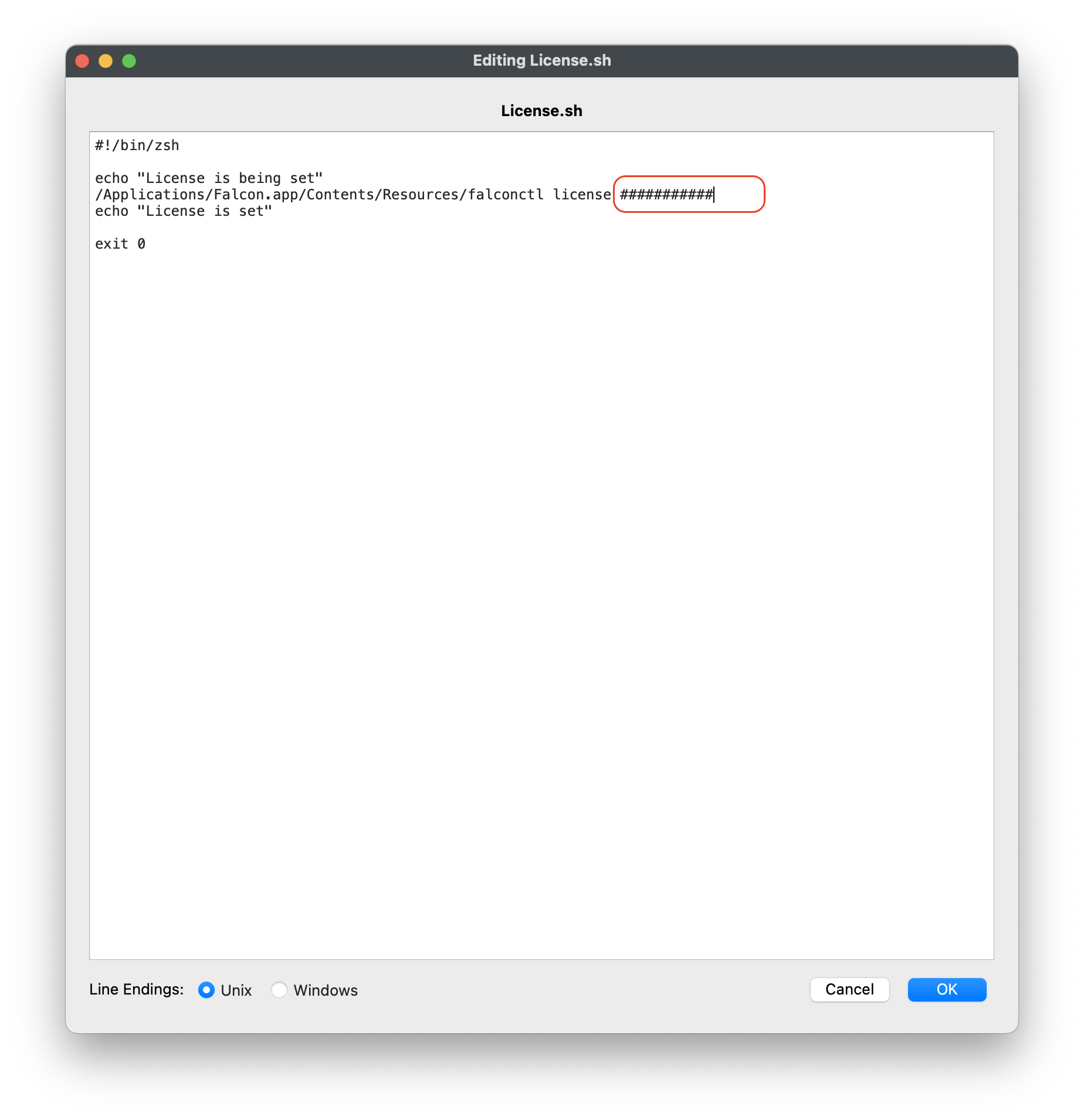
Customizing the Fileset with your CrowdStrike license is required. The Fileset has a License.sh script to edit and enter in your license code.
Editing the License.sh script
|
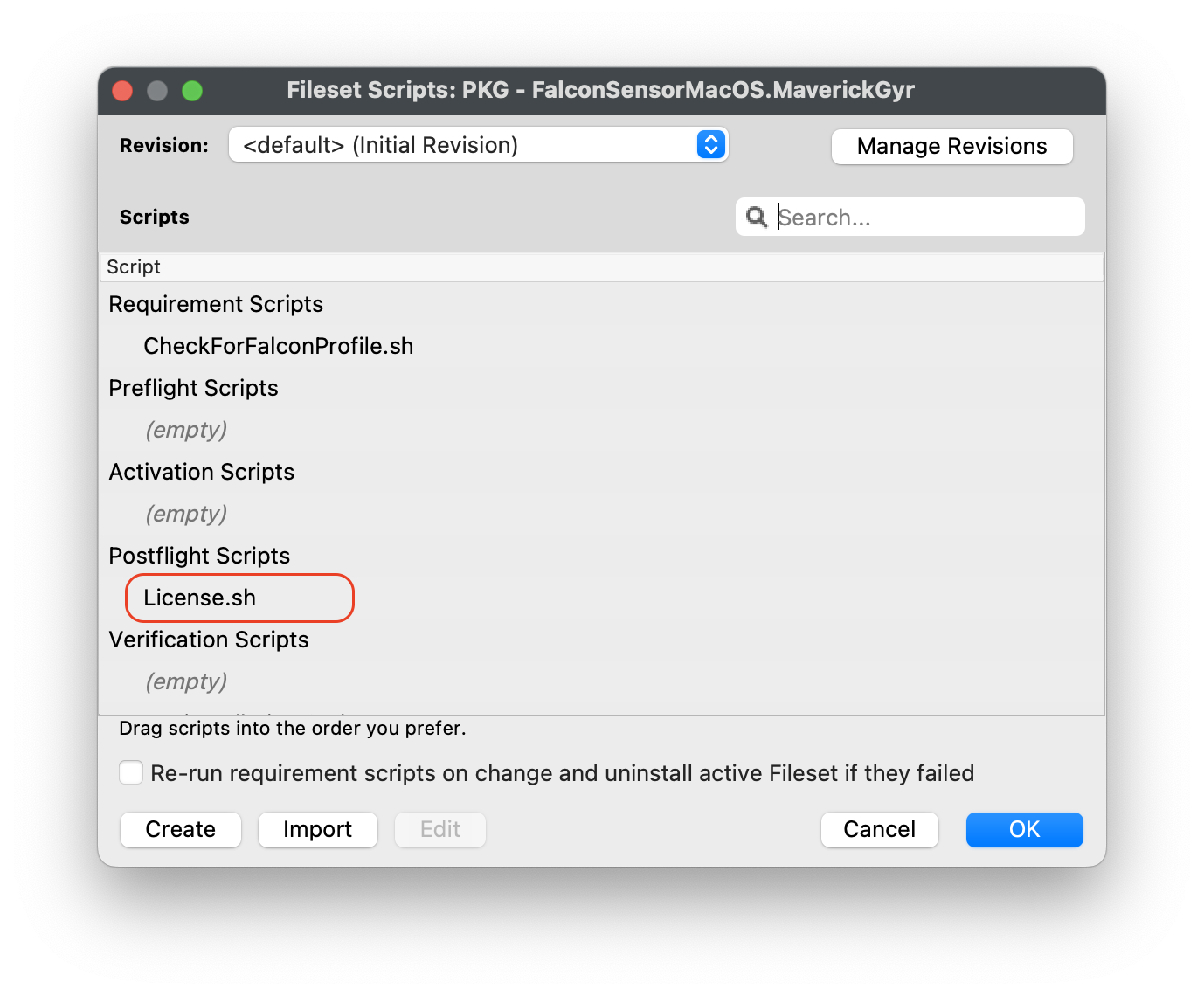 |
Entering in your license code
|
License code script
|
Check for Falcon ProfileProfiles
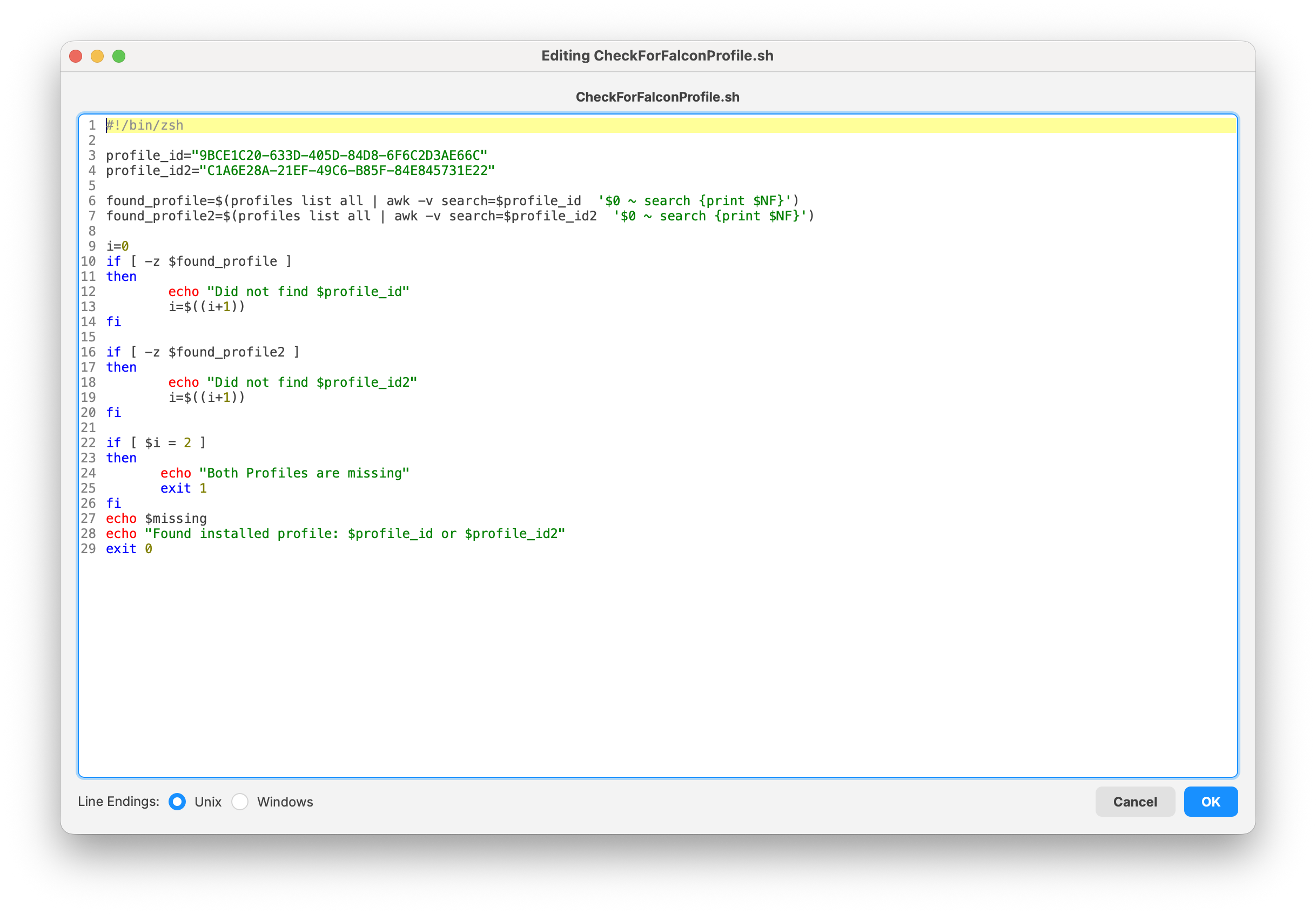
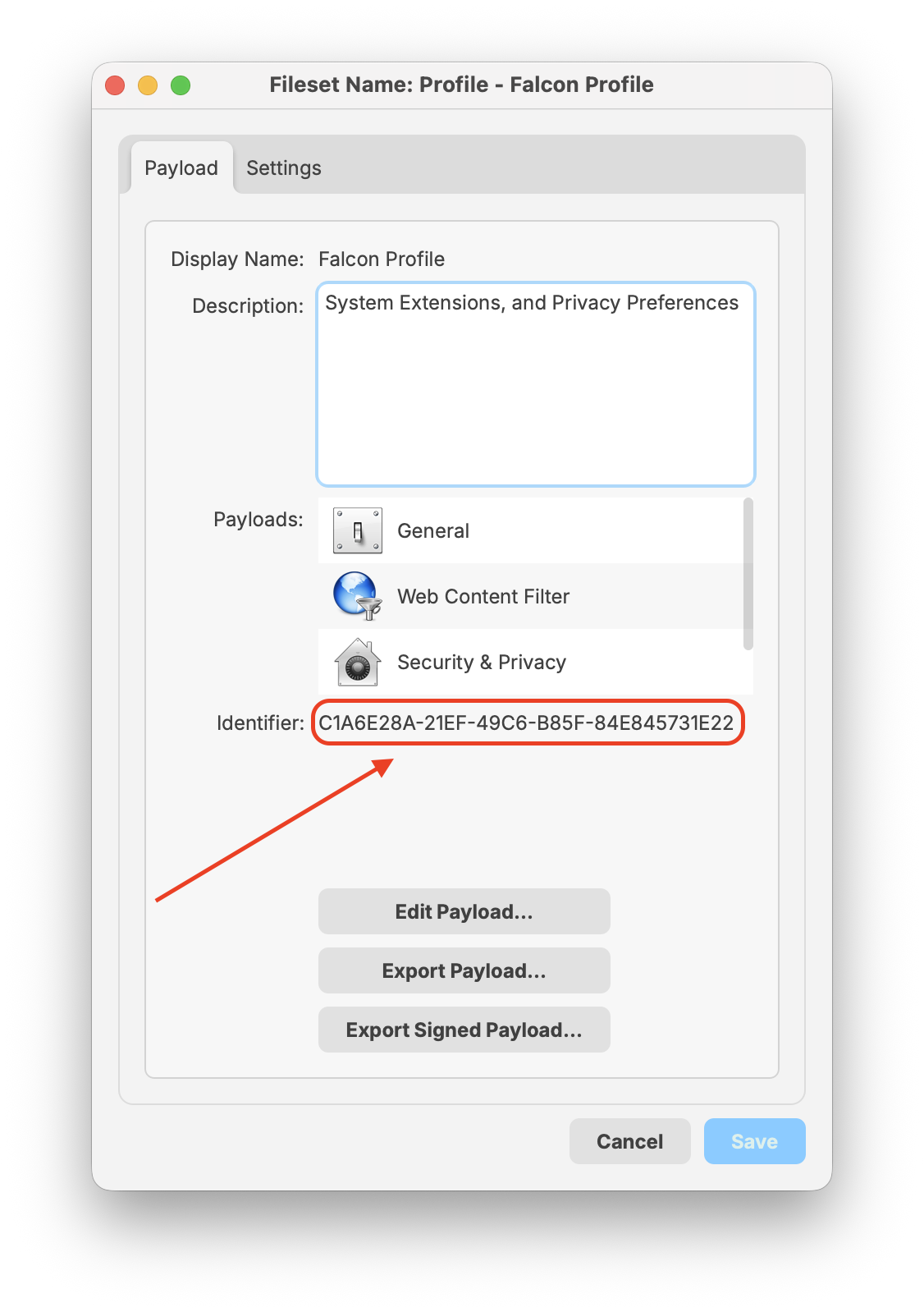
The Payloadpayload Identifiersidentifiers are alreadypreconfigured setin andthe entered.provided template fileset. The steps below areexplain step-by-step instructionshow to add your own Payload Bundle Identifier if needed.
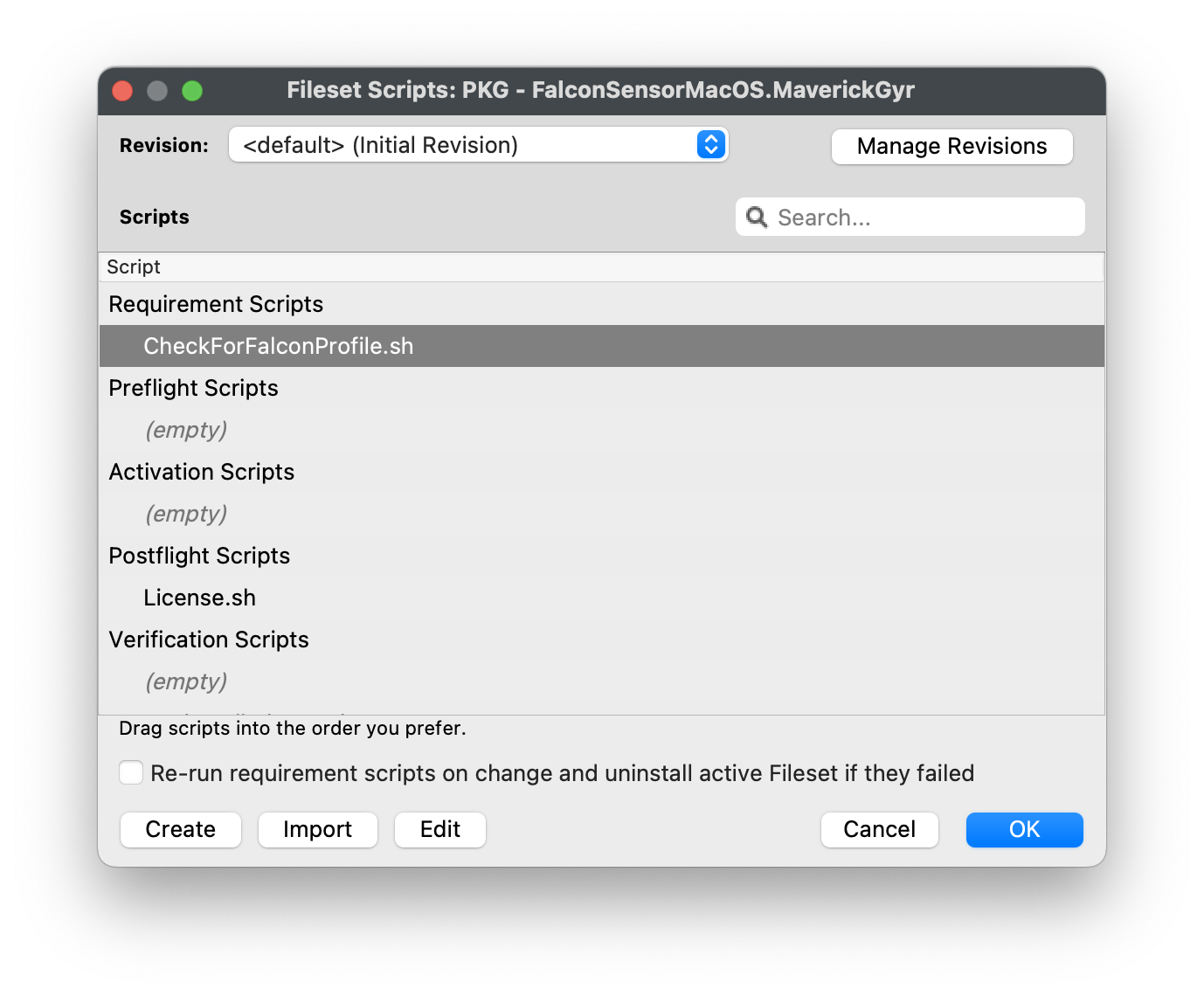
NoteNote:: The Requirement script verifies that the CrowdStrike Falcon ProfileTCC isprofiles are installed successfully BEFORE runningbefore the installationCrowdStrike ofinstaller CrowdStrike.Thereruns. The script checks for both profiles and confirms they are twoinstalled entriesbefore forproceeding your profile identifiers: you may enter bothwith the IntelCrowdStrike and Apple Silicon as the script will check for either profile is installed successfully BEFORE running installation of CrowdStrike.deployment.
Editing the CheckForFalconProfile.sh
|
 |
Entering in your
|
Check for Falcon profile script
|
Creating a Fileset Group
Keeping your Filesetsfilesets organized is gooda recommended best practice, especially ifwhen there aremanaging multiple Filesets for software deployment.deployments. You may create a Newnew Fileset Group,Group label(for itexample, CrowdStrike Falcon (macOS 2023),) and move all therelated Filesets you createdfilesets into that Filesetgroup. Group.This Thenallows you to associate the Fileset Group labeled CrowdStrike Flacon (macOS 2023) towith your devices versusinstead of assigning individual Filesets.filesets separately.
Once all the Filesetfilesets and Profileprofiles have been created, you maycan associateassign the Fileset Group labeled CrowdStrike Falcon (macOS 2023) Fileset Group to a few devicestest as a test.devices. This is tohelps verify and confirm that the software isinstalls installedcorrectly properlyand basedthat onthe yourconfigured license code configured.is applied successfully.
FileWave Custom Fields to validate installation
Monitoring the CrowdStrike Falcon Sensor through FileWave custom fields helps ensure endpoint protection remains active and compliant. By validating that the Falcon service is running and reporting the installed sensor version, administrators can quickly detect inactive or outdated agents that may leave devices exposed.