
Adobe Air (Windows EXE)
Description
NeedUse tothis deployrecipe Adobe Air onto your Windows machines? Here is whatwhen you need to knowdeploy the Adobe AIR runtime to makeWindows thatdevices fileset.with a FileWave Fileset. Adobe transferred AIR maintenance to HARMAN, so use HARMAN's current Adobe AIR runtime download page rather than older Adobe download links.
Ingredients
-
Adobe
AirAIR runtime installer from HARMAN -
FileWave Central
Directions
-
Download the
most recentcurrent Adobe AIRInstallerruntime installer fromhttp:https://get.adobe.airsdk.harman.com/air/runtime. -
Extract and import the AdobeAIR-Installer.fileset.zip into FileWave
AdminCentral and open it. ThisfilesetFileset contains a script that calls the Adobe AIRInstaller.installer.
Starting the installation this wayenablesallows it to succeed even if no user is logged onatto the target system.start "" C:\Windows\temp\AdobeAIRInstaller.exe -silent -
Import the
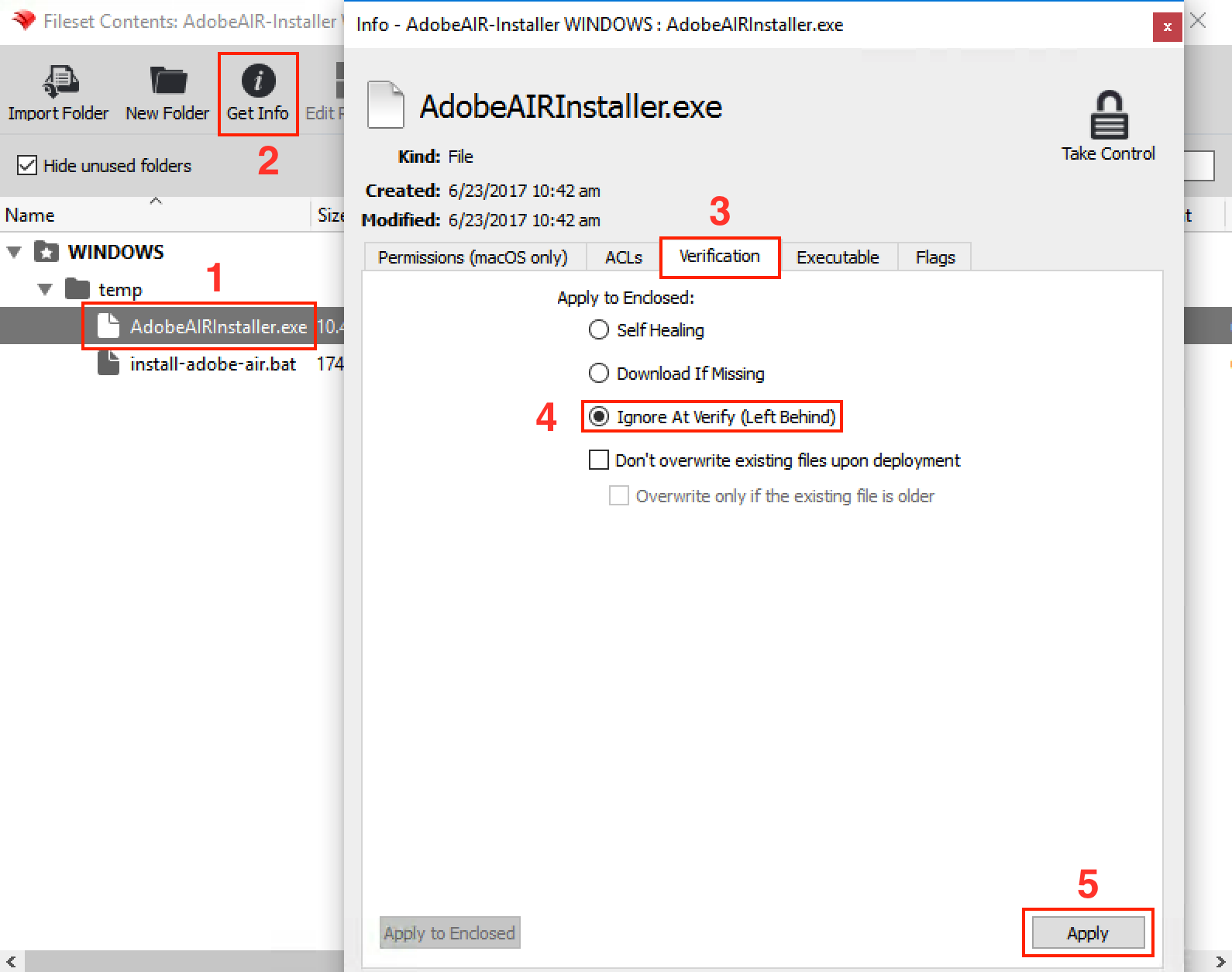
"Adobe AIRInstaller"installer into theC:\Windows\tempfolderfolder. -
AdjustSet the"Adobe AIRInstaller.exe"installer verificationsettingsbehavior to "Ignore at verify" using the "apply to enclosed" buttonasshowndepicted belowbelow.
-
Close the
filesetFileset and associate ittowith a test client before wider deployment.