TeamViewer Android EMM Remote Session Behavior
What the Android user sees
This article picks up fromshows the attended-session prompts that appear after a FileWave administrator requestingrequests aTeamViewer remote control sessionfor through TeamViewer. It presumes that all device pre-requisites are already met.
TeamViewer support foran Android EMM device. Complete the TeamViewer and Android EMM prerequisites before testing this user flow.
Android EMM remote sessions requiresrequire the current FileWave Companion app.app and TeamViewer QuickSupport. TeamViewer licensing is assigned to support technicians, not to each managed device or end user.
When/Why the prompt sequence matters
We'llUse usuallythis createsequence ato remoteprepare the device user for the notification, one-time QuickSupport agreement, and attended-access approval. A remote-support request does not silently grant control; the user must open the notification and approve the session toshown trybelow.
Session resolvesequence
The typeFileWave ofCompanion supportapp issue on a remote device. When we beginreceives the remote remote-session withrequest and posts an Android device,notification. it is important that we know how it behavesDepending on the remotedevice's endpointnotification sosettings, thatthe werequest may be easy to miss: it can assistappear theas enda sound and a status-bar icon rather than a full-screen prompt. The user ifmust needopen be.
Behavior
Once the device receives the remote session notification (think of this as an alert to the device to begin a session), the FileWave EMM app will receive athat notification to the device. But note, this notification (a behavior of the OS) is somewhat subtle...It plays a notification sound and shows an icon at the top of the window. Opening the notification will show the prompt for the session:continue:

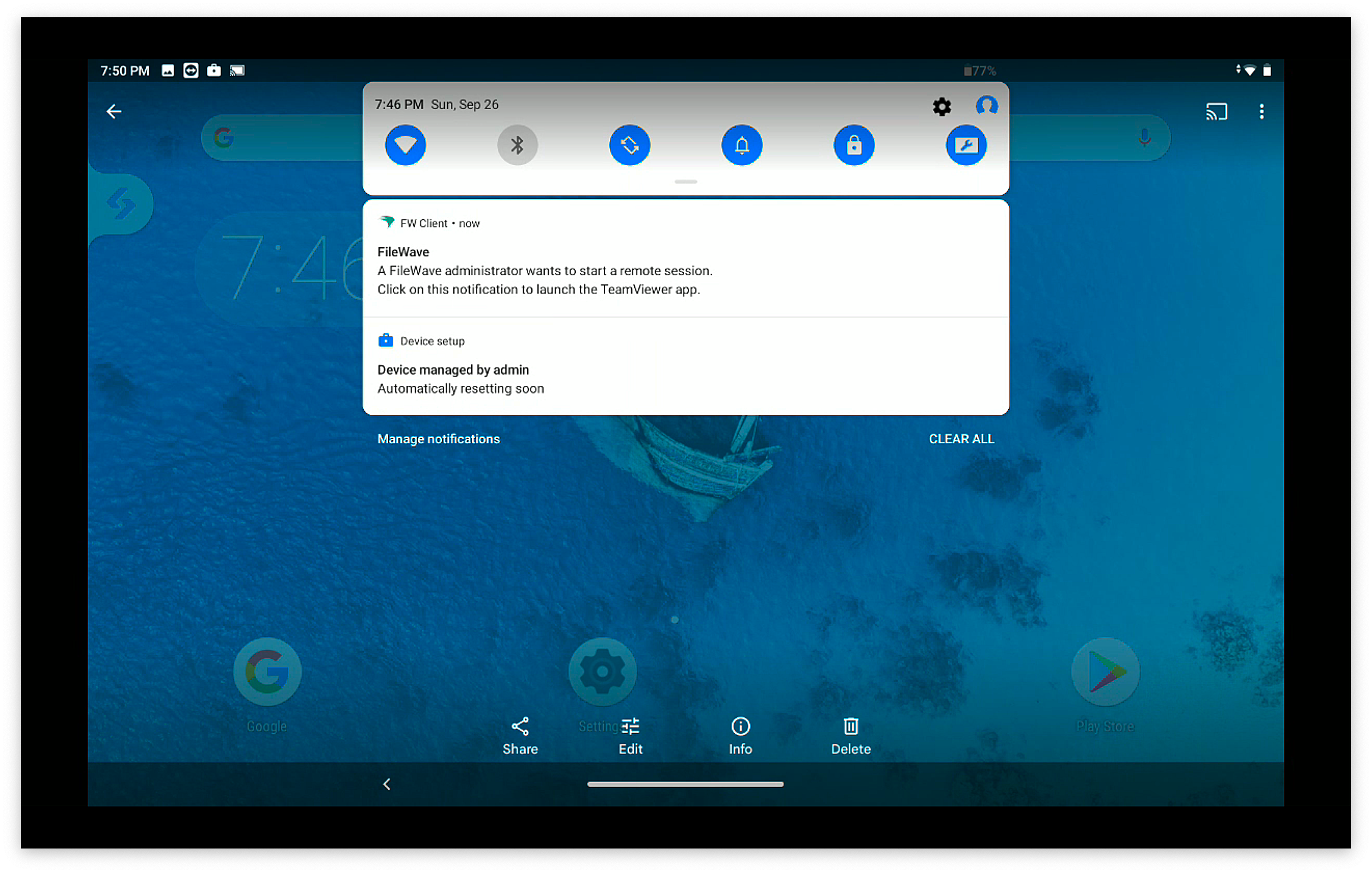
When that notification is acknowledged, the TeamViewer QuickSupport App will open to start a remote session.

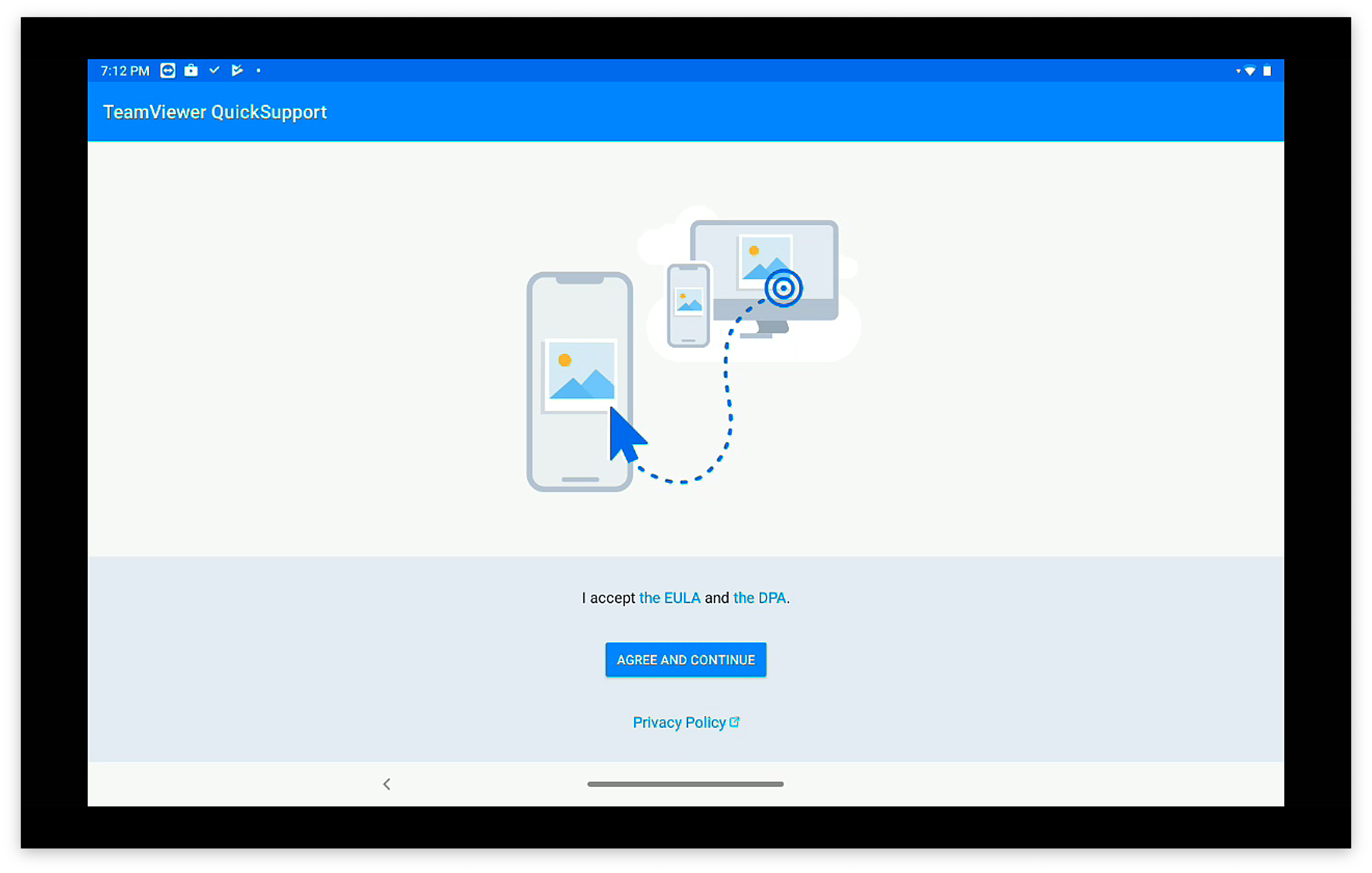
On first launch, the QuickSupport app will prompt the user to accept the EULA as shown above
The FileWave EMMCompanion companionapp App MUSTmust be running for the initial notificationdevice to be received byreceive the device.initial session notification.
Once the EULA is agreed to (one time prompt), then the client-side session will begin:

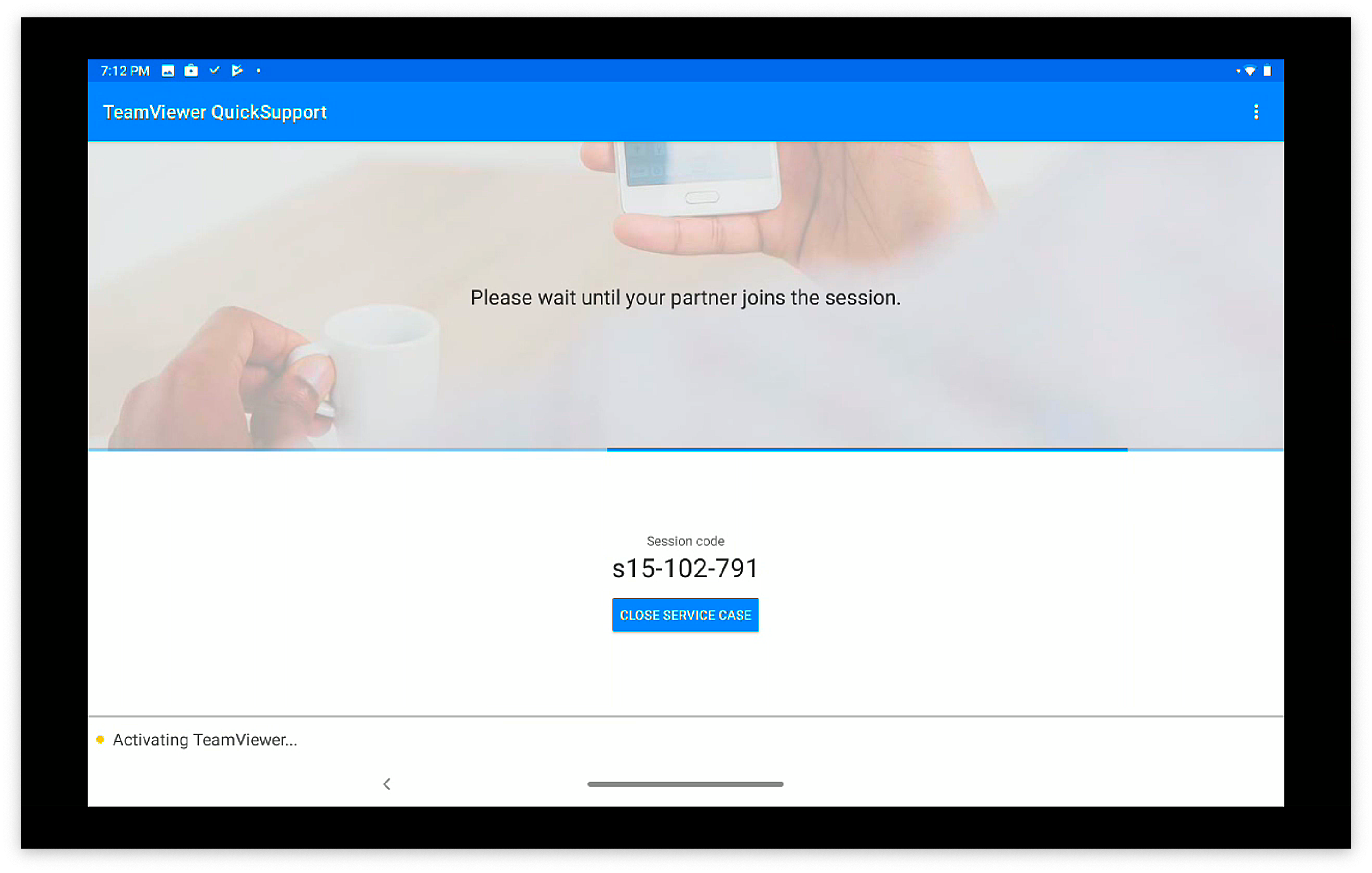
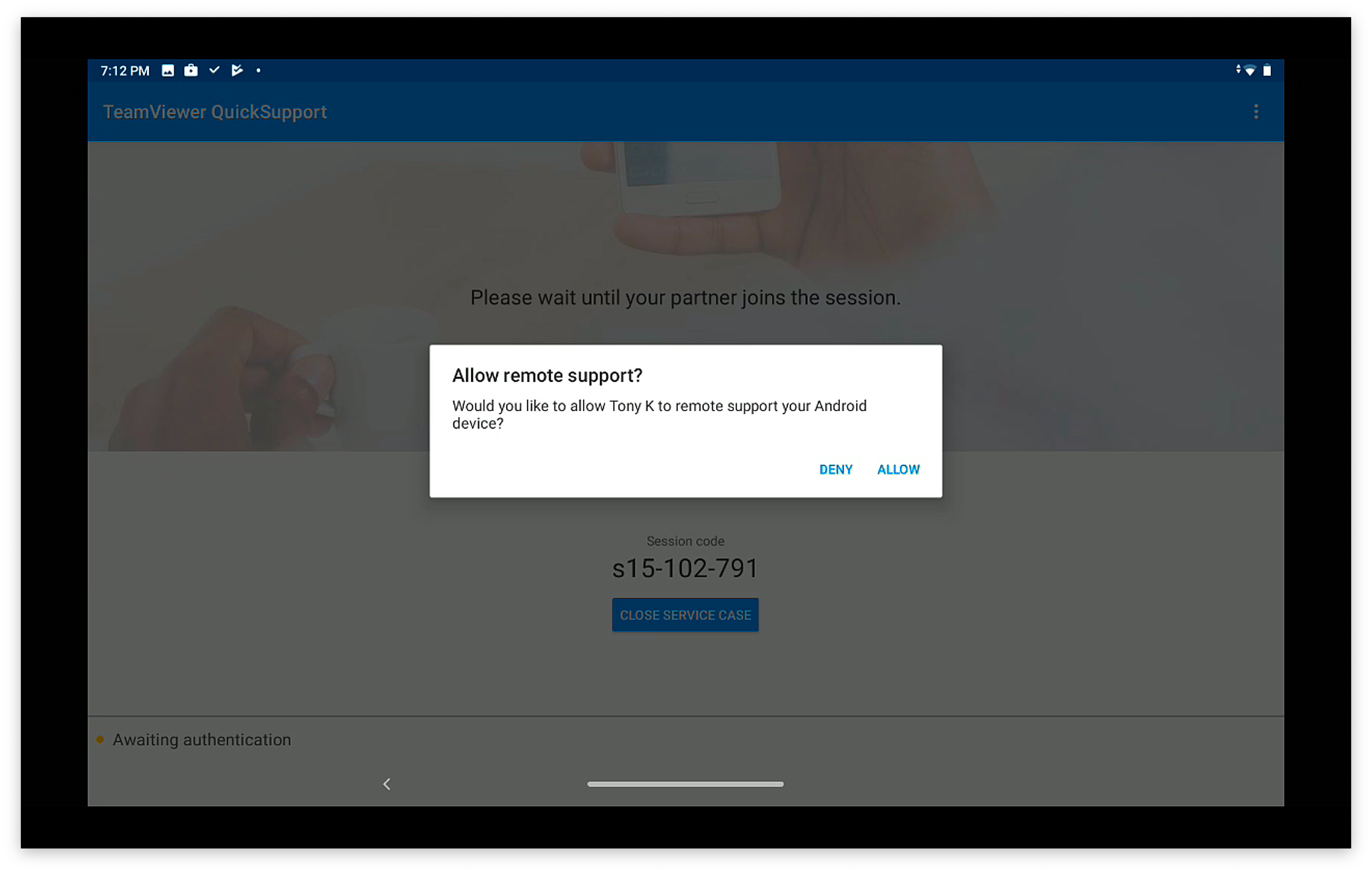
When the administrator's TeamViewer is also running, then the user will be prompted to allow this specific session (for attended access):

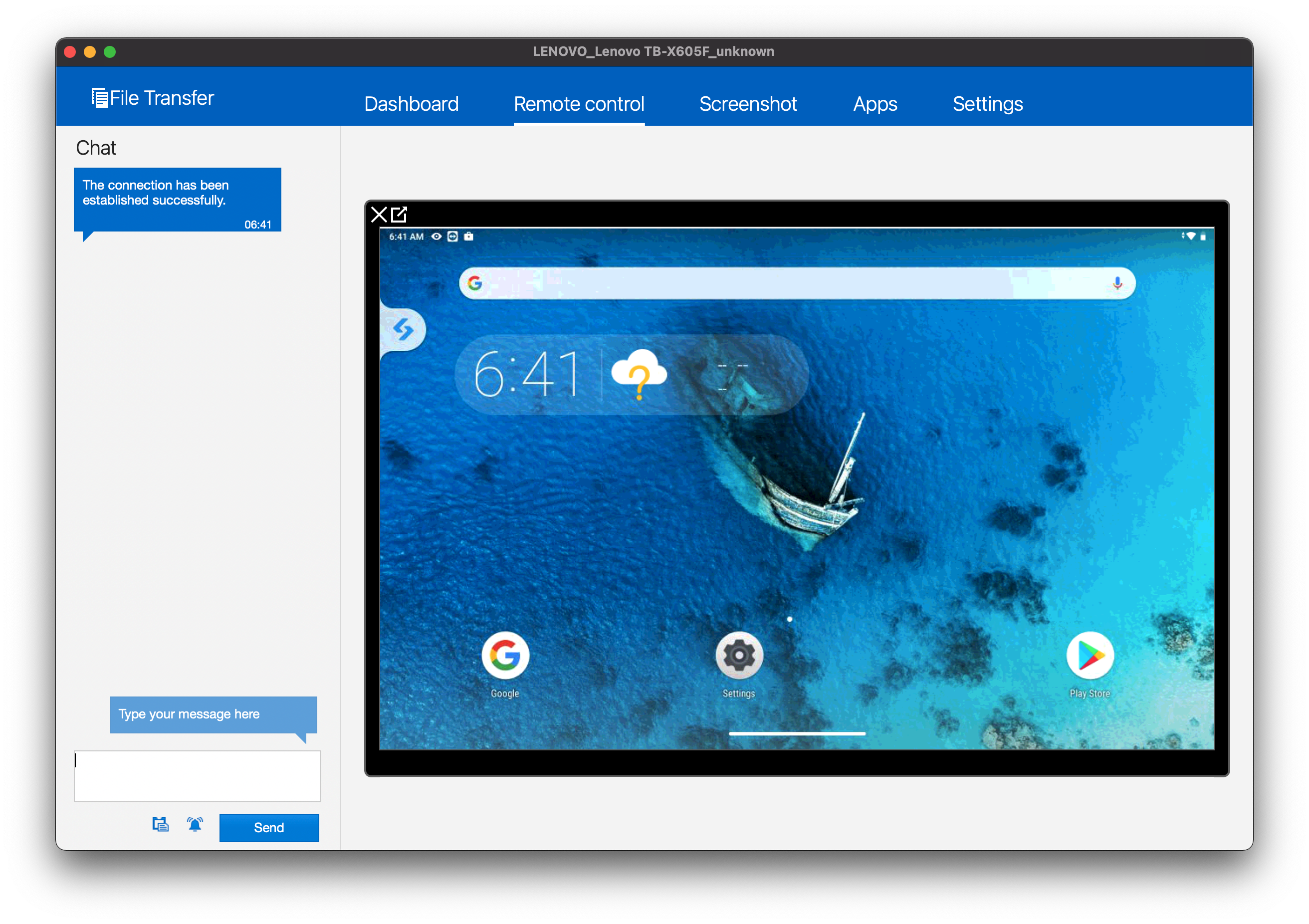
Once each of the above are completed, the remote session will look like this from the admin's machine: