
Inventory Items in Scripts
What
- Each
InventoryinventoryItemsitem, including each Custom Field, has anInternalinternalName, including Custom Fields which provide extended inventoryname. The Internal NameScripts canbeuseusedthat internal name toreferenceread inventory values supplied by FileWave.
When
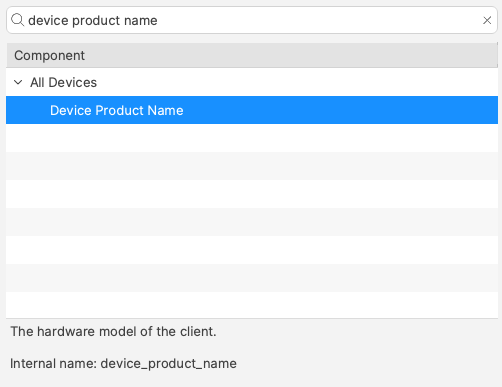
InternalFind Namethe ofinternal anname in the Inventory ItemReport mayeditor be located from(formerly the Inventory Query Editor.Editor). The Exampleexample below shows the Internalinternal Name:name ‘device_product_name’.
ThisAdd maythat thenvalue beto addedthe intoscript a Script, by way ofas either a Launchlaunch Argumentargument or Environmentan Variableenvironment variable.
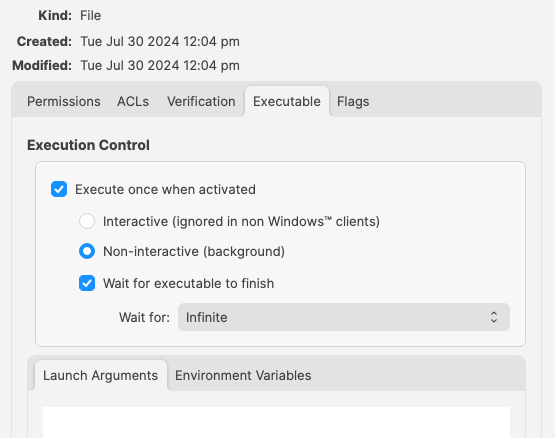
But, which should be used?
How
InEither somemethod respectscan itwork. does not matter which is used, however, for easy reference considerChoose the following:one that makes the script easiest to read and maintain:
- Launch Arguments are referenced by their numerical position
- Environment Variables are referenced by a chosen name
- Custom Fields have an abbreviated name and a full name. Custom Field names could overlap with a built-in Inventory Item.
Built-In Inventory
In general,most recommendationcases, hereenvironment isvariables thatare ofeasier Environmentto Variables.read This makes readingbecause the script easiercan withoutuse havinga tomeaningful redefinevariable newname namesinstead withinof therelying scripton forlaunch-argument Launch Argument positions.position.
For example:
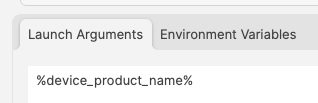
Could be referenced in a script as:
| macOS shell | echo $1 |
| Windows Powershell | echo $args[0] |
But to make the parameters more easily recognisable for anyone reading the script, it could be desirable to name them:
| macOS shell |
|
| Windows Powershell |
|
References to the provided inventory parameters in the script now makes more sense, but as mentioned, Environment Variables take this a step further:
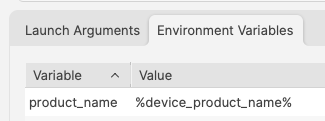
A variable name is already defined and this can be referenced in the script directly
echo $product_nameImprovements
First Improvement
To improve the readability of the script further, consider setting the variable name to match the value, e.g:
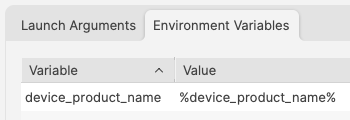
echo $device_product_nameSecond Improvement
When referencing a Custom Field in a script, it could be referenced in one of two ways.
Example Custom Field: State
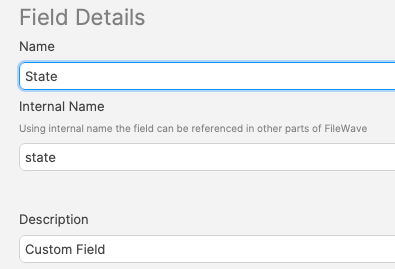
Note, the description has been used to indicate this is a Custom Field. Inventory Query editor shows Description.
This could be referenced with:
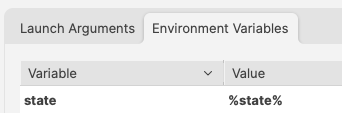
and
echo $stateHowever, there is a built-in Inventory Item called State. So there are now two Internal Names of ‘state’
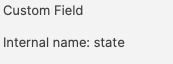

The above scripted example for 'state' would actually report the built-in value, not the Custom Field. There is, though, a hidden prefix that can be used.
This Custom Field could be referenced as either:
- %state%
- %CustomFields.state%
The latter prevents an unexpected collusioncollision with the matching Internalbuilt-in Name.internal name. Hence, toTo make the parameters more obvious when reading…reading the script:
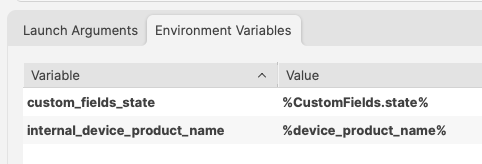
echo $custom_fields_state
echo $internal_device_product_name
Notice, despite no prefix existing for built-in Inventory Items, by including a prefix for both variables in the Environment Variables definitions, reading the script will be much clearer.
Anyone reading the script is now aware that state is a Custom Field, without having to cross reference anything. Likewise, the reader also is aware that the device_product_name also comes from Inventory, again, without any cross reference necessary.
Unknown Inventory
Not all Inventory Items are available as parameters.
The FileWave Client builds outthe inventory report and returns it to the report of items to inventory and return to server. Additionally, all Custom Fields, including those server-side (Administrator Custom Fields),Fields, are available to the client. However, inventoryInventory returned only by MDM is not available,available sinceto client-side scripts because the client isdoes unawarenot ofknow these values, they are purethose server-side.side values.
%CustomFields.location%