
Installing Windows Fonts
Description
Installing a Windows font installationrequires ismore notthan ascopying simplethe asfont addingfile into C:\Windows\Fonts. Windows also needs the matching registry entries. This Fileset installs TrueType fonts by copying the prepared font files tointo aplace folder.and Asregistering welleach asone.
Supported files,font the registry requires editing. The followingtype
This Fileset will add Fonts to Windows systems.
TTFThe Fileset has beenwas tested with TTFTrueType (.ttf) fonts on Windows 10 Pro 10, 1803 and 19031903. Test the edited Fileset on your current Windows build before broad deployment.
Registry Editing
This Fileset edits the Windows registry. Follow instructionsthe setup steps carefully to ensureso only the required Fontfont files you intend to deploy exist in the suggested folder.
Information
Download and import the Fileset, then ensurereplace the placeholder with the fonts you want to edit appropriately, as per the directions, for desired fontsdeploy.
Windows Instal Fonts.fileset.zip
Description
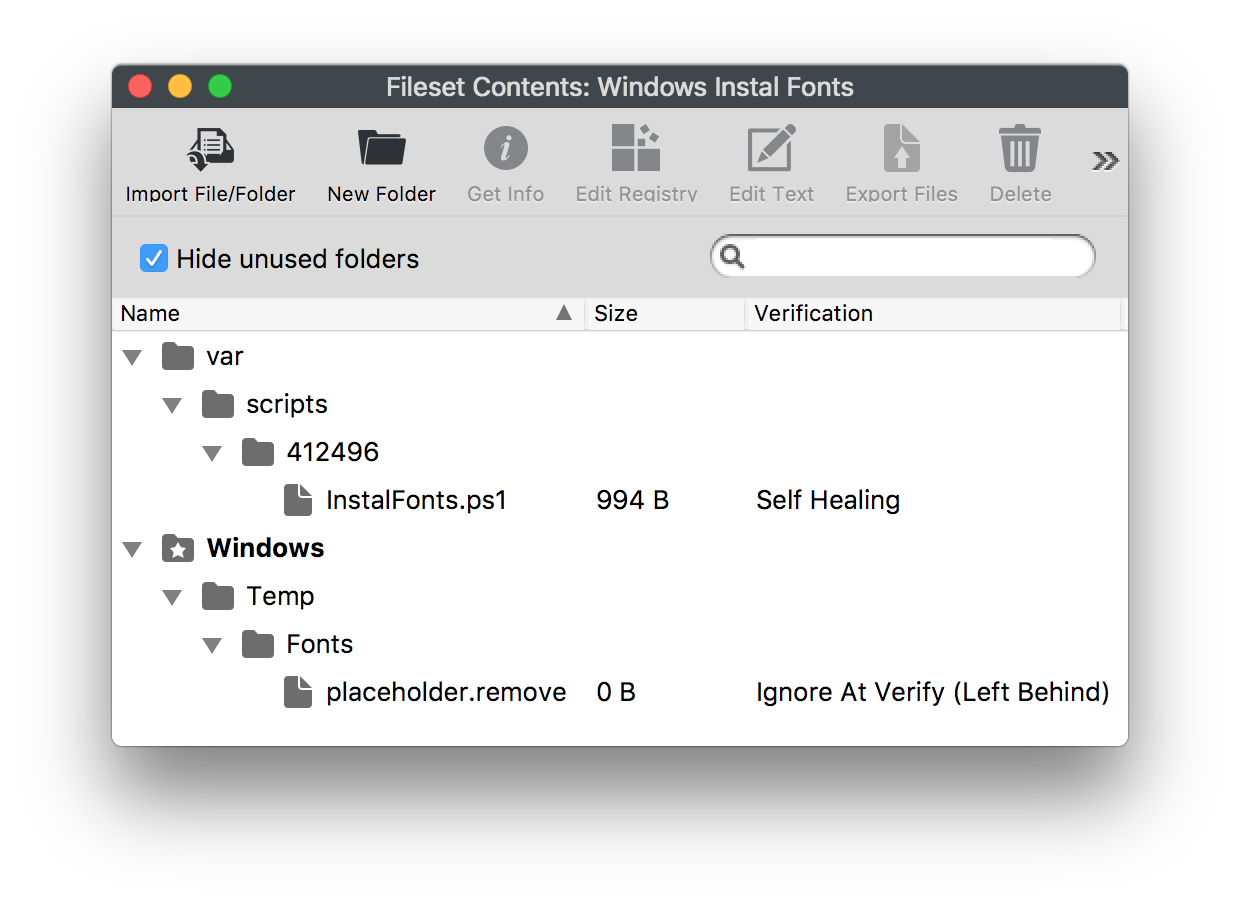
The Fileset consists of:
- An
ActivationactivationScriptscript - A folder
to providefor thefonts;font files, with a placeholder file

Adding Fonts
- Select the
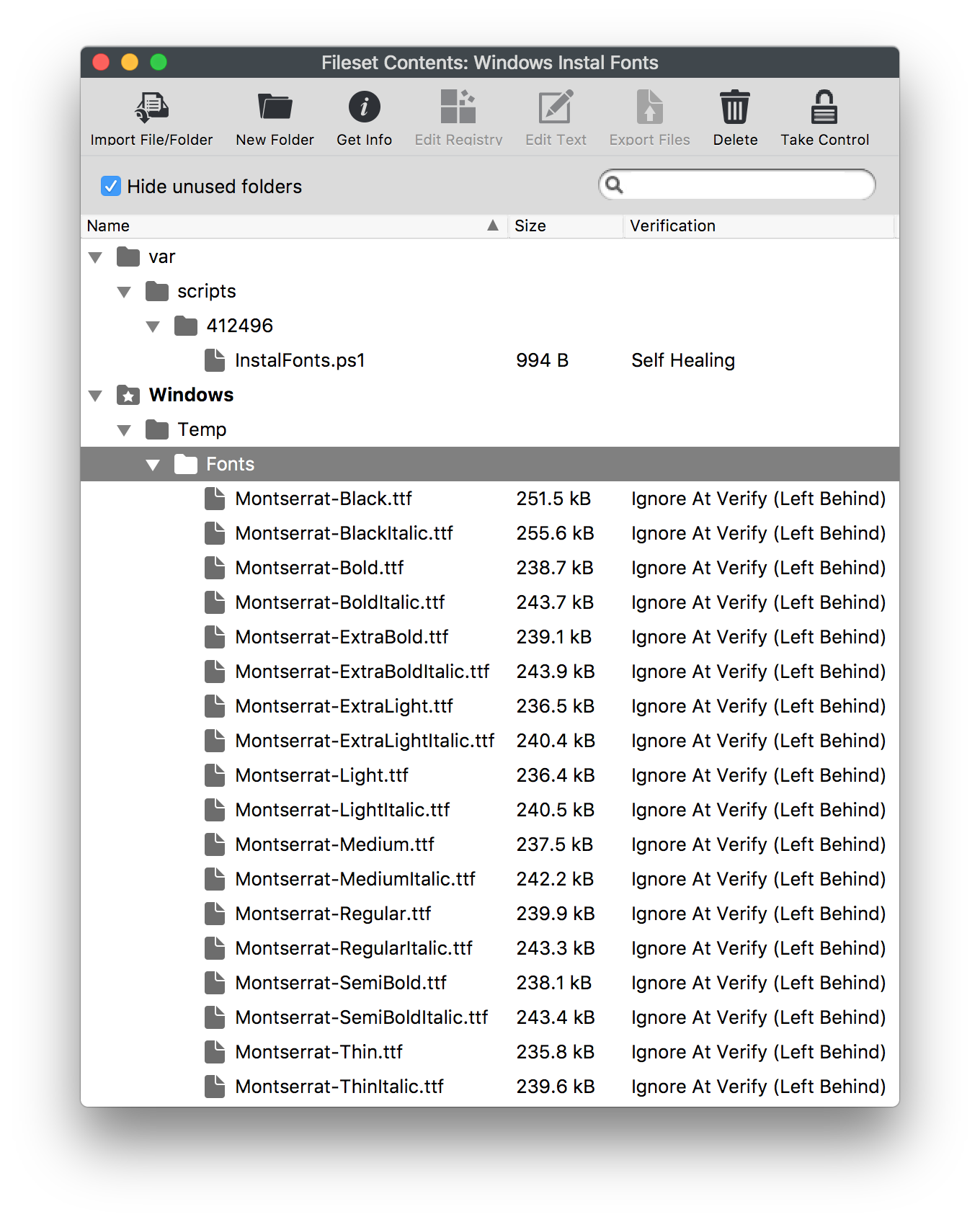
Fontsfont files inamacOS Finder or WindowsExplorer WindowExplorer. - Drag them into the Fileset folder Windows > Temp > Fonts.
- Select the Fonts folder in the Fileset, choose Get Info > Verification,
andthen set Ignore AtVerify;Verify and Apply to Enclosed. - Remove the
'placeholder.remove'removefilefile.
Example, MonsterratMontserrat Font:font:

Deployment
On Associationassociation and Activation,activation, the script will:
- Copy
ALLall files fromC:\Windows\Temp\FontstoC:\Windows\Fonts(if they do not alreadyexist)exist. For each file copied,Create a registry entrywillforbeeachcreatedcopied(file if one does notyetalreadyexist)exist.Finally the script will removeRemove each file from the temporary directory:C:\Windows\Temp\Fonts.
Changing Temporary Folder
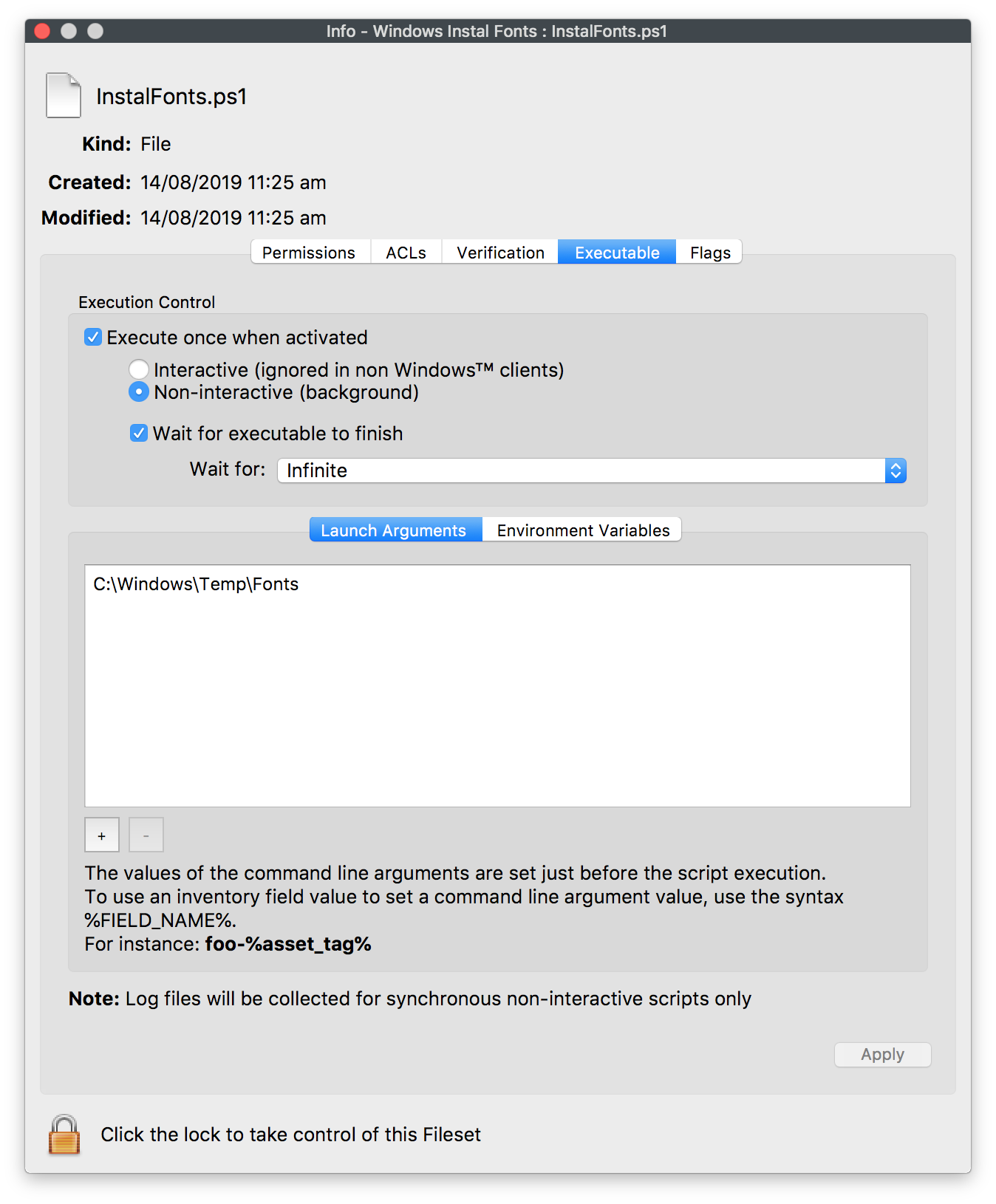
ShouldTo use a different temporary folder be desirable:folder:
- Drag the fonts to the desired location in the
FilesetFileset. - Change the
LaunchlaunchArgumentargument to match: InstalFonts.ps1 > Get Info > Executable.

As always, testTest on a small group of appropriate Windows devices before deploying en masse.broadly.