
Notify Users with a dialog (Windows)
Description
TheUse providedthis Windows Fileset iswhen anyou want FileWave to show users a notification while Filesets download, install, or finish activating. The example ofmonitors notifyingthe users,FileWave inClient particularlog here,and araises messageWindows regardingNotification FilesetCenter statusmessages when downloadingthe andconfigured installingtext newpatterns Filesets.appear.

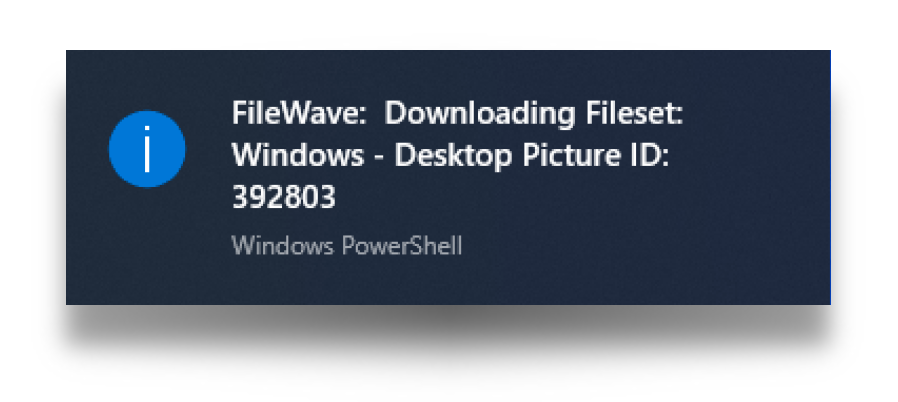
The Fileset is designed to:
- Create a
continual runningWindows service that monitors Fileset changes WhereWhen a Filesetchanges occur,changes, begin monitoring the FileWave Client log fileIfWhena number of presetconfigured text stringsare foundappear in the log file, sendthisa notification totheWindows NotificationCentreCenterLastly,Stopwheremonitoringanotherwhenpresetthe configured completion textis found, stop monitoring the log fileappears
The service has been built to be actionedstarts automatically bywhen the user logginglogs in. WhereIf Filesetsthe areFileset is disassociated, each has aits pre-uninstallation script to ensureremoves the servicesservice shouldso alsothe bewatcher removed.does not keep running.
Ingredients
- Provided Fileset:
|
↓ Windows |
|
|


Directions
For the example provided:
- Download the necessary provided Fileset
- Upload
usingit in FileWaveAdminCentral - Associate to the appropriate devices
'UpdateModel'.the model.
You can adjust the Fileset scripts may be modified for personalyour preference.environment. InThe eachlocal FilesetWindows thereservice isruns athe script thatand is actioned by the local computer service. The scripts are using a pattern match. Theuses pattern matching mayagainst bethe editedFileWave asClient required,log. removingAdd or addingremove appropriately.patterns to control which client events trigger a user notification.
Windows
Locate the "BallonTipSwitchWatcher.ps1" file within the Fileset and choose to edit. In the following code block snippet from this script, the switch statement is pattern matching text. In the provided example the script is looking for lines that contain any one of the following:
- Model version
- Downloading Fileset
- Done activating
- Activate all
Where found, the 'ShowBalloonTipInfo' function is being used to prompt the user:
BallonTipSwitchWatcher.ps1
$changeAction = Get-Content C:\ProgramData\FileWave\FWClient\fwcld.log -tail 1 -wait | ForEach-Object {
switch($_) {
{ $_ -match "Model version" -or $_ -match "Downloading Fileset" -or $_ -match "Done activating" -or $_ -match "Activate all" } { ShowBalloonTipInfo ("FileWave: ",$_.split("|")[4]) }
The second part of the switch statement is causing the script to exit. The pattern match this time, is any line that contains:
- Installation
BallonTipSwitchWatcher.ps1
{ $_ -match "Installation" } { break }Notes
The above provides anThis example of notifying users, usinguses a service.Windows However,service withto somenotify adaptationusers about Fileset activity. You can adapt the same pattern for other user messages couldor bedifferent sentpoints in otherthe waysdeployment at alternate times to users.workflow.