
Notify Users with a dialog (Windows)
Description
Use this Windows Fileset when you want FileWave to show users a notification while Filesets download, install, or finish activating. The example monitors the FileWave Client log and raises Windows Notification Center messages when the configured text patterns appear.
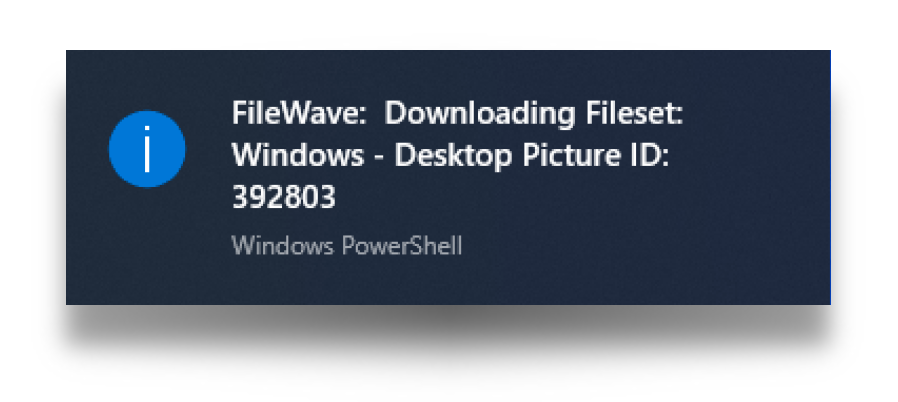
The Fileset is designed to:
- Create a Windows service that monitors Fileset changes
- When a Fileset changes, begin monitoring the FileWave Client log file
- When configured text strings appear in the log file, send a notification to Windows Notification Center
- Stop monitoring when the configured completion text appears
The service starts automatically when the user logs in. If the Fileset is disassociated, its pre-uninstallation script removes the service so the watcher does not keep running.
Ingredients
- Provided Fileset:
|
↓ Windows |
|
|

Directions
For the example provided:
- Download the necessary provided Fileset
- Upload it in FileWave Central
- Associate to the appropriate devices
- Update the model.
You can adjust the Fileset scripts for your environment. The local Windows service runs the script and uses pattern matching against the FileWave Client log. Add or remove patterns to control which client events trigger a user notification.
Windows
Locate the "BallonTipSwitchWatcher.ps1" file within the Fileset and choose to edit. In the following code block snippet from this script, the switch statement is pattern matching text. In the provided example the script is looking for lines that contain any one of the following:
- Model version
- Downloading Fileset
- Done activating
- Activate all
Where found, the 'ShowBalloonTipInfo' function is being used to prompt the user:
BallonTipSwitchWatcher.ps1
$changeAction = Get-Content C:\ProgramData\FileWave\FWClient\fwcld.log -tail 1 -wait | ForEach-Object {
switch($_) {
{ $_ -match "Model version" -or $_ -match "Downloading Fileset" -or $_ -match "Done activating" -or $_ -match "Activate all" } { ShowBalloonTipInfo ("FileWave: ",$_.split("|")[4]) }
The second part of the switch statement is causing the script to exit. The pattern match this time, is any line that contains:
- Installation
BallonTipSwitchWatcher.ps1
{ $_ -match "Installation" } { break }Notes
This example uses a Windows service to notify users about Fileset activity. You can adapt the same pattern for other user messages or different points in the deployment workflow.
No comments to display
No comments to display