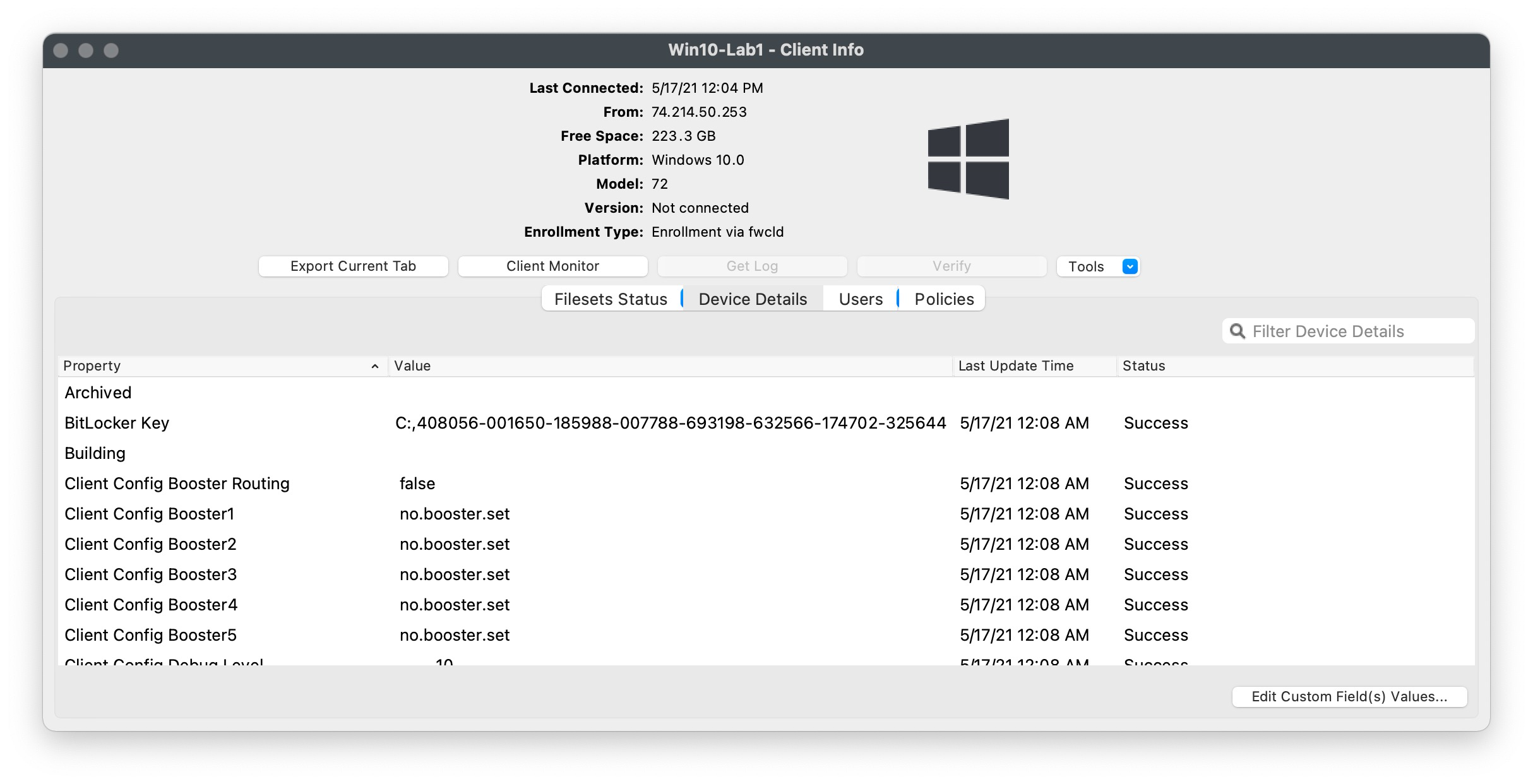
Store BitLocker Recovery Keys in a FileWave Custom Field
UseThis recipe uses a FileWave Custom Field client script to storereport the volumeBitLocker recovery key for each protected Windows volume. Use it when you do not already escrow recovery keys forin yourMicrosoft BitLockerEntra volumes.ID This can be helpful if you don't haveor another wayapproved system. Recovery keys are sensitive, so restrict access to escrow the volume keys. The Custom Field outlined in this article will get the volume key for every volume so if there is an encrypted C: and D:any youreports wouldthat seedisplay bothits reported by this field. values.
AddingImport the Custom Field
- Download
the following Custom Field export:BitLocker Key Custom Field.customfields. - In FileWave Central, open Assistants > Custom Fields > Edit Custom Fields > Import, then select the downloaded
file into "FileWave Admin>Assistants>Custom Fields>Edit Custom Fields>Import".file. - Save the changes
withinin the Custom Fields dialog. Associate Custom Field with desired Windows devices via "right-click>Edit Custom Field(s) Associations".A Windows-based Smart Group is very helpful to quickly associate Custom Field

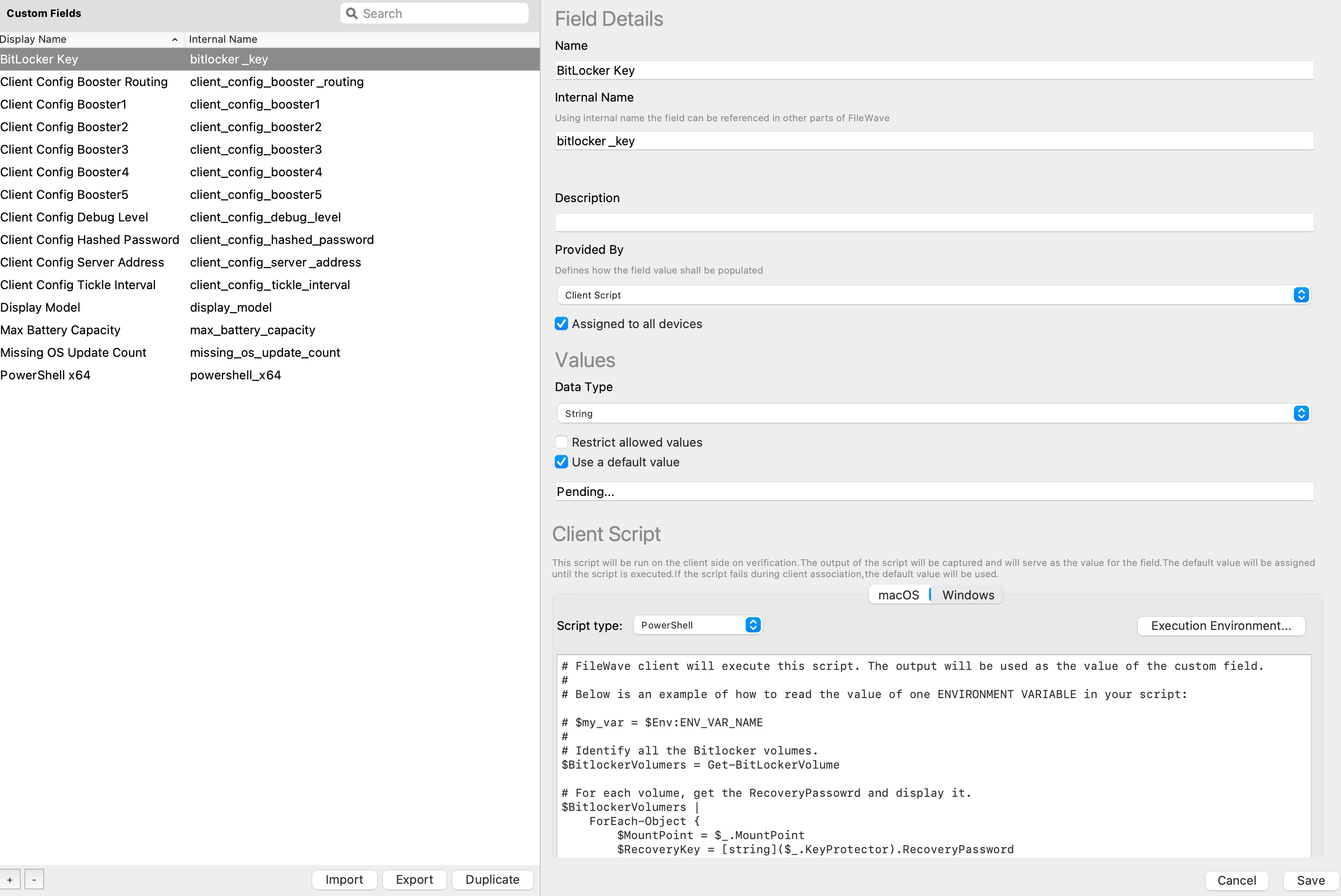
Here is the script from the Custom Field:
# FileWave client will execute this script. The output will be used as the value of the custom field.
#
# Below is an example of how to read the value of one ENVIRONMENT VARIABLE in your script:

# $my_var = $Env:ENV_VAR_NAME
#
# Identify all the Bitlocker volumes.
$BitlockerVolumers = Get-BitLockerVolume

# For each volume, get the RecoveryPassowrd and display it.
$BitlockerVolumers |
    ForEach-Object {
        $MountPoint = $_.MountPoint
        $RecoveryKey = [string]($_.KeyProtector).RecoveryPassword
        if ($RecoveryKey.Length -gt 5) {
            Write-Output ("$MountPoint,$RecoveryKey")
        }
    }

exit 0AssigningAssign the Custom Field to devices
Save changes within Custom Fields dialog.
ResultsCheck the results