
Store BitLocker Recovery Keys in a FileWave Custom Field
This recipe uses a FileWave Custom Field client script to report the BitLocker recovery key for each protected Windows volume. Use it when you do not already escrow recovery keys in Microsoft Entra ID or another approved system. Recovery keys are sensitive, so restrict access to the Custom Field and any reports that display its values.
Import the Custom Field
- Download BitLocker Key Custom Field.customfields.
- In FileWave Central, open Assistants > Custom Fields > Edit Custom Fields > Import, then select the downloaded file.
- Save the changes in the Custom Fields dialog.
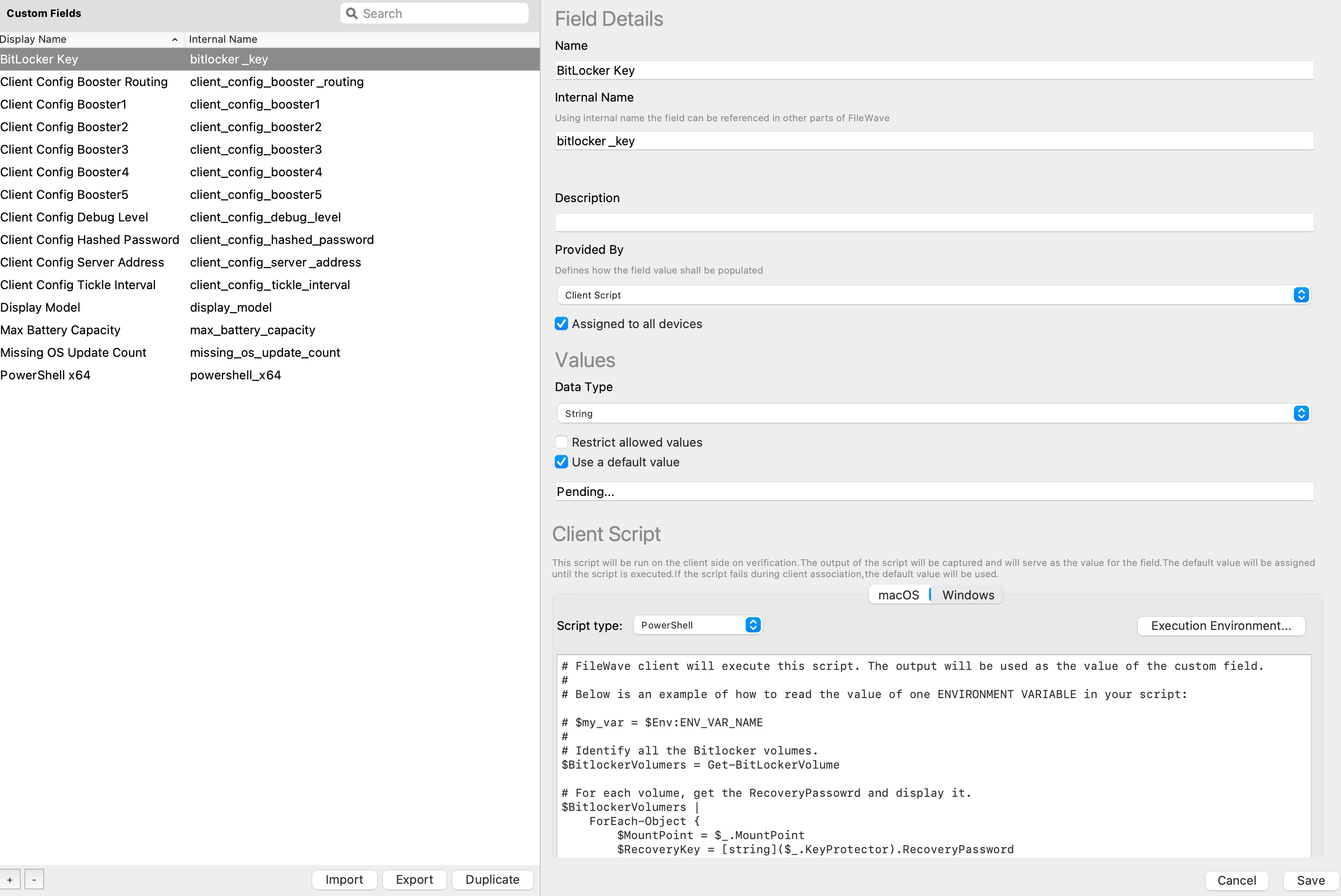
Here is the script from the Custom Field:
# FileWave client will execute this script. The output will be used as the value of the custom field.
#
# Below is an example of how to read the value of one ENVIRONMENT VARIABLE in your script:

# $my_var = $Env:ENV_VAR_NAME
#
# Identify all the Bitlocker volumes.
$BitlockerVolumers = Get-BitLockerVolume

# For each volume, get the RecoveryPassowrd and display it.
$BitlockerVolumers |
    ForEach-Object {
        $MountPoint = $_.MountPoint
        $RecoveryKey = [string]($_.KeyProtector).RecoveryPassword
        if ($RecoveryKey.Length -gt 5) {
            Write-Output ("$MountPoint,$RecoveryKey")
        }
    }

exit 0
Assign the Custom Field to devices
- Start with a small set of Windows devices. In Clients, right-click a target device and select Edit Custom Field(s) Associations.
- Enable the imported BitLocker Custom Field and wait for fresh inventory before checking the result.
- For a wider rollout, associate it with a Smart Group whose criterion is Client OS Platform [equals] Windows. You can also select Assigned to all Devices in the Custom Field definition because only Windows devices run this client script.
Check the results
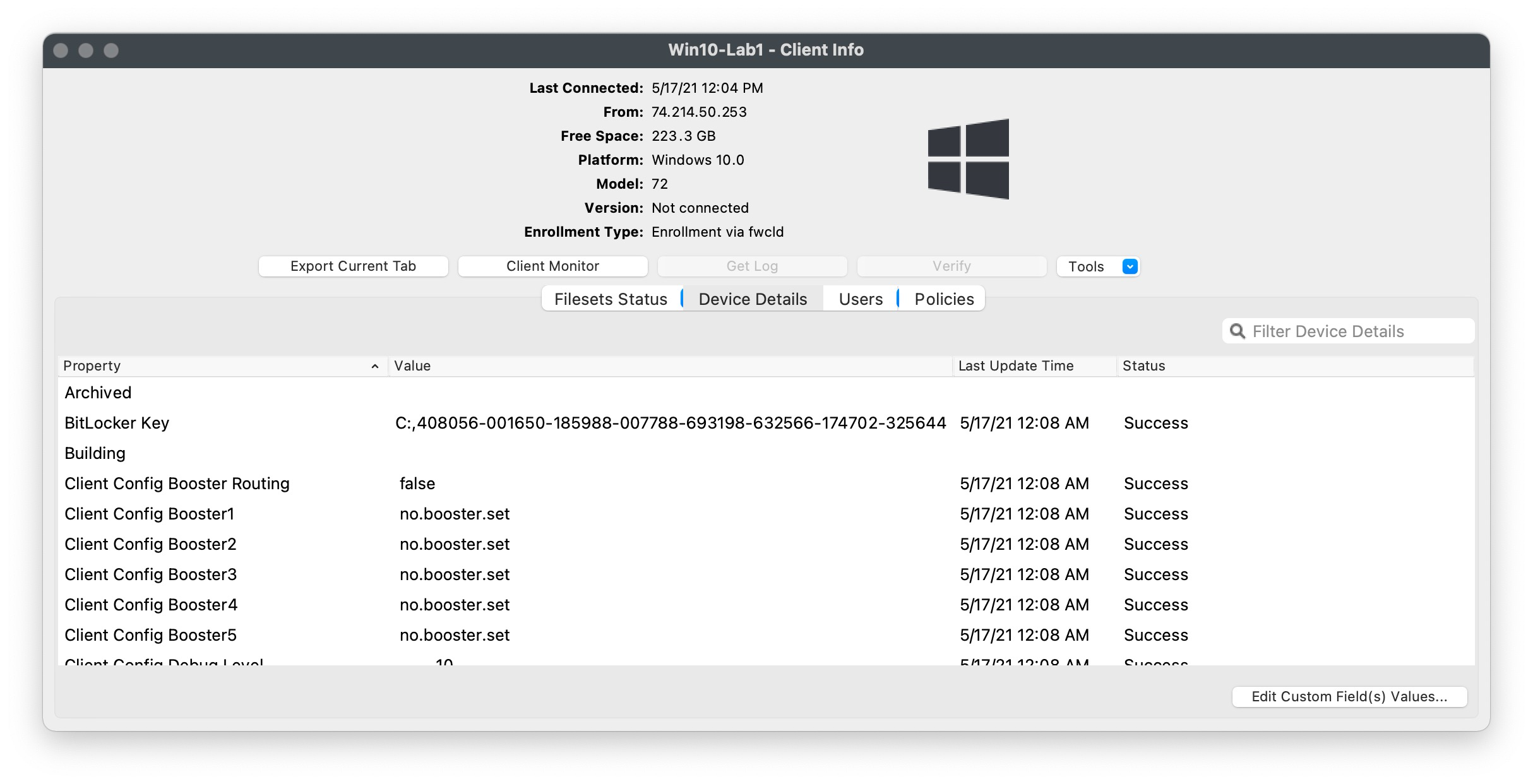
The value reports each mount point and recovery key as a comma-separated pair. Confirm that every expected encrypted volume appears on the pilot devices before assigning the field more broadly.
No comments to display
No comments to display