Android EMM Default Policy and Compliance Scope

What

PriorThe Android Default Policy defines global baseline settings for managed Android EMM applications and devices. Use scoped Android Policy Filesets for settings that depend on enrollment type, device role, or a specific application.

The practical split is:

    Android Default Policy: Fleet-wide application and device baselines. Android Policy Filesets: Controls assigned to the applicable BYOD, fully managed, or Dedicated Device scope. Android app Fileset Properties: App-specific overrides when one application needs different behavior from the global default.

    When/Why

    Use the Default Policy for settings that should apply consistently across the Android fleet. Keep enrollment-specific compliance and operational behavior in separately scoped Policy Filesets so an incompatible setting is not pushed to the wrong device mode.

    Do not use the Default Policy as a dumping ground. A global baseline should be safe for every Android EMM device in scope. Use a targeted Policy Fileset when BYOD, Dedicated Device, or app-specific behavior differs.

    Open the Android Default Policy in FileWave 14.9,16.4
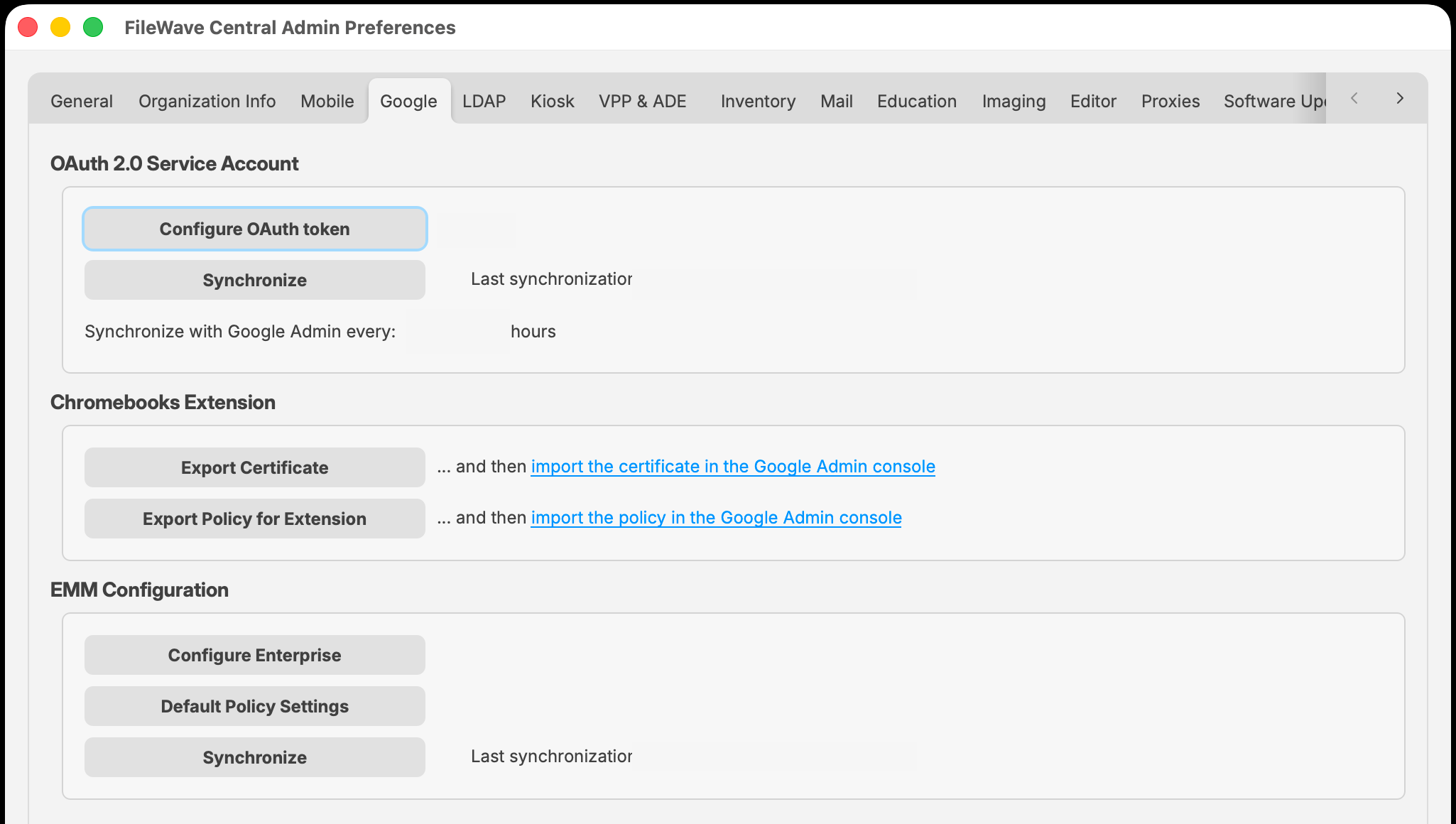
      Open FileWave Central > Preferences. Select Google. Under EMM Configuration, select Default Policy Settings. Enable Customize default policy when you need to define FileWave-managed defaults. Review the values, save the Default Policy, and update the model.
      FileWave Central 16.4 Preferences Google tab showing EMM Configuration and Default Policy Settings
      FileWave Central 16.4: Preferences > Google > EMM Configuration > Default Policy Settings.

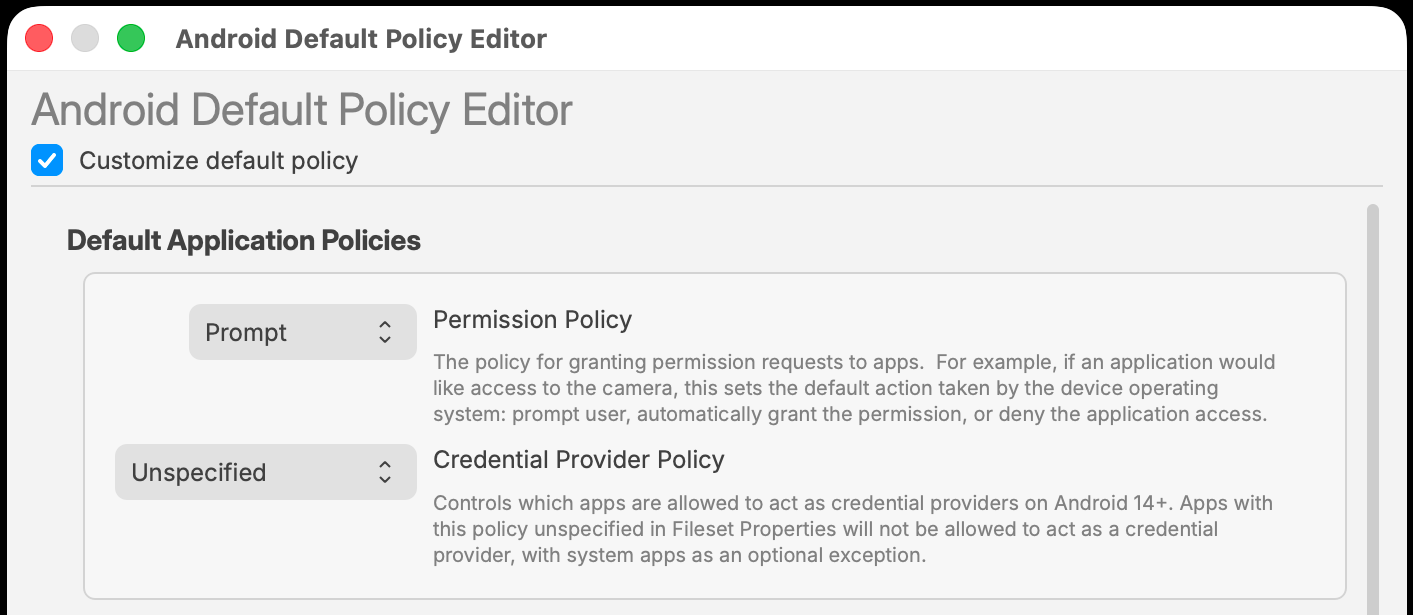
      Global application baselines

      ControlCurrent behaviorOverride Permission PolicyDefines the default response when an app requests a managed permission.Permission Policy Filesets and app-specific permissions can provide narrower behavior. App Update ModeDefines the baseline update behavior for Android app Filesets.An explicit App Update Mode in an app Fileset overrides the Default Policy; Unspecified inherits the default. Credential Provider PolicyControls whether apps can act as credential providers on Android 14 and later. The default does not allow this.Allow only an approved credential-management app through its app Fileset Properties.
      Android Default Policy Editor showing Permission Policy and Credential Provider Policy
      The Android Default Policy Editor provides fleet-wide application baselines. App Fileset Properties can supply a narrower override where supported.

      Scope Password and Keyguard policies were included automatically in an Android Default Custom Policy. An Android Default Custom Policy sets certain device parameters for ALL managed Android EMM devices. In FileWave 14.9, this behavior changed because inclusion of Keyguard/Password elements in the default policy can cause issues with BYOD enrollment, so those elements are now removed from all default policies.

      When/Why

      Default Policies are used to set global settings for enrolled Android devices. If you don’t use them, or are just starting now to use them, this article has no impact on your environment. If you used them before 14.9, and Keyguard and Password Policies are important to your environment, you MUST make the changes outlined below.

      How

      Because those two settings are removed from the default policy, you’ll likely want to make the following change BEFORE upgrade to ensure a seamless policy shift (afterward is also possible, but devices will not have those policies during the transition). Basically, it is a simple change…instead of including those policy configs in the global policy, we’ll just put them in a normal (fileset) policy and apply that by smart group instead. The best option would be to apply that policy via a smart group to all non-BYOD Android devices. Then, as soon as your server is upgraded, all devices that need the “new” policies will have them. Example fileset policy and smart group definition shown below:
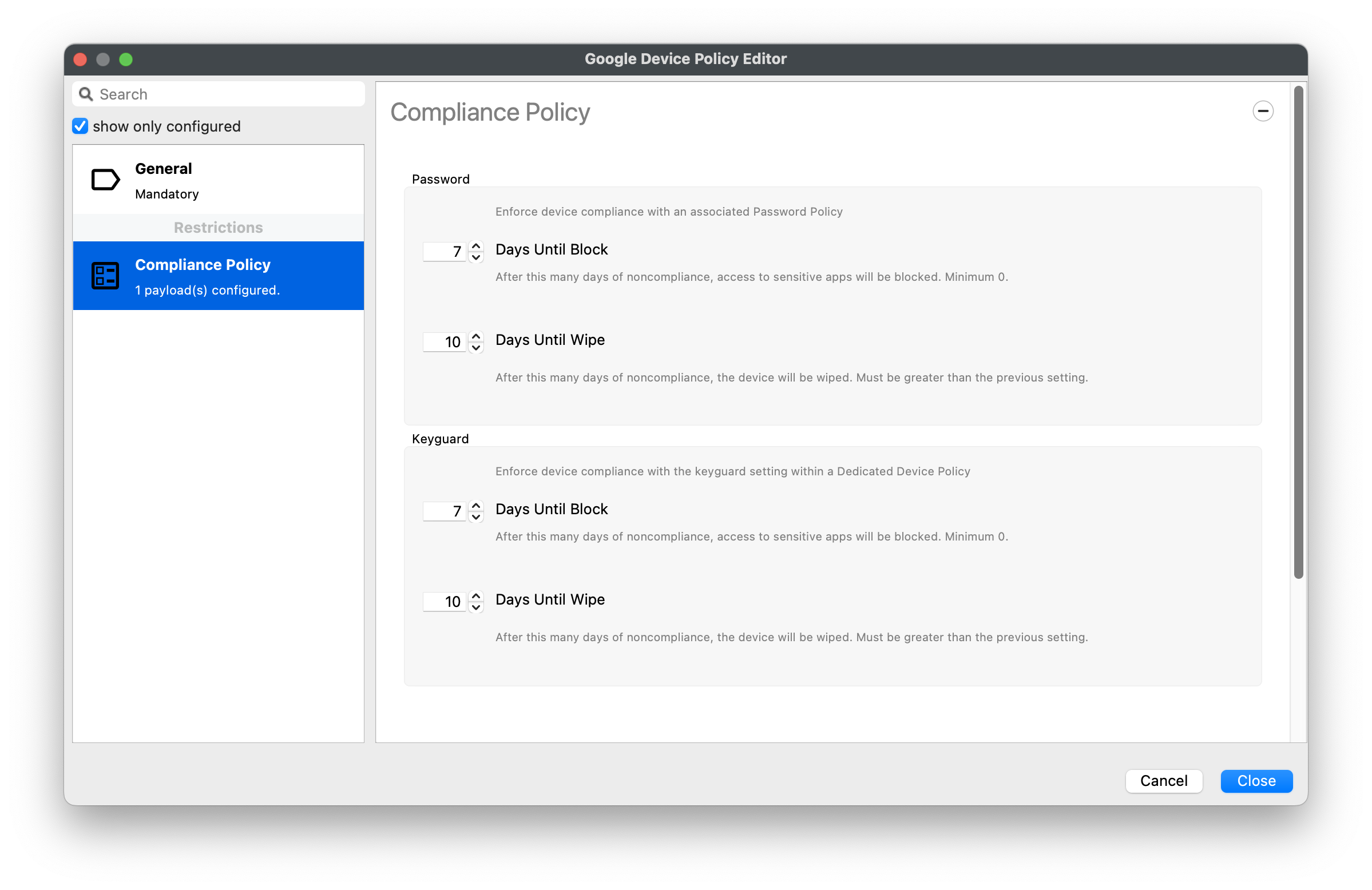
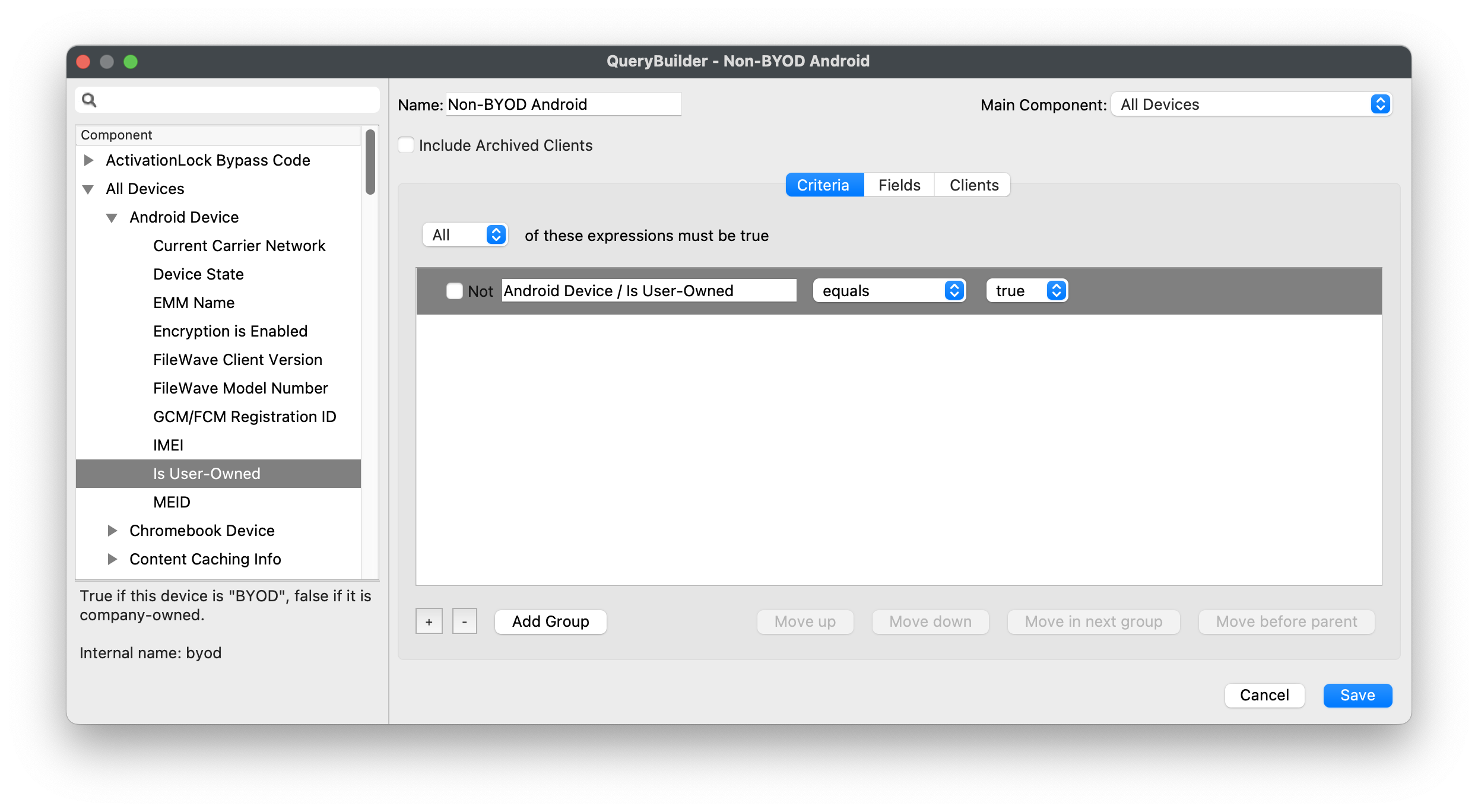
      image.png

      image.png

      FileWave 16.4 compliance-policy updatecompliance

      FileWave 16.4 makes the Password and Keyguard sections optional withinin aan Android Compliance Policy. TheBuild originalthe 14.9Policy guidancefor stillthe applies:enrollment domode notrather placethan anincluding incompatibleevery Keyguardavailable configuration into a BYOD policy.section.

        Device scopeRecommended Compliance Policy design
        BYOD/work profileUse Password compliance without KeyguardKeyguard. forAndroid supportedBYOD BYOD/work-profileis deployments.not Usecompatible with the Keyguard onlycomponent used for applicable Dedicated Device or single-app workflows.operation. Fully managed deviceInclude the Password controls required by organizational policy; add other applicable sections only when needed. Dedicated Device/single appInclude Keyguard only when that device-mode behavior is required.
          Keep global application defaults conservative and broadly applicable. Use a dedicated BYOD Password Compliance Policy without Keyguard. Use a separate Dedicated Device Compliance Policy when Keyguard is required. Keep theSystem AndroidUpdate Defaultbehavior in its own Policy focusedso onmaintenance globalwindows baselines;and applyFreeze enrollment-Periods can change without disturbing compliance. Use app-specific complianceApp throughUpdate scopedMode Policyand Filesets.Credential Provider overrides only for documented exceptions. Avoid assigning multiple Policies that manage the same setting differently.

          See

            Android EMM Policies and Permissions forAndroid thePolicy currentPlanning FileWaveAndroid 16.4Apps controls.Android devices with multiple policies