
Resolve a Revoked Apps and Books (VPP) Token
Problem
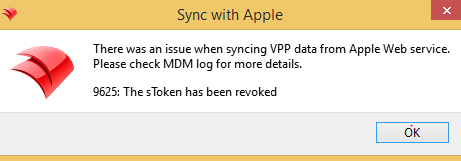
"FileWave Central can show VPP token is Revoked"Revoked error is displayed inon the FileWave Admin> Dashboard or when trying to runduring a manual VPP sync in the "VPPApps and DEP"Books tab(VPP) of FileWave Admin preferences.sync. This can behappen caused if you try to enterwhen the same VPPlocation token inis uploaded to another service, including Apple Configurator.

Solution
TheDownload solutiona fresh Apps and Books content token for this error is to renew your VPP token in FileWave. For renewing your VPP token we offer the belowsame Knowledgelocation Basefrom articleApple forSchool thisManager process.or Apple Business Manager, then follow Renew Your VPP Token and run a manual sync in FileWave. Content tokens expire annually, so record the renewal date. If another service needs a content token, use a separate Apple location and token instead of reusing the one connected to FileWave.