
Get Email Notifications for FileWave KB Updates
What email notifications cover
AsA signed-in FileWave KB user can watch a userpage, ofchapter, FileWave,or youbook wantand toreceive knowemail when KBmatching articlescontent changes. Comment and reply notifications are createdavailable orthrough updated.the Thesame KBpreferences. has a built-in function to watch for changes to articles to keep you up to date. Note that ifIf you prefer an RSSa feed wereader, have that too.use Using RSS to stay updated on KB updates.
When/WhyWhen to use email alerts
SomeWatch articlesfrequently arechanging veryresources importantwhen toyou know aboutwant updates fordelivered likedirectly. Useful examples include Default TCP and UDP Port Usage orand the Downloads bookbook.
You receivingmust ansign in to the FileWave KB to configure email onnotifications.
Configure notifications
Open the user menu in the header, select My Account, then open Notification Preferences. This page contains your global notification defaults and the content you explicitly watch or ignore:
Notification Preferences does not subscribe you to every editKB isedit. desired.The
Noteswitches thatdefine which activity can generate mail, while the watch and ignore controls determine which books, chapters, and pages use those settings. Return to this page when you need to loginaudit toor theremove KBolder in order to use the Email notification system outlined in this article.
How
It’s now possible to be notified via email upon page changes within the KB! Alongside this you can also be notified upon new comments to pages. To provide some high-level user control, there’s a new “Notification Preferences” view which can be accessed via the “My Account” option in the header bar user dropdown:subscriptions.
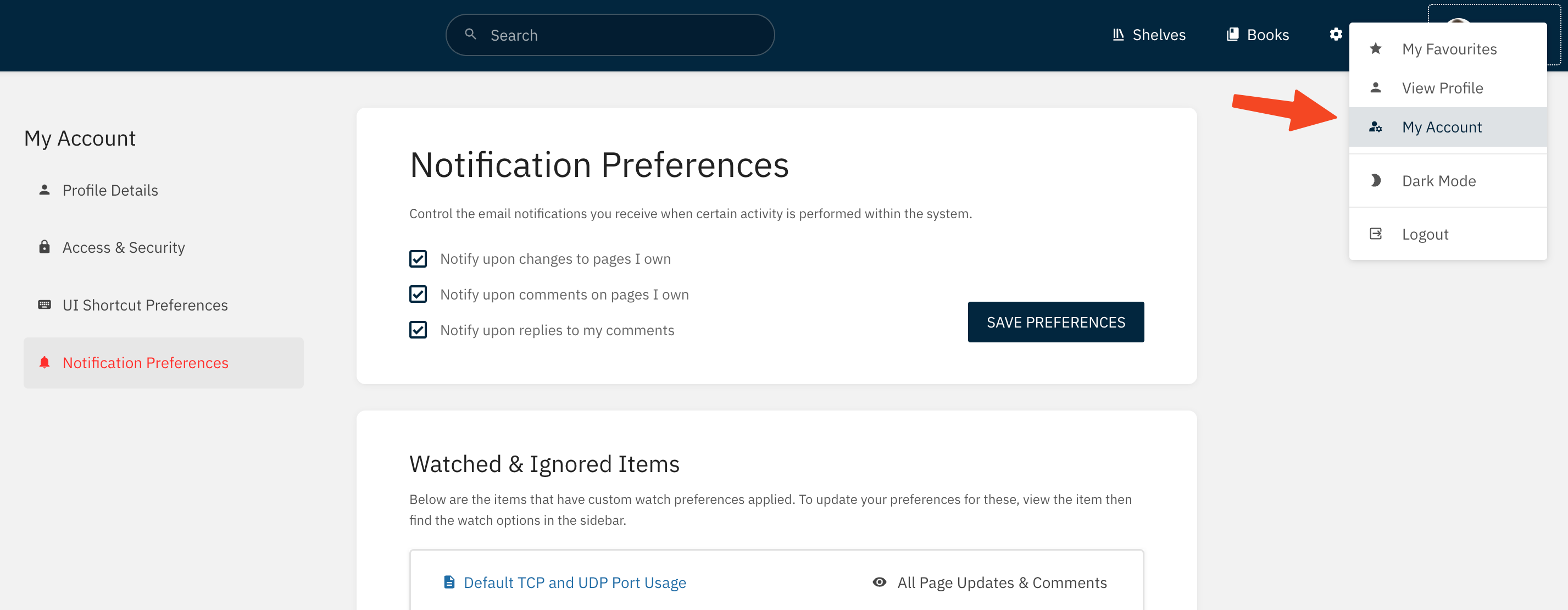
WithinThe hereglobal arepreferences three new user preferences:cover:
- Notify upon changes to pages I own
- Notify upon comments on pages I own
- Notify upon replies to my comments
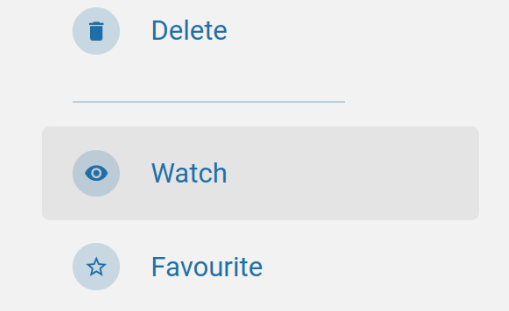
These optionssettings representare global defaultsdefaults. forThe notifications.same This new “Notification Preferences” viewpage also lists allcontent you watch or ignore, which makes it the itemsquickest you’replace watchingto orreview ignoring.the Watchingeffective orsubscriptions ignoring allows content-specific control of notifications that may work in addition to, or override,on your globalaccount. notificationUse preferences.the YouWatch canaction watchon anya book, chapterchapter, or page viawhen theyou newneed “Watch”content-specific action:control:
ByThe default this will watch forsetting includes new pages and page changes. This can be changed viaSelect the watch options menu, found by selecting thecurrent watch status in the details:content details to choose different events:
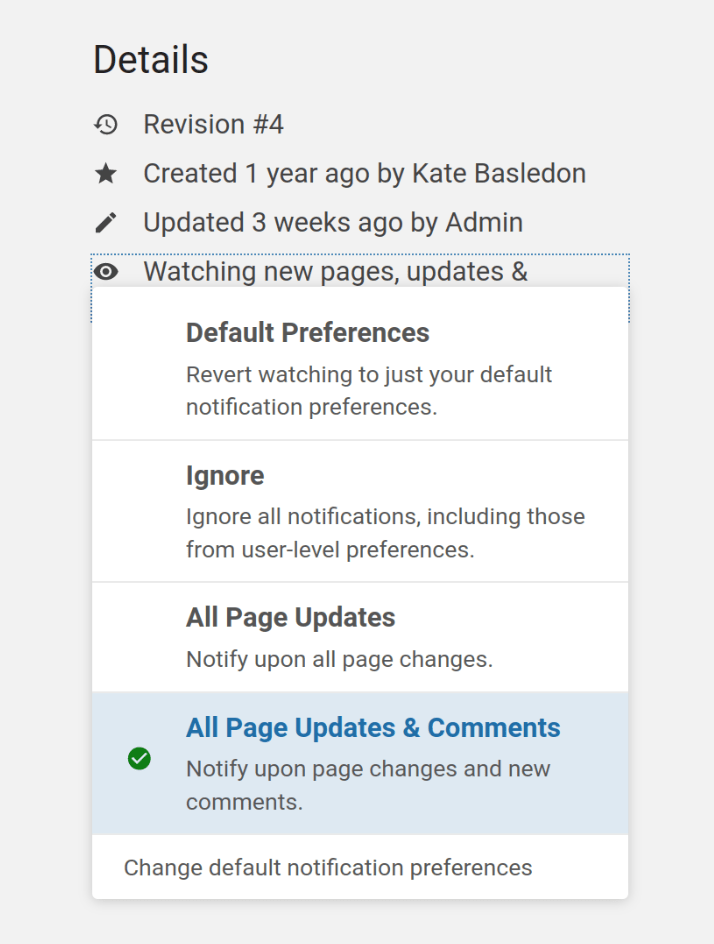
ThisChoose providesthe variousevents differentyou levelsneed, ofor ignore notifications for a specific book, chapter, or page when its inherited settings are too broad. Watching a book is useful when you need new-page alerts as well as updates; watching ofone content,page avoids mail from unrelated material in addition to the abilitysame to ignore any notification events if things are getting too noisy within a particular book, chapter or page.book.
In in similar manner to permissions, watchWatch preferences cascadeinherit from books to chapters toand pagespages. unlessA thosechild haveitem their own watch preferences set tocan override the parentinherited status.setting, Whenand aits pagedetails orshow chapter has active watch preferences fromwhen a parent item,watch this will be reflected within its details:applies:

NotificationsA arenotification sentidentifies uponthe relevant activity,activity and willlinks include a few helpful related details in addition to a linkback to the relevantKB content:
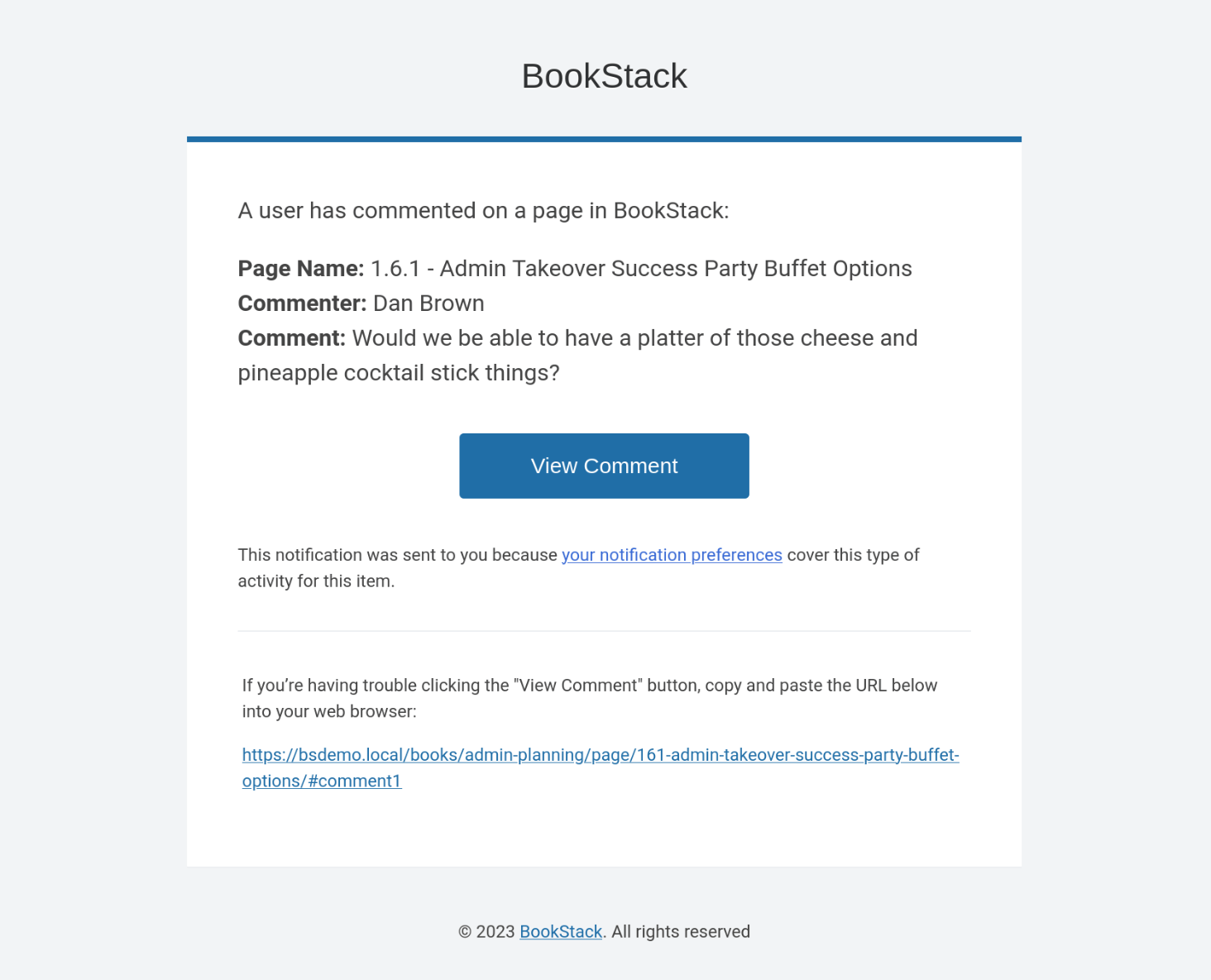
PageThe updateKB notificationsgroups arerapid somewhatupdates debounced, meaning that the system will avoid sending notifications if re-updated byfrom the same author within a timeshort window.window Thisso isone toediting preventsession does not generate an attackemail offor emailsevery from an enthusiastically updating author.save.