
Fileset Revisions Overview
What
Fileset revisions let you keep two or more versions of the same fileset or payload inside a single FileWave fileset object.
When/Why
Revisions are useful when a payload changes over time, especially for application upgrades.
For example, assume you are deploying Firefox v79 and need to test Firefox v80. Without revisions, you might duplicate the fileset or create a new one, move test devices to a new association, and then replace the production association after testing. If timing matters, that can turn into a careful shuffle to avoid interrupting users.
With fileset revisions, v80 can live in the same fileset that already contains v79. You can then choose which revision an association uses, instead of replacing the whole fileset or rebuilding the association from scratch.
How
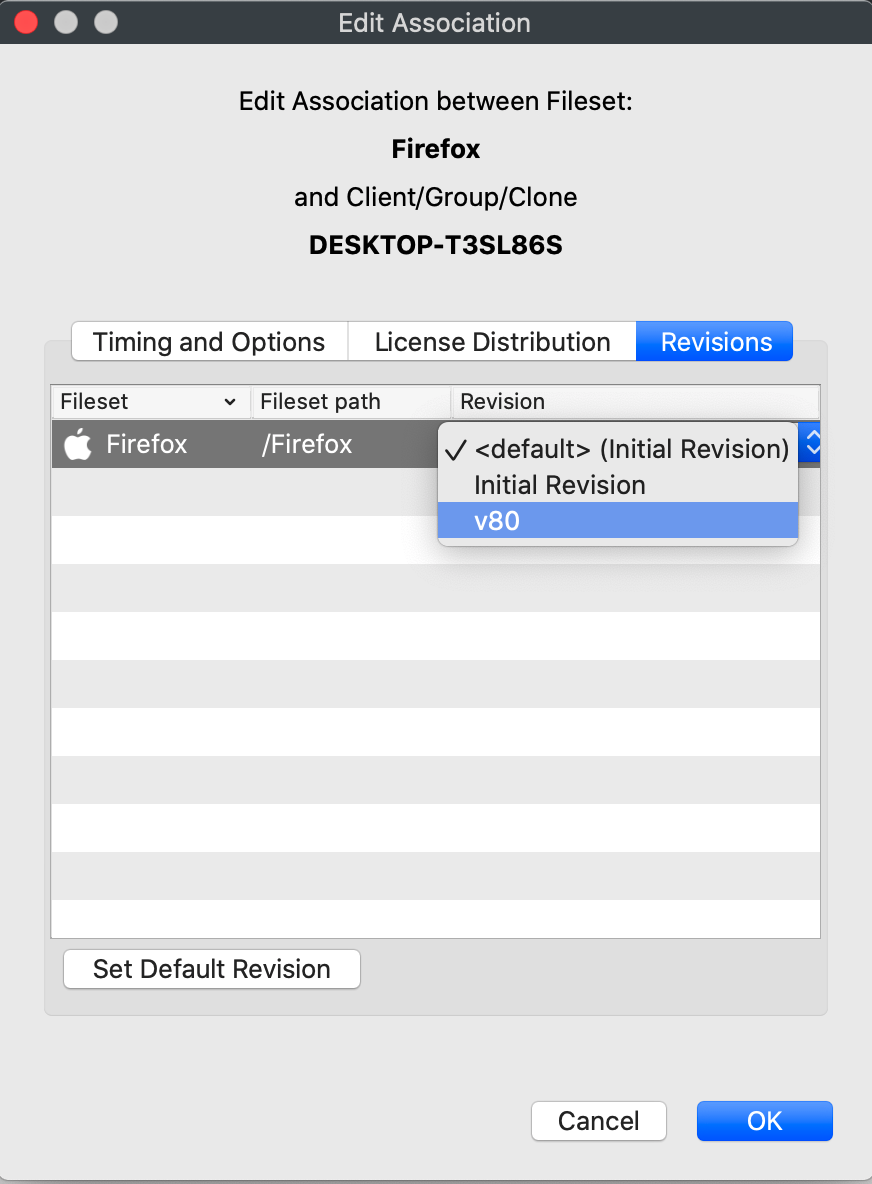
When a fileset has multiple revisions, the association workflow includes a revision choice. In the example below, the association can use the default revision, the initial revision, or the newer v80 revision:
You do not have to use fileset revisions. If you ignore revisions, filesets continue to work the way they always have. When you do need staged application updates or controlled testing, revisions can make that workflow cleaner.