
Force a Reboot After Installing a Fileset (macOS/Windows)
What
The Force Rebootreboot featureoption islets a newFileset functionality that is available in FileWave v14.10.0. This feature enables you to force areboot macOS or Windows after the Fileset installs. Use it for deployments that cannot finish safely until the device torestarts, rebootsuch afteras installingOS aor Fileset.security This feature is helpful in situations where quick and immediate installation of patches is required.patches.
When/Why
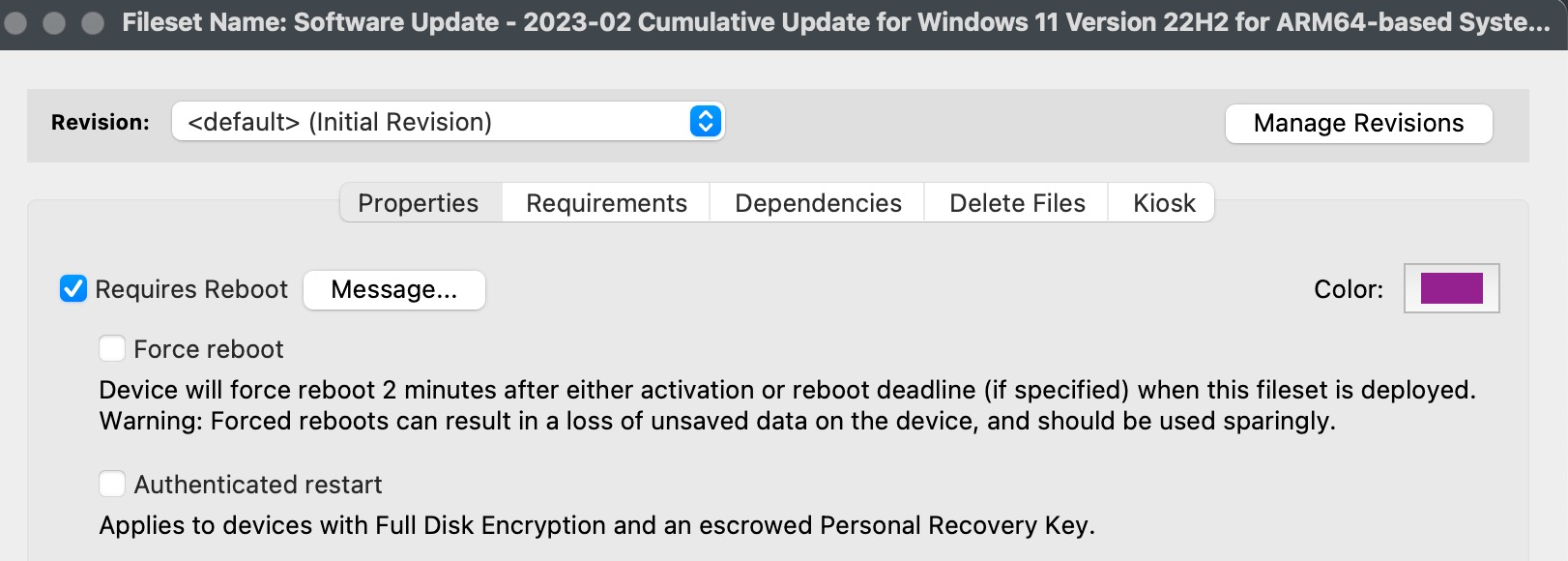
TheUse Forcethis Rebootoption feature inwhen FileWave v14.10.0 should berestart usedthe whendevice automatically instead of waiting for the user. In FileWave Central, open the Fileset properties, review the Requires Reboot message if you needuse toone, ensurethen that your environment is patched quickly. This feature is especially useful in situations where there is a need for immediate installation of patches such as Microsoft or Apple OS patching. This feature is available in the properties screen of a Fileset and can be enabled by checking the relevantcheck Force reboot box as seen below..
How
To enable theforced Forcereboot Rebootbehavior featurefor ina FileWave v14.10.0, you need to follow the below steps:Fileset:
- Highlight the
Fileset that you want to enable the Force Reboot feature.Fileset. - Select
Properties.Properties. - Check
the "Forcereboot" box to enable the feature.reboot. - Save the
changes made.change.
PleaseA noteforced thatreboot enablinghappens this2 featureminutes willafter resultactivation, in the device rebootingor 2 minutes after the installationreboot ofdeadline theif Fileset. Therefore, itone is essentialset. to testTest the user experience before usingbroad thisdeployment feature.because forced reboots can interrupt users and can lose unsaved work.