Manual Client Conflict Resolution (Multiple Devices)
What
InUse largemanual productionconflict environments,resolution therewhen mayseveral benewly timesenrolled duringclients massneed enrollmentsthe wheresame resolvingconflict onboardingdecision. Resolving those conflicts together is time-consumingfaster whenthan approachedopening each device one at an individual device level. There is a capability to mass-resolve client conflicts to make this process simpler.time.
When/Why
EspeciallyClient conflicts are common during re-imagingreimaging periods,or clientrefresh conflicts can arise from natural actions. projects. For instance,example, wiping a device and setting it up with a fresh OSagain with the same name willcan always result increate a conflict because the new device certificate willdoes not match the newexisting devicerecord. withUse bulk resolution only when the selected conflicts should all be handled the same name. We'll use the mass-resolution capabilities of FileWave to more easily resolve these conflicts in one fell swoop.way.
Device enrollment conflicts (based on name, fingerprint, certificate, etc)or aresimilar aidentity protectiondata mechanismhelp againstprevent databaseduplicate duplicationrecords and protect device identity. Test the resolution on one device first, then use bulk resolution only for security reasons. Use appropriate caution when mass-resolving conflicts to ensure that you arehave resolvinggrouped theand conflict in the proper manner. It is always best practice to test any action on individual devices before taking the solution to a larger number of devices.reviewed.
How
To solveresolve multiple conflicts at oneonce, time,select simply choose multiplethe records in the newNew clientsClients window, andthen choose solveSolve conflicts, as shown below:Conflicts:

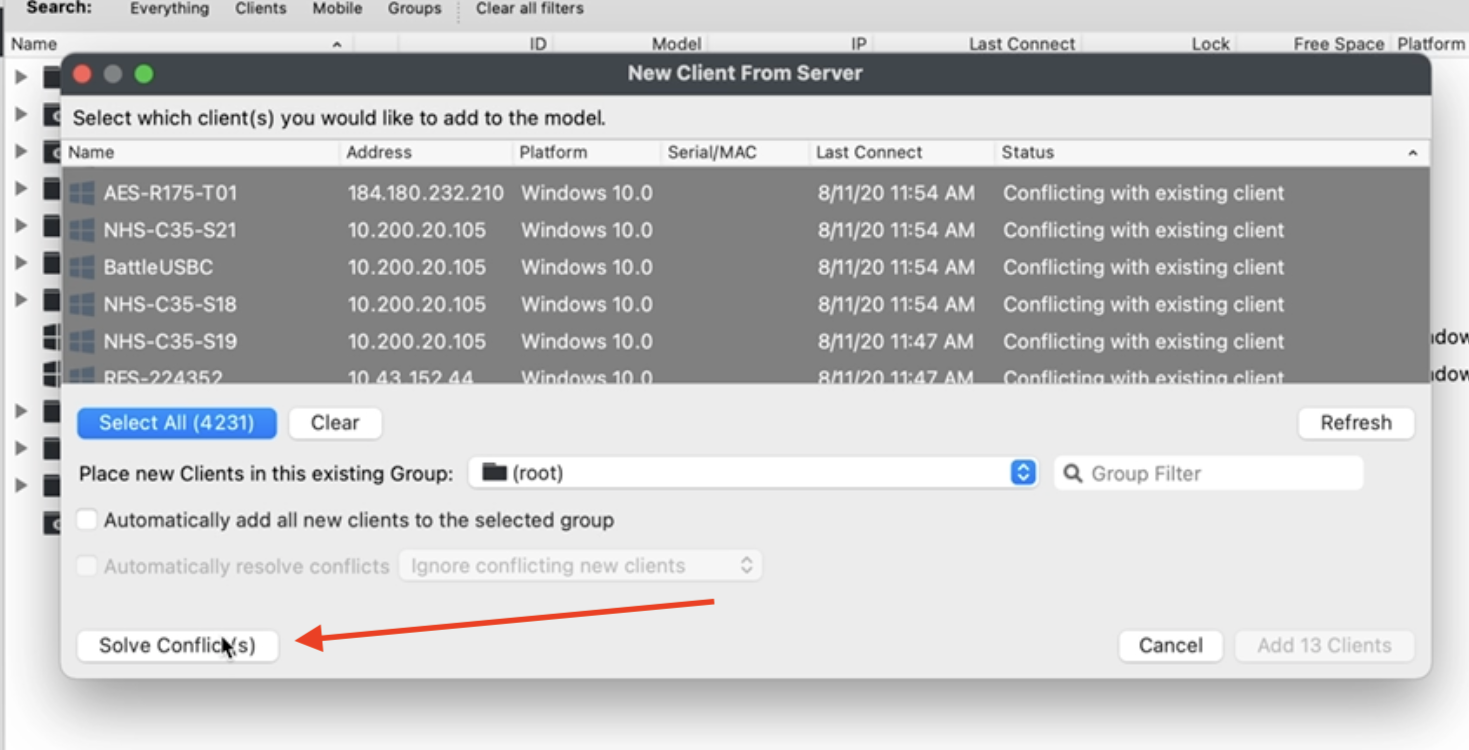
You may find it easiest to sortSort by the status column as I have above to group similar conflicts forbefore simplerresolving resolution.them.
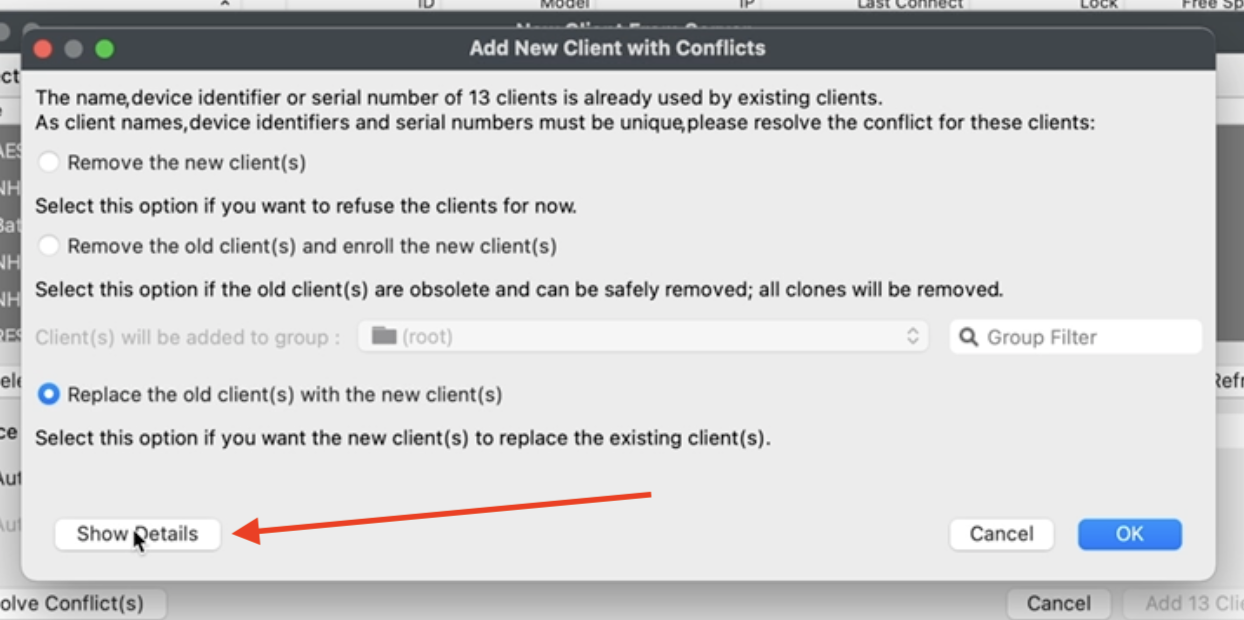
In the resultingconflict window, click Show Details when you can chooseneed to look at detailed information aboutinspect why therethe selected devices are conflictsin by clicking the Show Details button:conflict:

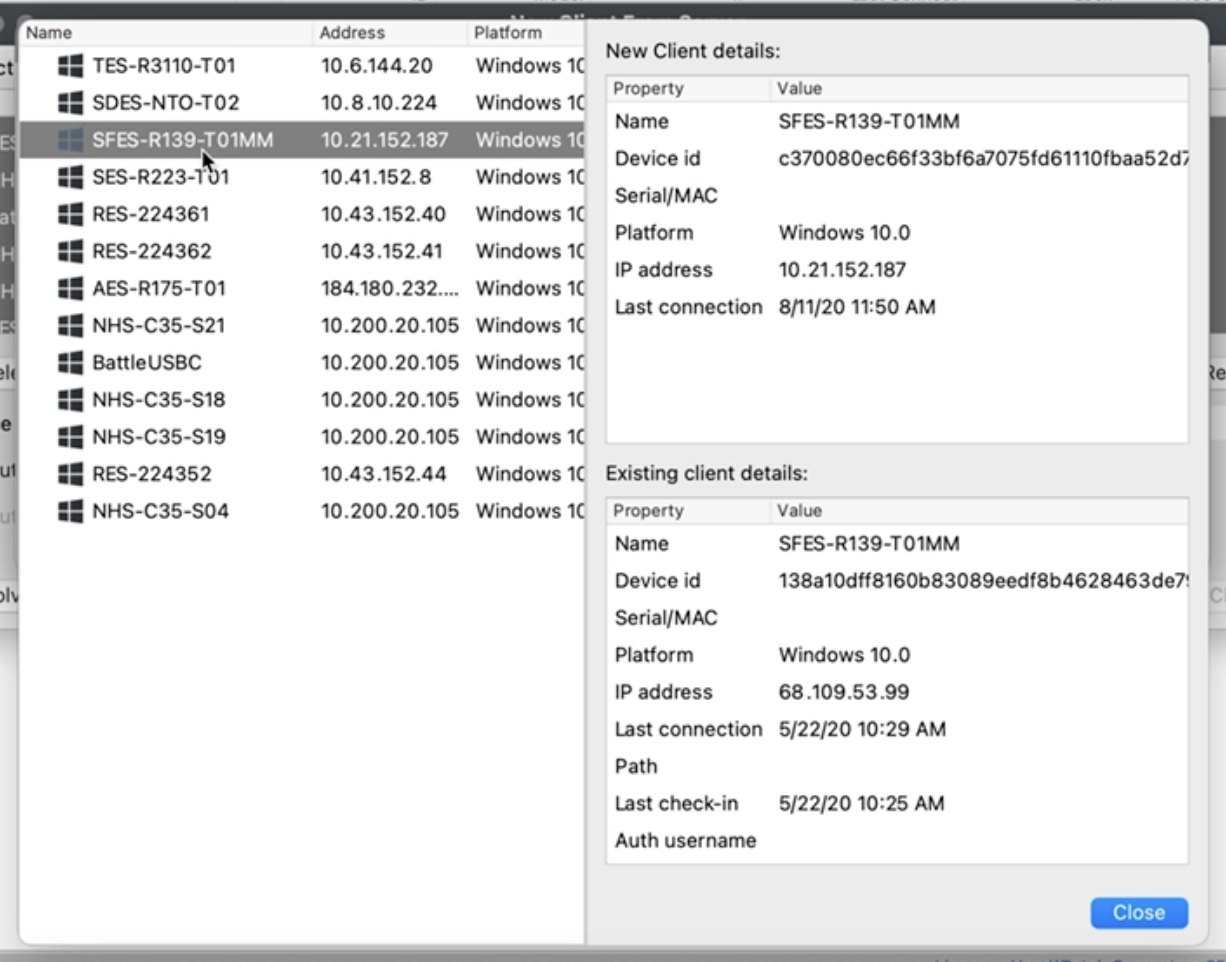
In the detail view, you can inspect any particular device:

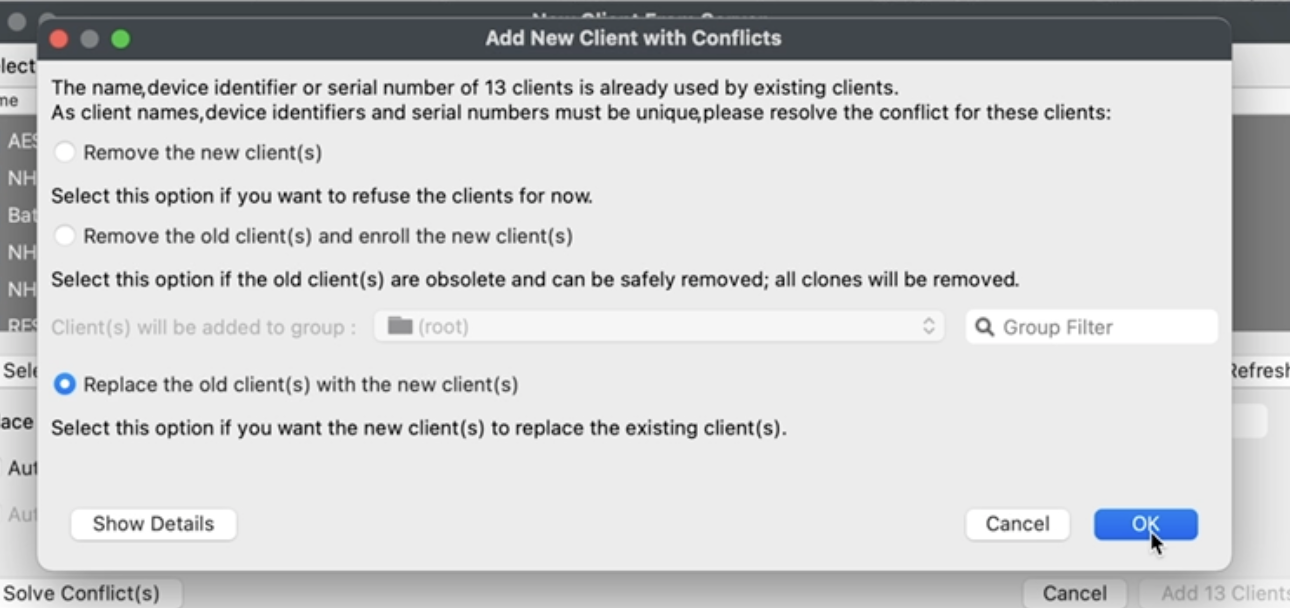
Finally, inIn the resolution window, you can choose how you want to resolve the selected devices, andthen click onOK. OK.The example Inbelow this case, we are choosing to replacereplaces the existing records with the new clients.