
VPP and ADE Preferences
What
FileWave supportsCentral bothuses Apple'sPreferences > VPP & ADE to configure and monitor Apple Apps and Books tokens, Automated Device Enrollment accounts, and the Apple School Manager or Apple Business Manager API integration.
Apple now calls the Volume Purchase Program (VPP)Apps and AutomatedBooks. DeviceFileWave Enrollment (ADE) which was formally calledretains the VPP abbreviation in parts of the interface and documentation. Apple's Device Enrollment Program (DEP) is now Automated Device Enrollment (ADE).
Before you willbegin
Apple's current platform instructions are available in the Preferences.
Note: Instructions for joining and working with the Apple VPP and ADE programs from the Apple side are outlined in detail on these web sites:
Business Manager User Guide
and Apple School Manager User GuideDeployment.
Open Guide - iPhoneVPP & iPad
DeploymentADE ReferencePreferences
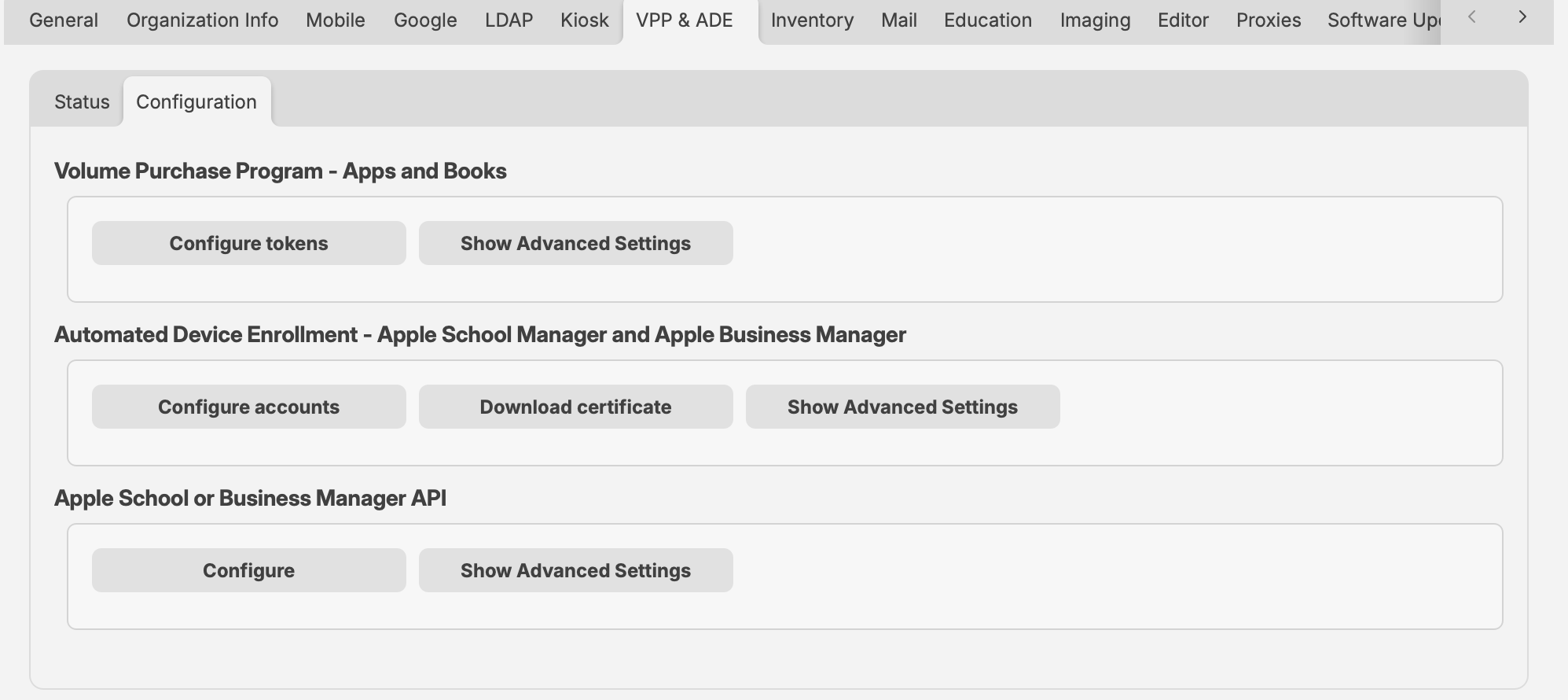
FileWave 16.4 separates VPP and ADE health information from configuration tasks.
Status
The Warning:Status Alltab provides a quick operational view without exposing detailed account configuration.
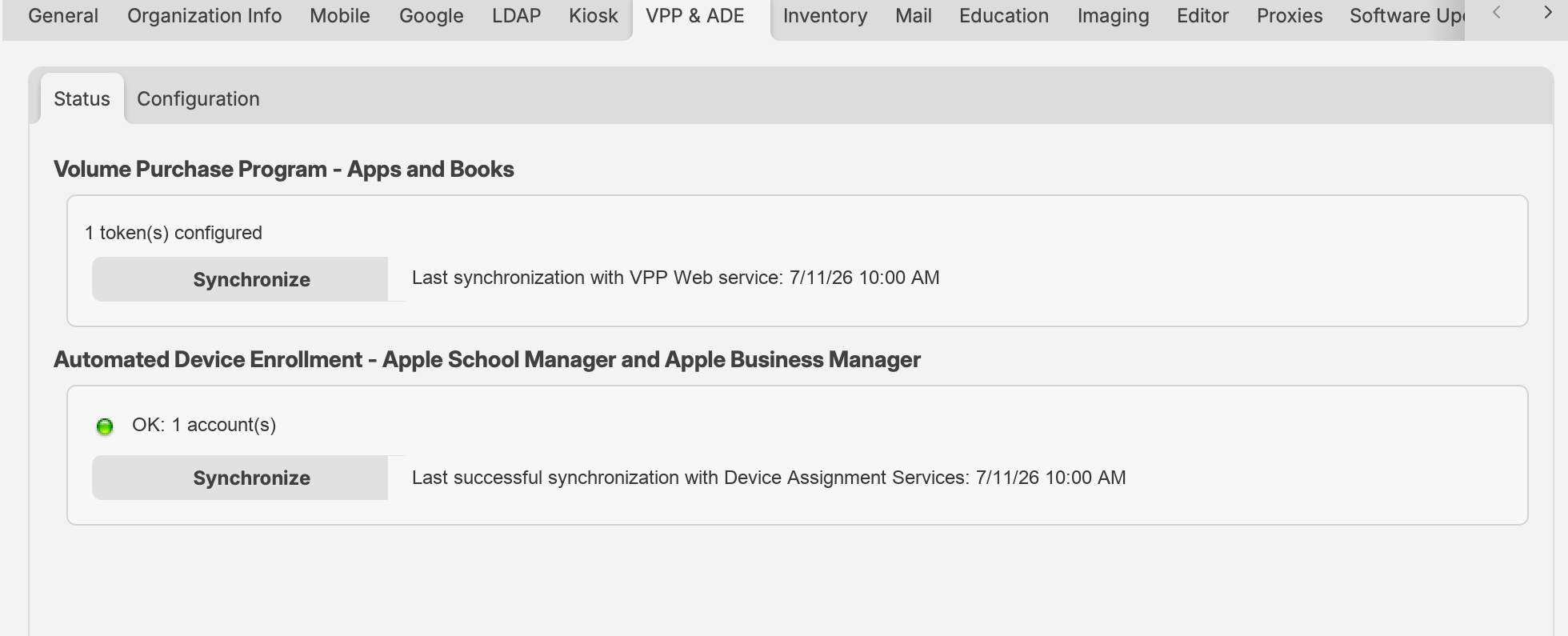
The Status tab shows token and account health, synchronization controls, and the most recent synchronization times. Example counts and timestamps are shown.
Apps and Books status
Automated Device Enrollment status
FileWave synchronizes Apple account data in thisthe sectionbackground. mustUse bea donemanual whilesynchronization signedwhen inrecent aspurchases, fwadmin.
token changes, or device assignments cannot wait for the next scheduled synchronization.
Configuration
Volume Purchase Program—Apps and Books
Select Configure tokens to add, renew, remove, or inspect Apps and Books tokens. FileWave supports multiple tokenslocation-based tokens.
Volume Purchase Program preferences
This pane contains the information for your VPP account with Apple.
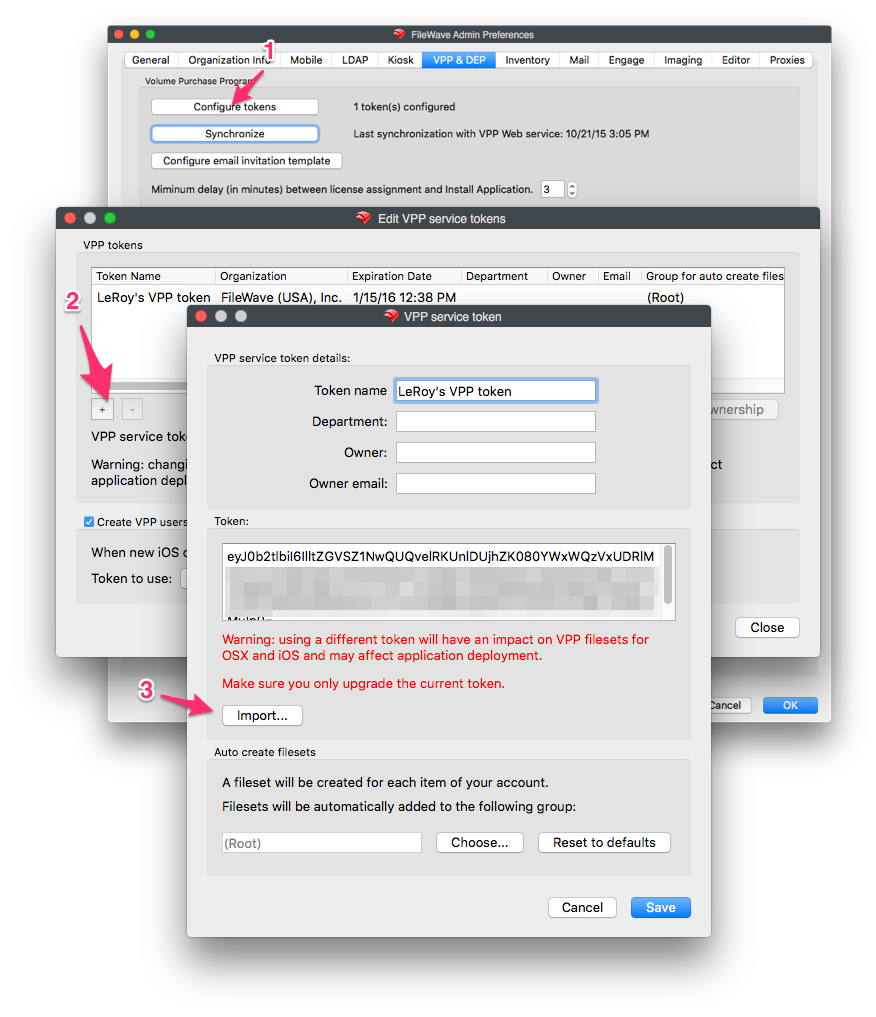
Configure VPP token(s)
Select theselect Configure Accountstokens.
Adding a VPP service token
Click on the [+]Status button (2) and importsynchronize.
Note: Make sure you are not using a given VPP token on more than one MDM server. Problems, such as loss of control of the token or automatic VPP user retirement, can result.
Once the token has been properly imported, you will see a dialog pop up telling you that everything is in order.If you want more than the FileWave superuser/admin account (fwadmin) to be able to manage VPP applications later on, you will need to use the /Assistants/ Manage Administrators… pane to assign other administrators to manage the VPP token(s). This is covered at the end of this chapter.
Auto-create Filesets
The first time you set up VPP, you will get Filesets automatically created for each of your existing VPP purchases. You can assign those Filesets to a designated FileWave Group for management. The default is the (Root) Group.
VPP account protection (aka "Take ownership")
One of the new features in FileWave v10 is protection of the VPP accounts and tokens that you use with your server. The concept is very simple: an identifier (called "client context") is sent to Apple for a given VPP account. When an MDM server has to use a VPP account, it will query this identifier and compare with its own; if they match, everything is fine. If they don't match, the server should not use the token.
As long as you are the confirmed owner of the token, the Is Owner flag says Yes;. If you have changed servers, or let another process, such as Apple Configurator, use that VPP token, then you will get an alert stating
If you have a mismatch, your VPP token entry will turn red,healthy and youthat willpurchased notapplications beand ablebooks are available to useFileWave.
In order to regain control ofAfter the token,initial yousynchronization, willFileWave needcreates managed-license Filesets for eligible purchases according to select the token entryconfiguration. andToken-specific clickoptions oncan thealso Take ownership button in the lower right corner of the VPP tokens pane. Once you have done that, you will get a confirmation dialog:
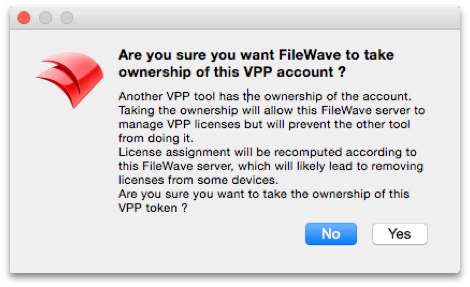
The key to this process is making sure you do not apply any of your VPP tokens to a different server, tool, or application. If you are running a test/beta FileWave server or Apple Configurator, you should create a unique VPP account and token for that purpose.
Createcontrol VPP users for newly enrolled devices
Backand inwhere theautomatically Volumecreated Purchase Program pane, you can elect to Create VPP users for newly enrolled devices. VPP usersFilesets are internally created accounts that link your enrolled device to the FileWave VPP management process. It's not an actual "user" account; but more of a placeholder for the assignment of VPP apps and books. Each VPP user account may contain a link to an actual end user's Apple ID.
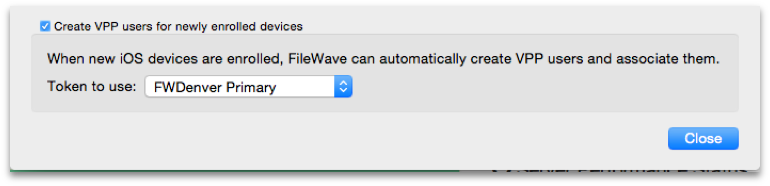
If this checkbox is selected, then newly enrolled devices will automatically get a VPP user and that user account will be associated with the device. This can speed up mass deployments, as well as reduce the overhead on 1:1/BYOD deployments. Used in conjunction with settings in the VPP Assistant, your FileWave server can then automatically notify new user's to register their Apple ID with your FW MDM server. You can select a single VPP token to be the primary token related to those VPP users. Also, you can change which tokens are associated with specific VPP users as you need.placed.
Note:Never import the same Apps and Books token into two active MDM Servers. If youFileWave arereports that another server owns the token, use Take ownership only when the token has intentionally moved and the previous server or tool is no longer using VPP device assignment for application distribution (versus assignment by user - Apple ID), a "ghost" or invisible VPP user account is created. This account is not visible within the VPP User Management pane.it.
Synchronization
The VPP Synchronization setting lets you determine how often the FW MDM server will match data with your assigned VPP token account. You can push an incremental synchronization by clicking on the Synchronize button;
Apps and youBooks canadvanced forcesettings
Select OptionShow Advanced Settings keyto while pressing the Synchronize now button.configure:
Configuring
Automated Device Enrollment
ThisThe templateADE willconfiguration connects FileWave to one or more MDM Server entries in Apple School Manager or Apple Business Manager.
Select Show Advanced Settings to choose the MDM certificate added to ADE profiles. Using an MDM certificate provides a more secure setup but requires ADE profiles to be usedupdated bywhen that certificate is renewed.
For complete token lifecycle instructions, see Add or Renewing your ADE (DEP) Account Token.
Apple School or Business Manager API
FileWave server16.4 tocan sendconnect an invite to users enrolling in your MDM from iOS devices and macOS computers. If you have configured your setup to use LDAP authentication for enrollment, then your users will get an email addressed to the mail account in their LDAP record. It will contain a custom URL pointing themdirectly to the Apple AppSchool StoreManager where they will authenticate with theiror Apple IDBusiness Manager API. This integration provides current Apple device inventory, ADE assignment history, and AppleCare coverage information in FileWave.
.p8 key and its metadata in a single ZIP archive.
In FileWave Central, select Configure under Apple School or Business Manager API and upload the ZIP archive.
Save the configuration and allow the initial synchronization to 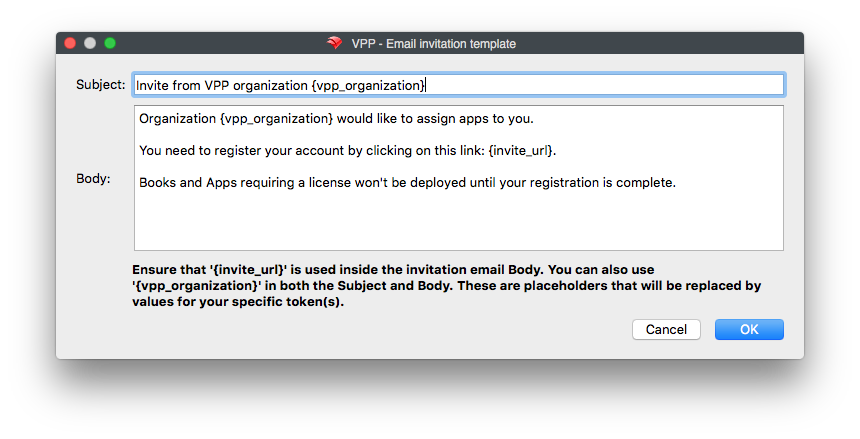
Minimum delay and Preferred Distribution
Starting with FileWave v10, you have the ability to establish a delay between the time you associate a VPP application with a license and when the application is made available to install at the client. This avoids issues during large scale deployments where clients are trying to install VPP applications; but haven't gotten their license assignment yet.
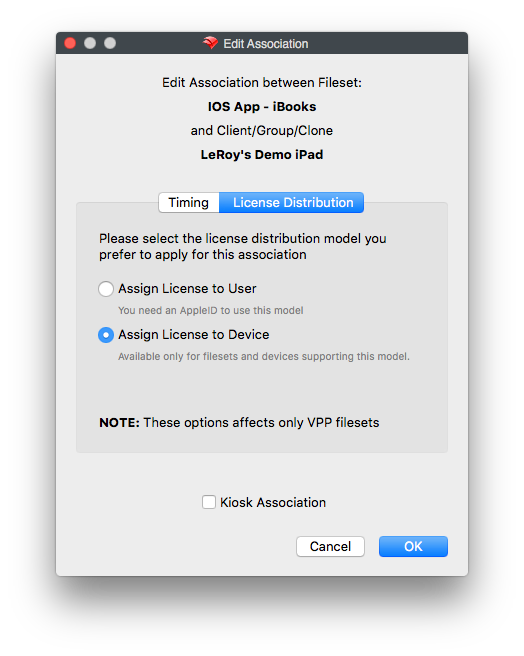
PreferredAppleCare Distribution allows you to choose the method of deploying a VPP application. The original method has been to assign an application to a registered Apple ID (User). The license shows up in the user's Purchases, and the licensesynchronization can betake managed by the FileWave MDM. The new method, supported in iOS 9+ and OS X v10.11+, allows you to assign VPP applications directly to an enrolled device (provided the app developer has coded the app to support this). This method applies only to VPP applications - iBooks are still required to be assigned to individual Apple IDs.
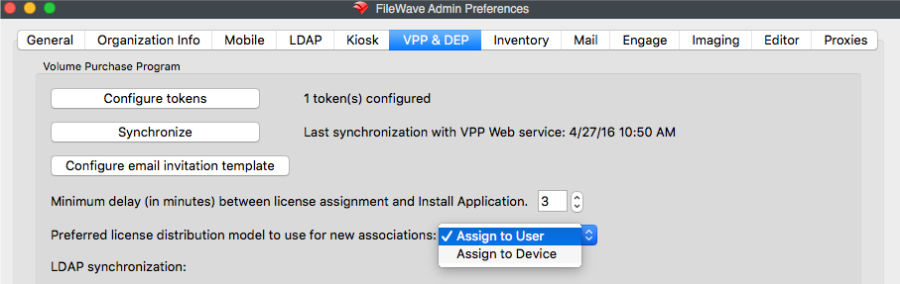
The default setting can be overwrittentime for a givenlarge associationfleet. ofApple's acoverage managedservice licensesupports Fileset.
single-device lookups and is subject to undocumented rate limits.
AppleCare refresh intervals
Select Show Advanced Settings under the API section to configure separate refresh intervals for renewable, active, and inactive AppleCare coverage. Shorter intervals keep coverage data more current but increase API load and can trigger throttling. Select Reset to Defaults to restore FileWave's standard intervals.
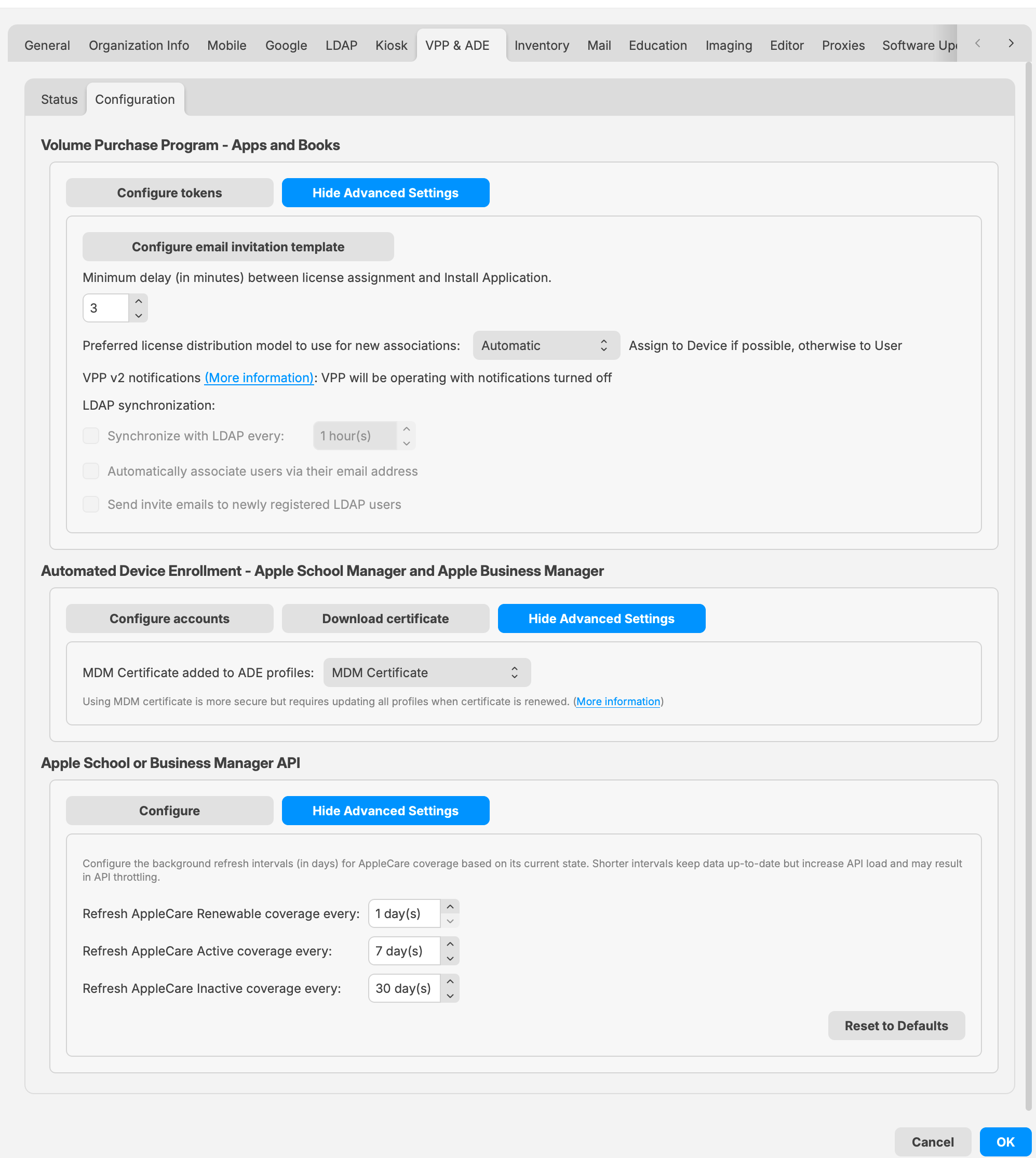
UsingAdvanced LDAPSettings synchronizationcentralizes allowsApps youand toBooks linkbehavior, yourthe LDAPADE usersprofile certificate, and AppleCare refresh intervals. Values shown are examples from the supplied 16.4 interface.
Related content
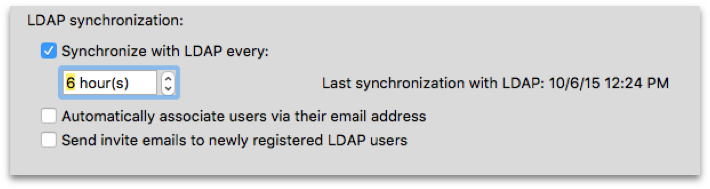
Device Enrollment Program preferences
Apple'sAutomated Device Enrollment Program(ADE)
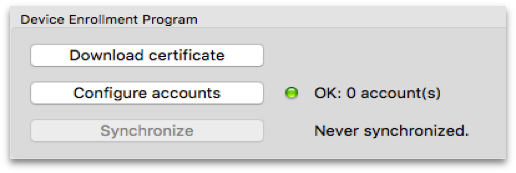
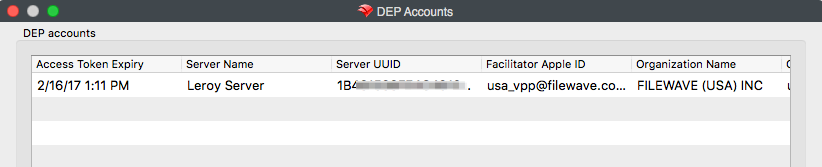
Using the "Download certificate" button, download a special "FileWave ADE" certificate to your administrator machine. You will be required to authenticate with the fwadmin FileWave Admin account. Use that certificate to get a ADE token from the Apple ADE site (https://deploy.apple.com or https://school.apple.com).Select the "Configure accounts" button, and authenticate using the primary fwadmin account. You'll be presented with the option of uploading new tokens. You can have a token for each of the ADE facilitators you have.

The Synchronize button works the same as the VPP synchronize button. ADE will synchronize between Apple and your FileWave Server once a day. You can hold the alt/option key down to force a full, immediate synchronization. Use that sparingly, since it may take a long time to synchronize with lots of devices in the system.
