
FileWave Windows Network Sweeper
What
OccasionallyFileWave Windows Network Sweeper is a troubleshooting bundle for finding Windows clients that are online but not communicating correctly with the FileWave clientsServer, (Windowsthen devices)attempting cana havetargeted anrepair. issueTypical thatcauses prevents them from communicating. Typically this is related toinclude misconfiguration, user intervention, or a previously failed client upgrade. This article and associated content gives you a tool and a process for identifying and hopefully remediating issues on remote clients.
When/Why
Periodically runningRun this tool during peak "online" times is a goodnormal practicepeak-online justwindow when you want to seeidentify if there areWindows devices outthat therehave yourecently don'tchecked knowin about.but have Ofsince equal,gone andquiet. similar,A useGroup isPolicy usingdeployment a GPO tocan enforce device enrollment and check-in.in for Thismany article:environments; the Client Deployment via GPO training gives anone example of deployingthat aapproach, clientand viathe GPO,same butgeneral a batch processpattern can be used to performsupport other compliance checks.
How
OK,Start I am convinced to give thiswith a try,small buttest howgroup dobefore Irunning dothe it,process andagainst area therelarge anyexported pre-requisites?list.
Pre-Requisites:Prerequisites
BeRunlogged into a system (or launch a powershell shell)PowerShell as a userthatwithhasadministrative rightstoonallthedevices...target Windows devices, usually a domain admin or an equivalent delegated admin account.DevicesThe devices you are trying to"catch"catch must beonline,online andon-networkreachable on the network.ProcessThe process assumesc$thesharesC$areadmin share is reachable andforthat device names resolve correctly. Dynamic DNS needs toresolve, dynamic dns mustbeenabledworking if you are relying on names instead of IP addresses.- Know
yourthe FileWaveserverServerFQDN,FQDN and have apropervalid FileWave API token available. Have downloadedDownload andunzippedunzip thefollowingWindowscontent:Network Sweeper bundle:

For ease of instuction, PSTools is included in thisthe download,download butfor itconvenience. You can bealso downloadeddownload the current PSTools package directly at:from Microsoft: PSTools download.
Before using the repair script broadly, confirm that the bundled FileWaveClient.msi is the client version you intend to install, or replace it with the correct installer for your environment. Also review the expected client version in 3_Check_Status.ps1 before treating its status output as authoritative.
Process Overview:Overview
- Create an inventory query
offor Windows devicesyouthat"haven'thaveseennotforcheckedainwhile".recently. AIcommonlikestarting"point is OSType"Type =Windows,"Windows and LastConnected"Connected within thelastpast 30 days but not within the past 7 days. Adjust(Both of thoseboth date rangesareforarbitrary).your environment.
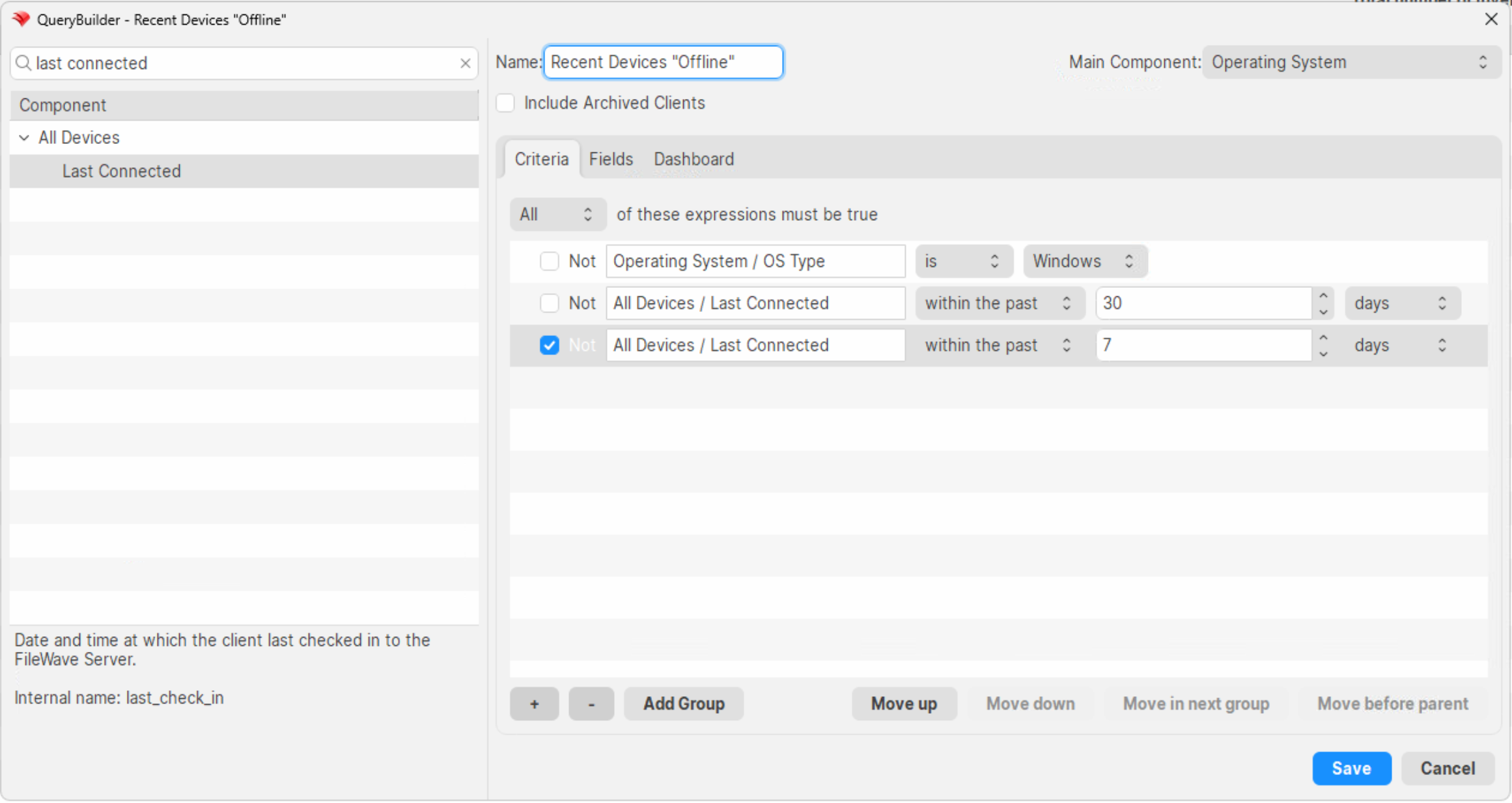
Make sureSet the query outputincludestodeviceincludenameDeviceonlyName(alternativelyonly.youYou can exportIPsIP addresses from the clientview window,view, butI would not recommendavoid using IP addresses from an inventoryquery,queryasinyouDHCP-heavyareenvironmentslikelybecause the address may no longer belong togetthewrongsameclient devices in a DHCP environment:device.
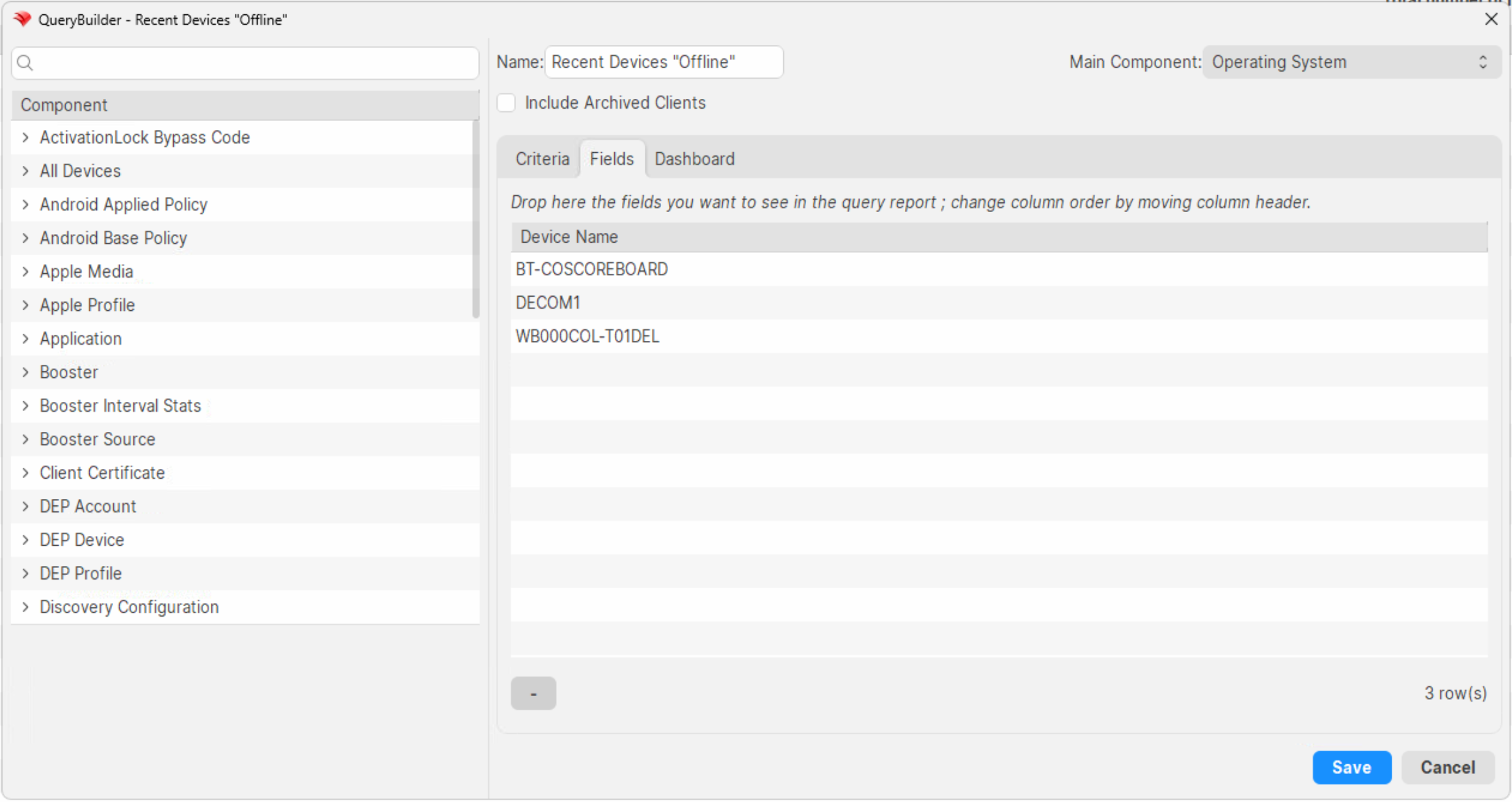
- Export
thisthereport'squerydataresults into theoffline.txtfile included in thezipZIP.file. (View--> Export Current View isvery helpfuluseful forthis).this. Remove the header line thathassays"DeiceDevice.Name"Name - Run
the first powershell1_get_online.ps1toseetestifwhichanyexported devices areonline.currently(They'llreachable.beReachable devices are written toa text file used by step 2)online.txt. - If
theredevices areany devices "found", you canfound, runthe second powershell script2_repair_clients.ps1to attempttotherepairrepair.them.
fix_fwclient.bat 3_Check_Status.ps1 to double-check Related Content
Digging Deeper
ItThe isdownload probablycontains verythe helpfulscripts toused seein anthis overviewworkflow. Review them before running the bundle in your environment, test against a small set of known devices first, and thiskeep processthe ingenerated motion,online.txt, sooutput.txt, videodouble_check.txt, examplesand follow:still_bad.txt files as your working record for follow-up remediation.
Technical Overview:
Example Usage:
.