InvGate integration with FileWave
AIT commonadmins often need of an IT admin is to see computer and mobile assetsasset fromdetails withininside atheir Helphelp Deskdesk system. FileWave can send asset information,information to InvGate ITSM, keyed by the FileWave "Last Logged in User" to the Invgate ITSM solution. field.
Third Party SoftwareSlackInvGate is a third third-party application. The details provided are for exampleexamples only and are unsupported by FileWave.
Step-by-step guide
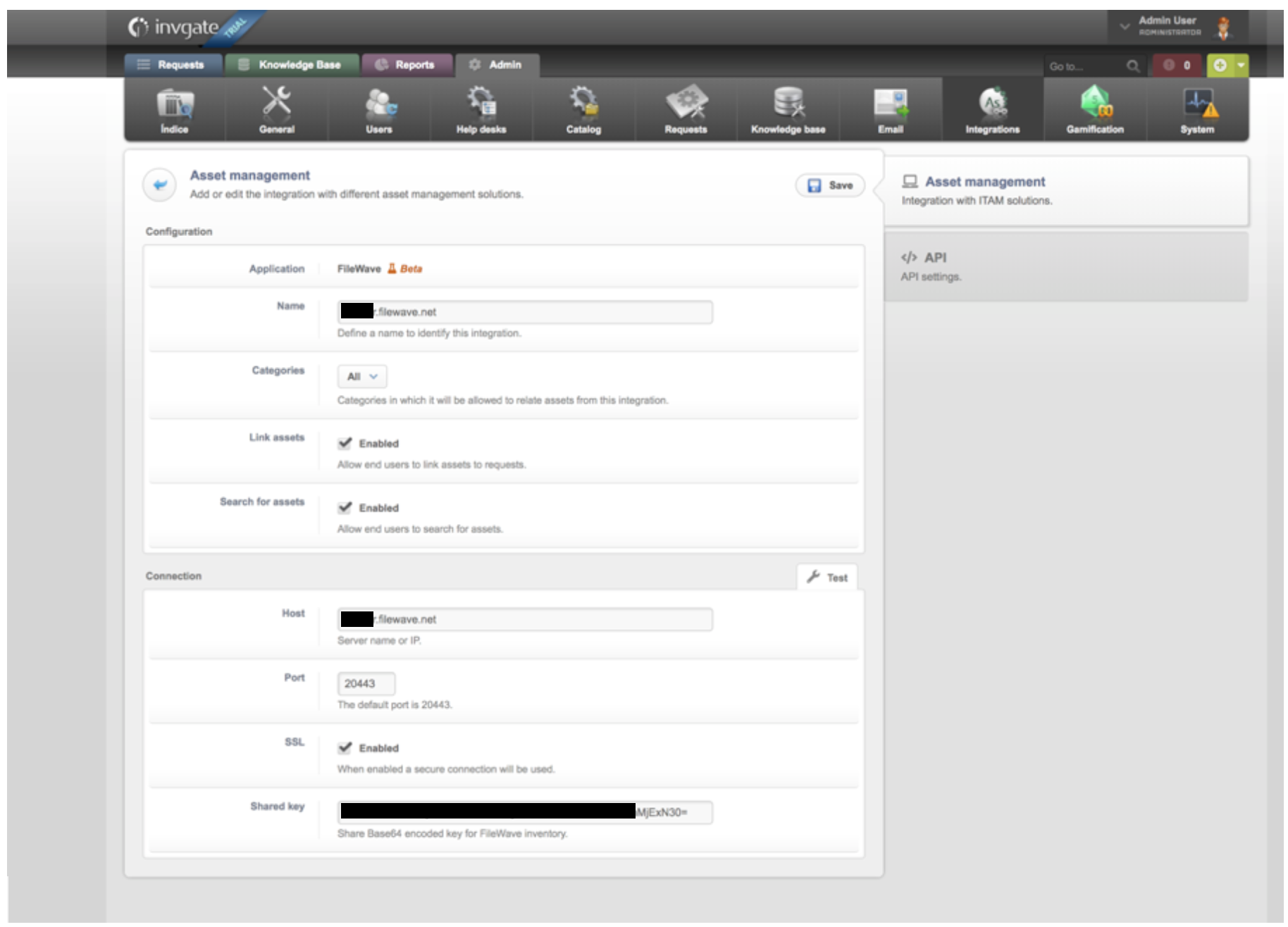
SetupSet up the integration on the InvgateInvGate side:
EnsureMake sure youarecapturecapturing Useruser data inInvgatebothasInvGatewellandasFileWave.FileWave (LDAP integration in both systemsishelpswise to ensure you are dealing withkeep thesameuserdatarecordsacross systems).aligned.- In
theInvGate,Invgate>go to "Admin" > "Integrations"tab,and define the following fields:

- Click "Save"
- Wait for the data to
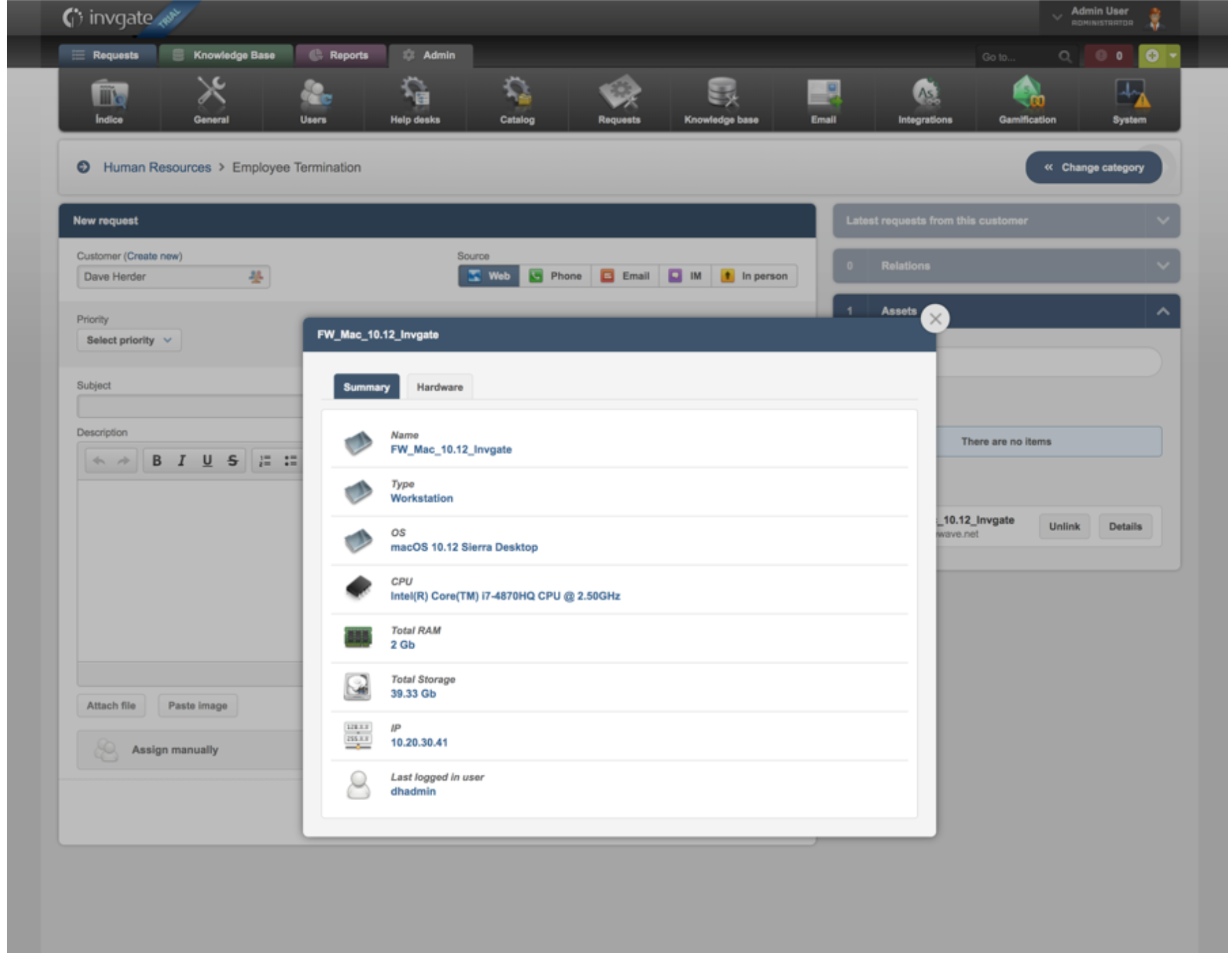
by synchronizedsynchronize from FileWave toInvgateInvGate. - Create a new request
based onusing thenew Assetasset information nowpopulatingpopulatedInvgate.inNoteInvGate.theThe new assetspopulatingappear in theleftleft-hand column of theInvgateInvGate "New Request" dialog.