
Applications Preventing Reboot (macOS/Windows)
Description
BeforeWhen a Fileset requires a reboot, the FileWave client reboots a computer, where the Fileset properties are set to reboot, a warning can be expected to 'Quit All Running Processes' with a list forwarn the user to address."Quit All Running Processes" before the restart continues.
Some apps and background processes do not respond tocleanly when FileWave ClientsKiosk requests to quit whenuses "Quit all" or "Quit Application". isA beingprocess used,may because they are beingrestart immediately restartedthrough by LaunchDaemon after quitting,LaunchDaemon, or doit notmay respond properly toignore the signalssignal sentFileWave tosends. themWhen bythat FileWave.happens, Thisusers can result in users beingbe blocked from installing FileSetsFilesets withthat have the "Reboot"Requires FlagReboot flag set.
Information
Although thisThe warning itself is usual,expected, therebut aresome instances where certain apps orlisted processes can appearbe insurprising. the queue that are unexpected, forFor example:
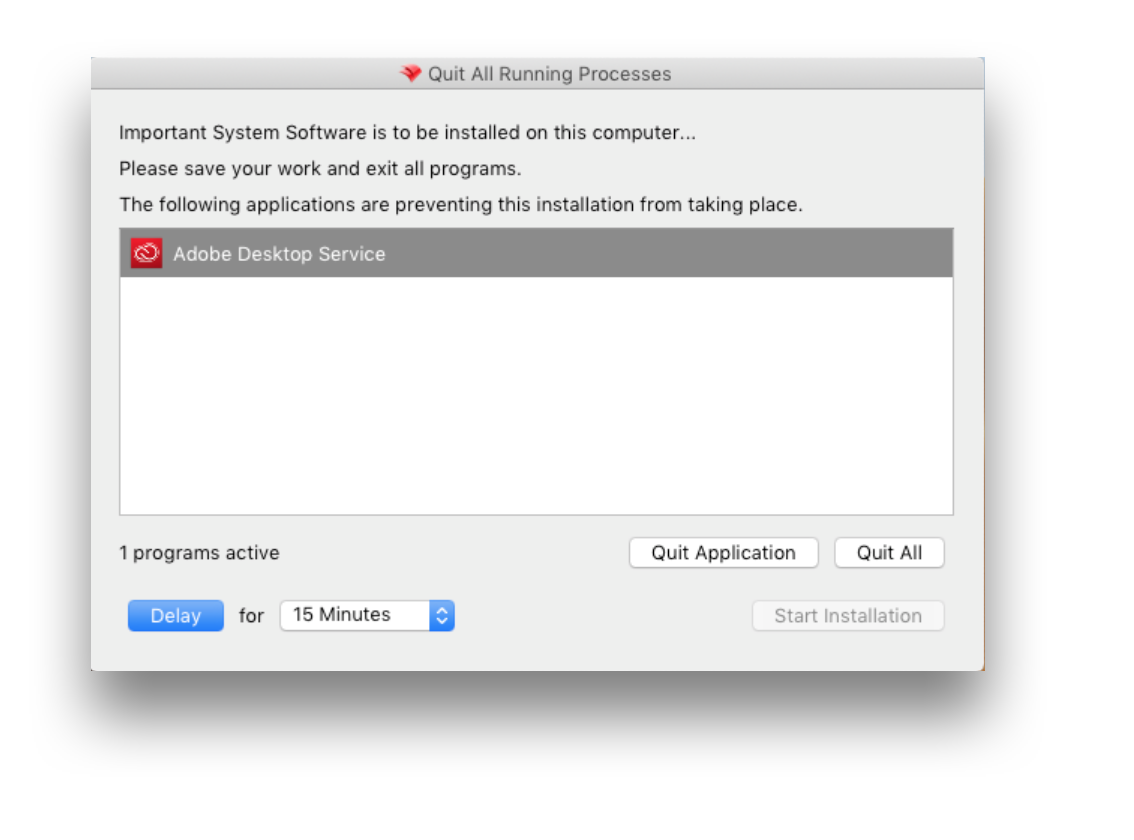
AsA abackground service, thisservice can showappear even thoughwhen the user is not actively using Adobe Apps at the time.related application.
Solution
Requirements to prevent this experience are:
CustomisedCustomized Kiosk Fileset- macOS
clientclient:- Bundlebundle ID of theAppapp orServiceservice to exclude - Windows
client - Name of runningclient: process name to exclude
AYou settingscan fileconfigure may be configuredsettings.ini to allowignore forspecific certainapps apps.or processes. Create a filesetFileset containing the settings.ini, then associate it andtowith the desiredtarget clients. The directorydestination where the file should be placedfolder depends on the operating system:
macOS
/usr/local/sbin/FileWave.app/Contents/Resources/fwGUI.app/Contents/customWindows (FW v15.4.2 or lower)
C:\Program Files (x86)\FileWave\customWindows (FW v15.5.0 or higher)
C:\Program Files\FileWave\kiosk\customThe changes will only be visible in the desktop Kiosk reads these changes after the user logs out and logs in again.
To excludestop an unexpected process from being listed and preventingblocking the reboot, first obtainidentify the Bundlelisted app's bundle ID on macOS or process name ofon the listed App or Service.Windows.
Obtain Bundle ID or Process Name
Windows
- Send any Fileset
that has itswith Fileset Properties set to'RequiresReboot'Reboot to the testmachinemachine. - Hover over the desired process to exclude
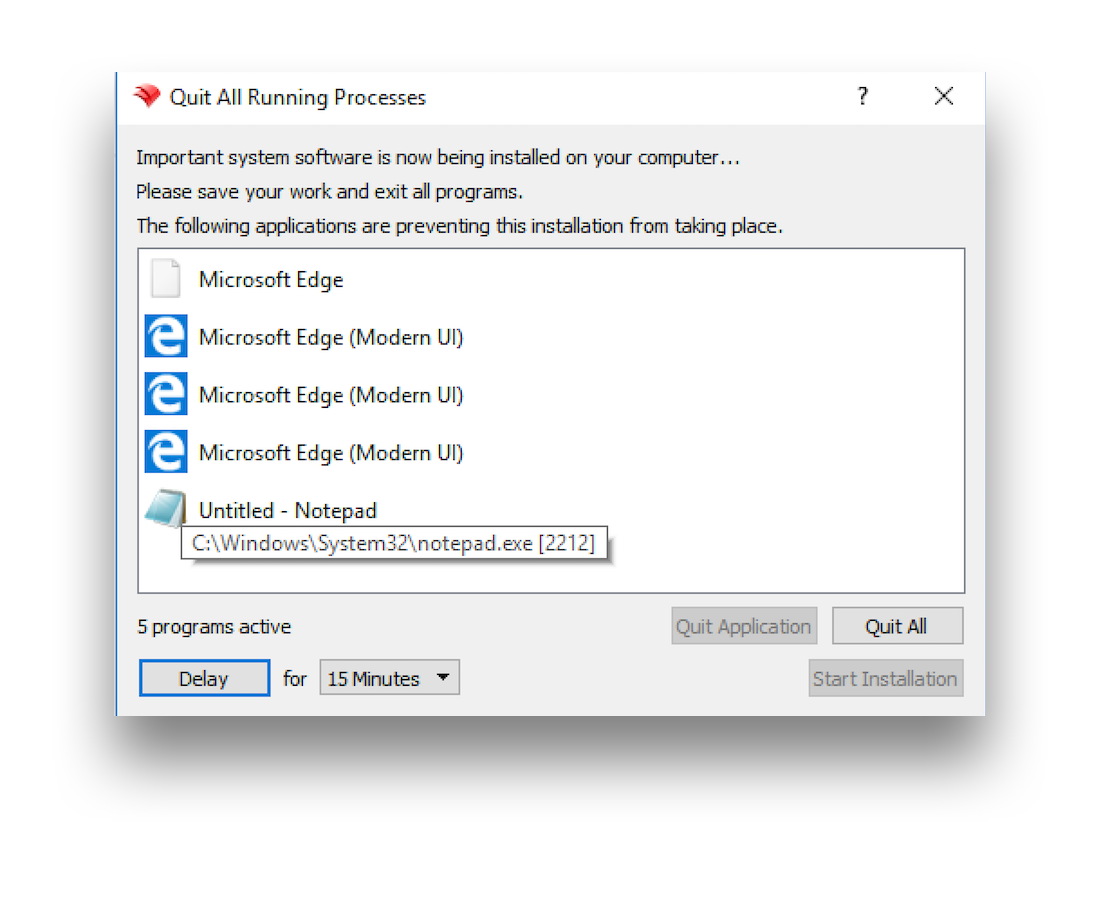
In this example, toexcluding excludeNotepad notepadrequires you require: 'notepad..exe'exe
macOS
- Change a test device's Debug Level to 99 through the Client Monitor
- Send any Fileset
that has itswith Fileset Properties set to'RequiresReboot'Reboot to the testmachinemachine. OnceWhen the device prompts the user to quit applications, openthe theFWGUI.login thefoundusersuser's Application Support directory.
~/Library/Application\ Support/FileWave/FWGUI.logThere should be lines similar to the following, for each process that has prevented the reboot:
|DEBUG|INSTALLER|[addProcessInfo] new process added /Applications/Utilities/Terminal.app pid 67345 bundleID com.apple.Terminal
|DEBUG|INSTALLER|[addProcessInfo] new process added /Applications/Preview.app pid 73400 bundleID com.apple.Preview
|DEBUG|INSTALLER|[addProcessInfo] new process added /Applications/TextEdit.app pid 73718 bundleID com.apple.TextEdit
Configure 'settings.ini'
TheConfigure 'settings. with the following ini' file should be configurediniformatformat. (BundleUse a comma-separated list for bundle IDs or processesprocess being a comma separated list):names:
[General]
ignoredApplications=com.bar, com.foo
For the example of Windows Notepad, it should read:
[General]
ignoredApplications=notepad.exeToFor avoidcommon theWindows newer defaultshell processes Microsoftthat nowcan include,appear during reboot prompts, consider ignoring the following:
[General]
ignoredApplications=StartMenuExperienceHost.exe,SearchApp.exe,TextInputHost.exe
For the example of macOS TextEdit, it should read:
[General]
ignoredApplications=com.apple.TextEdit
Combining this with current generic settings, it may look something like:
show_top_downloads=false
window_title="My Customized Kiosk"
hide_system_tray=false

[General]
ignoredApplications=com.adobe.acc.AdobeDesktopService,com.apple.TextEdit
Deployment
Deploy the 'settings. to the following locations: ini' fileini
macOS
/usr/local/sbin/FileWave.app/Contents/Resources/fwGUI.app/Contents/customWindows (FW 15.4.2 and lower)
C:\Program Files (x86)\FileWave\customWindows (FW 15.5.0 and higher)
C:\Program Files\FileWave\kiosk\custom