
Force Notifications on macOS for FileWave Kiosk
What
HereTo weensure wantthat notifications from the FileWave Kiosk and End User Notifications are consistently displayed on macOS devices, administrators can deploy an Apple Profile that forces notifications for the com.filewave.kiosk2 application. This profile enforces the display of notifications and prevents end users from disabling them, ensuring important messages and alerts are always visible to explain the purpose of this content...i.e. what does this function do?users.
When/Why
Now
When to Use
Why Use This Feature
How
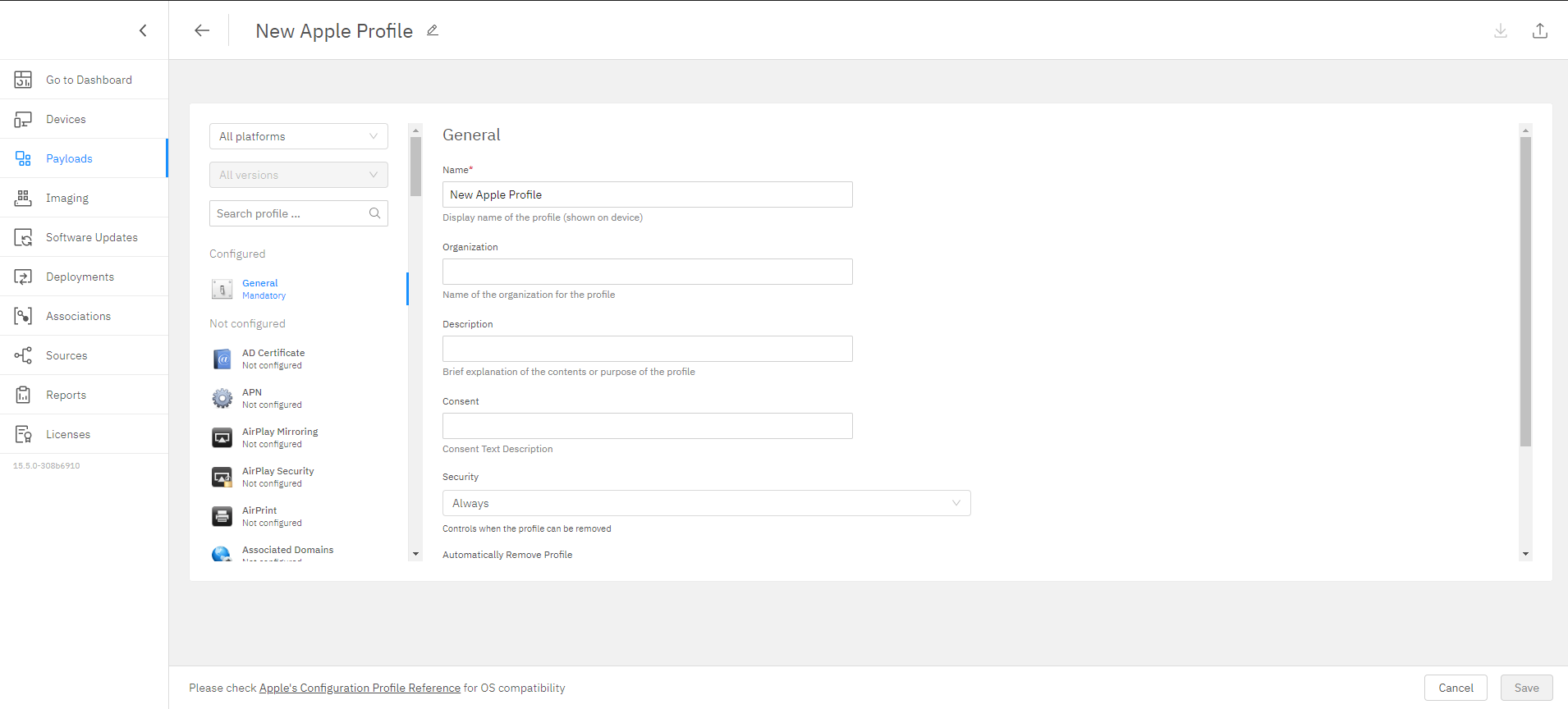
In FileWave Central or Anywhere you can create the profile. The images that follow are from Anywhere, but the process is the same in Central.
-
Payloads → Create Configuration → Create Apple Profile
-
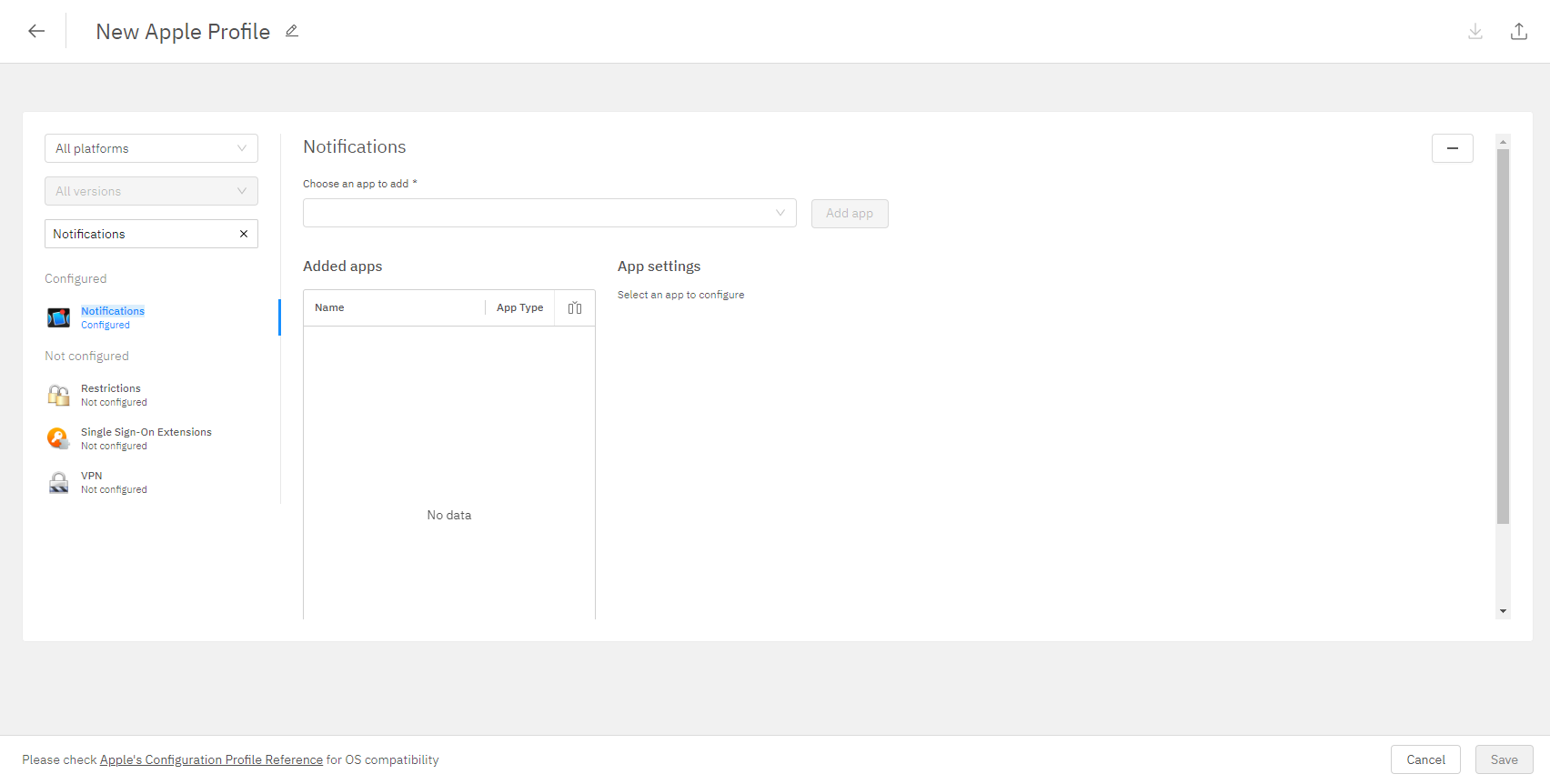
Search “Notifications”:
-
-
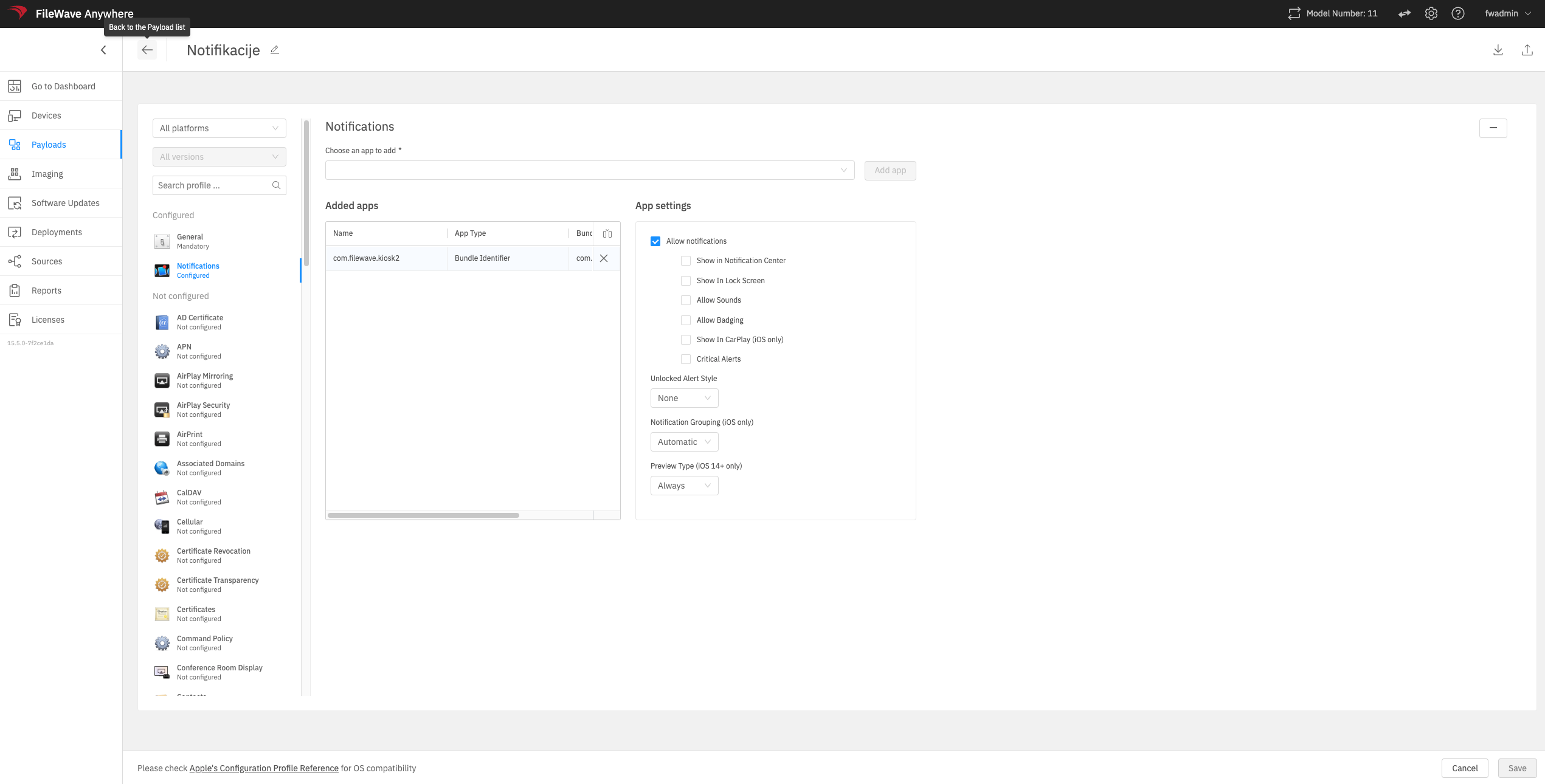
Set up behavior for the notifications:
-
Bundle Identifier for Kiosk app: com.filewave.kiosk2
-
Deploy profile to desired device(s).
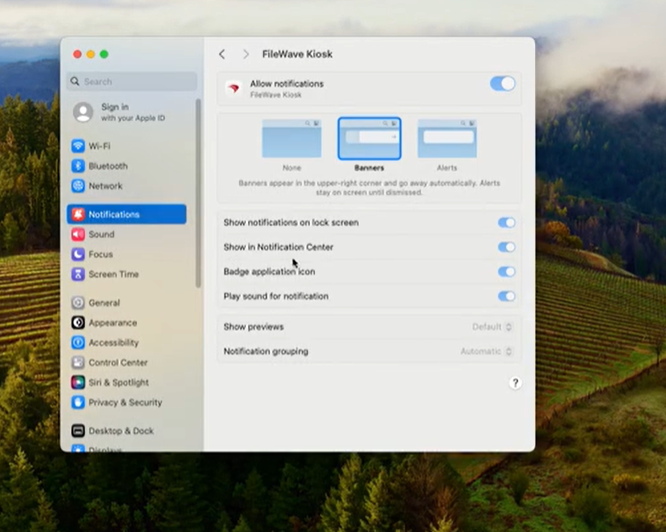
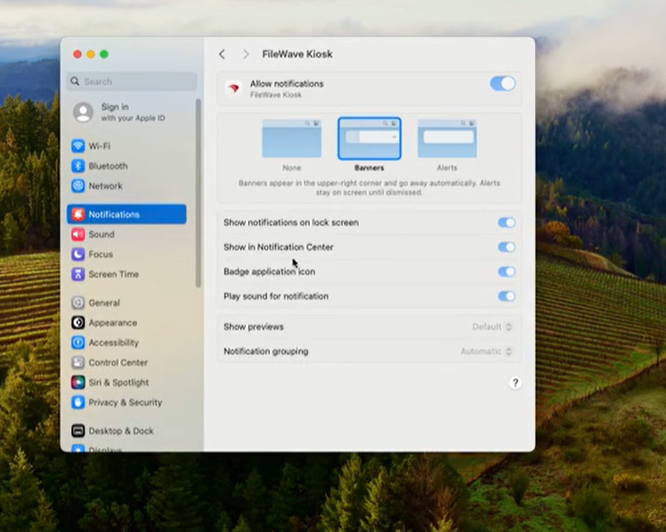
Device Behavior
DeviceDirectlybehavior:examining a macOS device will look as follows:
Related Content
Digging Deeper
Want to provide more detail or other examples? Want to wax poetic? Do that here, and keep the top of these documents crisp and clean.