
Set the Lock or Home Screen Wallpaper on iPhone and iPad
Description
InUse the Command Policy payload in FileWave's Profile Editor to set the Lock Screen, Home Screen, or both on supervised iPhone and iPad devices.
Requirements
The wallpaper command applies to supervised devices. Choose the target screen, then select the image in the Profile Editor,Editor.
Use canthe createscreenshot below to confirm the Wallpaper option and target screen before saving.
FileWave reapplies the wallpaper command once a configurationday, profile that, when deployed to iOS devices, will configurerestoring the Homeselected and/orimage Lock screens.
Apple Documentation
Some details to consider:
"This payload defines a layout of apps, folders, and web clips forif the Homewallpaper screen. On iOS, this layout is locked and can't be modified by the user."
"If a home screen layout puts more than four items in the iPhone or iPod touch dock the location of the fifth and succeeding items may be undefined but they will not be omitted."changes.
Step-by-step guide
- In
theFileWaveAdmin console,Central, create a new Mobile Fileset>and choose Profile. - Configure the
"General"General payloadtoand give the profile anameclear name. - Configure the
"CommandPolicy"Policypayloadpayload.andUnder Wallpaper, choose Lock Screen, Home Screen, or both, then select therelevant option in the section "Wallpaper" combo box.image. ClickSelect"Save" at the bottom left to save your profile.Save.
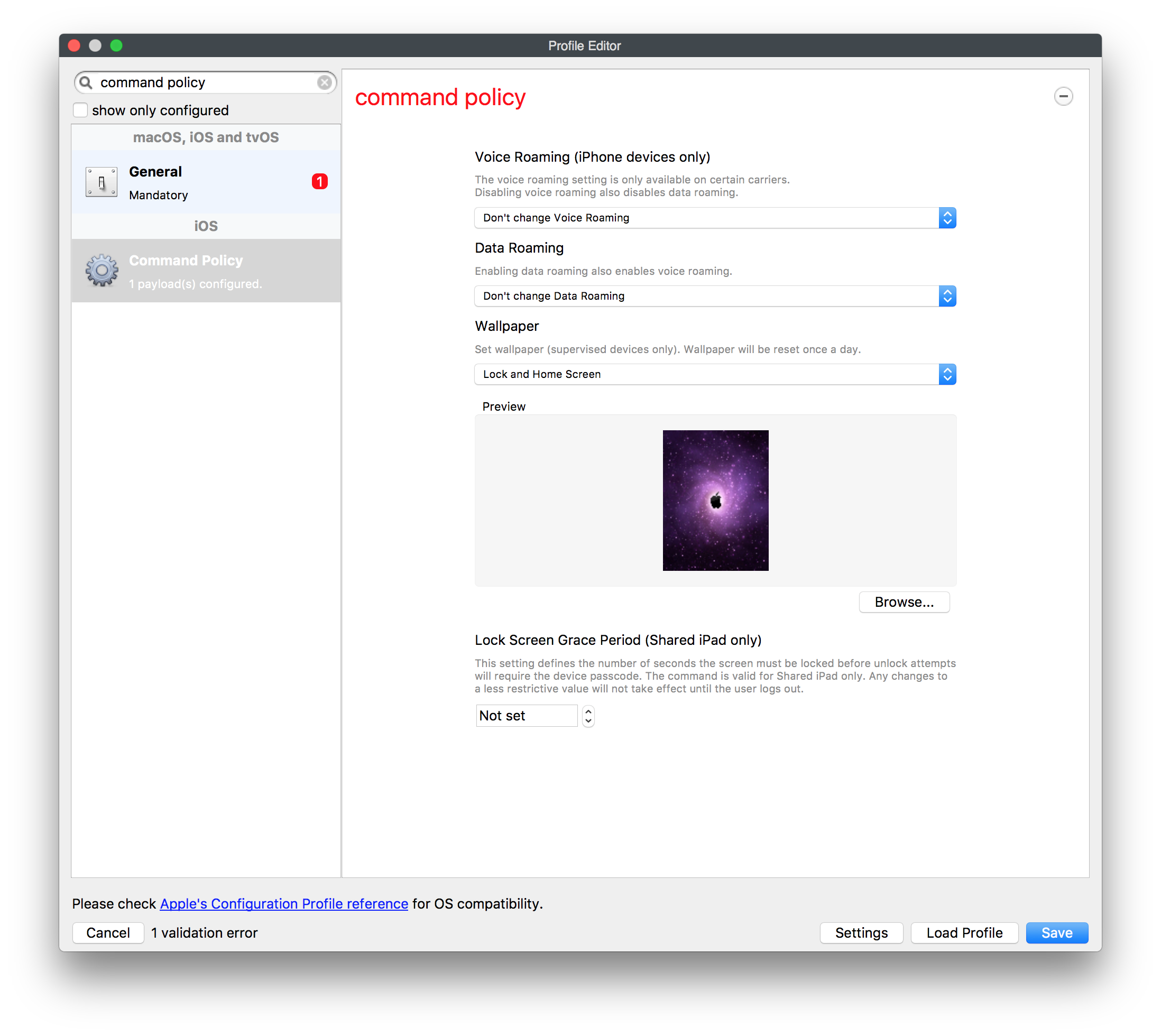
Deploy the Command Policy payloadprofile to a group ofsmall test devices,group andfirst. afterConfirm successfulthe installation,image deployappears toon yourthe widerintended populationscreen ofbefore devices.expanding the deployment.
NoteImage size:: It is best practice when creating your wallpaper to try and createKeep the image file as small as possiblepractical toso expeditedevices can download it quickly. FileWave runs this command daily and reapplies the deploymentselected process. Also, when deploying this payload, it will execute as a command on a recurring basis (every day) to ensure that the wallpaper will be re-applied correctly.wallpaper.