
"Default" Revisions
What
What are default revisions? An excellent question indeed. Default revisions arelet ayou waypoint ofan markingassociation aat specificwhichever Fileset revision ofis a Filesetmarked as the "default",default, regardlessinstead of whathard-coding that association to a named revision. This is useful when you test a new revision with a small group first, then promote it isfor called.production without Keepediting reading,every andproduction you'll see how very useful this is, and how our great developers try to make your job easier on an everyday basis.association.
When/Why
WeIn arethis goingexample, to use our example again ofFirefox v79 and v80 of Mozilla Firefox. Assume for a moment that we have v79is assigned to all devices right now inthrough two associations as shown below:.:associations:

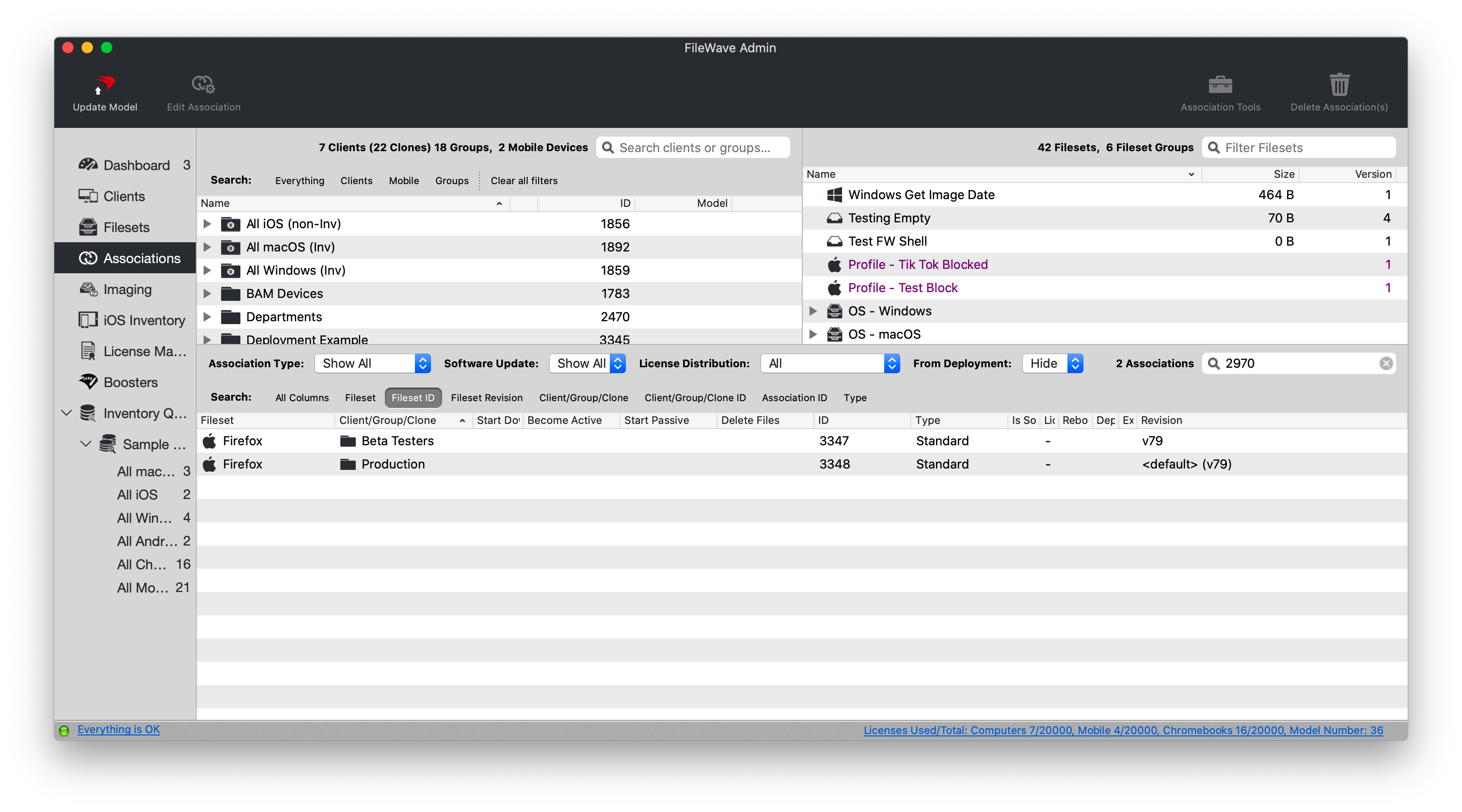
If you'll look closely, you'll see thatIn the "Production" group has an association toscreenshot, the revision <default> (v79) and the "Beta Testers"Production group is associated to v79.<default> (currently Effectively,v79), thiswhile the Beta Testers group is exactlyassociated directly to v79. Both groups install v79 today, but only the sameProduction forassociation bothwill groups...v79follow isthe installed.default But, let's take a look below at what happensrevision when wethat wantdefault to upgrade to v80 in the environment.changes.
How
WeTest aren'tthe justnew goingrevision tobefore assignpromoting v80it. toIn allthis devicesexample, rightedit away...as always, we want to test first, so with ourthe patch testers association first so that group we'llreceives edit their association as follows:v80:

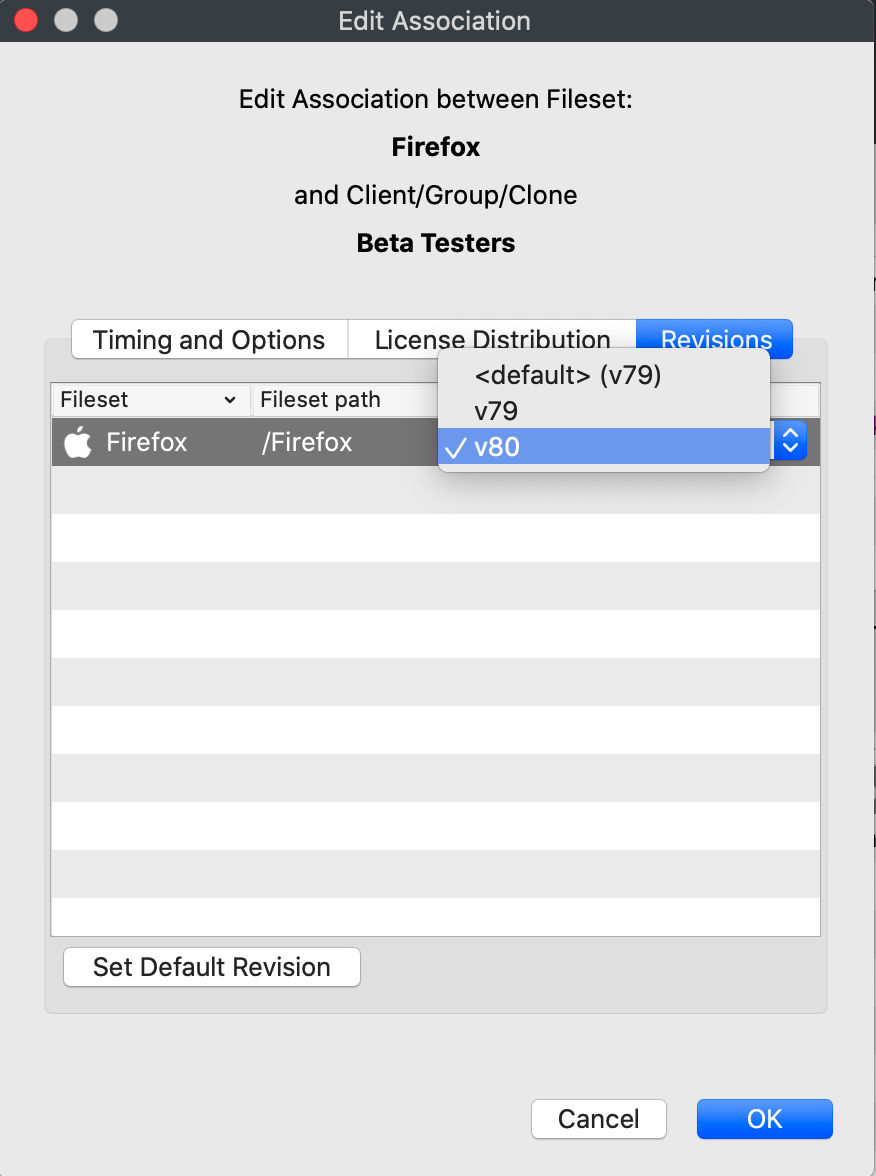
Once we save this association and update the model, all patch testers will get the new version. No deleting of the association or creating a new one is required.
Now,After assumetesting, that all testing goes well, and we are ready to release to production. Now, weyou could edit theevery production association forone "production",by one, but assumedefault forrevisions aare second that we had ten such associations...would we wantdesigned to editavoid allthat. tenThe of them? In a word, no. But, if you remember, theProduction association above to production was not v79, but rather Default v79...which means the association is justpoints to the "default"default revision of the fileset.Fileset, not directly to v79.
So, we can simply editChange the propertiesFileset's ofdefault revision to v80, then update the fileset itself and change the "default" to v80 instead.model.

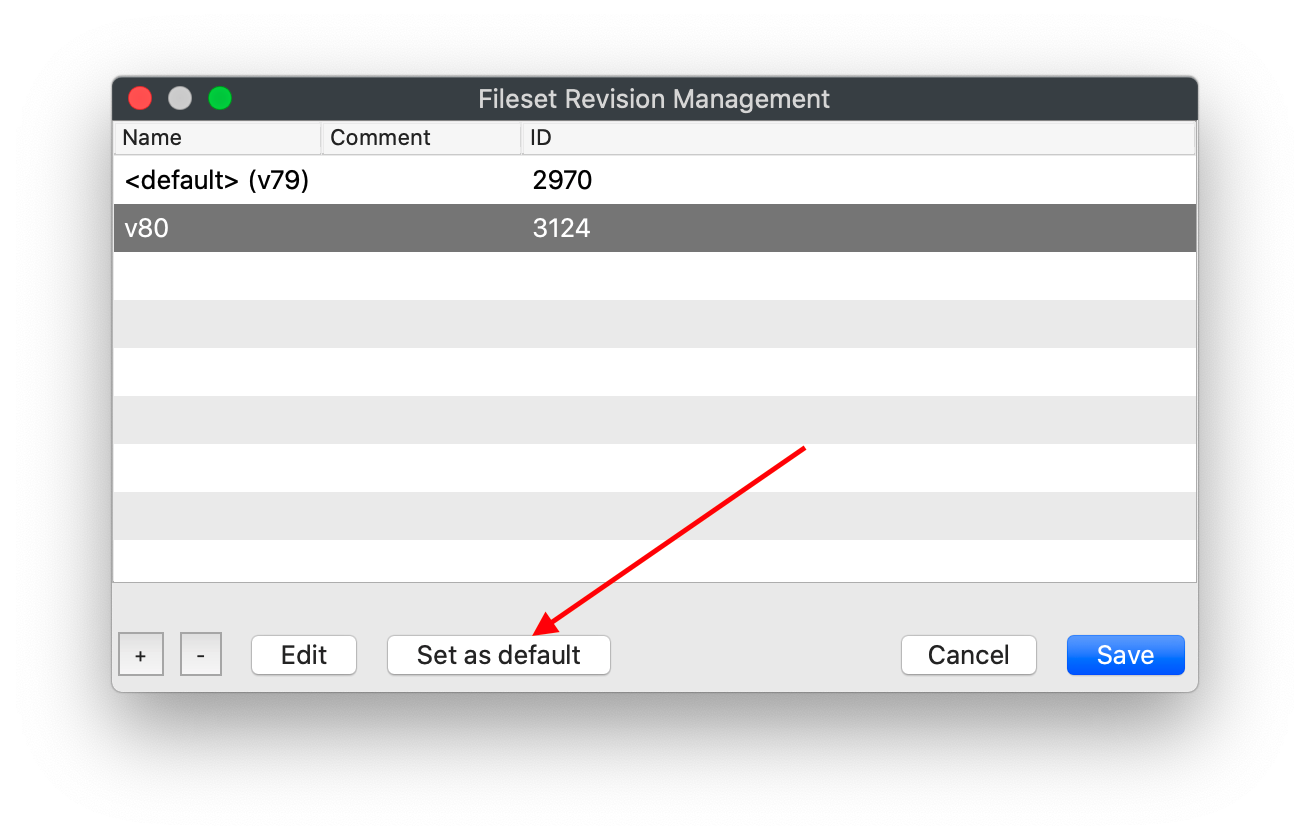
Once we save that change, and update the model, you'll see the change reflected in the association:

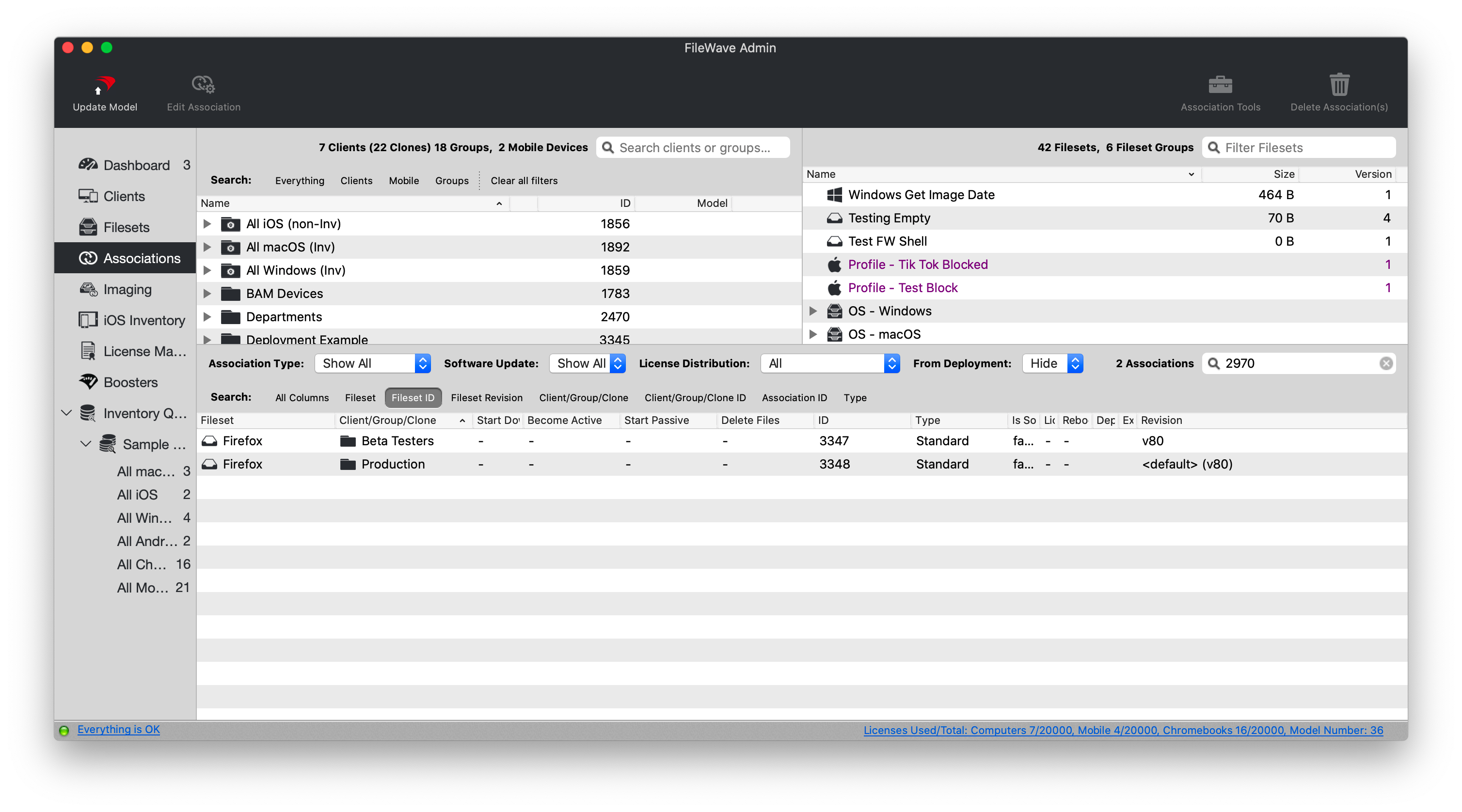
And, upon next check-in, all "Production" devices will upgrade to v80.
Remember,FileWave we take care ofhandles the timing of thisrevision transition betweenthrough versions...the model update and normal client check-in process. Use a test group first so you don'tcontrol have to worry aboutwhen the transitionnew timing.revision reaches production devices.