
Editing Fileset Revisions
What
RevisionsA themselvesFileset haverevision somehas propertiestwo thateditable canproperties: be edited: namely theits name and theits description of the revision.description.
When/Why
EditingUse the propertiesManage ofRevisions window when you need to rename a revision isor alsoadd donea fromclearer the "Manage Revisions" window...we'll use it if we want to edit the name. description. For instance, every timeexample, the first revision is created,named it is called "Initial Revision"...whichRevision isby helpfuldefault. Replacing that with a short description can make later associations easier to know, but not very descriptive. Below is how we change that.understand.
How
First,Open we'llManage goRevisions intofor the "ManageFileset, Revisions"select viewthe for a particular fileset,revision, then choose "Edit"Edit:
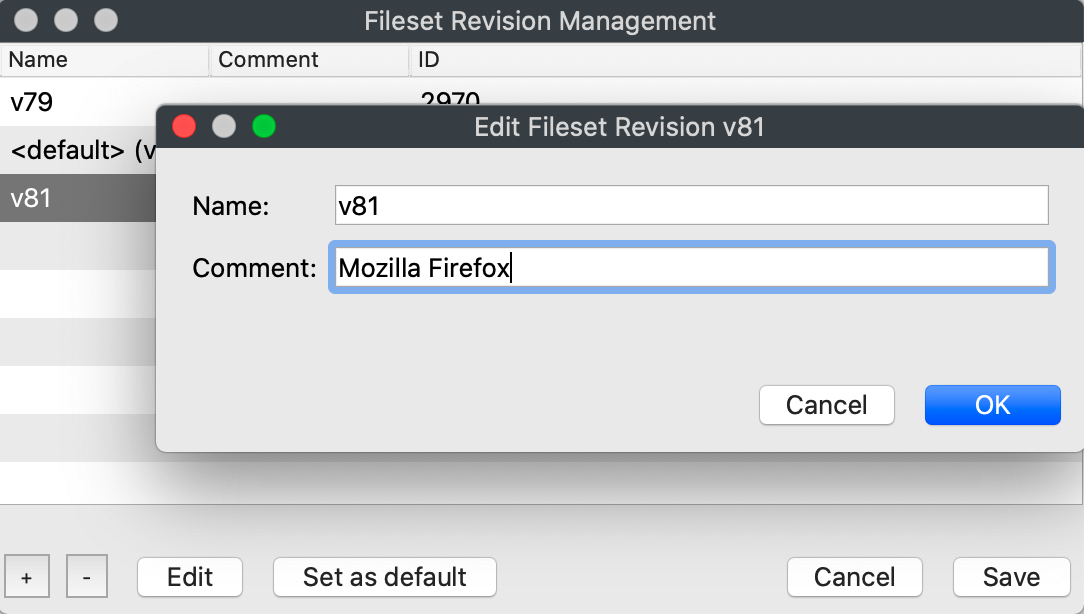
Use descriptive values in both fields so admins can tell which revision selected:

Therethey are onlyassociating two fields to set, but setting them descriptively does help later when creating associations.later.