
Installing Windows Updates that are not able to be automatically packaged
What
AsUse this workflow when FileWave reports a Windows administrator,update you want to install some Windows Updates where FileWave reports that the item isas missing, but it'sthe update is not one FileWave can automatically package as a securitySoftware Updates Fileset. This is the manual MSU deployment path for admins searching for Windows Update Catalog installs, offline Windows update whereinstallation, FileWaveor could automatically create a Fileset forupdates that update.show as missing but cannot be auto-packaged.
When/Why
SinceFileWave 14.7.0can of FileWave, there has been additional reporting onreport missing Windows updates for Windows. With the increased reporting many administrators have asked how to install an updateeven when it iscannot missing from a device but isn't seen as an update that FileWave is capable of turning intobuild a Fileset onfor itsa own.specific update automatically. This is common for standalone .msu packages from the Microsoft Update Catalog.
How
The first thing is to understand that Windows updates can come inas . files MSUmsu(Microsoftfor the Windows Update Standalone Updater).Installer. TheseInstall updatesthose canpackages bewith processed by an exe %windir%\System32\.Wusa.wusa.exe and installed.
For example, if the Windows6.0-KB934307-x86.msu file is in the D:\934307 folder, type the following command at a command prompt to install the update package:
wusa.exe /quiet /norestart d:\934307\Windows6.0-KB934307-x86.msuToIn accomplishFileWave, thisstart inby FileWavedownloading let'sthe takeupdate afrom real example. First, we will go tothe https://www.catalog.update.microsoft.com/Home.aspxMicrosoft Update Catalog. toThen look for this update. Downloadadd the MSU file onceto youan seeempty it.Fileset.
Next, create a Fileset by making an Empty Fileset and then add the update as seen here:

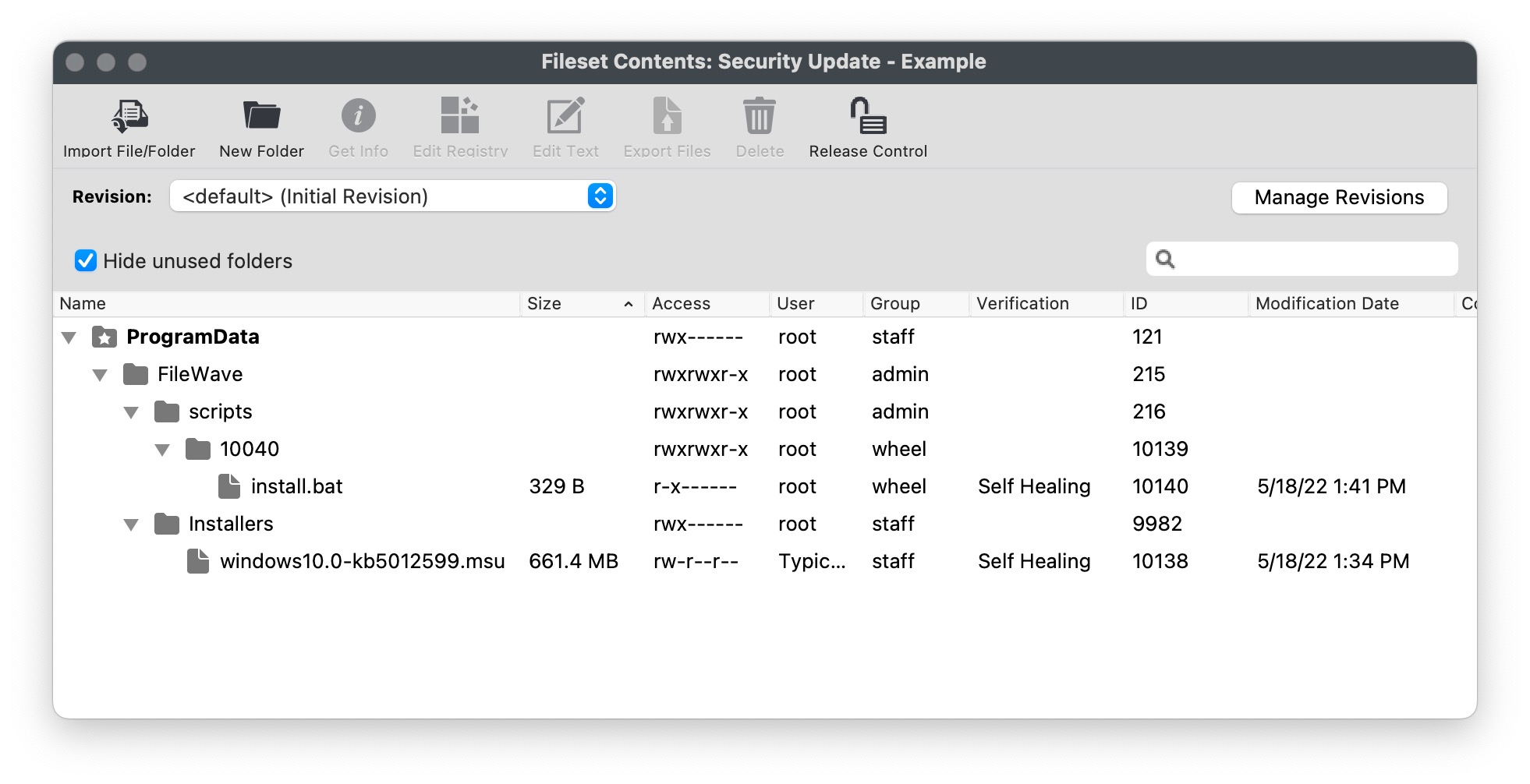
To install the MSU you will need to add an Activation Script to it.

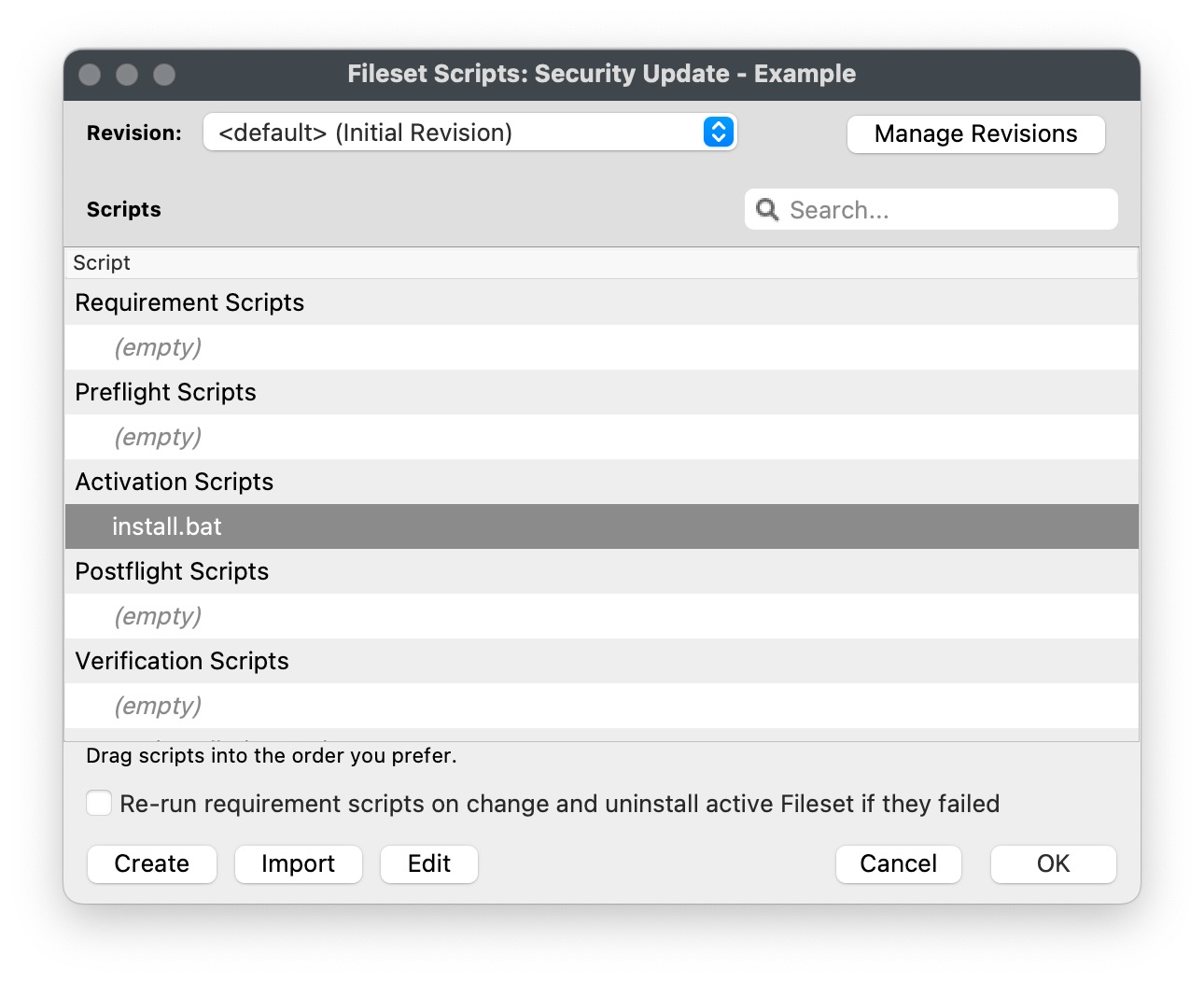
Here is the text of install.bat.
You'llThe notice in the imagesscreenshots and script thatuse Ia shortened theMSU namefilename ofto keep the MSUexample file. That's just to make it easier to read.readable. If you keep the longoriginal namedownload it downloads with then just be sure tofilename, copy the entirefull namefilename if you do keep it long. Noticeinto the "script. Keep the quotation marks around the filenamepath as well in case you have spaces inif the path.filename or folder path contains spaces.
Install.bat
REM For all script types, returning an exit code of 0 (success) means the
REM script execution completed successfully.
REM Add the contents of your script below:

%windir%\System32\wusa.exe /quiet /norestart "c:\programdata\FileWave\Installers\windows10.0-kb5012599.msu"

exit 0YouThe mayexample noticeuses that/norestart. thisIf the update has /norestart, but most security updates needrequires a restart.restart, You could go to Properties forconfigure the Fileset andproperties haveso FileWave controlcontrols the reboot asprompt shownand below. timing.

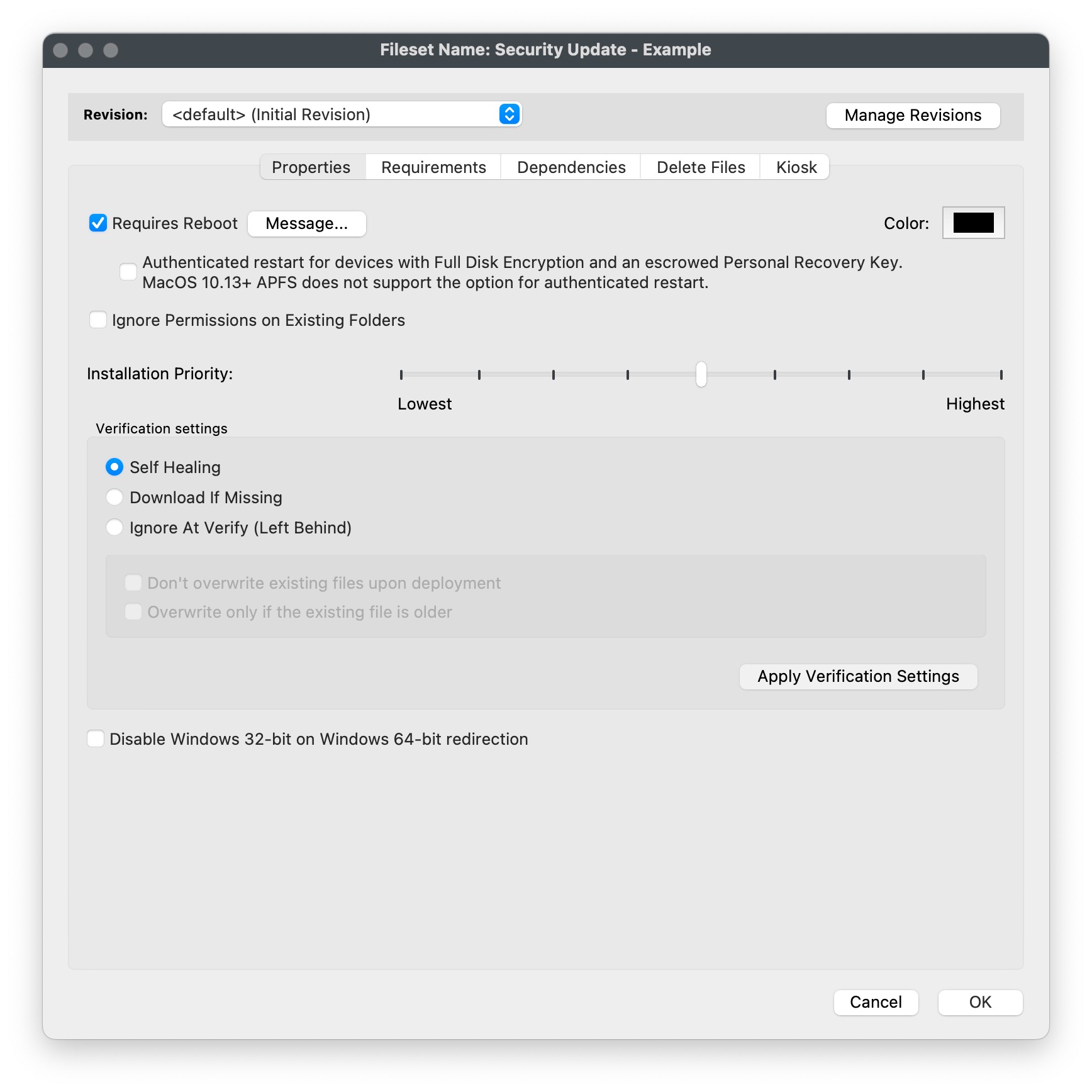
It's important to note that wusa.exe exits cleanly when the update is smart enough to not install an update that a device already hasinstalled or an update that does not really apply to athe device. You shouldn't have to worry about if someone already patched their machine. If you want FileWave to beskip athe bitFileset fancierbefore youactivation, could makeadd a Requirements script that wouldchecks checkwhether ifthe an updateKB is already installed and thenexits exit if it is there. accordingly.
OnceAfter aninstallation, inventory must update is installed you would need the inventory to update for a client to see that the update is installed inbefore the Software Updates section ofshows the adminpatch console.as Youinstalled. can either waitWait for the normal verification to normally happencycle (once every 24 hours,hours or onafter restart), or send an explicit Verify command. That should be all you need to do. Repeat this process for any MSU file that you need to deploy viawith FileWave.
Related Content
Digging Deeper
More information on wusa.exe is here:
When you are testing it may be difficult to repeat your testing once an update installs, but wusa has an /uninstall switch as well that can save you time. Below is an example that would remove a patch. Another alternative is to use a Virtual Machine for testing and use snapshots to be able to install and then roll back to before the update was installed.
wusa /uninstall /kb: KB5000802 /quiet /promptrestartFor troubleshooting to view the Windows Update Standalone Installer event log on a client device, follow these steps:
- Click Start, type event viewer in the Start Search box, and then click Event Viewer in the Programs list.
- In Event Viewer, expand Windows Logs, and then click Setup.
- Setup events appear in the middle pane.
- In the Actions pane, click Filter Current Log.
- In the Event sources list, click to select the WUSA check box, and then click OK.