
Adding IdP Groups for FileWave Authentication
What
OnceAfter youryou configure an IdP is configured as an authentication source, weyou can useallow itmembers toof allowselected directory groups to authenticatesign intoin to FileWave.
When/Why
We'llUse useIdP thisgroups asto grant administrator access and assign permissions from your identity provider. This is the configurationusual forpath adminswhen toadministrators login,sign andin towith assignmulti-factor permissions. authentication Thisor methodother isIdP-based especiallysecurity helpful if you require 2 Factor Authentication through your IdP.controls.
How
SettingSet up the group is in aFileWave fewCentral:
Assistants → Manage Administrators
Add an IdP Group Account. The option is in the Nativelower-left admin:
Assistants→of the Manage Administrators
Addwindow and IDPbehaves Group Account, (lower left, and you may notice it is similarsimilarly to an LDAP group,group but easier)account.
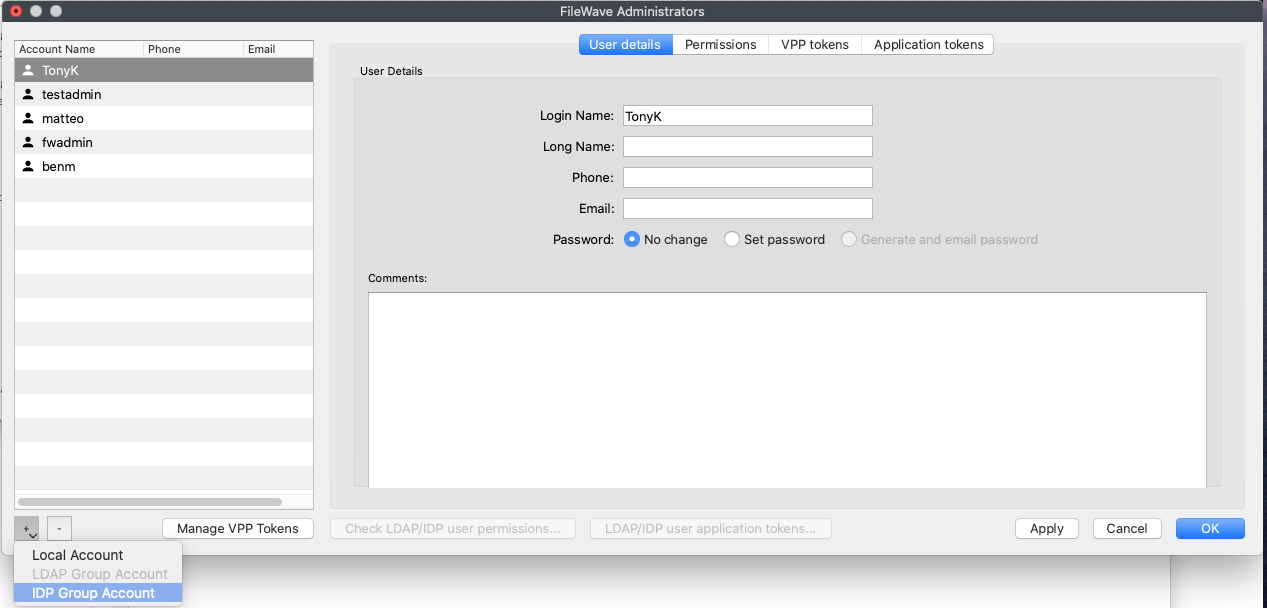
Give the group a name,name and assign permissions as you would anyfor normala local or LDAPLDAP-based basedadministrator account.
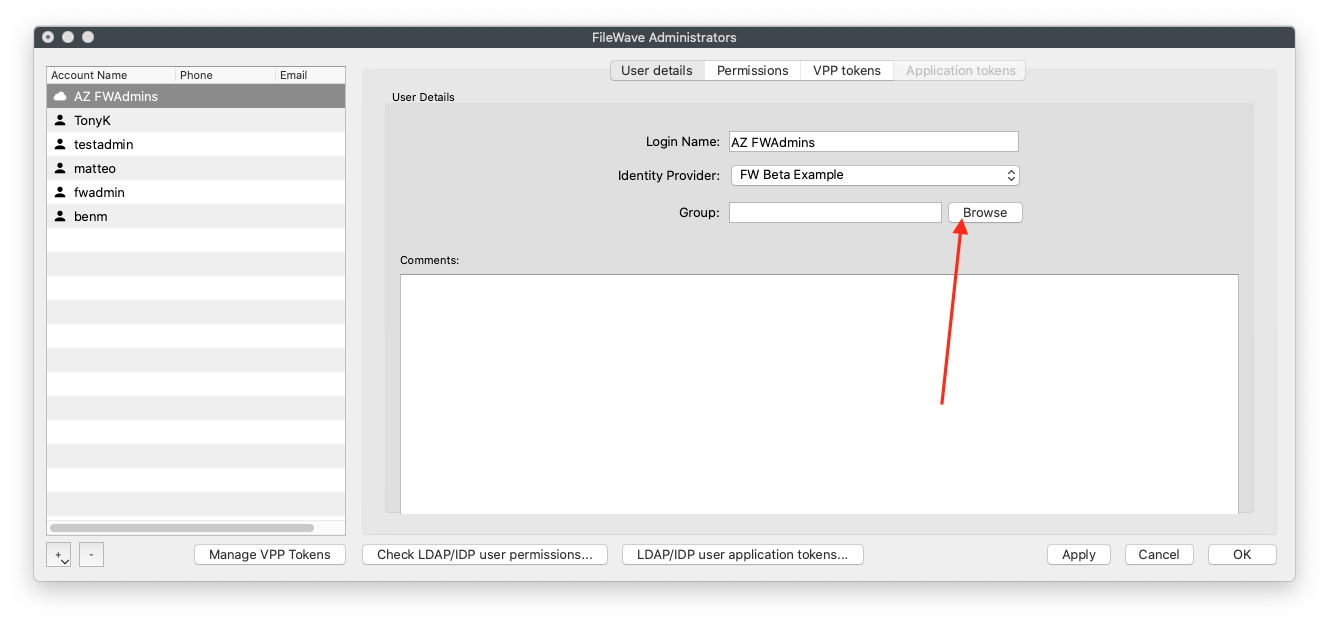
Then, specifySpecify your IdP providerprovider, andthen click Browse to find yourthe IdP group by clicking the Browse buttongroup.
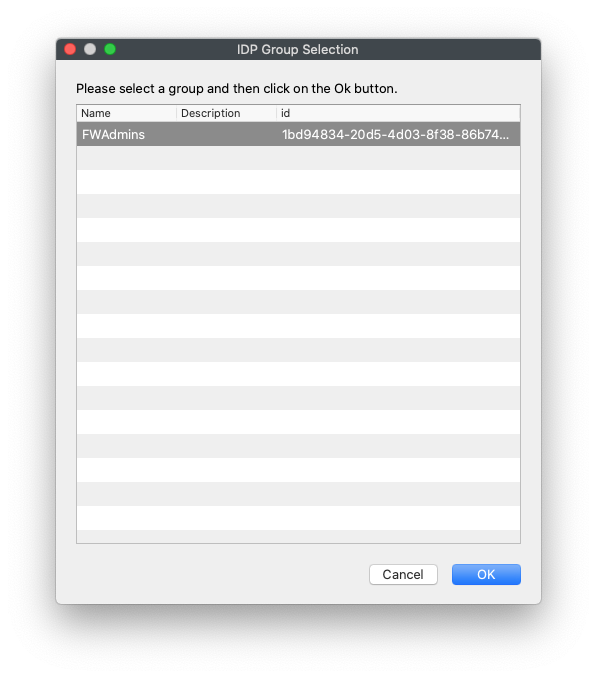
ThereThis istest onlyenvironment havehas one group in this test environment,group, but all of your security groups would showappear here:
Click OK,OK, andthen Apply,Apply. andMembers anyone inof that IdP group can nowsign loginin to eitherFileWave the nativeCentral or WebAdminFileWave usingAnywhere with their IdP credentials. Remember to also assign VPP Token rights if needed!the group needs to manage VPP tokens.