
Sync ChromeOS Annotated Custom Fields
What
ChromeOS annotated Custom Fields can synchronize in either direction between FileWave and Google Admin. The timing and action depend on which system contains the value you want to keep.
Choose the sync direction
The immediate annotated-field workflow was introduced in FileWave 15.3. It is separate from the broader Google Admin synchronization interval.
FileWave to Google Admin
Open Edit Custom Fields, change the annotated field, and select Save. FileWave sends the saved annotated-field value to Google immediately; a Model Update is not required.
Google Admin to FileWave
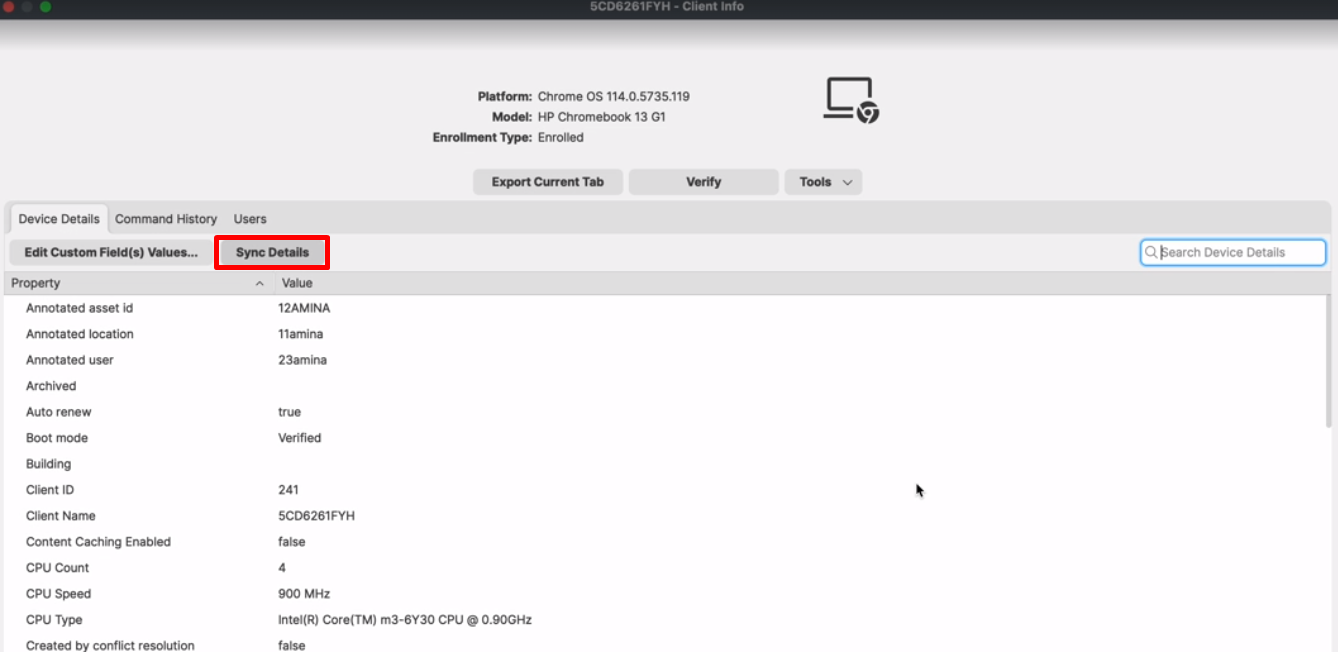
Open the ChromeOS device's Client Info and select Sync Annotated Fields. This is a one-way pull from Google Admin to FileWave for that device.
Device details
Double-click a ChromeOS device to open its details. The former Chromebook Data tab was removed, and Chromebook information is available in the device details view.
Annotated fields appear in Edit Custom Fields with other Custom Fields.
No comments to display
No comments to display