
Example Reports Starter Pack
Description
Starter packs are what the name implies...a great way to jump-start your new FileWave installation! Starter packs are built for selected customer verticals and provide client group structure as well as sample reports and dashboards.
Note: Starter packs are NOT meant to be used with long-standing FileWave environments...they are meant for brand-new, or recently setup environments that have little current organization. You can re-import this one if you are ok with it overwriting changes to reports included in the pack.
The examples will really help you jump-start your understanding and capabilities of FileWave! You can use them the way they are as well as further tailor them to your needs! After you get your start with this starter pack, check out our library of other content packs for adding other spectacular stuff!
The Example Reports Content Pack is new in FileWave 16.3.0, so it is not available in older versions. It replaces the Sample Queries that used to be included directly in FileWave Central.
What You Get in this Starter Pack
This content pack provides:
Reports (formerly Inventory Queries):
Reports are ways of looking at data about your devices...that data being hardware, software, and custom field inventory. Reports are a great way to show data (example: show me all macOS devices running Ventura). And reports are used as well to feed data to our included visual dashboard (grafana)
-
-
- Android OS examples
- Chrome OS examples
- iOS OS examples
- macOS OS examples
- Windows OS examples
-
How to Import a Content Pack
In FileWave 16.3.0 and newer, open Reports in FileWave Central and choose Import Reports. This opens the FileWave Content Packs window, where you can select Example Reports, choose the components you want, and click Import.
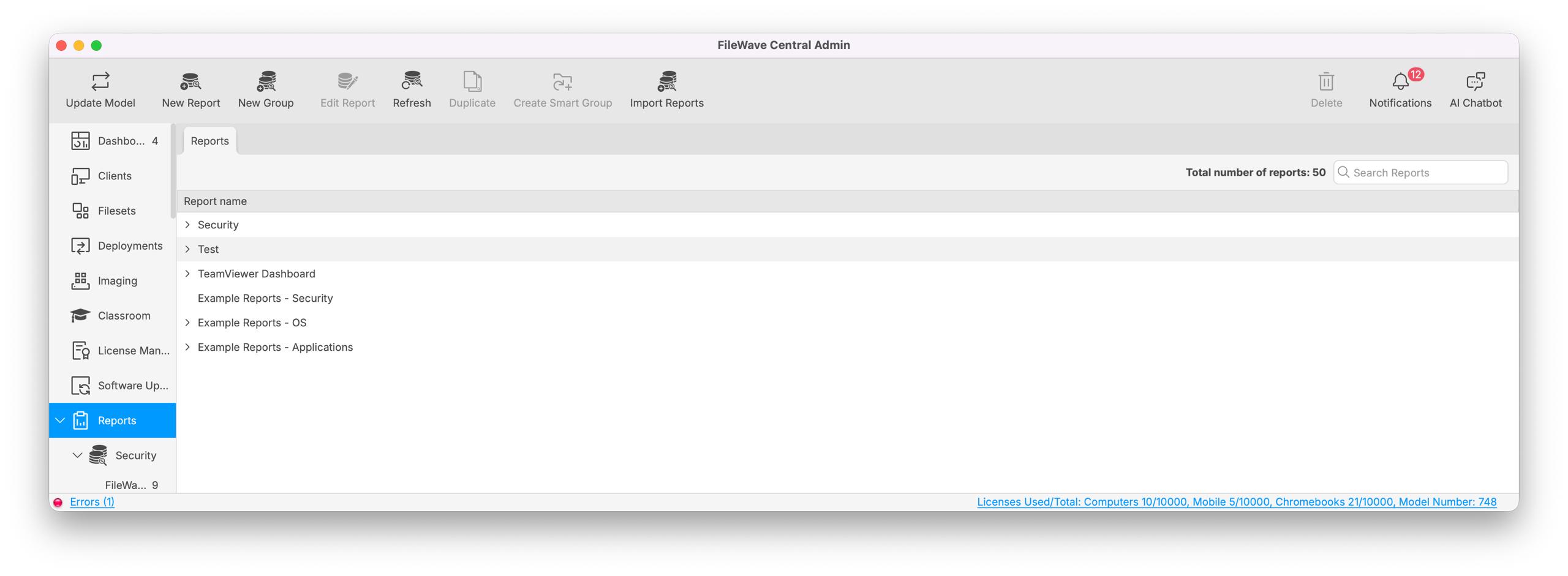
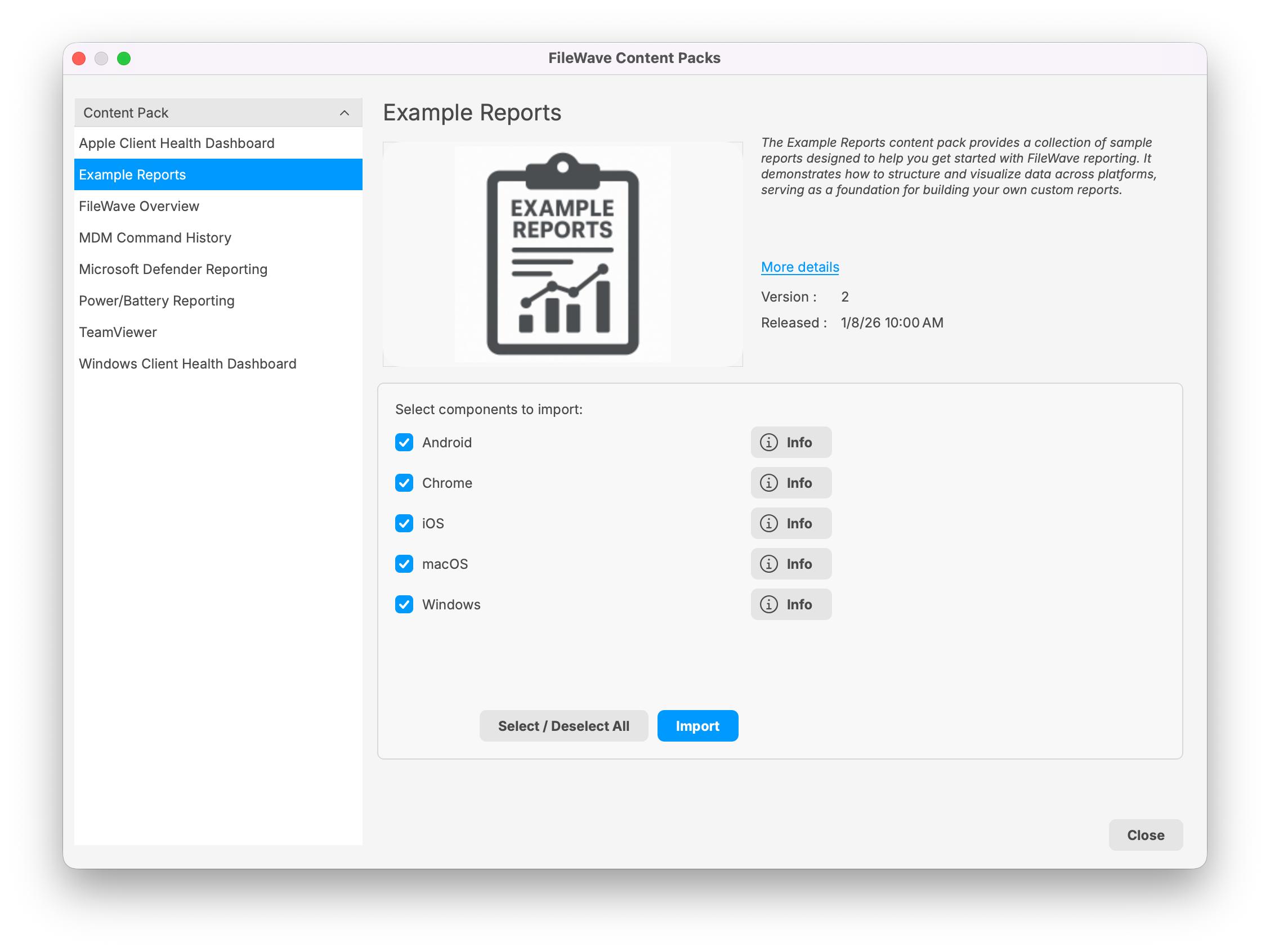
For more general steps, see How to Import a Content Pack.
Notes
Note that you can freely edit any of the content in this starter pack...in fact, you are encouraged to do so. We recommend reviewing each of the types of content as provided first though so that you can get a feel for how things "fit together" before modification.
No comments to display
No comments to display