
TeamViewer Content Pack
Description
FileWave Content Packs provide ready-to-import examples that show how several FileWave components can work together to solve a specific deployment or management need. They are useful both as starting points for distributable content and as examples you can learn from when building similar workflows. Each content pack is designed as a complete solution, combining the pieces needed to accomplish a goal.
For the general import workflow, see How to Import a Content Pack.
This FileWave Content Pack is designed for:
| Package Goal | OS Versions |
| Provide installation Filesets, Reports, and a Dashboard |
Android macOS iOS Windows |
Uploaded content should not overwrite any current Custom Fields, Filesets, Computer Groups, Deployments or Inventory Groups. Any matching names should be incremented with a number (with the exception of Reports (formerly Queries), where duplicate names are allowed).
What is in this Content Pack
Content Pack items are selectable; import only the platforms and components you need.
This content pack provides:
Custom Fields:
Custom Fields extend the inventory values available for devices. This Content Pack includes:
| Custom Field Name* | Description |
| TeamViewer Managed | Show if Computers are configured for TeamViewer Management |
| TeamViewer Prompt User | Show if Computers require user acceptance |
| * Names may have a number after if a matching name was found at upload. | |
Filesets and/or Fileset Groups:
Filesets contain the distributable content, while Fileset Groups organize related Filesets. This Content Pack includes:
| Fileset Group Name* | Fileset Name* | Description |
| Android TeamViewer |
Play Store App - TeamViewer QuickSupport | TeamViewer QuickSupport App & Universal Add-On |
|
Play Store App - TeamViewer Universal Add-On |
||
| macOS TeamViewer |
Profile - TeamViewerHost15 |
TeamViewer Host installer & Profile. The included current profile allows a non-administrator to approve Screen Recording on macOS 11 and later. |
|
TeamViewer Host Install macOS |
||
| Windows TeamViewer |
TeamViewer Host Windows |
TeamViewer Host installer |
|
* Names may have a number after if a matching name was found at upload. |
||
Deployment(s):
Deployments assign Filesets to devices. This Content Pack includes:
| Deployment Name* | Description |
| Android TeamViewer | Android TeamViewer Fileset Group |
| macOS TeamViewer | macOS TeamViewer Fileset Group |
| Windows TeamViewer | Windows TeamViewer Fileset Group |
| * Names may have a number after if a matching name was found at upload. | |
Example:
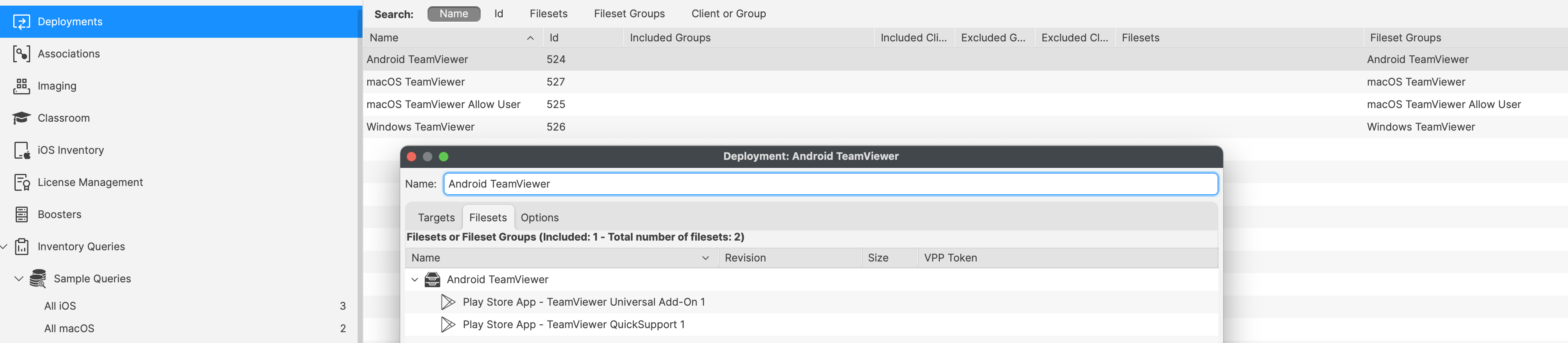
Content Packs do not automatically target devices or device groups. Test the imported items first, then edit each Deployment and add the intended targets.
Imported device groups can be used as targets when they match your deployment scope.
Reports (formerly Queries):
Reports show TeamViewer installation, management state, and version inventory for the imported Dashboard. This Content Pack includes:
| Report Group Name | Report Name | Description |
| TeamViewer Dashboard |
TeamViewer Managed | List of computer device types just for Dashboard information |
| TeamViewer Client Installed | List of computers with TeamViewer installed | |
| TeamViewer All Devices | List of all device types used by the Dashboard | |
| TeamViewer Versions | List of TeamViewer versions for all device types | |
| Altering any of the provided groups may impact the imported Dashboard | ||
Dashboards:
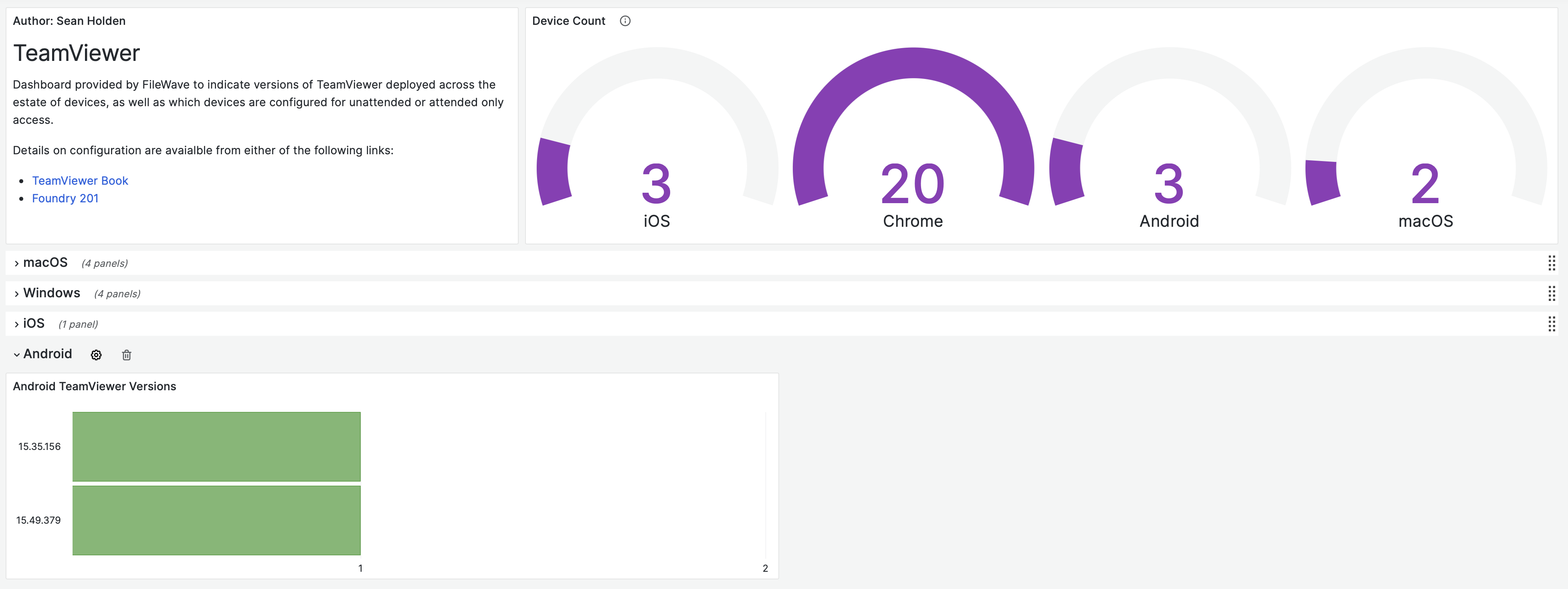
Dashboards in FileWave Anywhere use Reports to present aggregated data in charts and graphs. This Content Pack includes:
| Dashboard Name | Description |
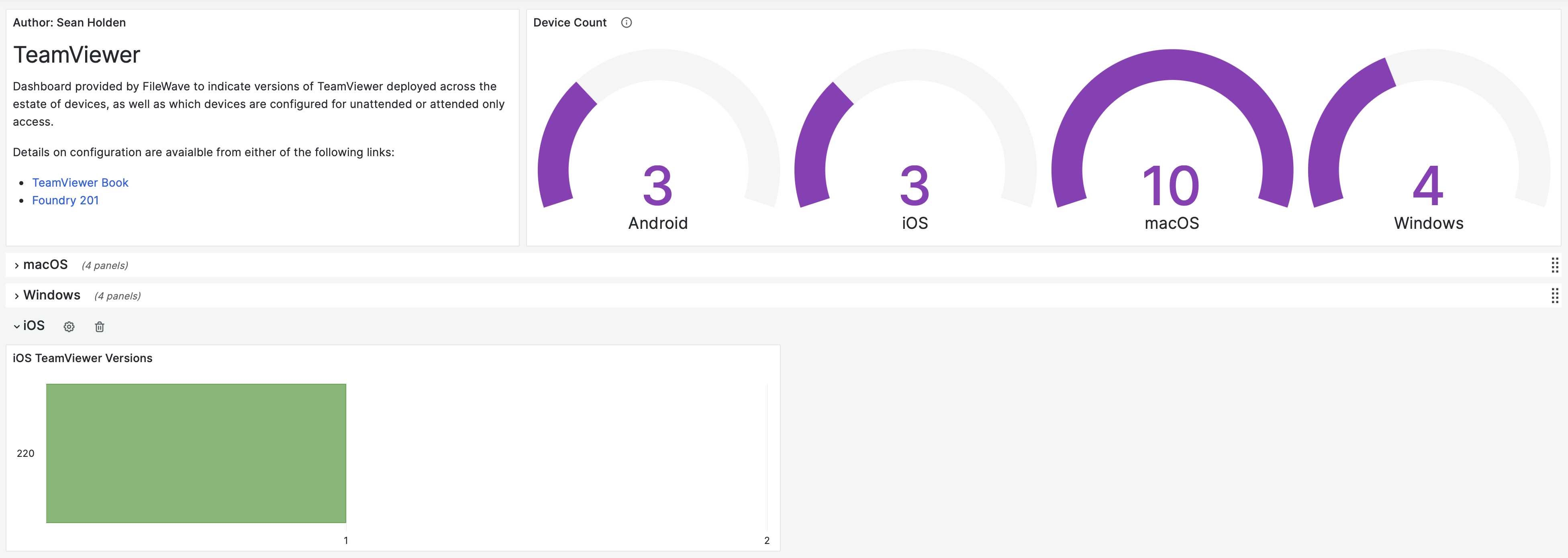
| TeamViewer | Dashboard reporting defined from the above Reports |
Example:
Ingredients
For FileWave 16.1.0 and later, import the pack in FileWave Central from Assistants > Content Packs.
Directions
- In FileWave Central, go to Assistants > Content Packs.
- Select TeamViewer.
- Select the platforms and components you want to import.
- Select Import. When the import completes, review the result details for errors.
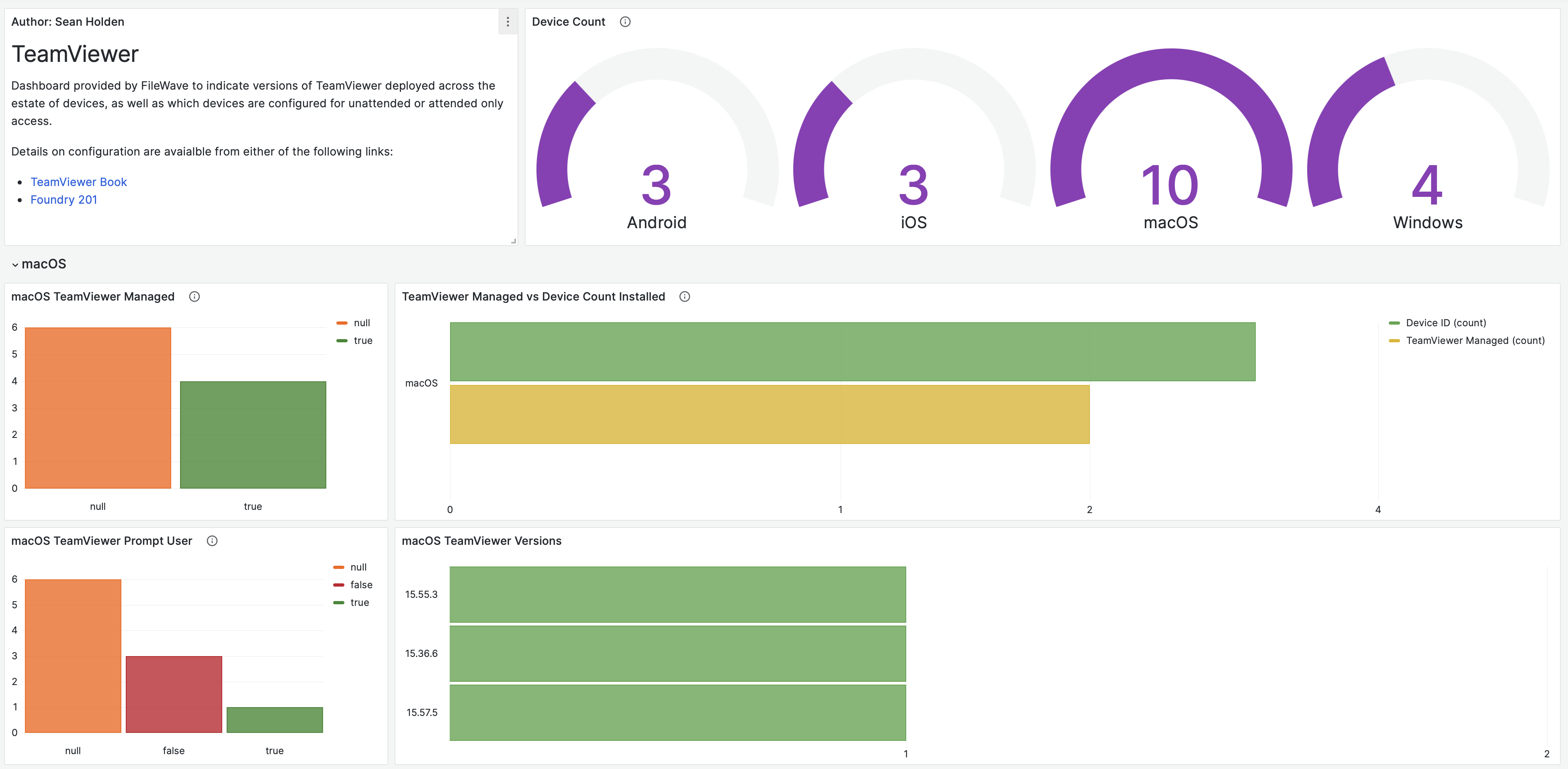
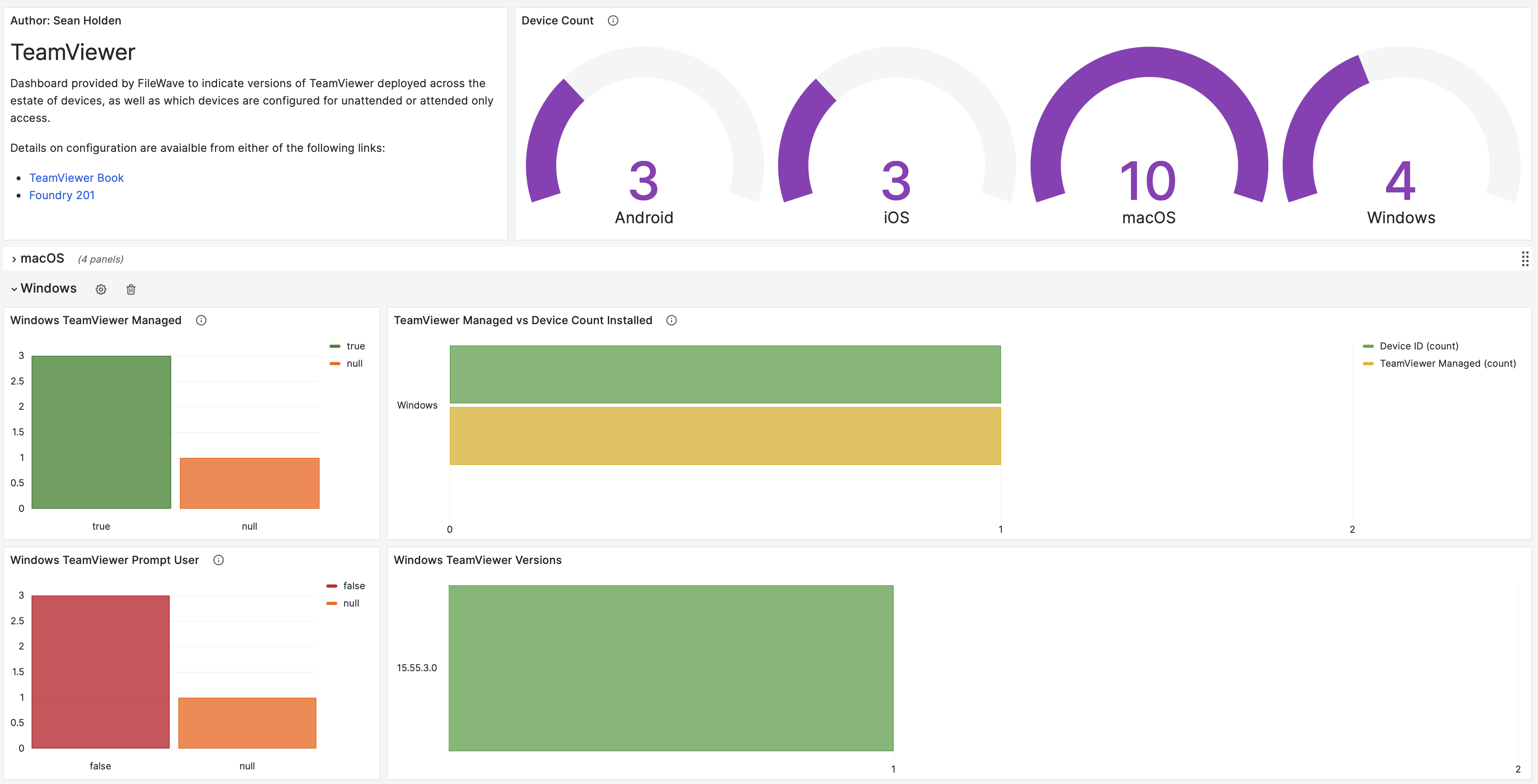
Sample Screenshots
Dashboard Examples:
Other
You can edit imported Content Pack items after import.
Updating TeamViewer Host
Open https://go.filewave.com/tvhost from macOS or Windows to download the current TeamViewer Host installer for that platform: PKG on macOS or EXE on Windows. For Fileset installation and customization details, see TeamViewer: Windows Client Setup and TeamViewer: macOS Client Setup.
No comments to display
No comments to display