
MDM Command History Content Pack
Description
FileWaveThe isMDM immenselyCommand powerful, but can be daunting when it comes to stitching the various components of a complex workflow together. Content packs are meant to give you a leg-up in creating distributable content and are also a great way to learn by example! Each content pack is meant to be a "whole solution", putting together all of the pieces of FileWave to accomplish a goal.
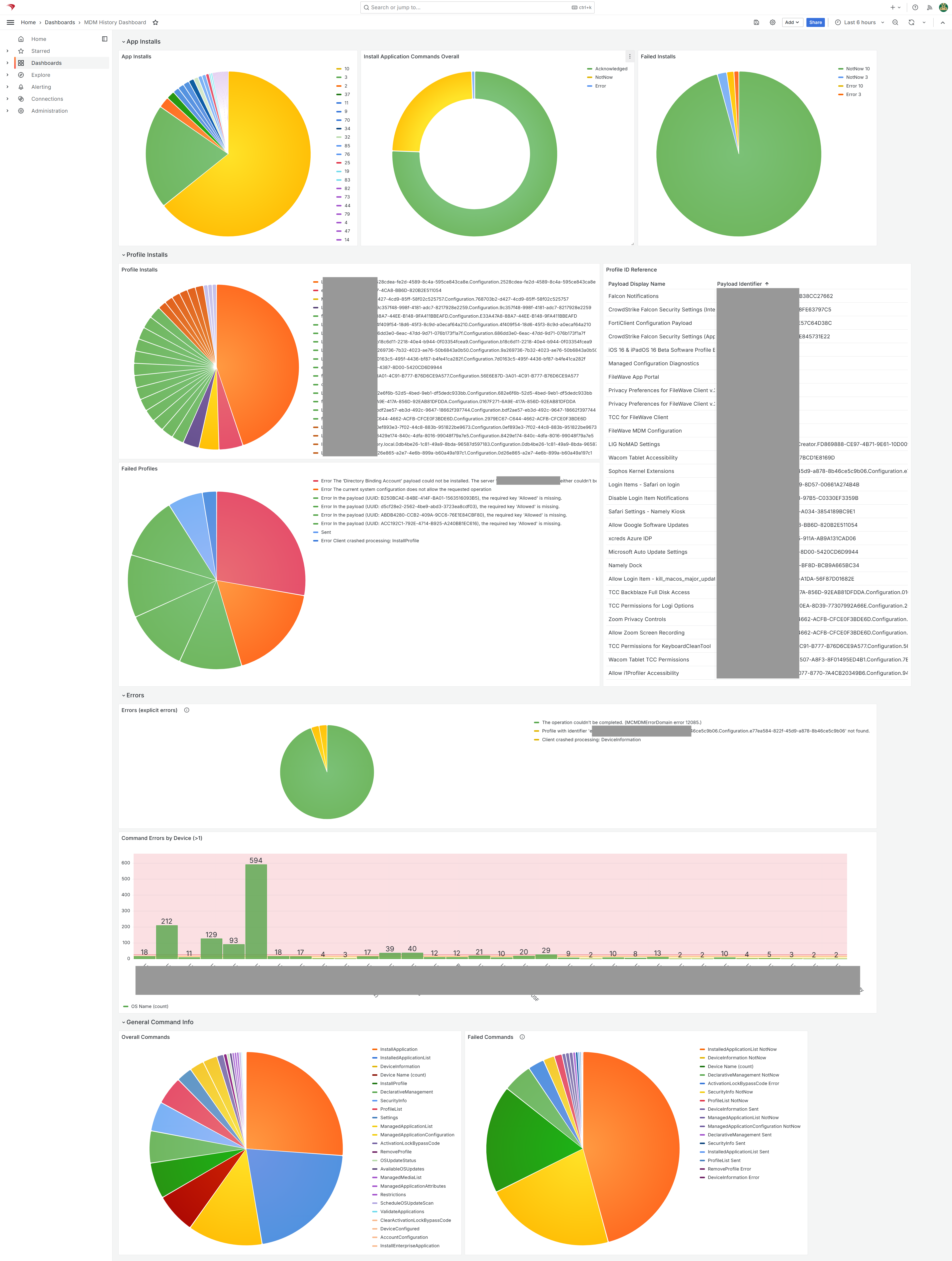
This FileWaveHistory Content Pack isinstalls builtready-made toReports giveand youa andashboard overviewfor of everything that FileWave is doing from anreviewing Apple MDM perspectivecommand activity in FileWave.
Use it to inspect recent commands, connect profile identifiers with profile names, see which apps and isprofiles comprisedare ofbeing alldeployed, ofand thefind contentsdevices listedwith below:repeated command problems.
What You Get in this Content Pack
This content pack provides:
Reports (aka Inventoryformerly Queries):
The pack includes these Reports arefor a great way of measuring the effectiveness of distributing content,troubleshooting and candeployment be used for all sorts of compliance purposes as well. Trust, but verify is what reports are all about. In this pack we have included the following reports:verification:
-
-
- MDM Command History:
ThisShowsreport shows the entire history ofrecent MDM commands. FileWaveNoteretainsthatupfortoperformance reasons, history is maintained only temporarily. The last 500K mdm500,000 commands or7seven days ofhistoryhistory,are maintained (whichever limit ishitreachedfirst)first. - Profile Description:
MDMMaps the profile identifiers in command historydoes not includeto profilenames, only profile IDs which aren't terribly helpful. So this report contains lookup info to convert profile id into profile name.names.
- MDM Command History:
-
Dashboards:
DashboardsThe buildincluded upondashboard reportssummarizes andthe are an incredibly powerful tool for showing aggregatedReport data in charts and graphs. This pack provides the following dashboard(s):tables:
-
-
- MDM Command History Dashboard:
ExtremelyShowsusefulappdashboardupdates,forprofileseeingdeployments,"whatcommandis going on" with your Apple MDM environment. Can be used to see what apps are being updated, what profiles are being deployed,results, andcan be used proactively to find and remedydevices thataremaystruggling.need troubleshooting.
- MDM Command History Dashboard:
-
IngredientsInstall the content pack
For FileWave 16.1.0 orand higherlater youincludes merelythe needContent toPacks goassistant in FileWave CentralCentral. toThe Assistantsolder ->stand-alone Contentimport Packstools and thenadministrator-token can add the Content Pack with 1-click. The intructions below in this articleworkflow are forno belowlonger 16.1.0. needed.
Legacy manual
FileWaveimport Central Admin & Credentials
versions
| Windows Content Pack | Windows Content Pack Download |
|
macOS Content Pack (ARM based) |
On macOS, we need to use curl to download so that Gatekeeper doesn't quarantine the import application. You can copy and paste the following into Terminal.app...the example provided downloads import_pack.zip to the desktop
|
|
macOS Content Pack (Intel based) |
On macOS, we need to use curl to download so that Gatekeeper doesn't quarantine the import application. You can copy and paste the following into Terminal.app...the example provided downloads import_pack.zip to the desktop
|
Directions
- In
DownloadFileWave Central, open Assistants > Content Packs.
Sample Screenshots
Notes
NoteYou thatcan edit the imported Reports and dashboard. Keep an unchanged copy until you canunderstand freelywhich editfields anyand ofReport identifiers the contentdashboard in this content pack. We do recommend reviewing each of the types of content as provided first though so that you can get a feel for how things "fit together" before modification.expects.