
What makes Deployments better than Associations?
What
Deployments and Associations both assign Filesets or payloads to devices. Deployments are new,usually easier to maintain because one Deployment keeps its targets, exclusions, Filesets, and willshared replacedelivery Associationsoptions entirelytogether.
Deployments But,are doesnot thisautomatically makebetter for every existing assignment. Use them better?when Whythe yes,included indeedcontent itshould does!share Howeverthe theresame arebehavior. exceptionsKeep whereor Associationssplit stillassignments maywhen betiming, required.installation type, licensing, targets, exclusions, or Fileset revisions need to differ.
DeploymentsWhy use Deployments?
First
When/Why
benefit
Why
ruleUpdate
Exclusions allow you to specifyediting a bigset targetof separate Associations.
Once an Association is converted to a Deployment, the Association will currently still show in FileWave Central, but will no longer be editable as an Association; the Deployment is now managing the assignment of any Filesets included.
How
Let’s look at a case study. If we were to create associations for the following 4 appsmodel to the Windowsincluded Computerscontent.
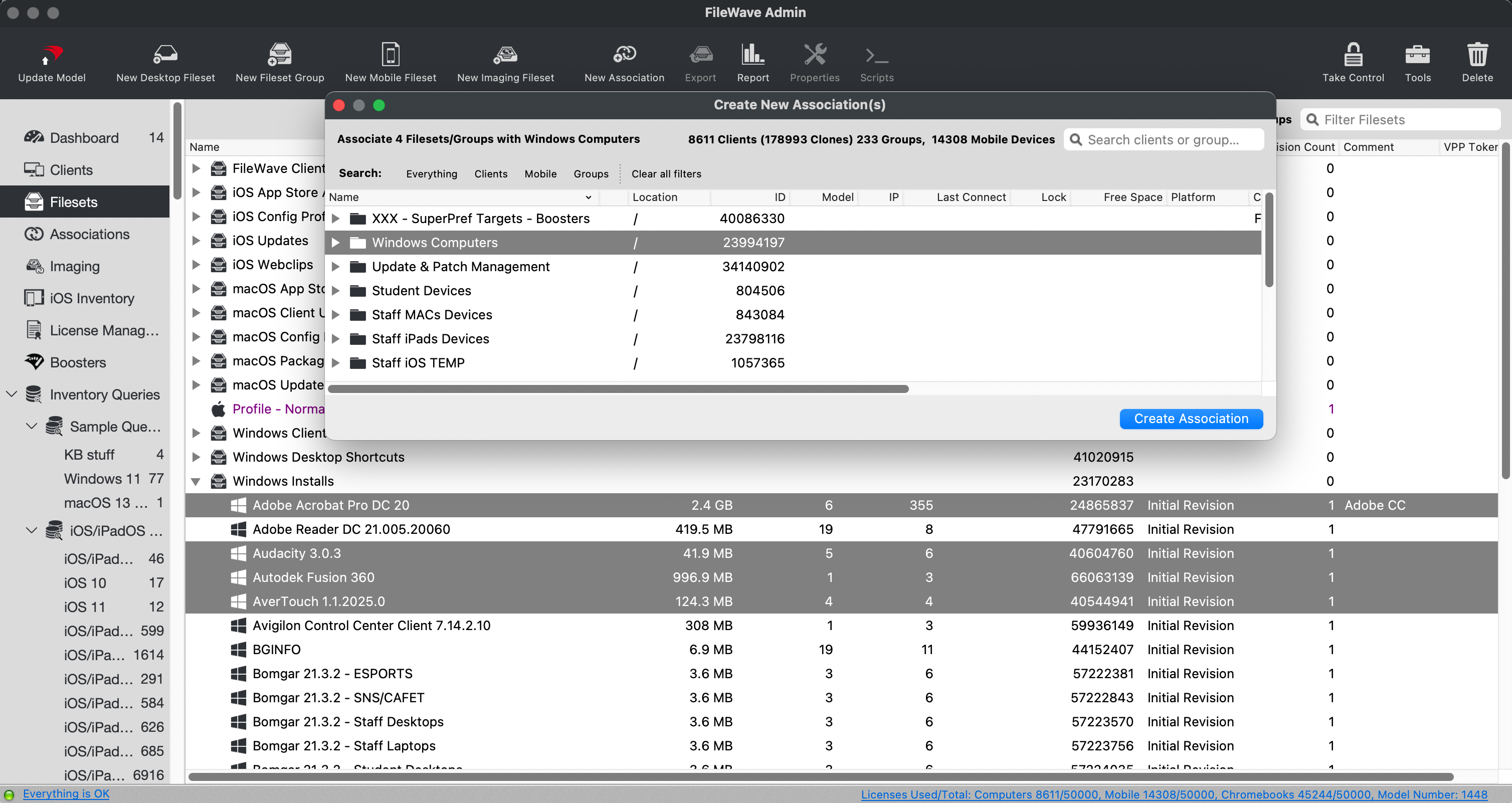
Thennames
But, the same exact scenario with a deployment is only one entry, with multiple parts:
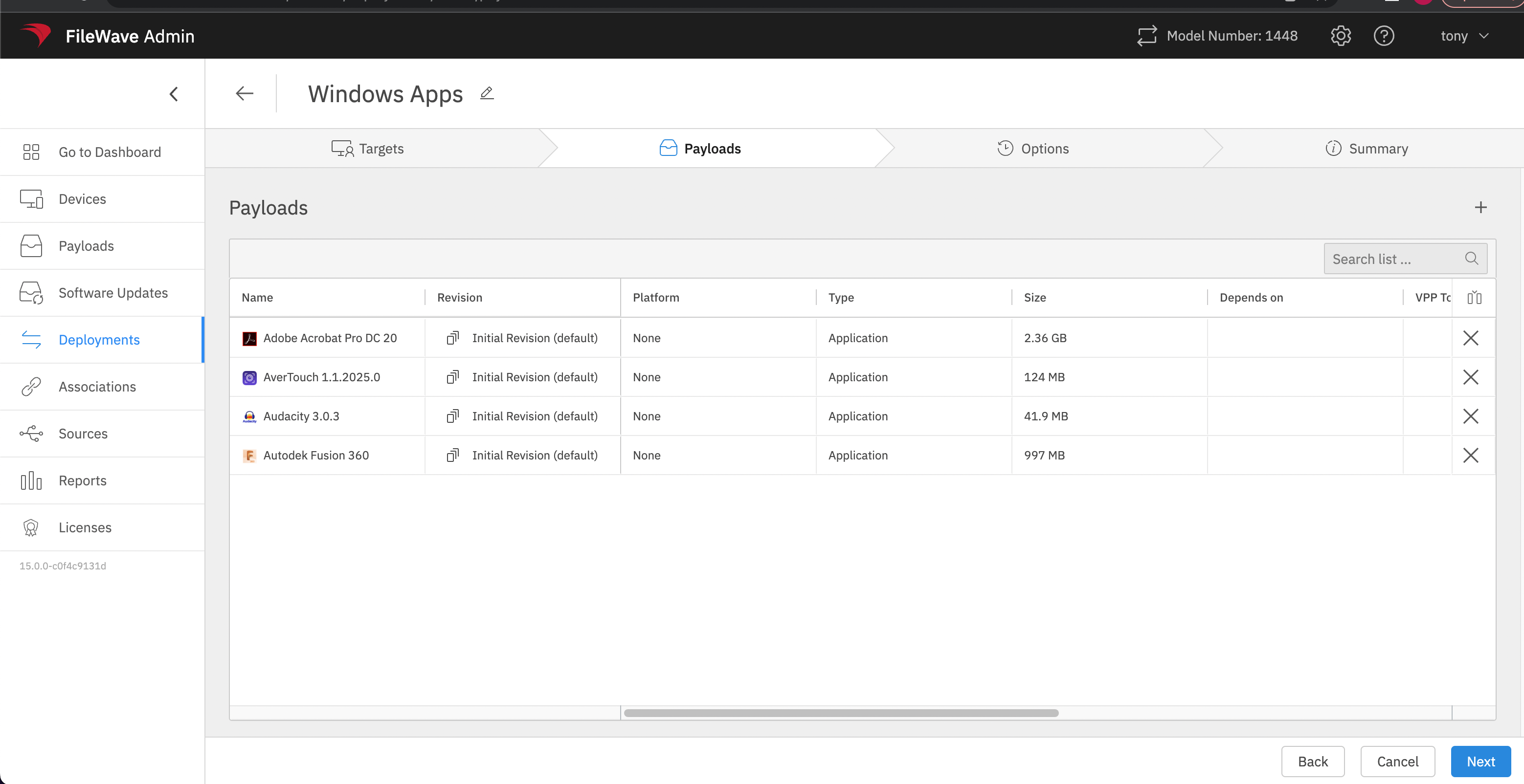
Therefore, we only need to edit these in one place and one time to change them all to Kiosk. This makes them more efficient, and if we want to add BGInfo to this deployment, then we can do so -- with that installation now inheriting the same rules.
Fileset Grouping
Deployments do not impact Fileset Grouping. Perhaps it is nice to group Filesets by type or by Vendor:
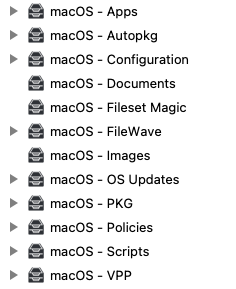
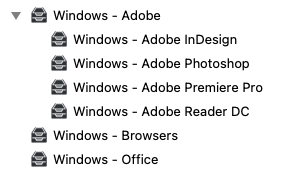
When one Deployment is a good fit
DeploymentsGroup makecontent itin easyone toDeployment keepwhen Fileset structure, with the assignmentall of the Filesetfollowing containedare withintrue:
Without Deployments, it would be typical to have something like:

Digging Deeper
Associations
How about Associations?
Associations stand out due to a key feature when working with Fileset timings. Imagine one of the Filesets is chosen to be set for Deletion or to be made Inactive for a period of time, but to be made Activate again later.
It is not possible to change the timings for just one Fileset within a Deployment and so that Fileset will need to be removed from the Deployment.
Associations allowuses the same Filesetdirect-installation (butand differingtiming Revision)options. Adding another application later requires changing only that Deployment.
When not to becombine associated to the same Client Group.
Fileset Timings
assignments
DeploymentUse timingseparate optionsDeployments—or showretain as:
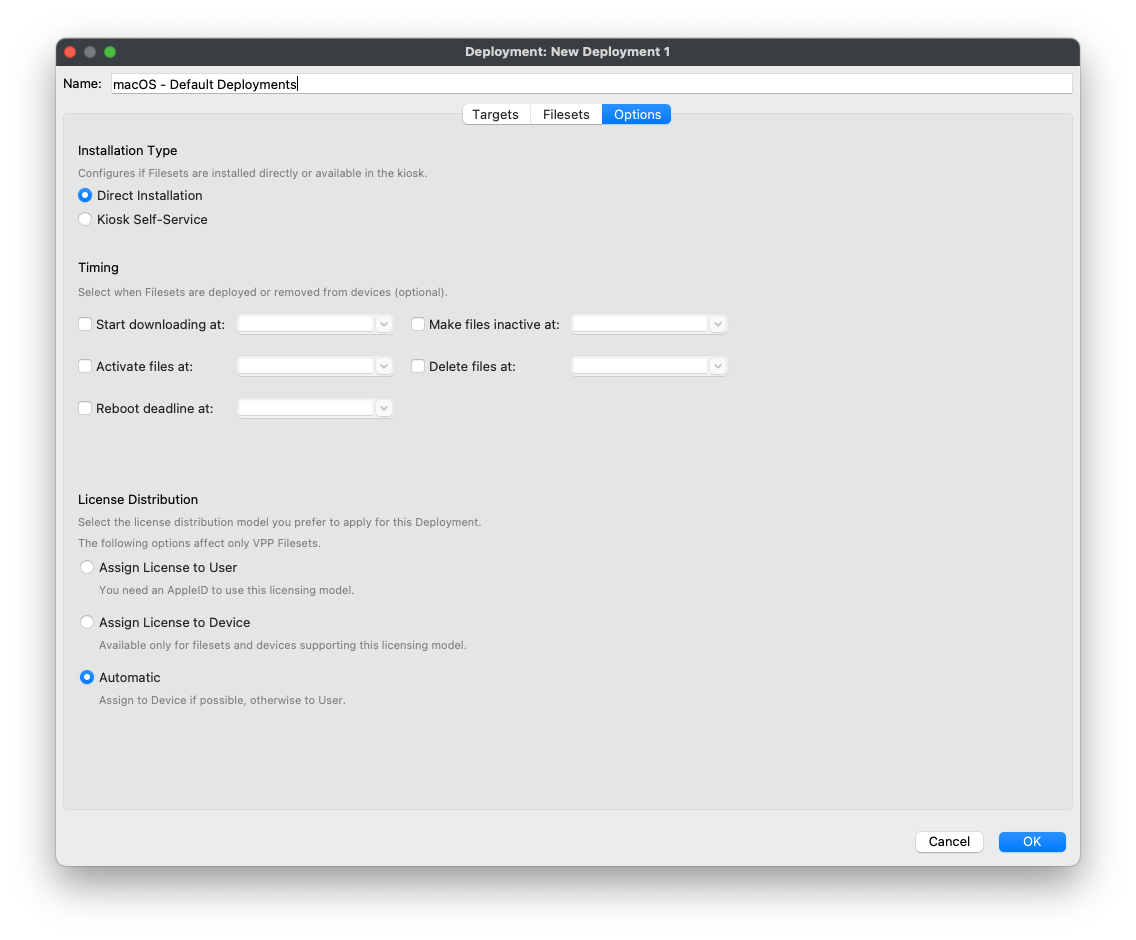
All options apply to all containing Filesets. If there wasuntil a requirementdeliberate toconversion alteris oneappropriate—when Fileset,any toincluded perhapsitem makeneeds itdifferent temporarily disabled, with Deployments it would involve either:behavior.
AOnetemporaryapplicationDeploymentiswouldoptionalbeincreatedKiosktowhilemoveanotherthemust install directly.
Associations are handled individually, as such the current association timing may be changed without any other concerns.
Revisions
Each Fileset may have multiple Revisions, but why is this beneficial? Consider the question 'How and, more importantly, when is one Revision going to replace another?'
Kiosk
Association
Byconversion supplyingis multiplea revisionsreal toreplacement.
FileWave Central 16.4
FileWave Central 16.4 shows included targets and Filesets side by side in a newunified Deployment wouldeditor. haveExclusions toand beshared createdoptions toexpand allowbelow the included items, and Tags are available for eachorganization alternateand Revision,filtering.
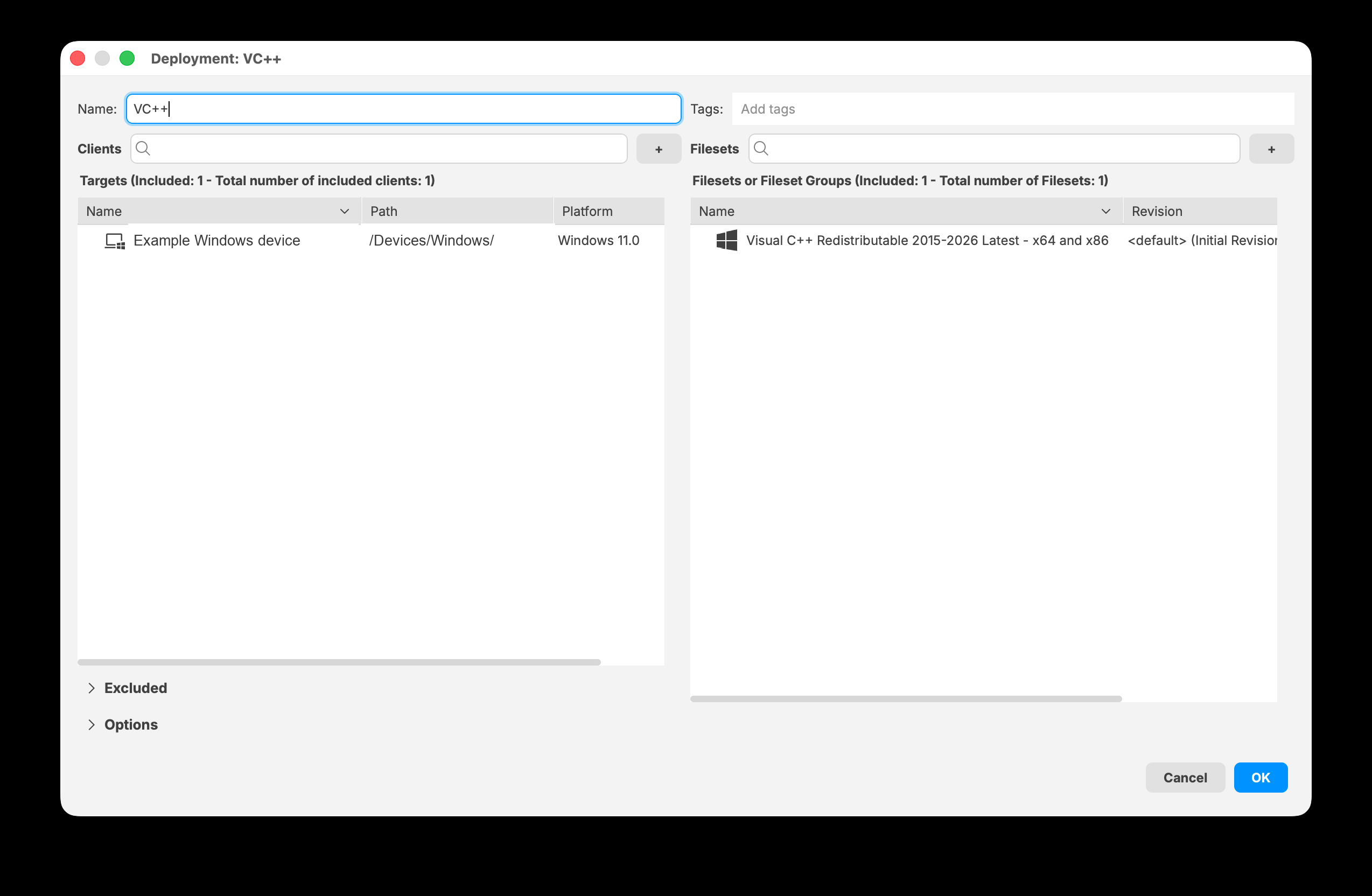
FileWave Associations,Central all16.4 chosenkeeps Revisionsincluded maytargets beand associatedFilesets totogether in the sameDeployment Client Group.editor.
Timed
Decision Revisionsummary
ItSituationRecommended isapproach
often
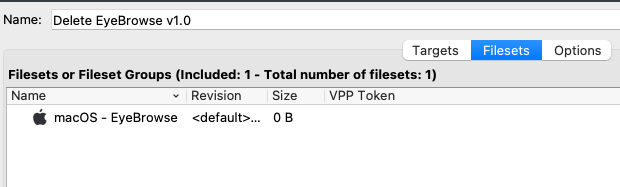
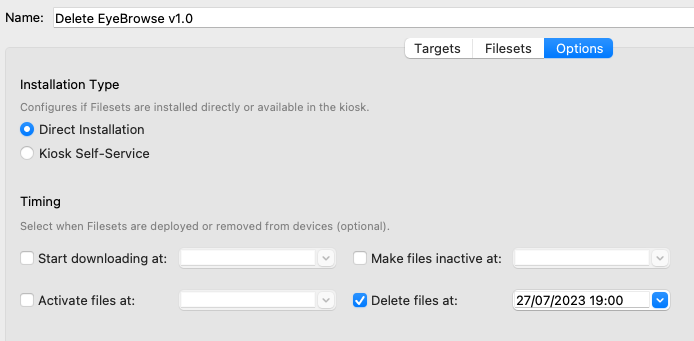
As an example, below are 2 Associationspart of the macOSassignment EyeBrowseneeds App,different both to the All macOS group, but the current version 1.0 is set for Deletion at the same time that version 2.0 is set for Activation.

Again, with Deployments,behavior
Why 2 new Deployments? A single Deployment may only handle one Fileset (regardless of Revision). The original Deployment will have no timings set, nor should it. As such one Deployment needs to be created for the Deletion and anotherseparate Deployment for thethat Activation.
Onceor target scope.
If you do this with many Revisions, then the quantity of Deployments becomes unwieldy, with differing Deployments handling differing Revisions.
For this same example, the Eyebrowse App is contained within the Deployment:
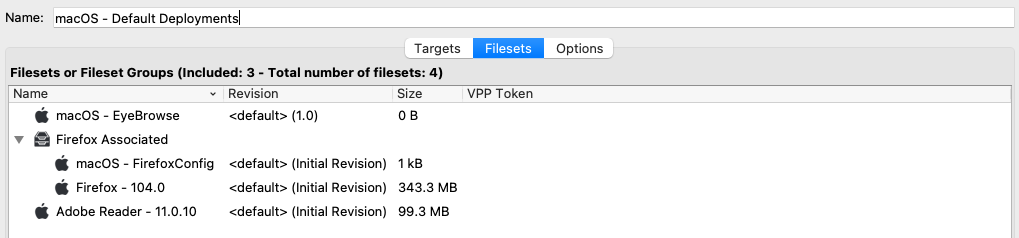
As such, new Deployments would need to be created to handle the timed Revision changeover.
Original Deployment
(EyeBrowse Removed)
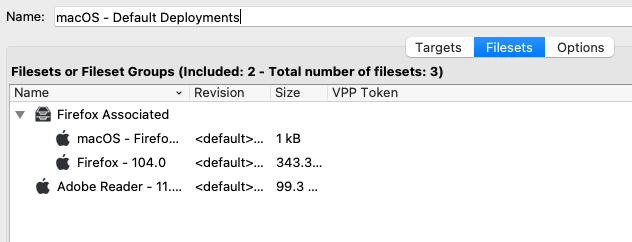


Neatness
Related
Thiscontent
On the one hand, Deployments are neater. Filesets can be grouped, sensibly by either vendor supplied, Fileset contents type, etc. however seen fit. The Deployment then handles the link between the Filesets and the Clients. Associations causes Fileset grouping to be dictated by the Association instead, fragmenting the Fileset structure.
On the other hand, Associations keep things neat, where Fileset Timings are concerned. One single Client Group can handle all Revisions for any single Fileset orin a single FilesetDeployment
Conclusion
Resolving Yes Deployments are better, but currently onlyConflicts in some instances. Each assignment of Filesets to Clients should be considered, with merits given and choices made appropriately, be that Association or Deployment.
Like to see examples in action? Check out the Foundry Onboarding section on