
What makes Deployments better than Associations?
What
Deployments and Associations both assign Filesets or payloads to devices. Deployments are usually easier to maintain because one Deployment keeps its targets, exclusions, Filesets, and shared delivery options together.
Deployments are not automatically better for every existing assignment. Use them when the included content should share the same behavior. Keep or split assignments when timing, installation type, licensing, targets, exclusions, or Fileset revisions need to differ.
Why use Deployments?
| Deployment capability | Operational benefit |
|---|---|
| Multiple Filesets and targets in one rule | Update the shared assignment once instead of finding and editing a set of separate Associations. |
| Exclusions | Target a broad group and omit specific devices or subgroups without building a separate assignment structure. |
| Shared options | Apply one installation type, timing configuration, and applicable VPP/Apps and Books license-distribution model to the included content. |
| Tags and names | Group and find related content-delivery rules without reorganizing the Fileset tree around each assignment. |
| Ongoing maintenance | Add or remove targets and Filesets later while retaining the Deployment's shared options. |
When one Deployment is a good fit
Group content in one Deployment when all of the following are true:
When not to combine assignments
Use separate Deployments—or retain existing Associations until a deliberate conversion is appropriate—when any included item needs different behavior.
- One application is optional in Kiosk while another must install directly.
- One Fileset needs a different activation, inactivation, or deletion schedule.
- Different targets or exclusions should receive different combinations of content.
- VPP/Apps and Books applications need different license-distribution models.
- Multiple revisions of the same Fileset must remain available or transition independently.
Association conversion is a real replacement. The conversion tool replaces the selected Associations with the resulting Deployment after you publish the preview. Review every target, Fileset, option, revision, and added or removed assignment before publishing.
FileWave Central 16.4
FileWave Central 16.4 shows included targets and Filesets side by side in a unified Deployment editor. Exclusions and shared options expand below the included items, and Tags are available for organization and filtering.
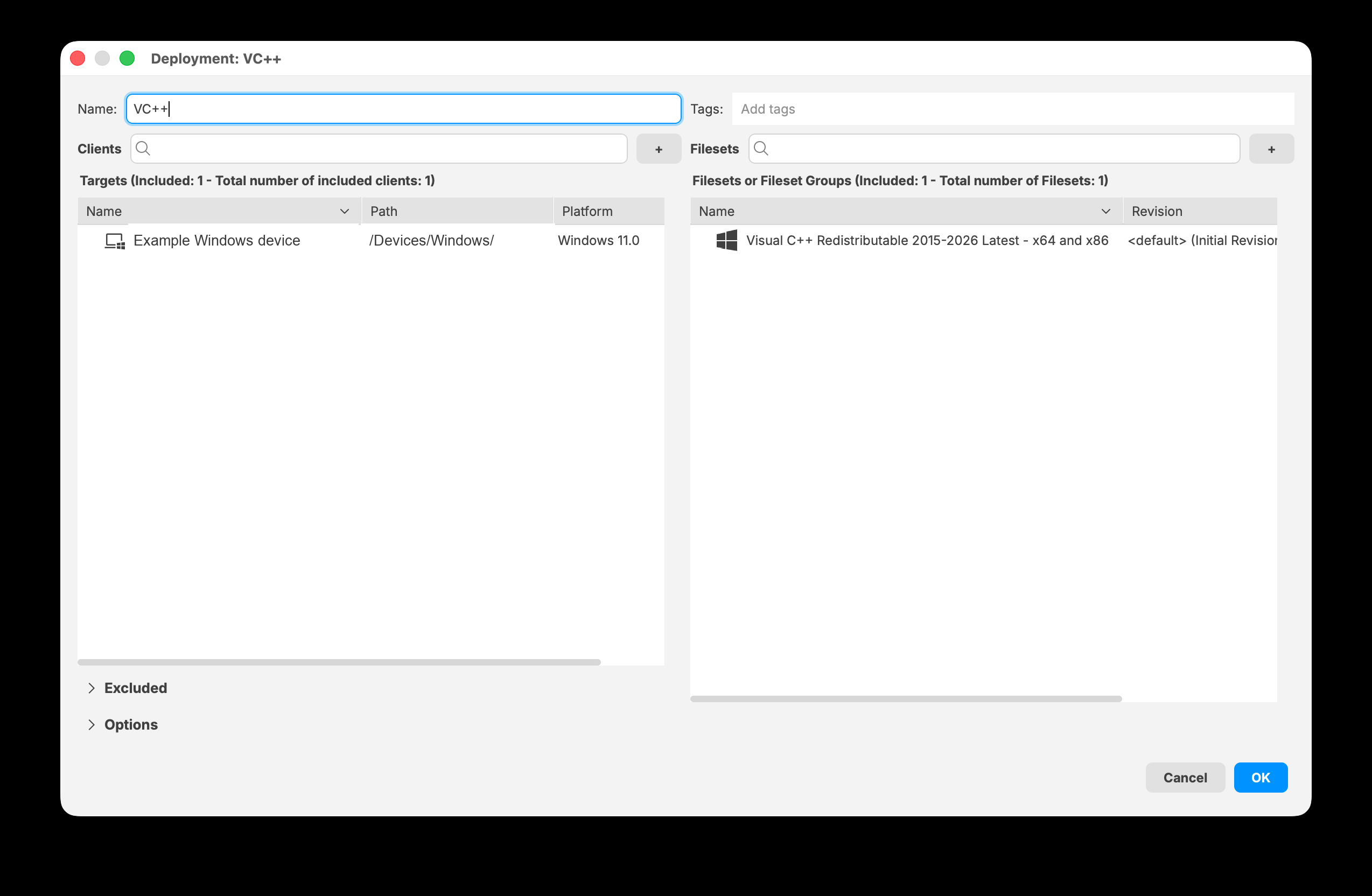
FileWave Central 16.4 keeps included targets and Filesets together in the Deployment editor.
Decision summary
| Situation | Recommended approach |
|---|---|
| Content shares targets, exclusions, installation type, timing, licensing, and revision behavior | Use one Deployment. |
| Only one part of the assignment needs different behavior | Use a separate Deployment for that content or target scope. |
| Existing Associations already express intentional differences | Keep them until the conversion preview proves that a Deployment preserves the intended result. |
| Several matching Associations should be managed together | Use the Associations-to-Deployment conversion tool and review the preview before publishing. |
No comments to display
No comments to display