
Create a Local Administrator Account on Windows
Description
Use this Fileset recipe to create a named local administrator account on managed Windows devices. The download includes separate PowerShell scripts for account creation and removal, with environment variables for the username, password, and full name.
Ingredients
-
FileWave Central
Directions
-
Download and unzip the Fileset
- Import the Fileset into your server with FileWave Central.
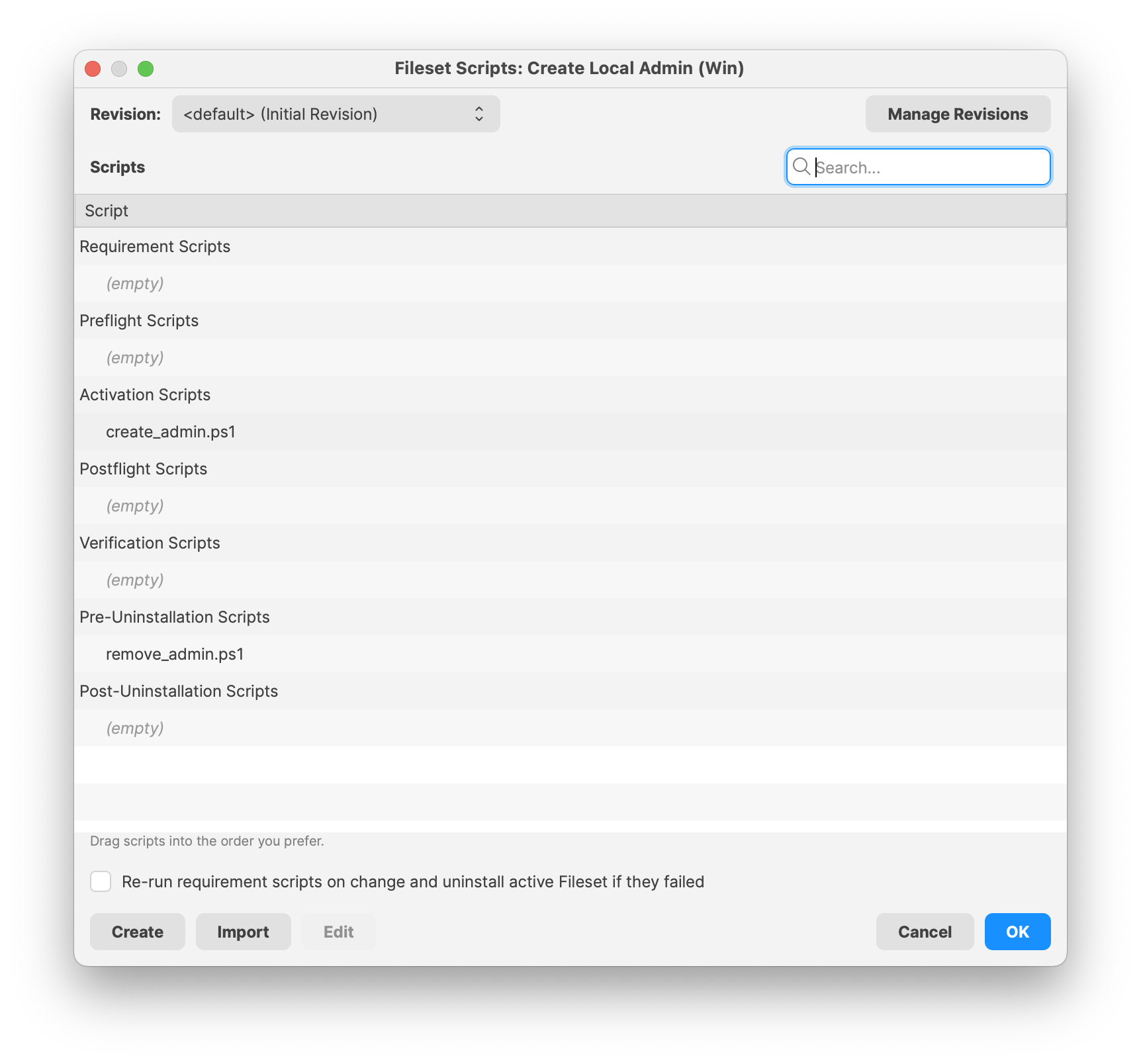
- Select the Fileset, then open its Scripts view.
- Select
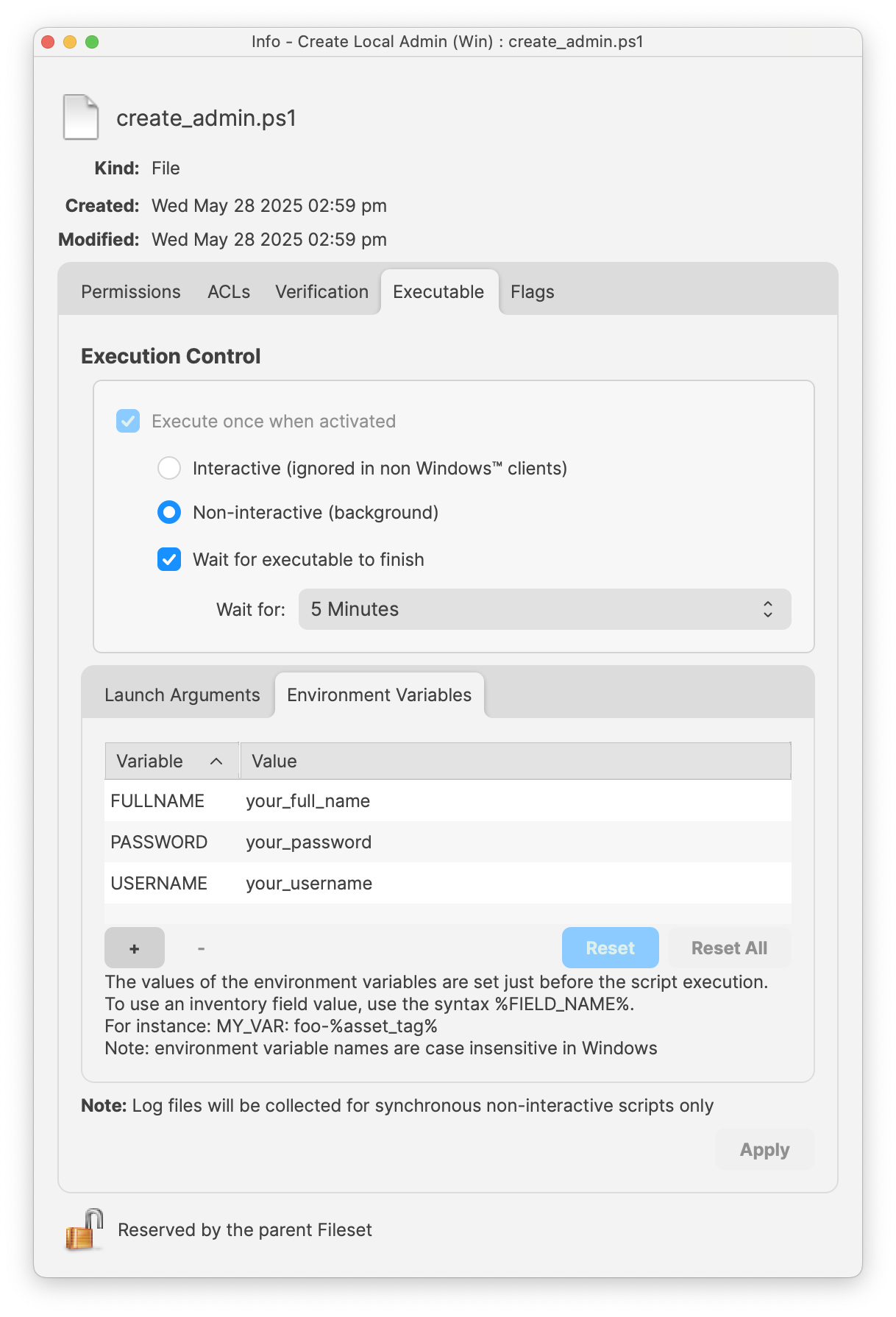
create_admin.ps1to open the script properties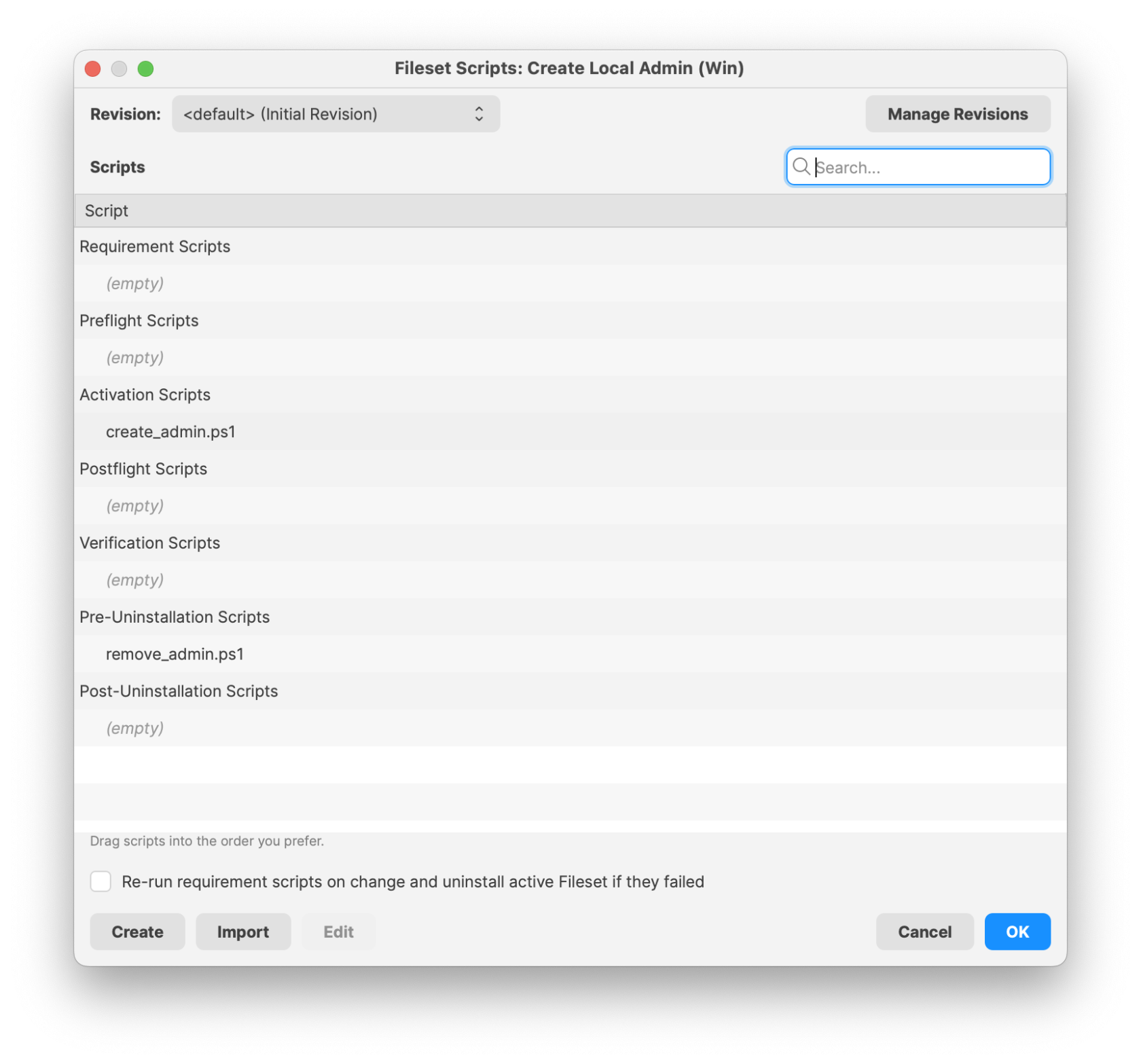
- Enter in your local admin Username, Password and Full Name for the desired account
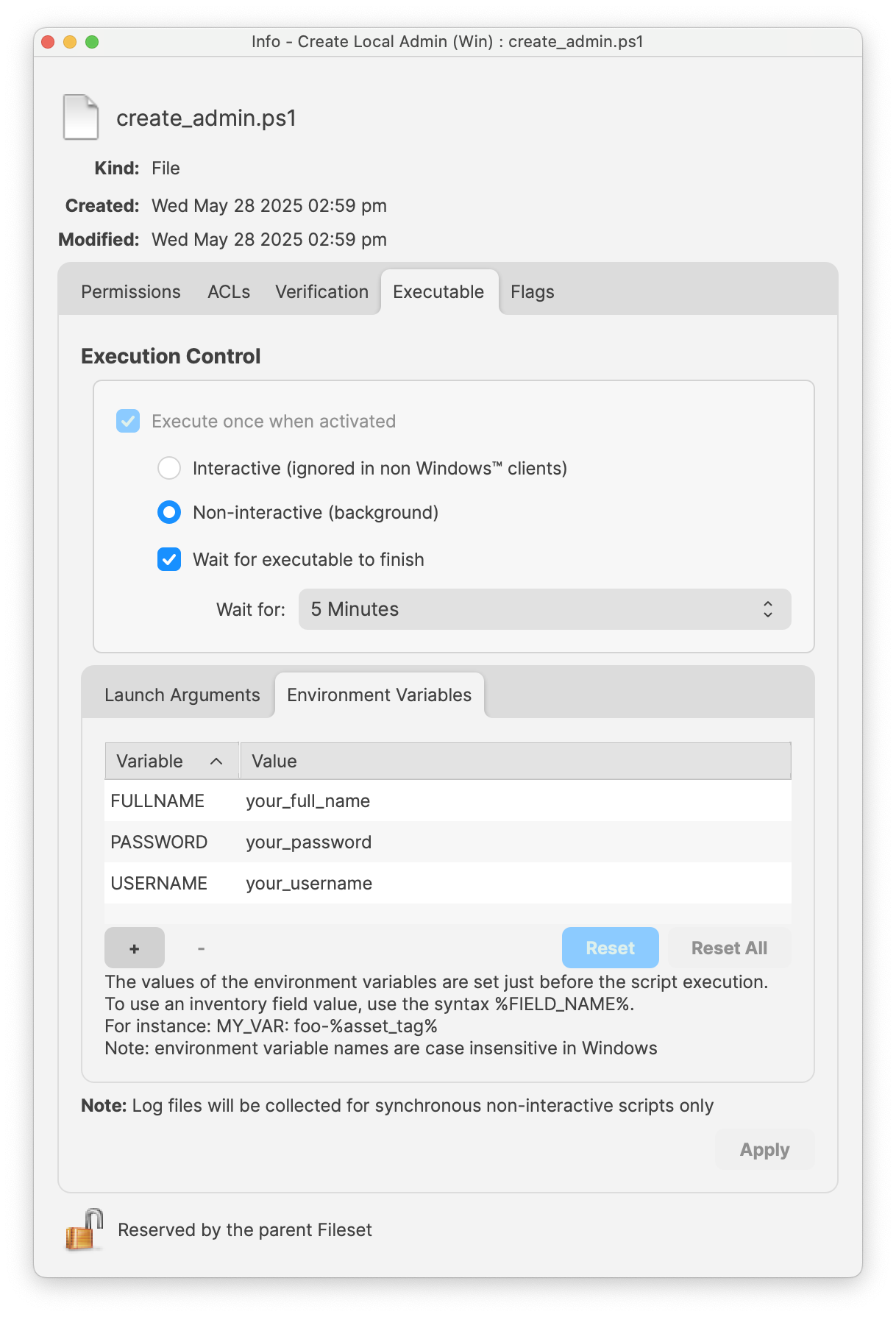
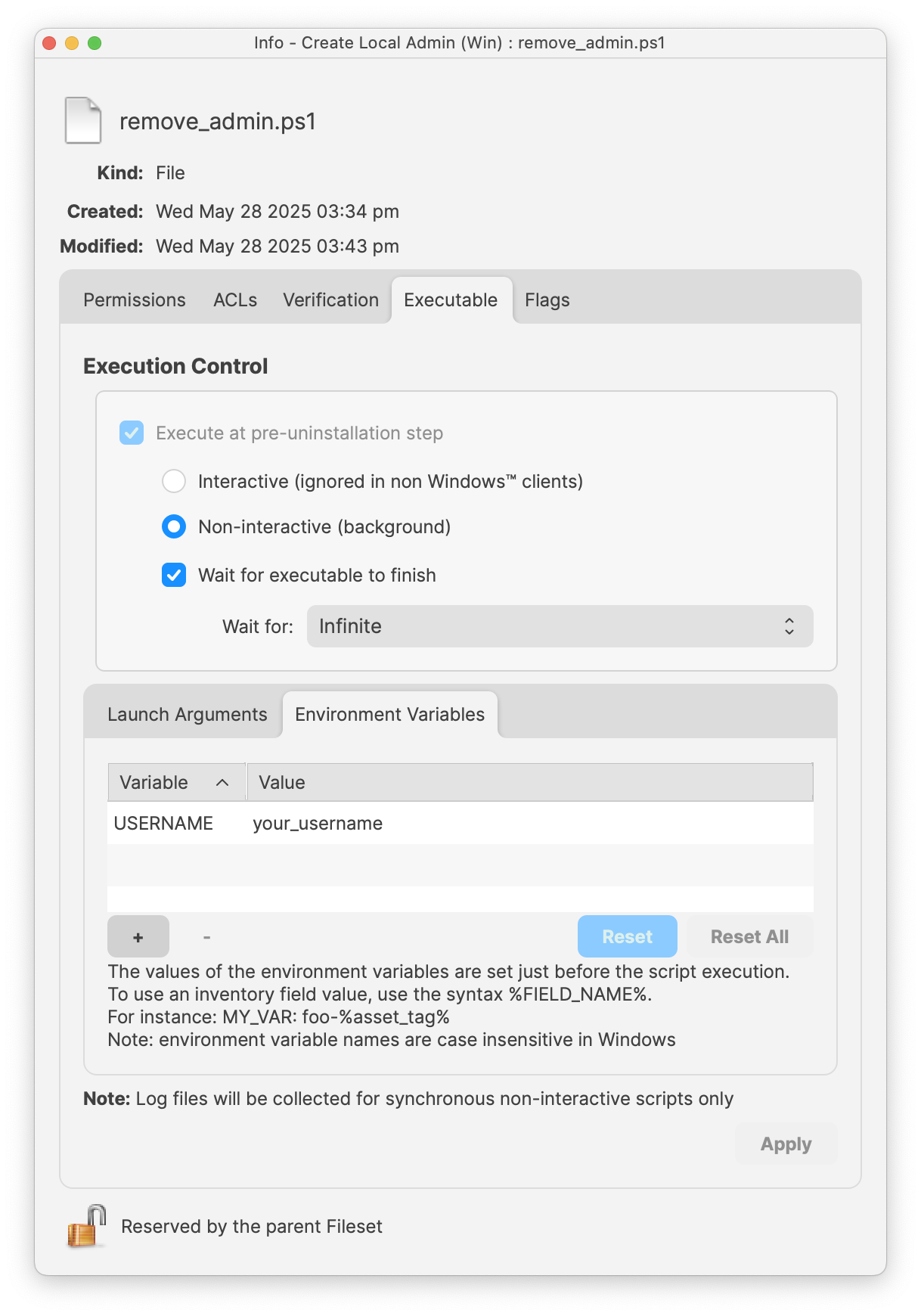
- Repeat the process for the remove_admin.ps1 and enter in the desired Username to remove
Removal deletes local data. The
USERNAMEenvironment variable inremove_admin.ps1must exactly match the account name. The included removal script deletes the local account and recursively deletesC:\Users\<Username>when that profile directory exists. Test with a disposable account and confirm that no required user data remains before deployment.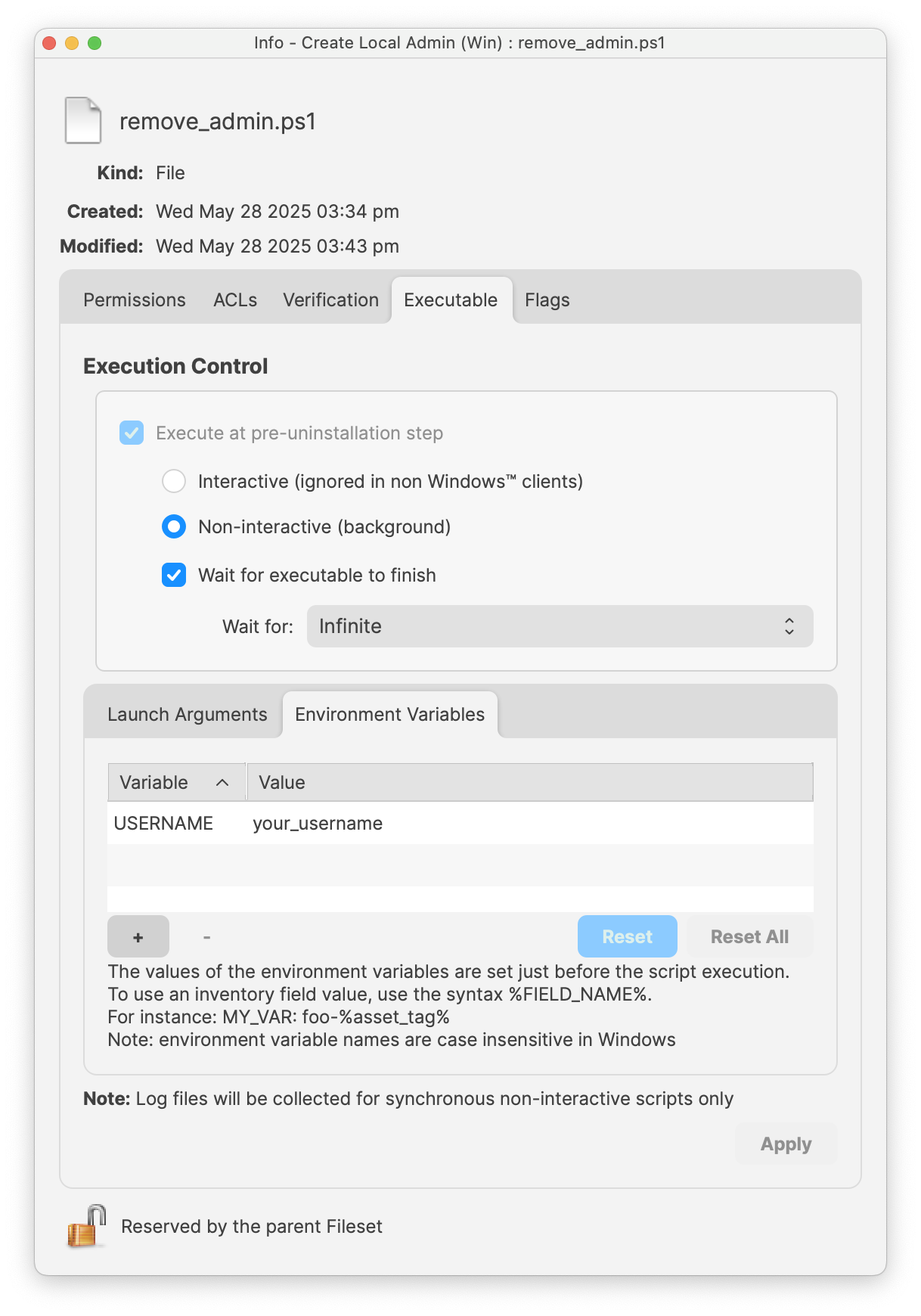
- Close the Script window to Save
- Assign to a test device
- Perform a Model Update to deploy
To confirm account creation, open Windows Settings > Accounts > Other users and verify that the new local administrator appears.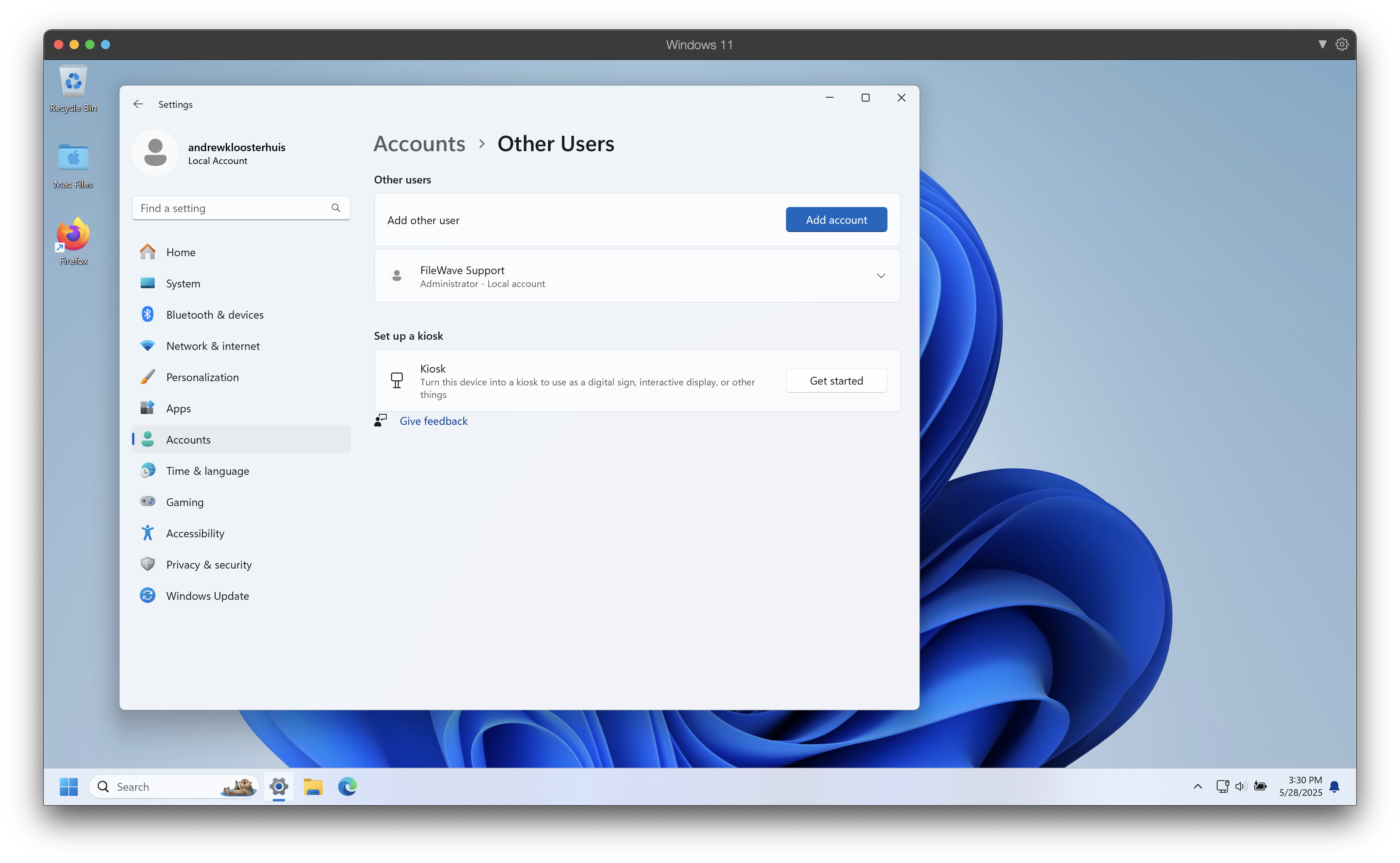
Notes
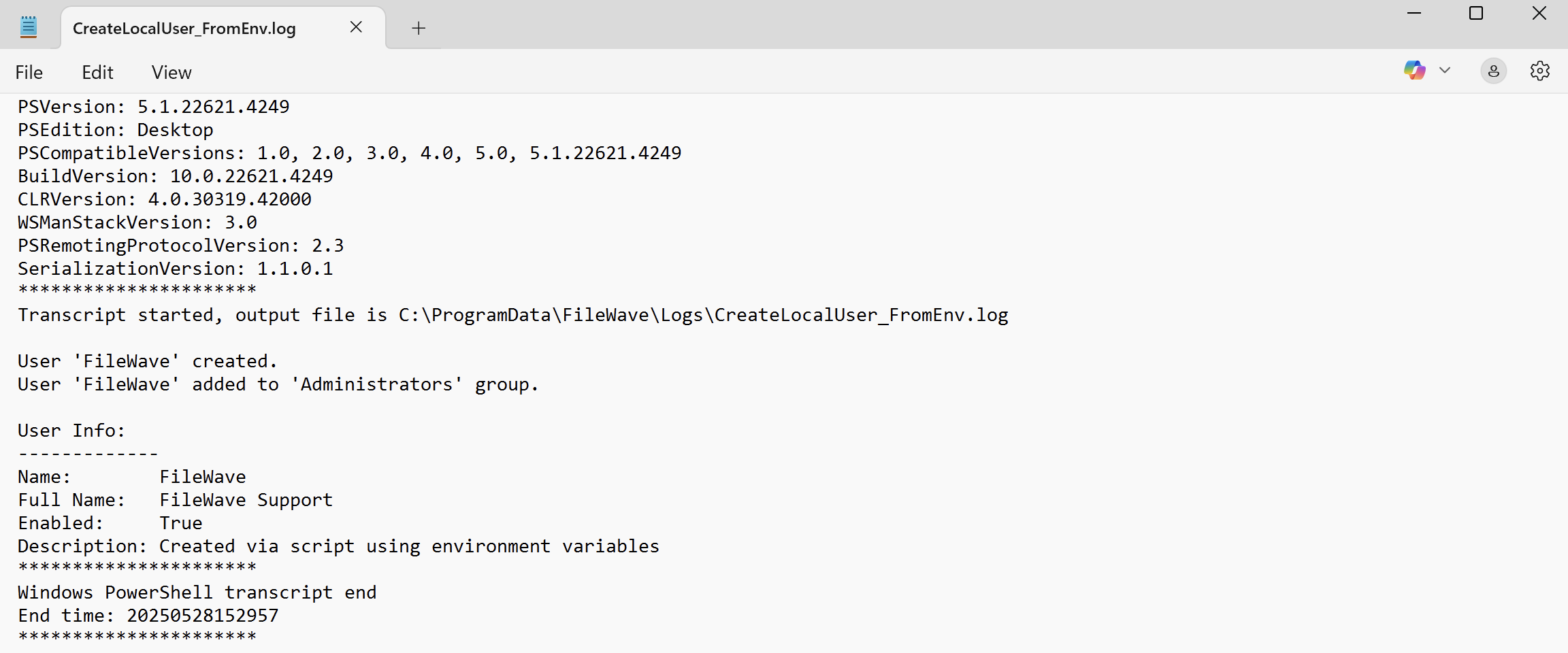
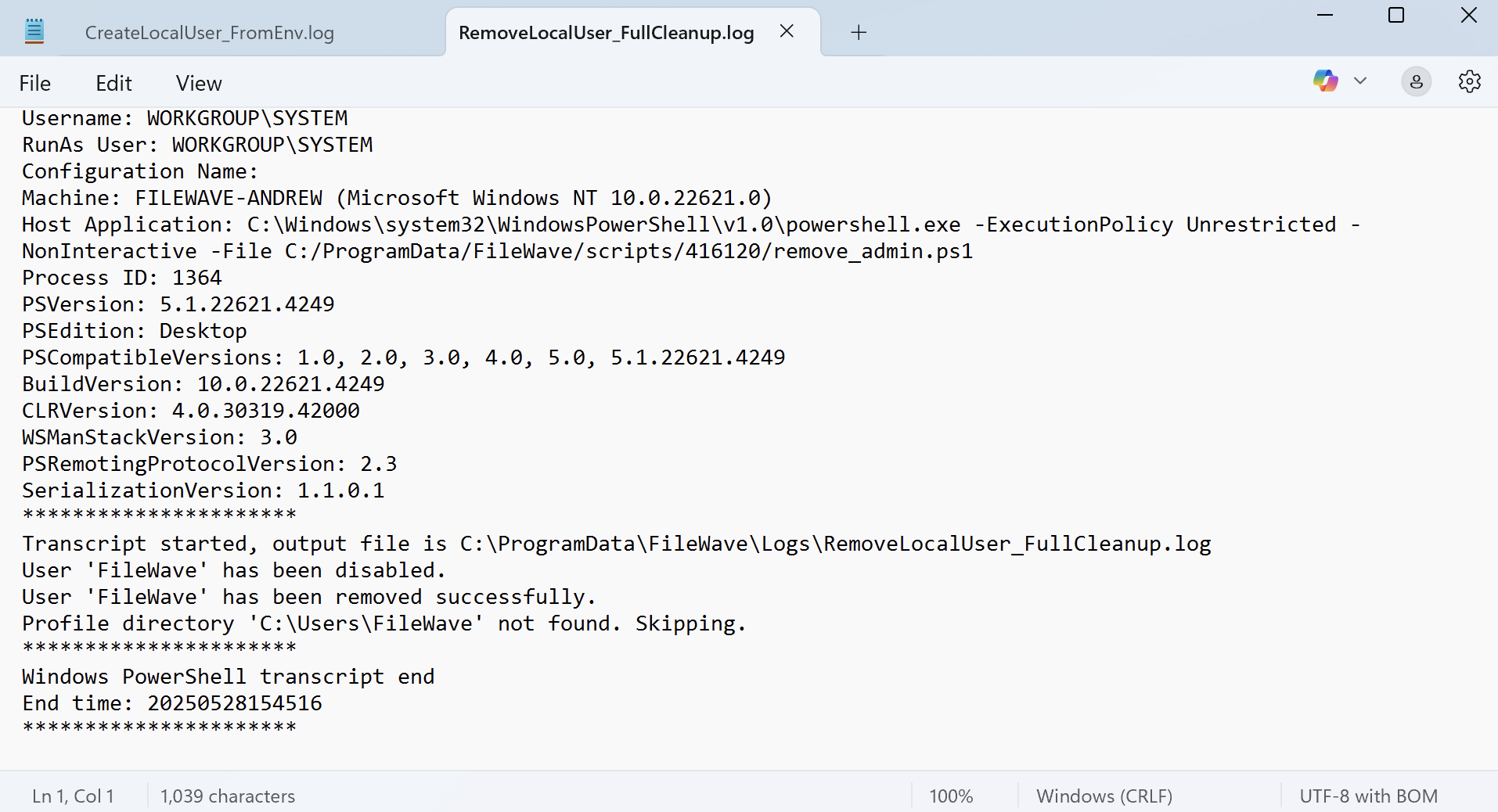
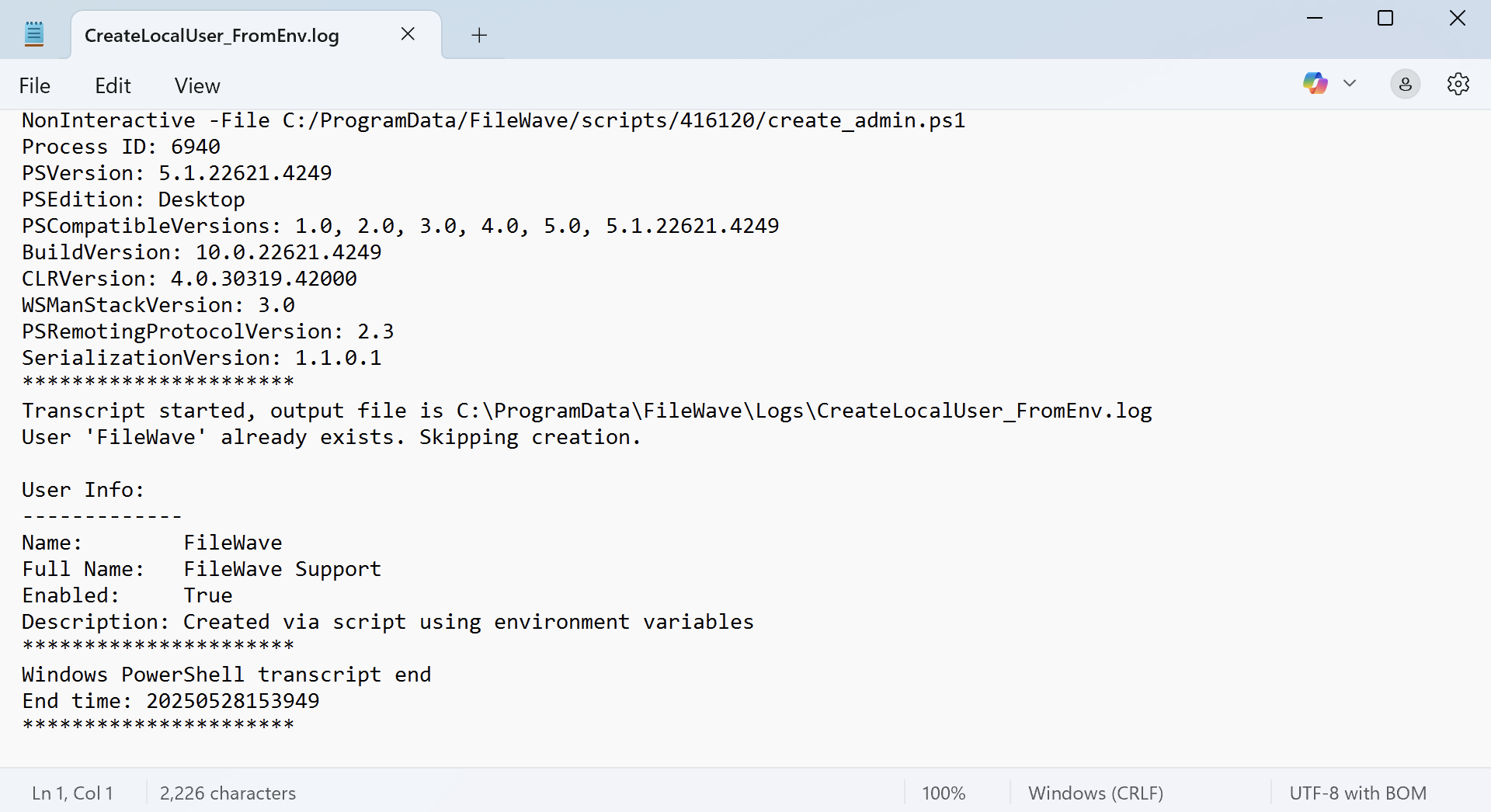
Both scripts will output their executed tasks for detailed logging. These logs may be found in:
C:\ProgramData\FileWave\Logs\The create_admin script log will be labeled: CreateLocalUser_FromEnv.log
The remove_admin script log will be labeled: RemoveLocalUser_FullCleanup.log
The creation script skips the operation when an account with the specified username already exists; it does not replace or update that existing account.
No comments to display
No comments to display