
FileWave Version 15.5.1
The FileWave endpoint management suite allows you to manage your devices wherever they are, wherever you are, whatever they are, and all in one platform!
In the 15.5.0 release, a new end-user notification system has been introduced, allowing FileWave Admins to send short messages to any managed device. This version also adds support for iOS 18, macOS 15, and introduces new Declarative Device Management Configurations and Assets. Following the introduction of Winget support for Windows devices in version 15.4.0, Autopkg is now available for macOS devices. FileWave 15.5.0 is a significant update that includes upgraded third-party libraries, offering 64-bit support on Windows and a native Apple Silicon build for FileWave Central. Check below for the complete list of new features in this version.
15.5.1 is a bug fix and improvement release.
FileWave Official Version Support
FileWave supports the two latest major versions at any time. For example, if the current version is 15.5.x, we support versions 15.5.x and 15.4.x. Major releases occur roughly every quarter.
What does “officially support” mean?
We will investigate and patch significant issues in these versions. We do not produce patches for versions older than N-1, focusing instead on current versions and future improvements. If an issue is found in an older version, remediation will be in the form of an upgrade or a patch to a more recent version.
You can still contact our support teams about earlier versions. They will assist you to the best of their ability but won’t escalate tickets to our development teams. Upgrading is recommended to access the latest features and bug fixes.
Your existing FileWave Server must be version 13.3.1 or higher before you can upgrade to FileWave 14.7.2 and then from 14.7.2 you can upgrade to 15.5.1. The minimum memory requirement for FileWave Server is 8GB.
Compatibility
A Note on Compatibility
A note on the Compatibility charts: There are several states of compatibility for FileWave clients:
An additional note on third-party software inclusion, such as TeamViewer:
FileWave Server Platform Support
 Fully Tested by QA
Debian 12.6 x86_64 (Note that any Debian 12.x is expected to work, and applying security updates may move you to a higher version.)
Expected to work
Virtual Appliances
FileWave Clients Platform Support

All OS must be 64bit.
Fully Tested by QA
Expected to work
Legacy
macOS 10.15 → Legacy Version 15.0.1
FileWave Mobile Clients Platform Support
 Fully Tested by QA
Expected to work
Legacy
FileWave Central (Native) Platform Support
All OS must be 64bit.
Fully Tested by QA
Expected to work
FileWave Booster Platform Support

All OS must be 64bit.
Fully Tested by QA
Expected to Work
Virtual Appliances
FileWave Imaging Virtual Server Platform Support
The FileWave Imaging Virtual Server (IVS) is a special appliance that provides imaging support for Windows 10 and 11 UEFI and non-UEFI devices.
Virtual Appliances
Features and Updates in this Release
FileWave Management Suite
End user notifications: Now, admins using FileWave Anywhere or FileWave Central can send custom messages to enrolled devices, displaying them as system notifications for users. This feature empowers administrators to communicate important information directly to users' devices, enhancing engagement and user experience. More...
Keycloak IDP integration for admin login: We’ve introduced support for Keycloak as an Identity Provider (IDP) in FileWave Anywhere and Central. Administrators can now log in using their Keycloak accounts, enhancing security and simplifying credential management.
Qt 6 Upgrade: FileWave 15.5 is now using Qt 6 open-source library, which brings better support for recent operating systems, security fixes and optimizations. On macOS, FileWave Central is now a fully universal (Intel and Apple Silicon) application, Rosetta 2 is not required anymore. It also brings better support for internal web browser thanks to updated Chromium engine. Windows components are now 64-bit only.
Add to deployment: It is now possible to easily add devices or filesets to existing (or new) deployments, using new context menu options in FileWave Central.
Dark Mode improvements: Window decoration (typically window header) is now properly following dark mode setting.
API Improvements: New public API endpoints have been introduced to facilitate external service integration. These endpoints allow users to fetch results of stored inventory queries in FileWave and execute ad-hoc inventory queries via the Preview API without saving them. The results are returned as JSON objects, with customizable page sizes to enhance flexibility. Detailed Swagger documentation is available for these endpoints, ensuring clear guidance on their usage. These updates provide seamless access to inventory data for external integrations. New APIs that are now available:
/reports/v1/reports
/reports/v1/reports/{id}
/notifications/v1/notifications
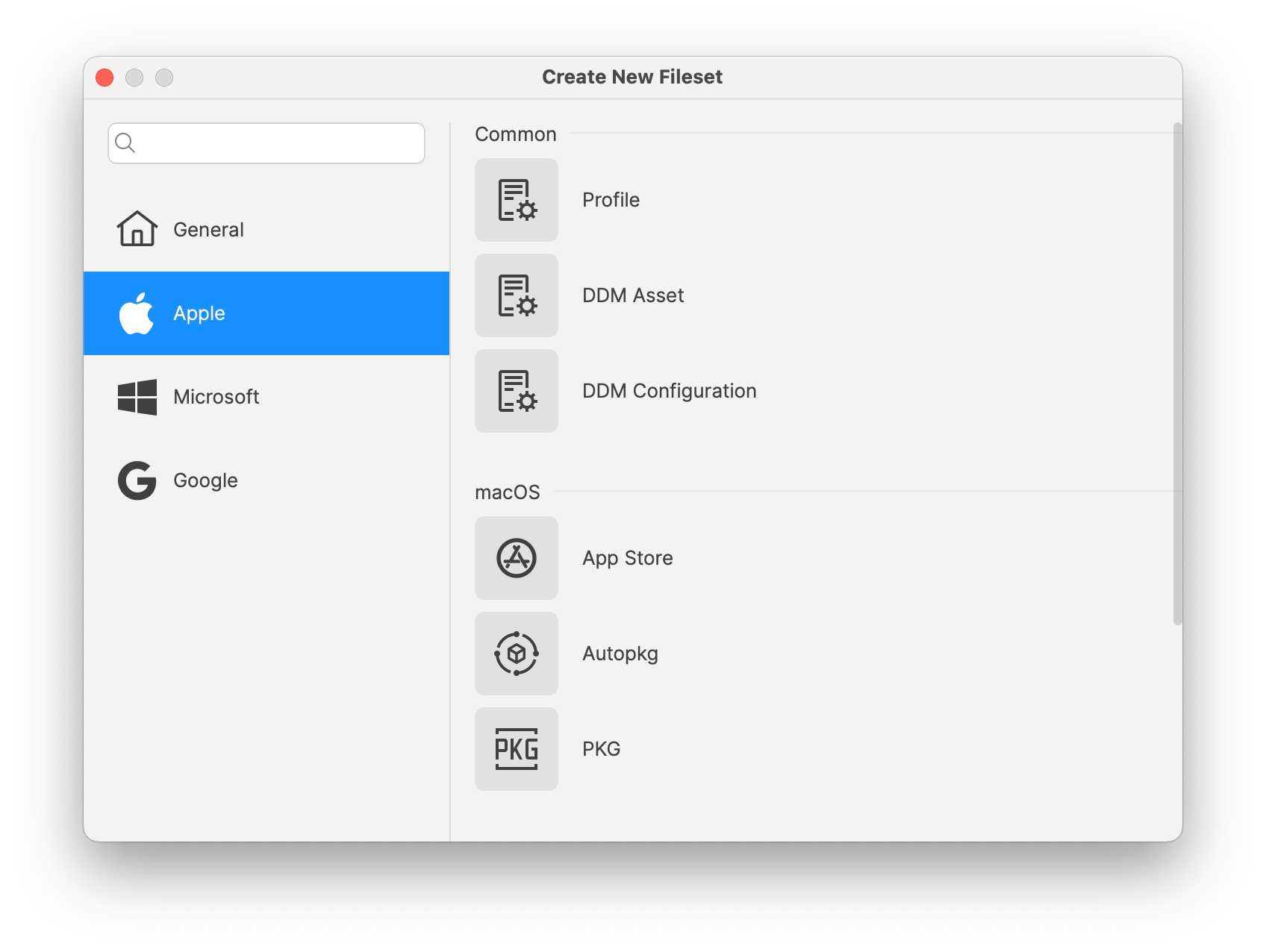
New Fileset dialog: With the addition of the different new fileset types (DDM configuration, DDM asset, Winget, Autopkg…), revisiting the New Fileset dialog was required - the new one is lean and much simpler !
FileWave Appliances: There are a few key changes for someone setting up a new FileWave Server, Booster or IVS appliance that should be noted for 15.5.0.
#!/bin/bash

# Ensure the script is run as root
if [ "$EUID" -ne 0 ]; then
  echo "Please run this script with sudo or as root."
  exit 1
fi

# Prompt for the password
echo "Creating user 'fwadmin'."
read -s -p "Enter password for 'fwadmin': " password
echo
read -s -p "Confirm password: " password2
echo

# Check if passwords match
if [ "$password" != "$password2" ]; then
  echo "Error: Passwords do not match."
  exit 1
fi

# Create the 'fwadmin' user without a password prompt
adduser --gecos "" --disabled-password fwadmin

# Set the password for 'fwadmin'
echo "Setting password for 'fwadmin'."
echo "fwadmin:$password" | chpasswd

# Add 'fwadmin' to the sudo group
usermod -aG sudo fwadmin
echo "'fwadmin' has been added to the sudo group."

# Lock the root account
passwd -l root
echo "The root account has been locked."

echo "Setup complete. You can now log in as 'fwadmin' and use sudo."
Inventory-Specific changes
MDM Command history: MDM command history is now available in inventory, allowing troubleshooting or reporting related to MDM based features.
New "Last Changed" Field in FileWave Inventory: We've added a new "Last Changed" field in FileWave Inventory.
"Last Changed" Field: This new field records the date and time when any custom or built-in field value is updated for a client or when the client reports to the inventory.
Field Updates: The "Last Changed" field is also updated when a new custom field is associated or disassociated with the device.
API Integration: The "Last Changed" field is visible in existing public inventory API responses, enabling more accurate data synchronization and integration.
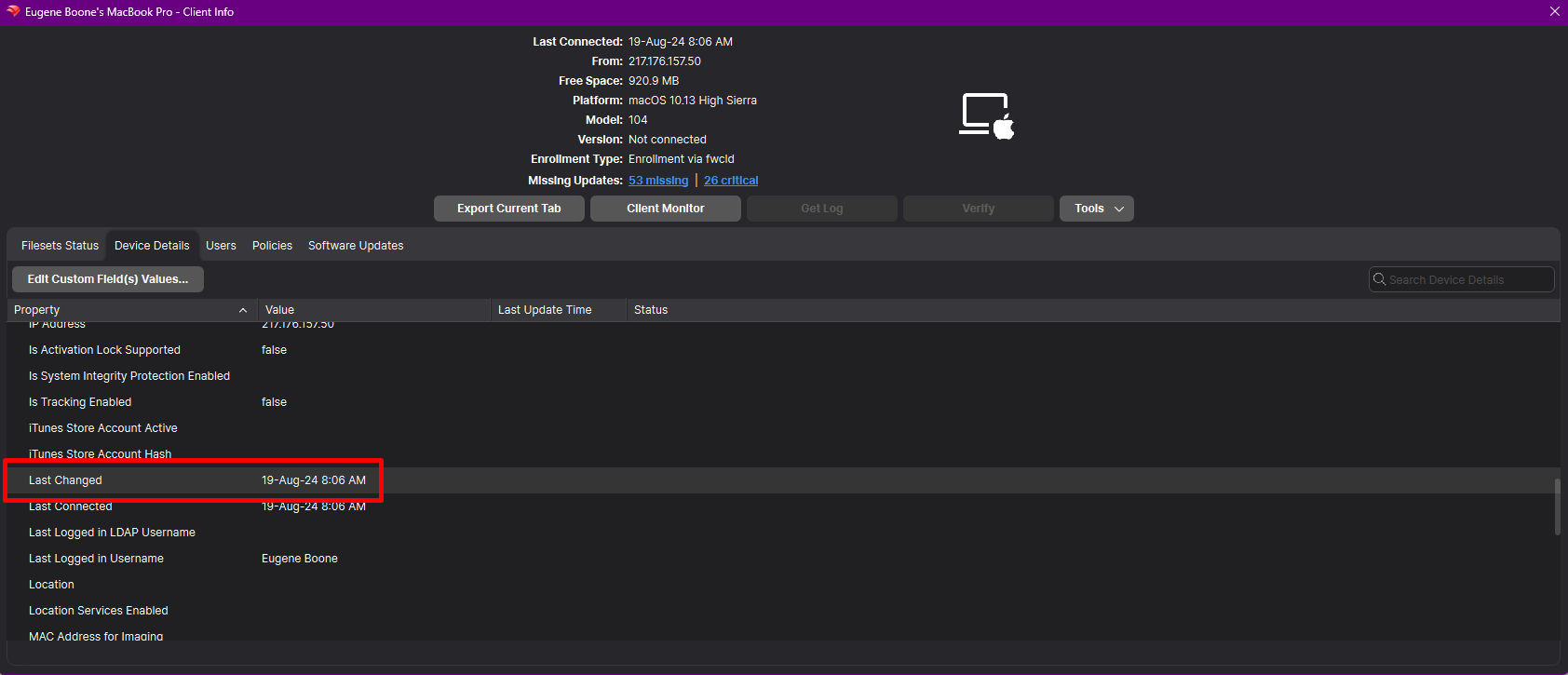
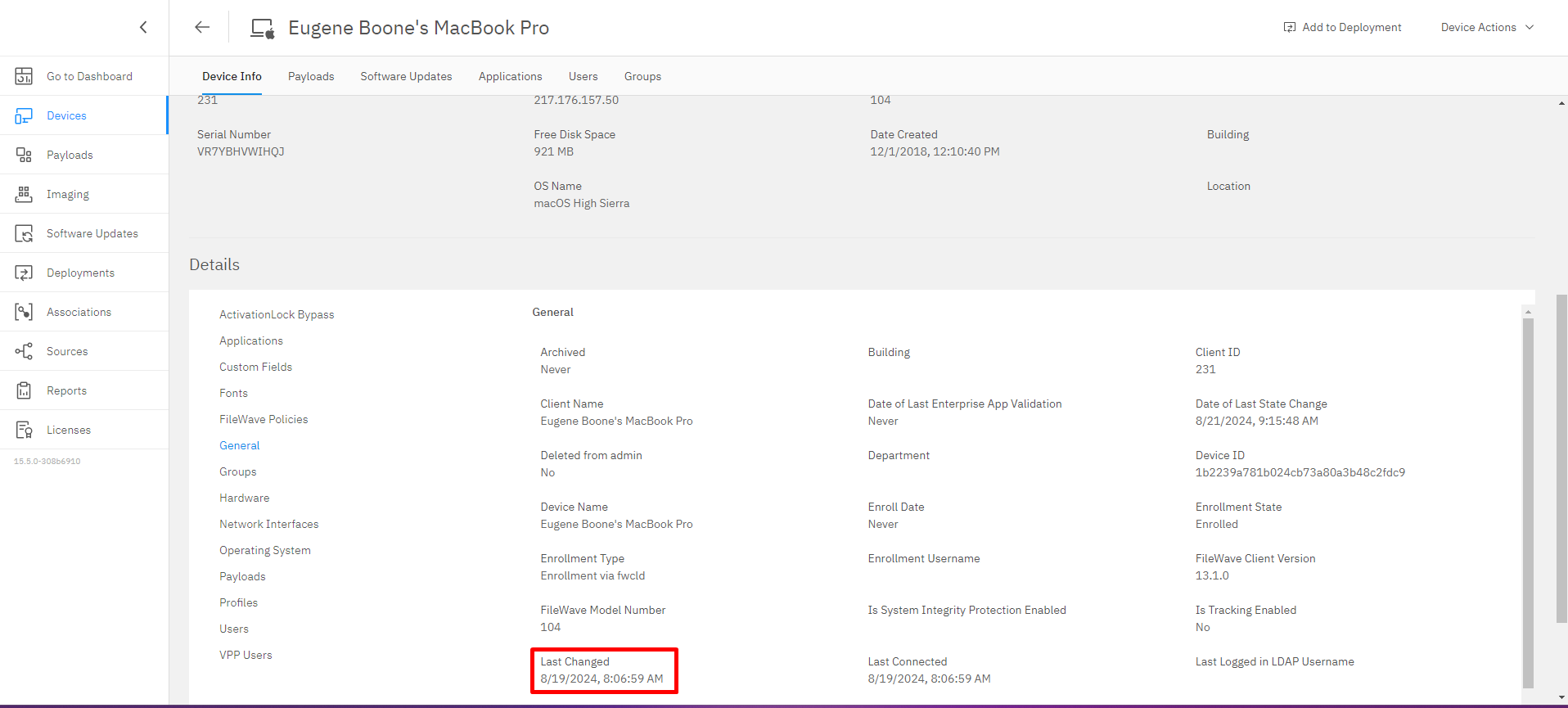
This feature ensures that any changes made to client data are accurately tracked, improving workflow automation and third-party integrations.
Apple-Specific Changes
Autopkg integration
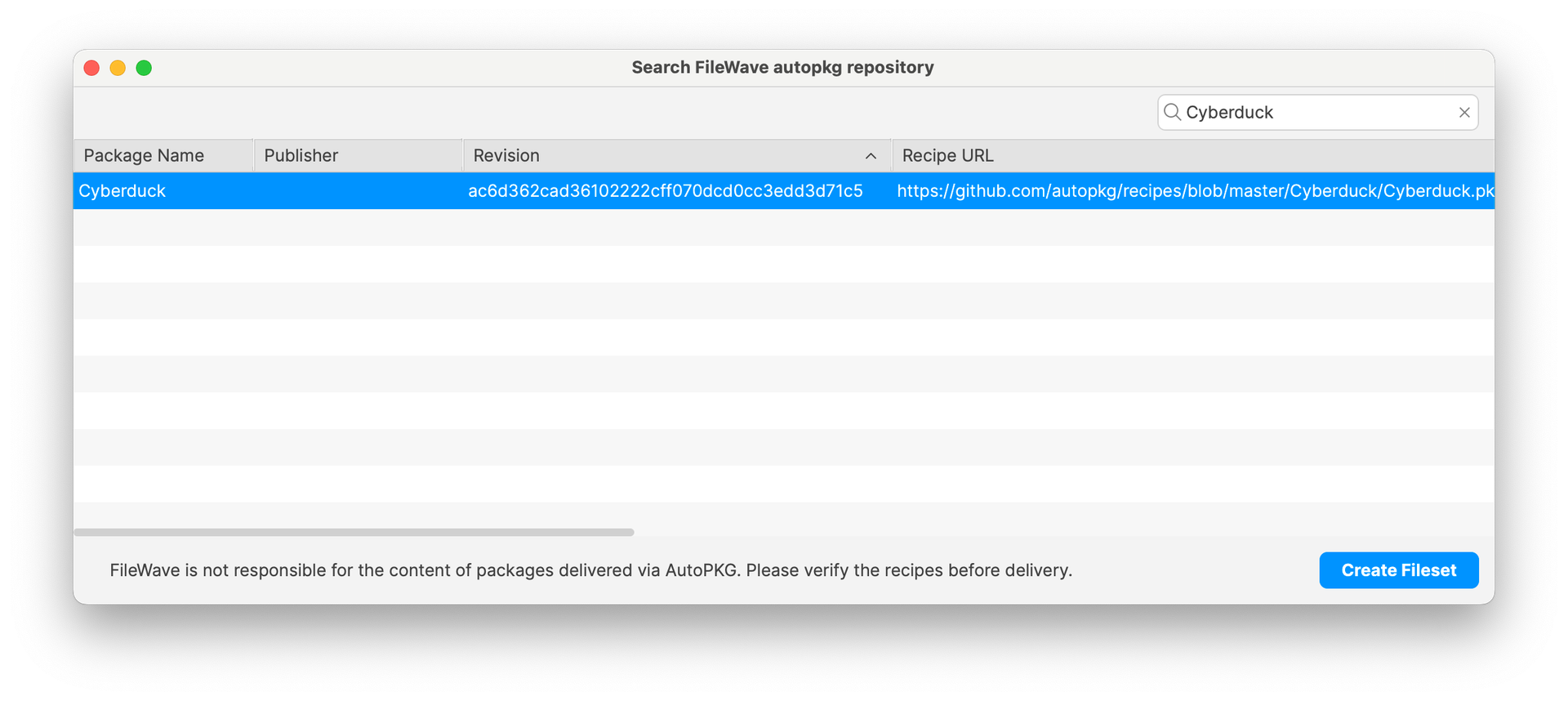
In addition to Winget support in 15.4, Autopkg, a well-known package tool in mac admin community is now supported in FileWave:
Not need to run Autopkg ; FileWave runs autopkg, creates packages and hosts them.
Filesets are made available via a CDN, using private to your instance links.
Currently, autopkg repositories are selected and curated by FileWave. Please contact us if you have suggestions for other repositories or recipes.
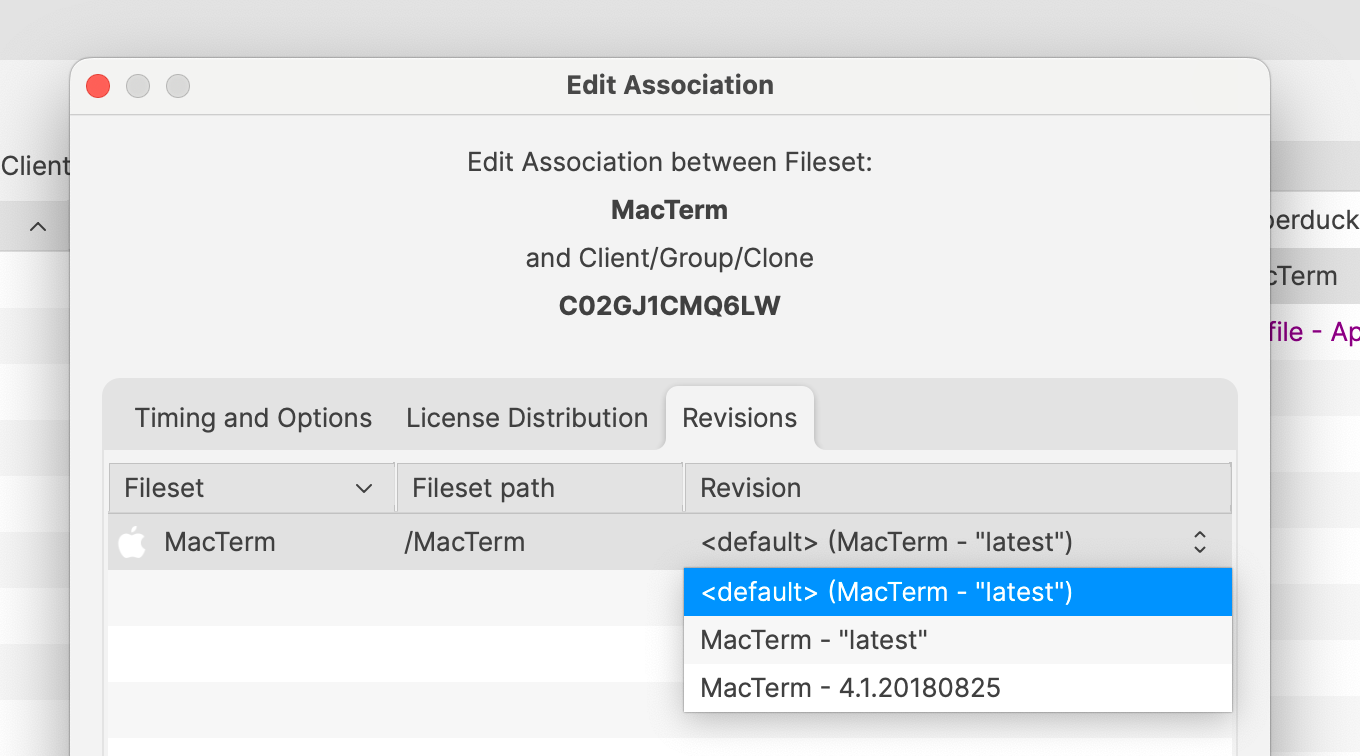
Package versioning is managed with revisions ; automatic upgrade is managed when selecting “latest” specific revision.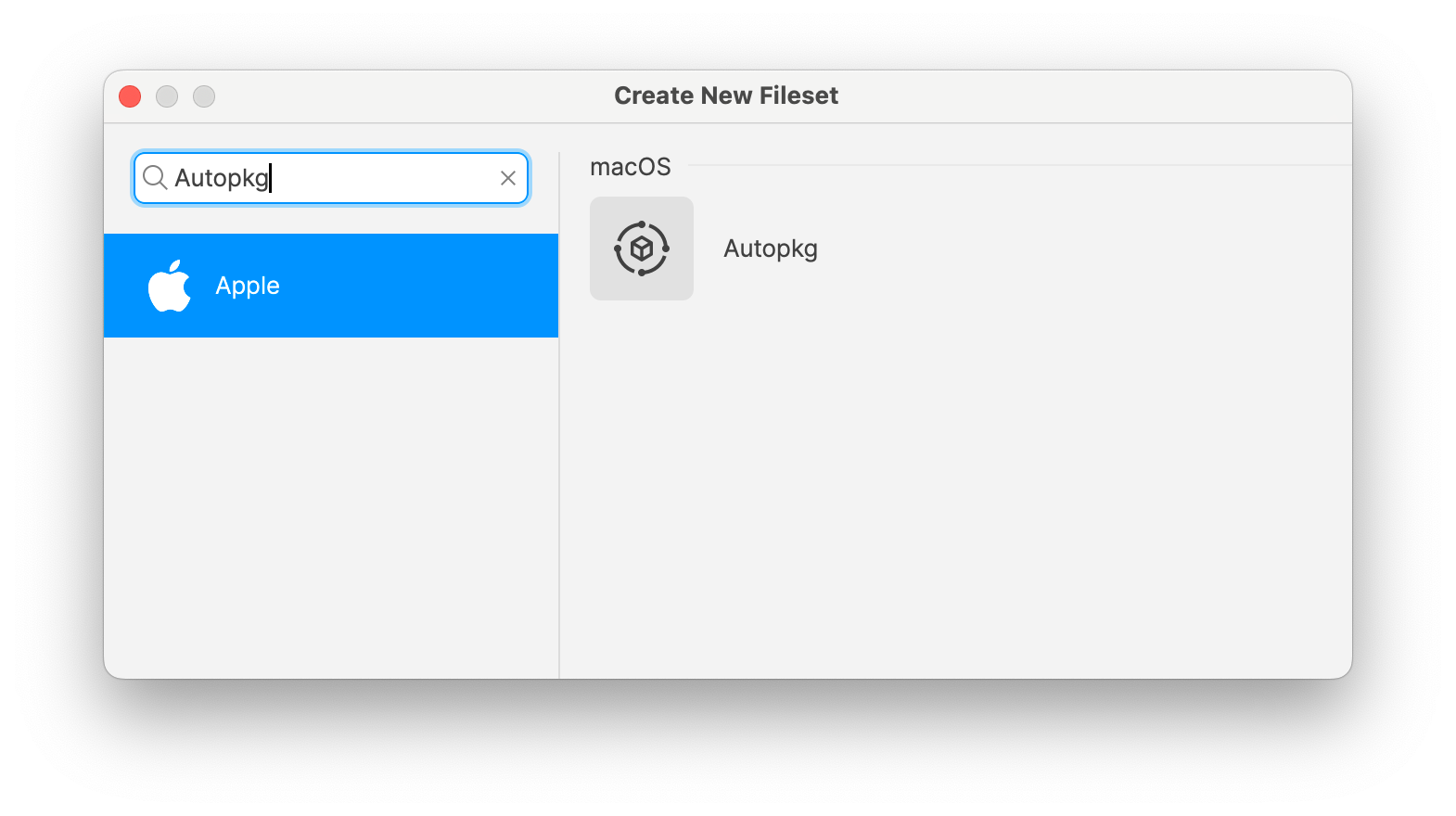
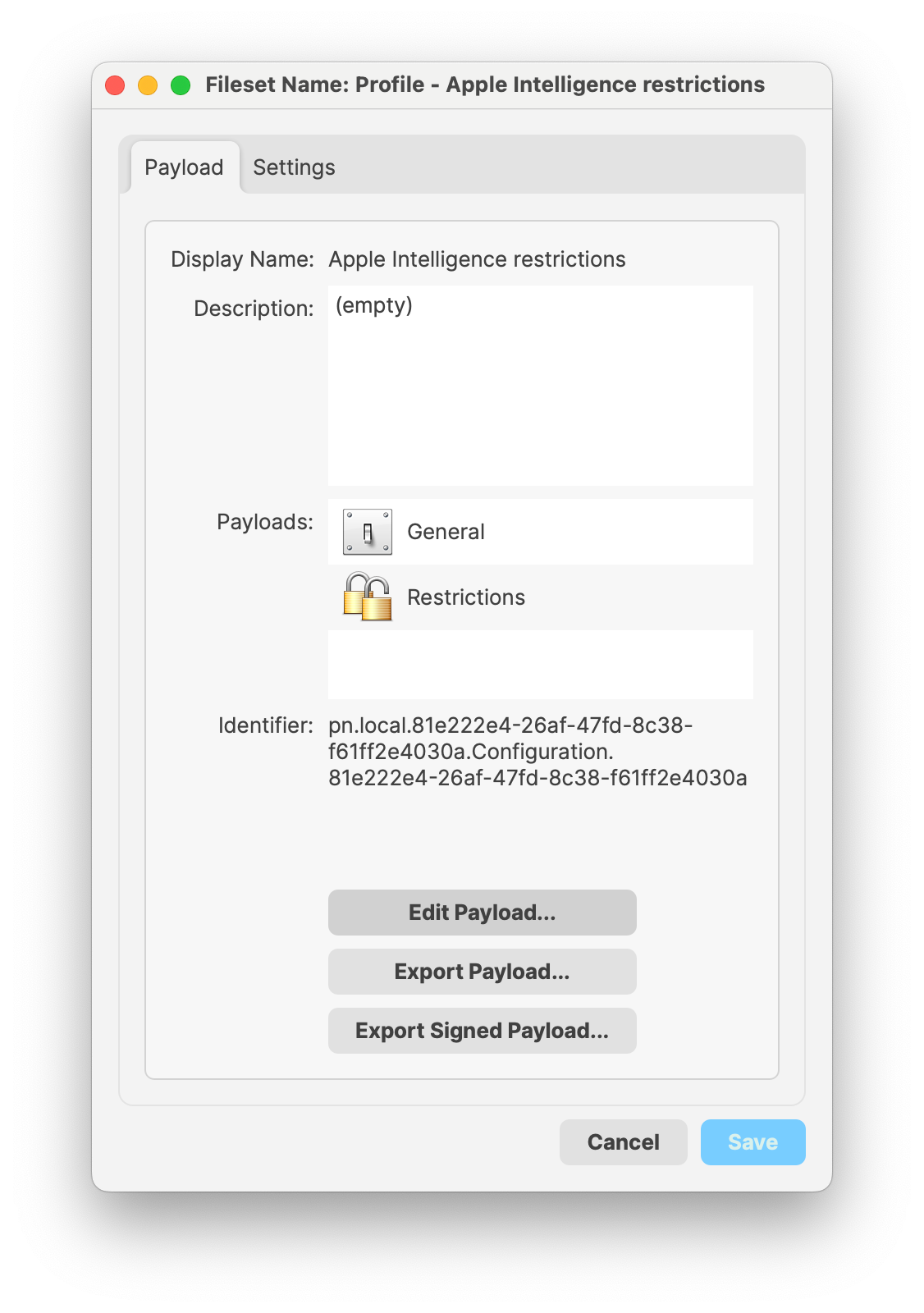
Signed Profiles: Profiles deployed using FileWave are now signed before being installed on the device. FileWave 15.5 also allows:
modifying imported signed profiles ; in that case, existing profile signature will be removed and replaced by a new one
exporting profiles as signed, making sure profiles can be shared without being altered
duplicating signed profiles ; in that case, as payload UUIDS are regenerated, existing profile signature will be removed and replaced by a new one
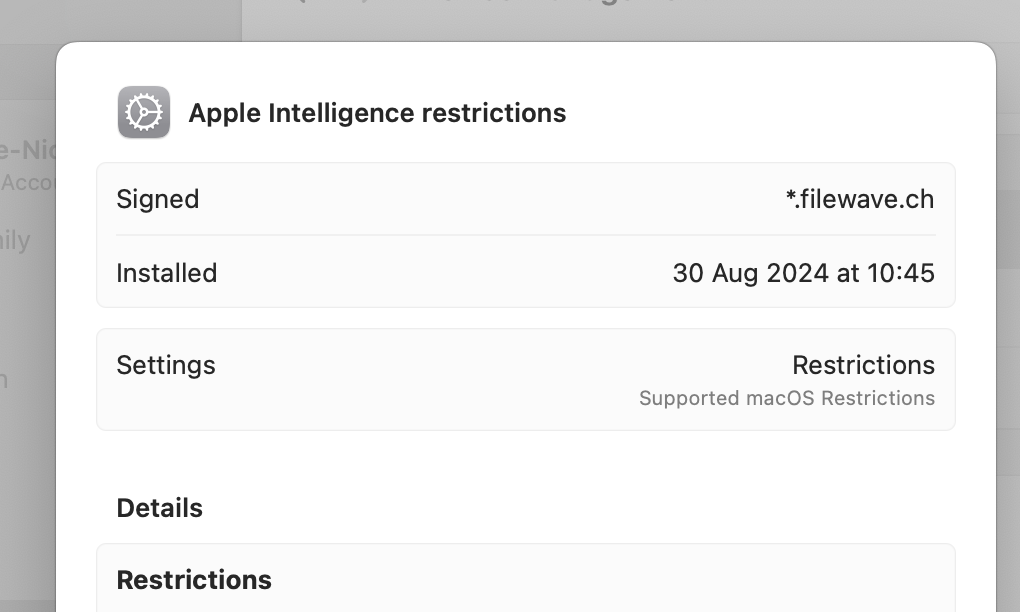
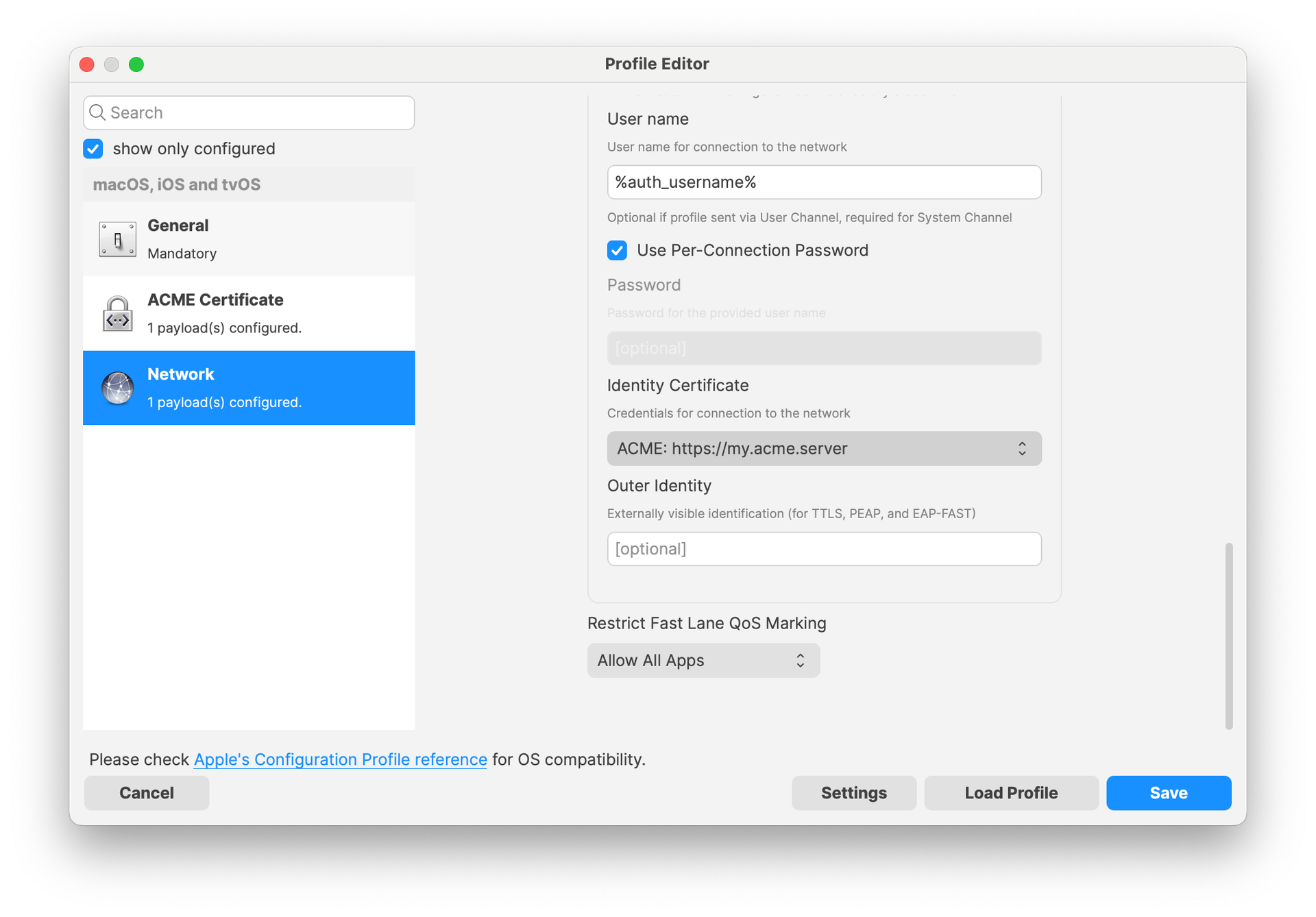
ACME Certificate profile: ACME certificate profile can now be configured ; other payloads can reference ACME payloads the same way as SCEP payloads.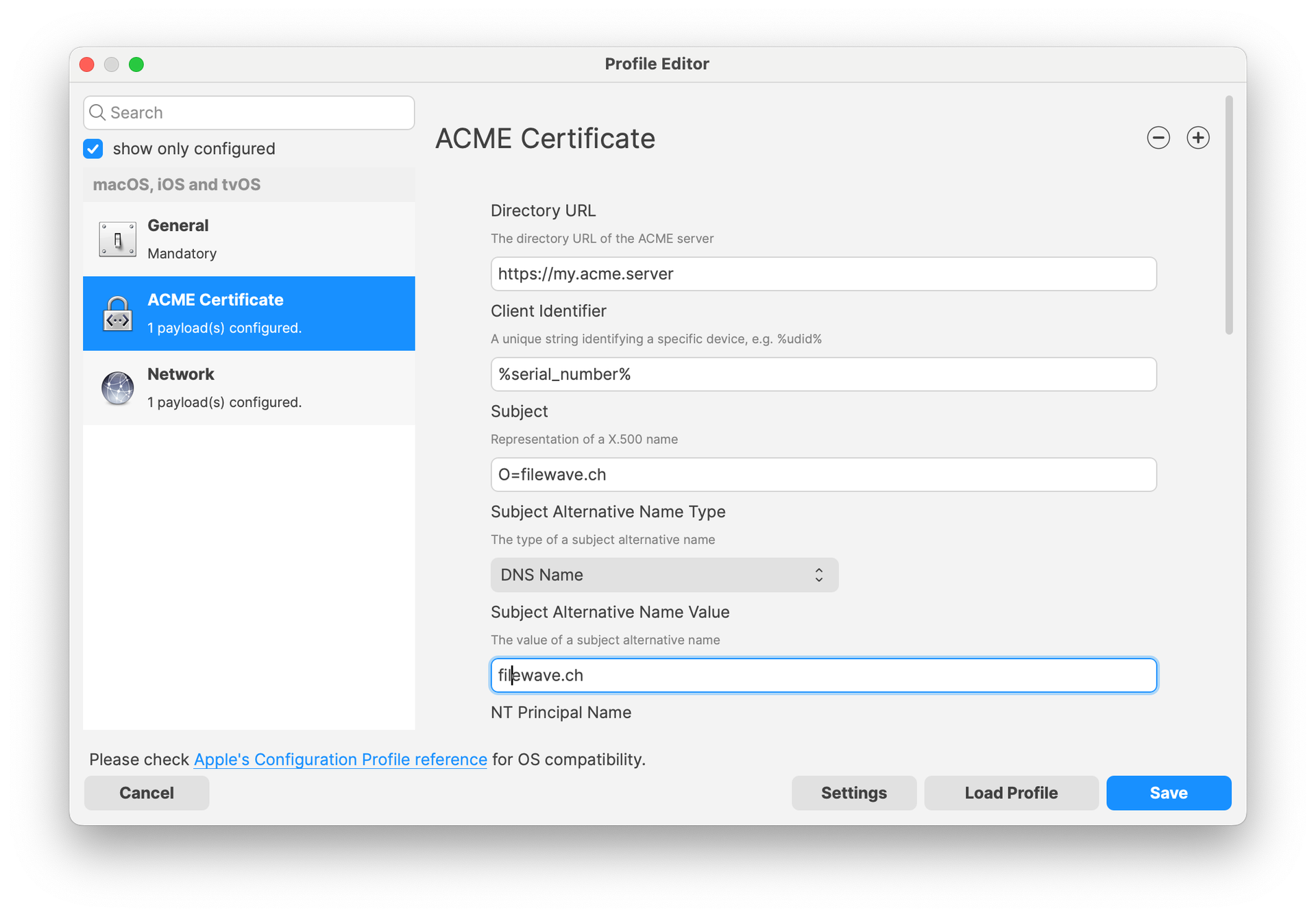
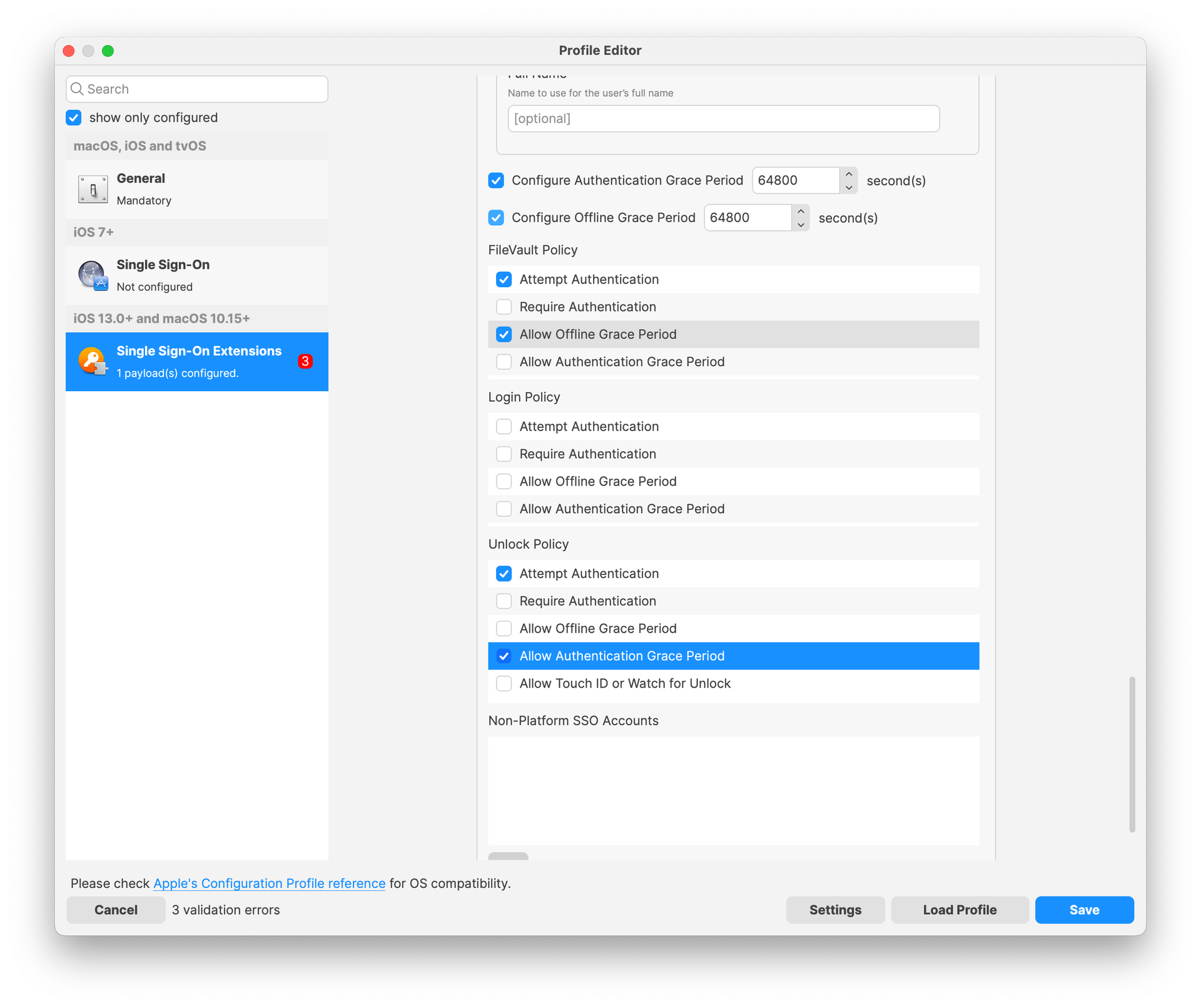
Extensible SSO: Various new options have been added to the Extensible SSO profile, allowing to define various policies like FileVault, Authentication Grace period or unlock behavior.
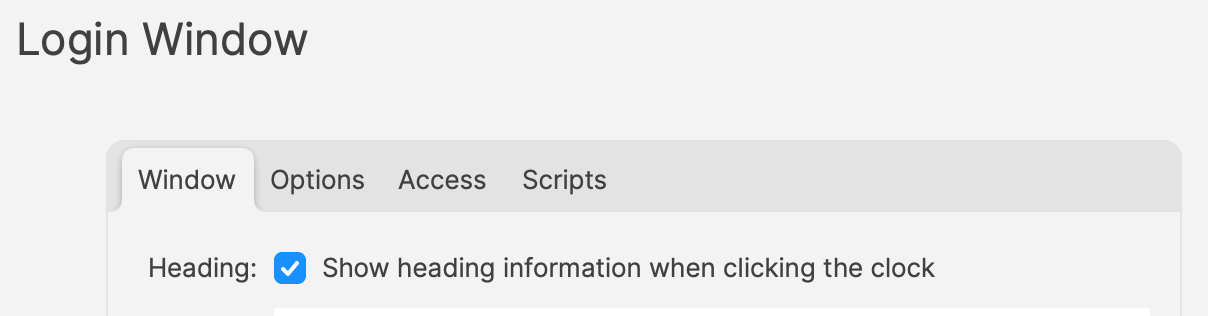
Login Window: Login Window Profile has been updated to replace a non-functional combobox with a checkbox labeled "Show heading information when clicking the clock." When checked, this option will allow the macOS login screen to display hostname, OS version, and IP address in rotation when the clock is clicked. If unchecked, the clock will have no effect. This update simplifies the user interface and aligns it with macOS behavior.
Network: Made sure WPA2 Enterprise is used for Passpoint interface.
Network Usage Rules: SIM Attributes can now be directly edited in the form.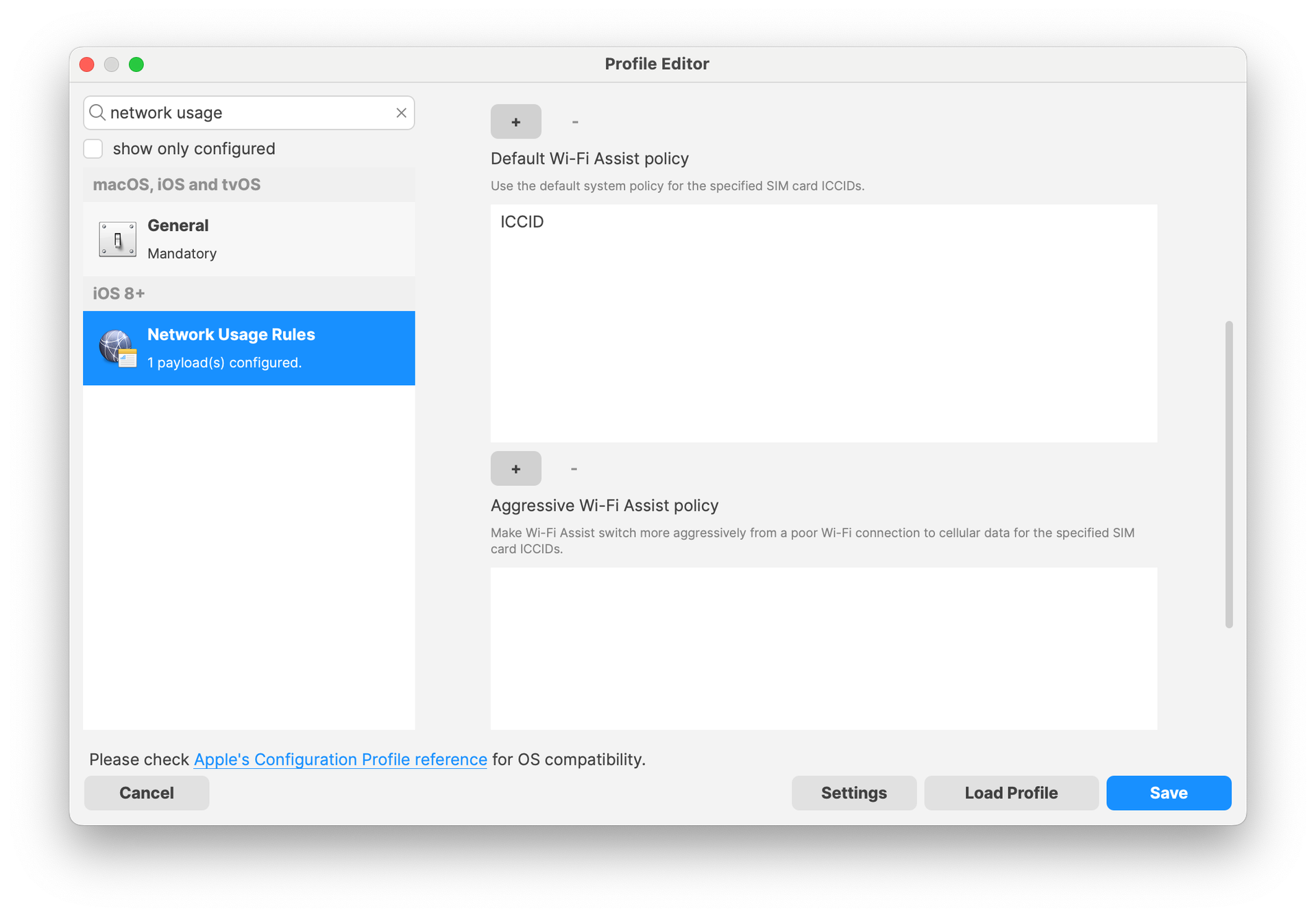
Parental Control (macOS Restrictions): Options to configure Allowed Applications based on application signature have been added.
Passcode: Minor description update related to Maximum Failed Attempt behavior
Restrictions: New options:
control if transferring eSIM to another device is allowed
control if auto dim is available for OLED iPads
control if Genmoji is available
control if Image Playground is available
control if iPhone Mirroring is available
control if Writing Tools are available
control if Image Wand is available
control if Personalized Hand Writing is available
control if Remote control and Video Conferencing is available
control if Apps can be hidden control if Apps can be locked control if Call recording is available control if RCS messaging is available control if Mail summary is available control if Media Sharing is available prevents user notifications for content capture technologies on managed devices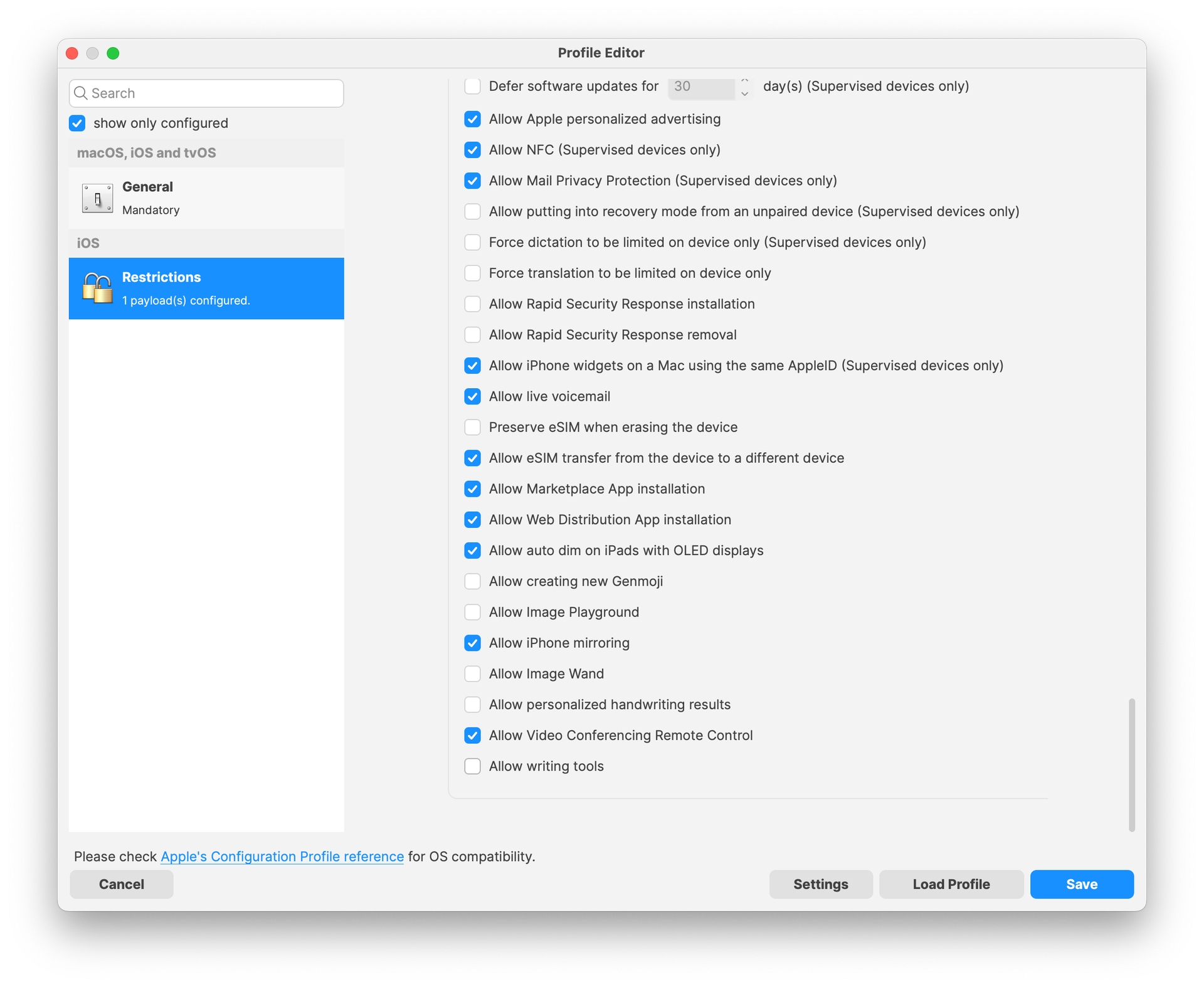
Security and Privacy: New setting to control XProtect malware upload
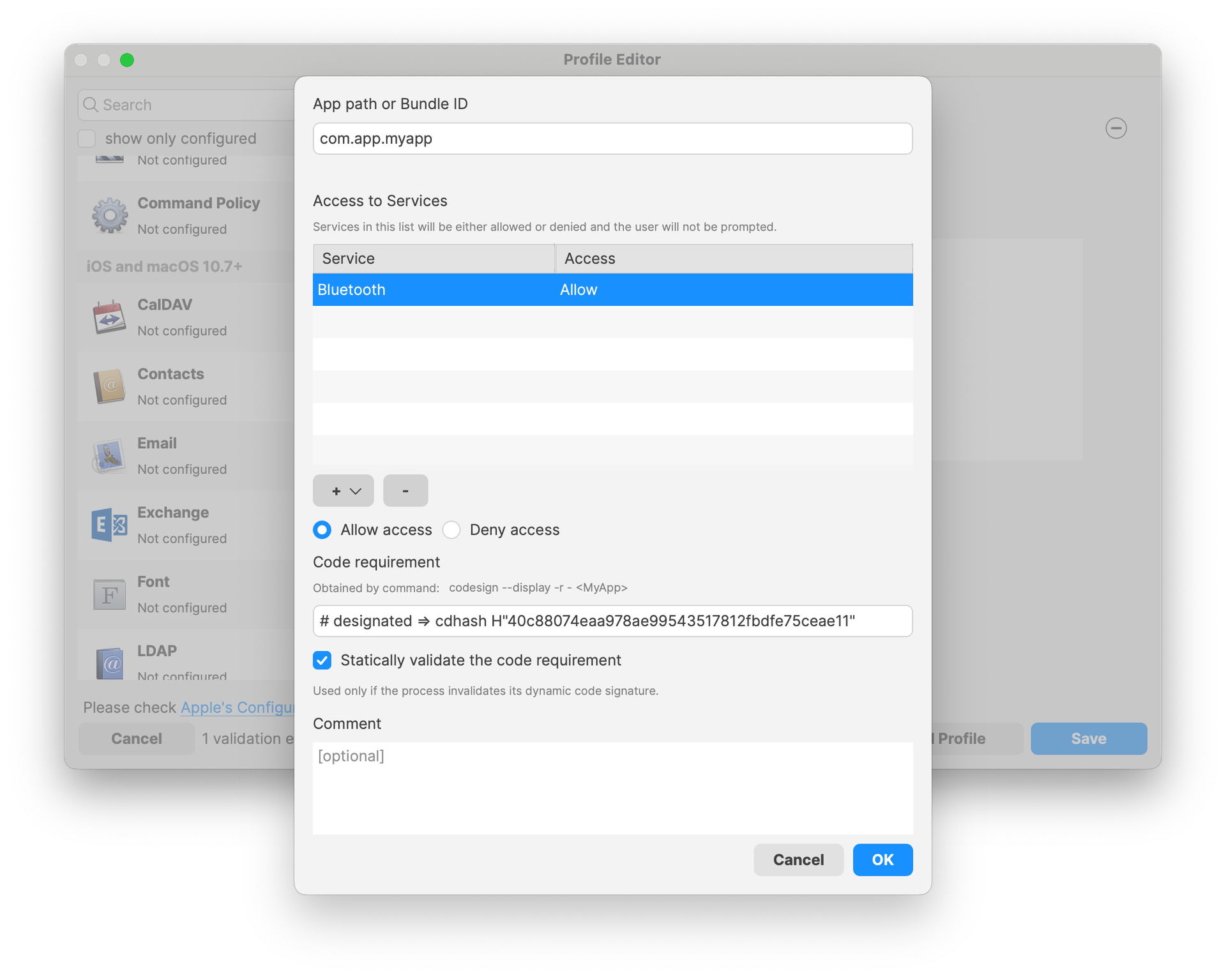
Security and Privacy (Privacy and Consent Control): New Bluetooth service
System Extension (macOS): New options for Non Removable from UI and Non Removable System extensions settings
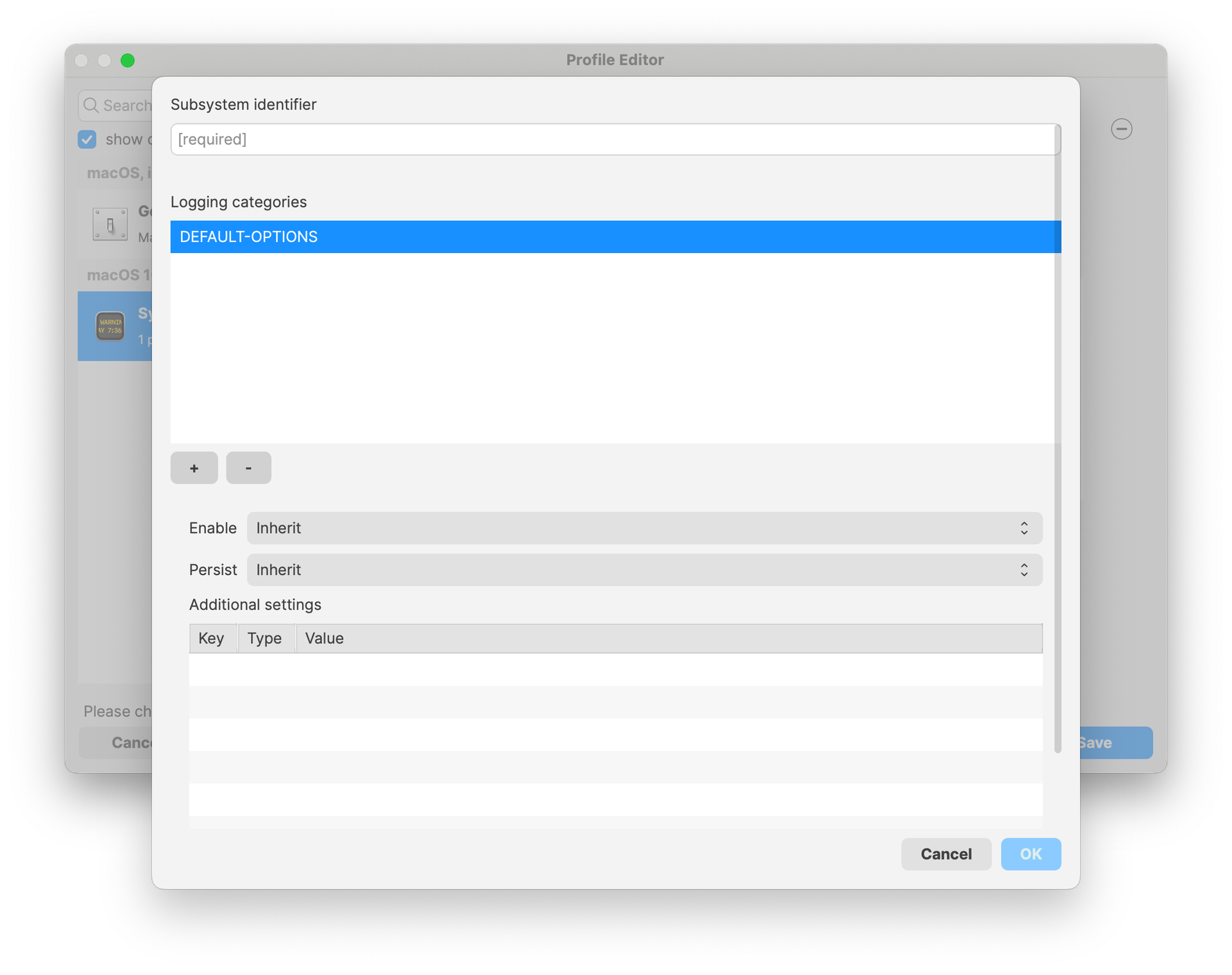
System Logging (macOS): It is now possible to configure system logging options profile.
VPN: New options to configure Post-Quantum Pre-shared Key (PPK) for IKE.V2
DDM configurations: FileWave 15.5 brings Apple’s new way of configuring devices, DDM configurations. While profiles are still widely used, Apple is extending DDM config every release.
To simplify device management, parts of the configurations can be shared amongst different configurations. Typical example is user credentials, used to authenticate to different services. The same credentials will be used by many configurations (caldav, mail…) ; instead of duplicating the settings, you can now create a unique Asset and use the asset in multiple configurations. Assets are available in the form of a new fileset (so you can organize them the way you need, grant permission….) and will be automatically handled as dependency of the configuration using the asset.
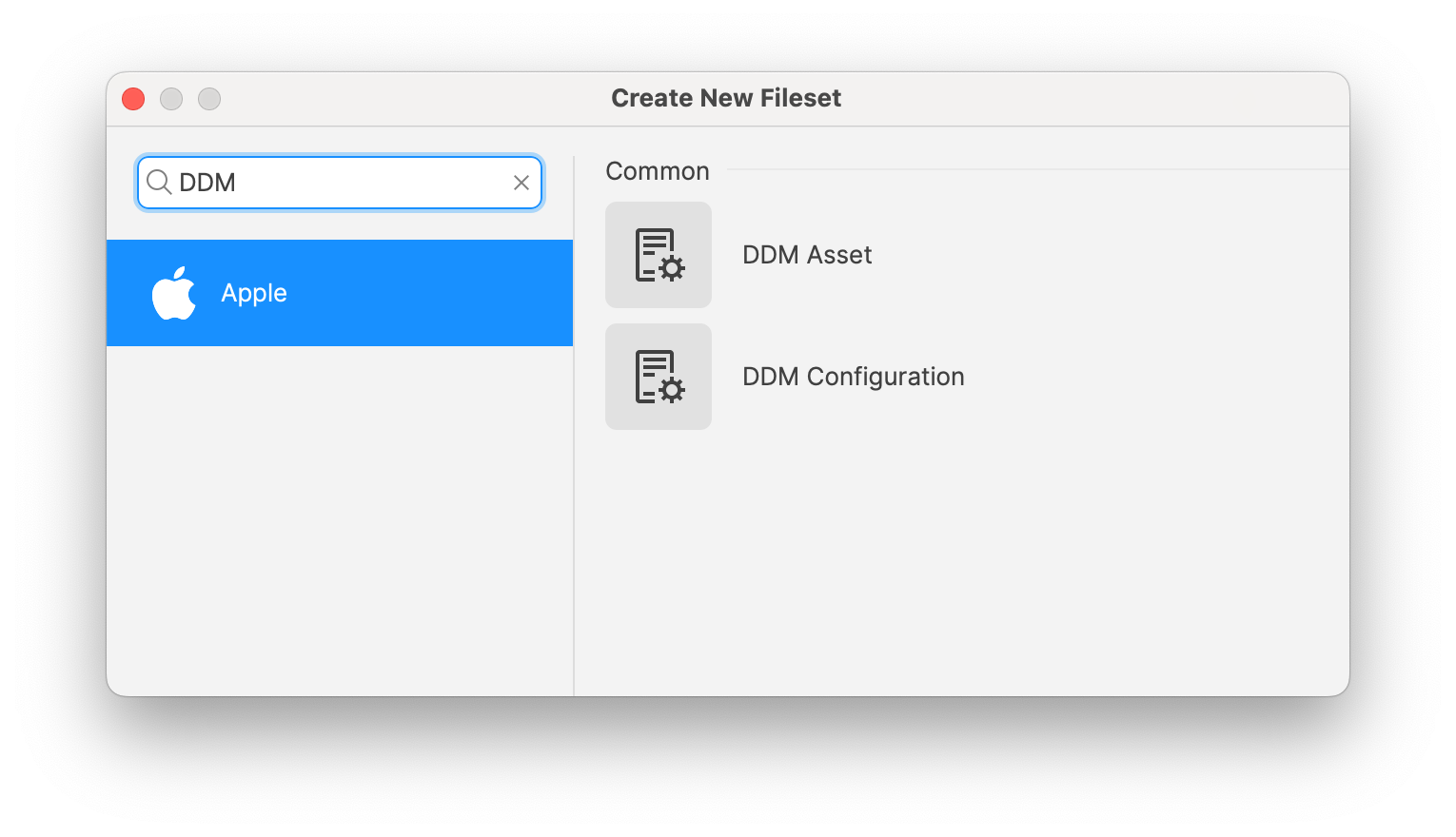
FileWave 15.5 introduces a first set of DDM configurations:
CalDAV account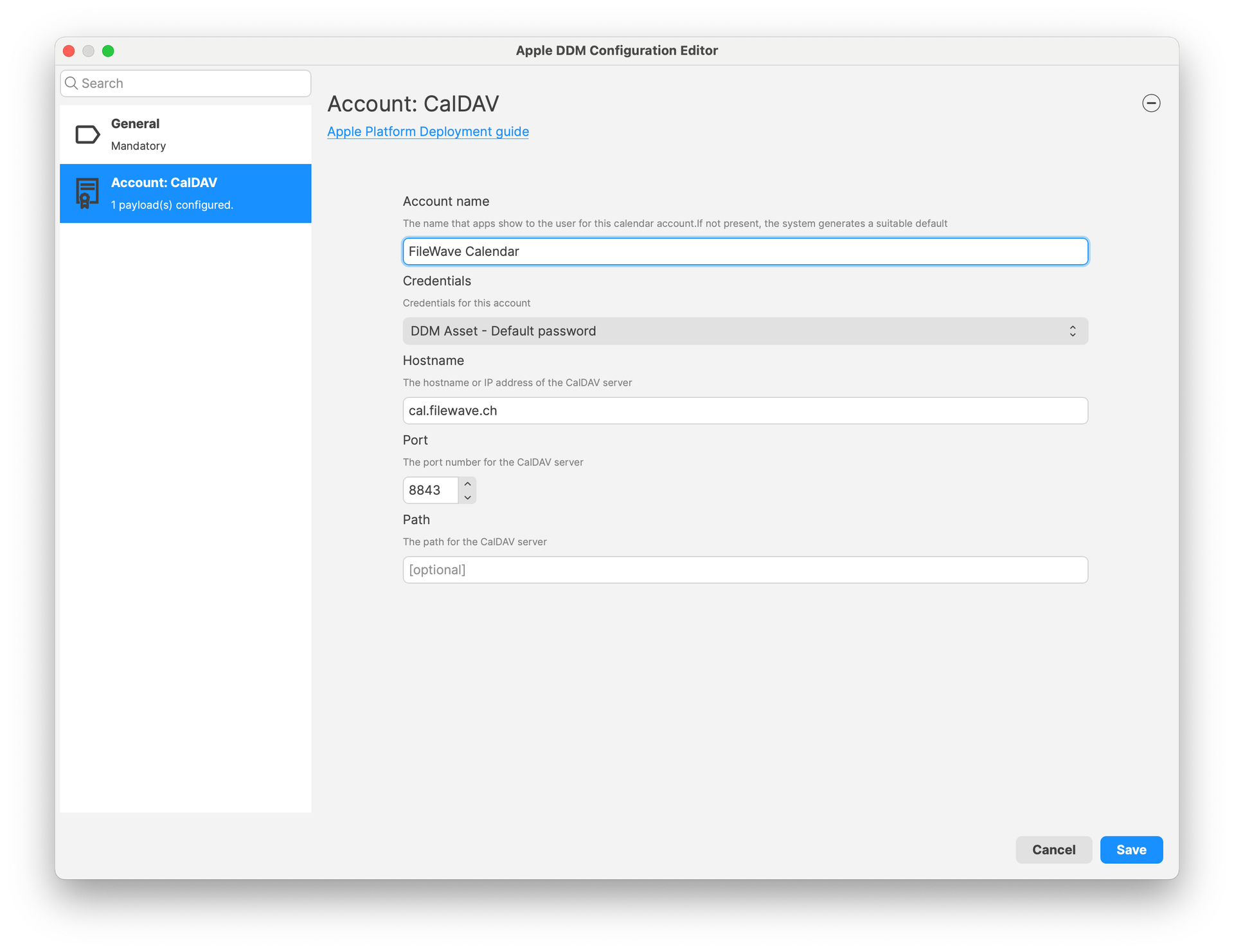
Passcode settings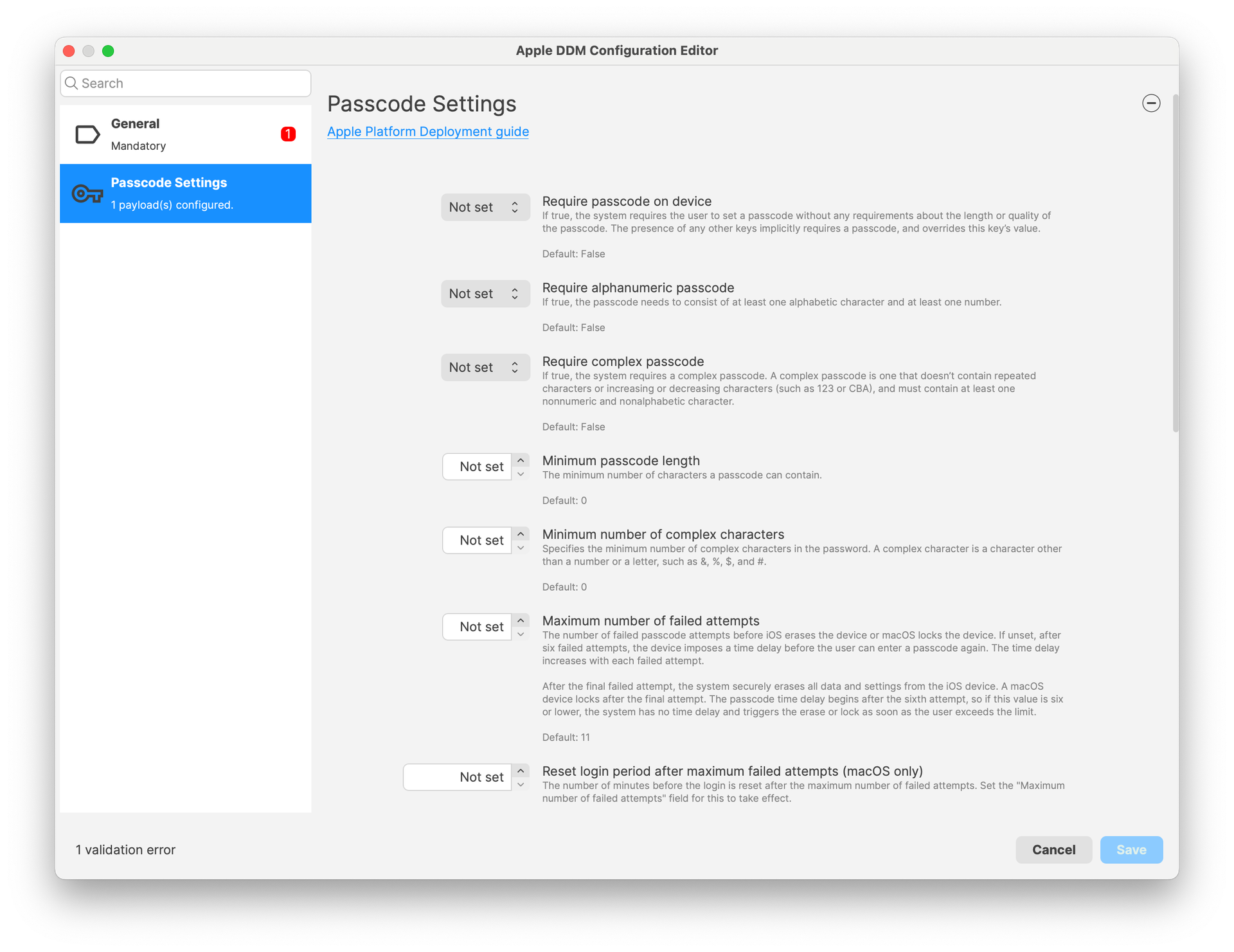
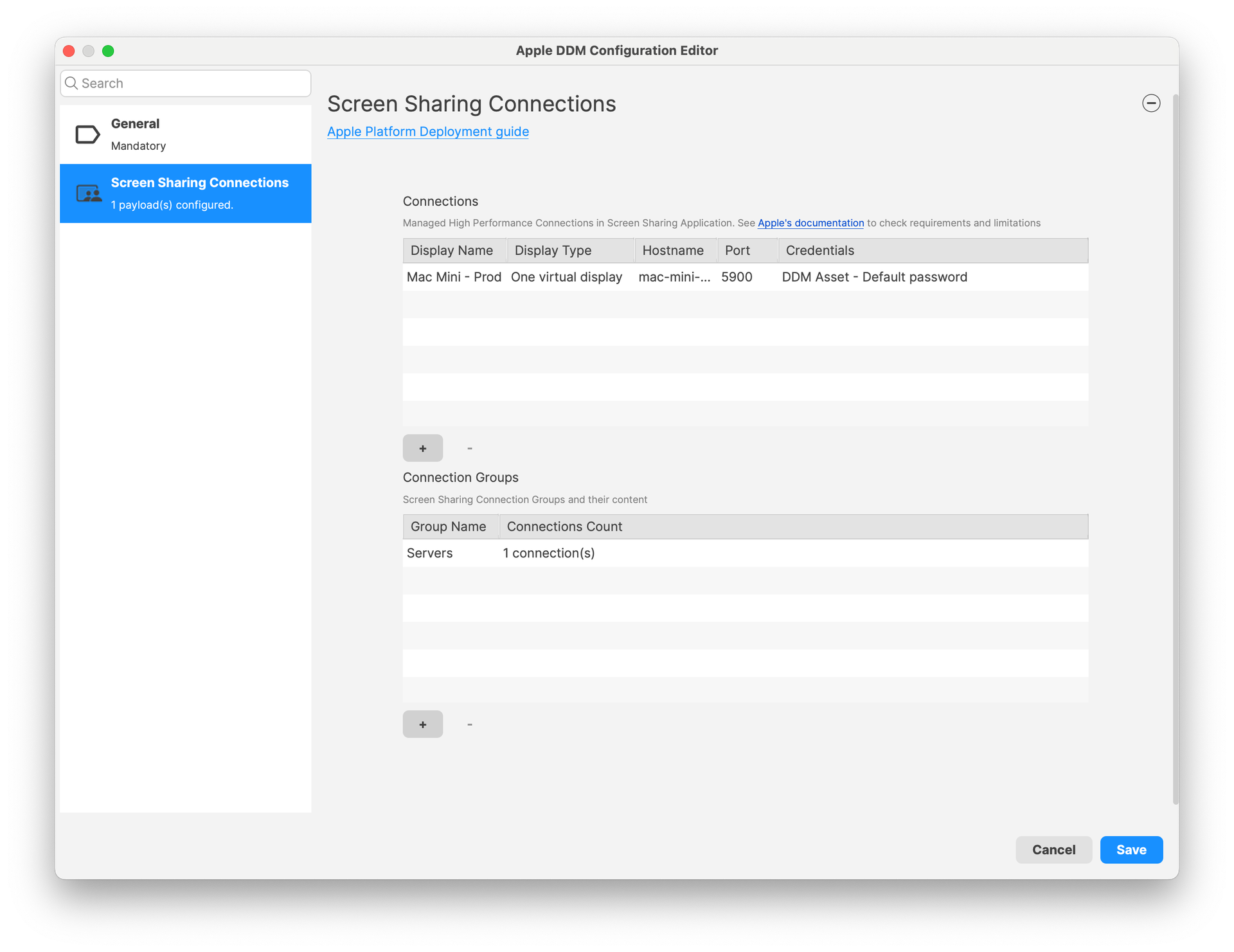
Screen Sharing application settings (configures connections)
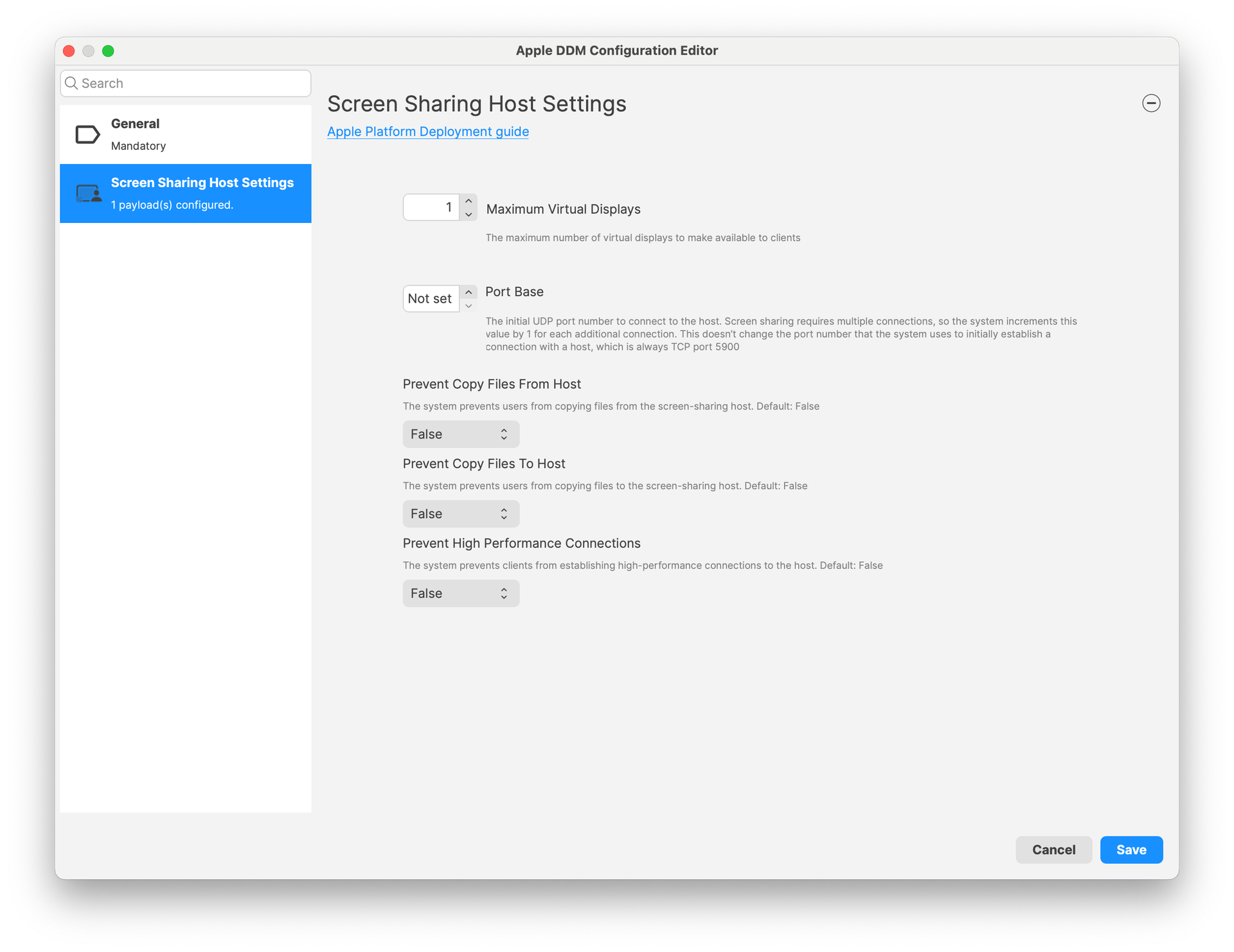
Screen Sharing host options
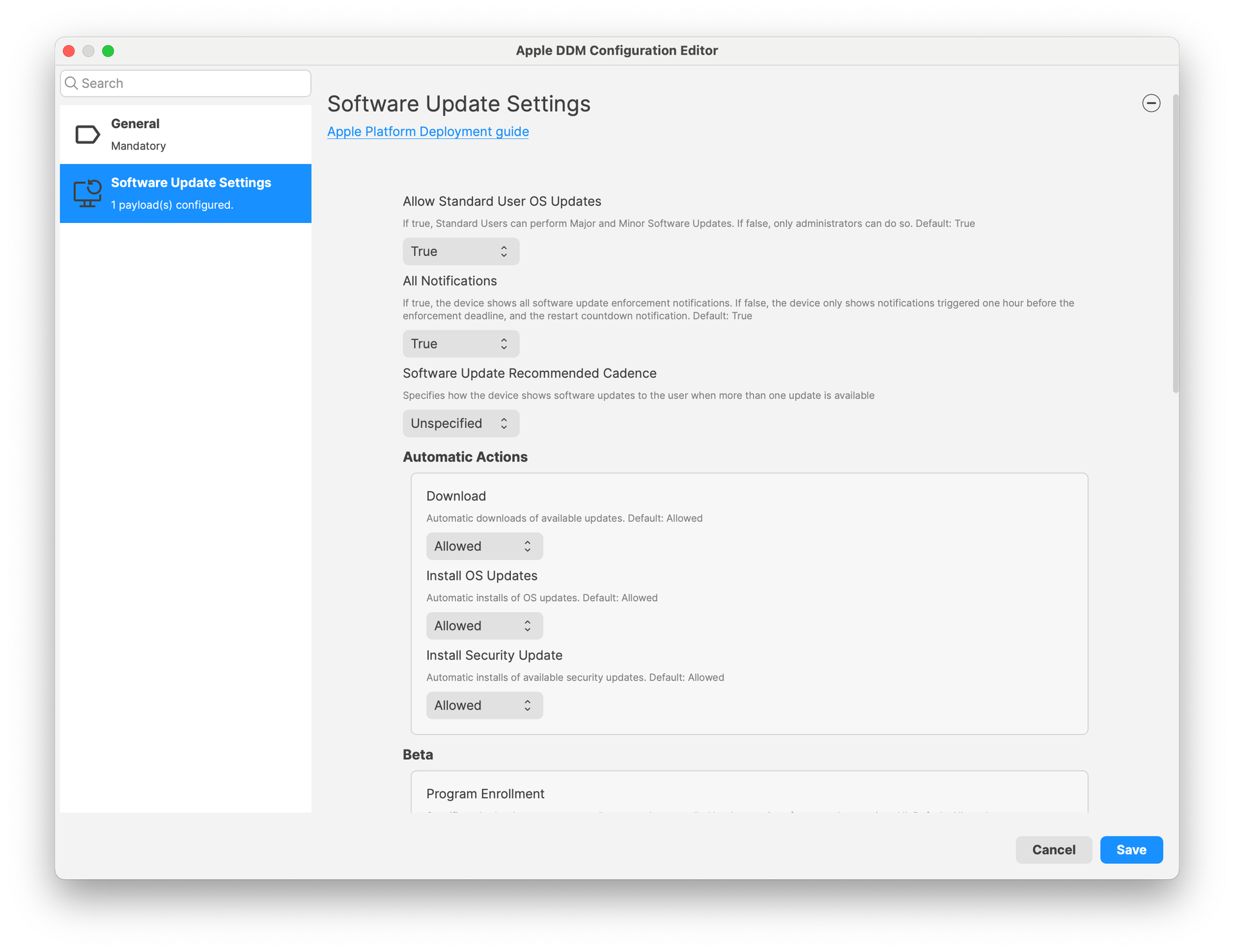
Software Update settings
More configurations will be added in future versions.
New or modified device management options:
Admin Password management (MDM Command - macOS): Adds the ability to change the admin password from FileWave Central, for devices enrolled via Automated Device Enrollment (DEP). The admin account must have been created during enrollment using DEP profile options.
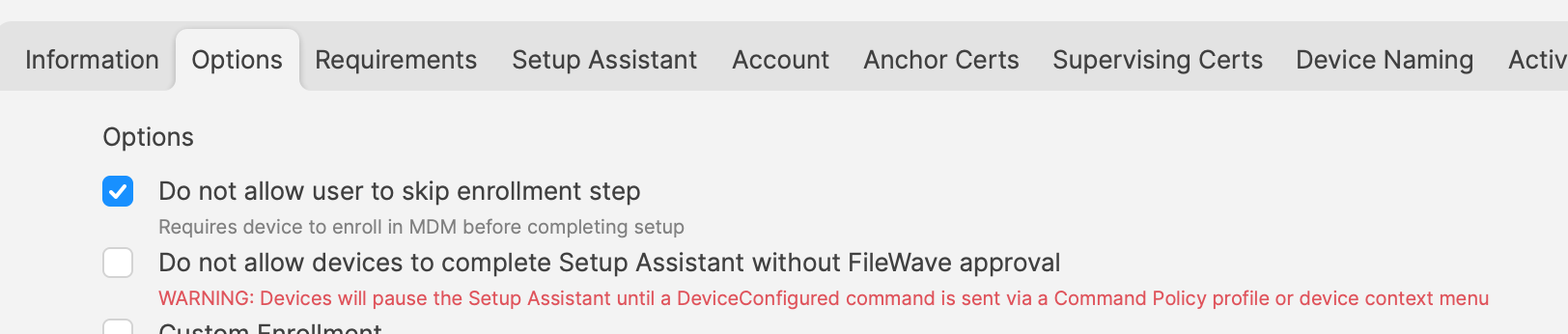
Control Await Configuration state (DEP enrolled devices): When enrolled via DEP, devices are in a specific mode where the user is not allowed to interact with the device, which will stay in this state until configuration is over. By default, FileWave releases the device as soon as possible to shorten initial setup times. FileWave 15.5 now allows controlling when the device is released:
DEP profile has a new setting to not automatically release the device from the state
it is possible to send the Device Configured command either manually (context menu) or via Command Policy fileset.
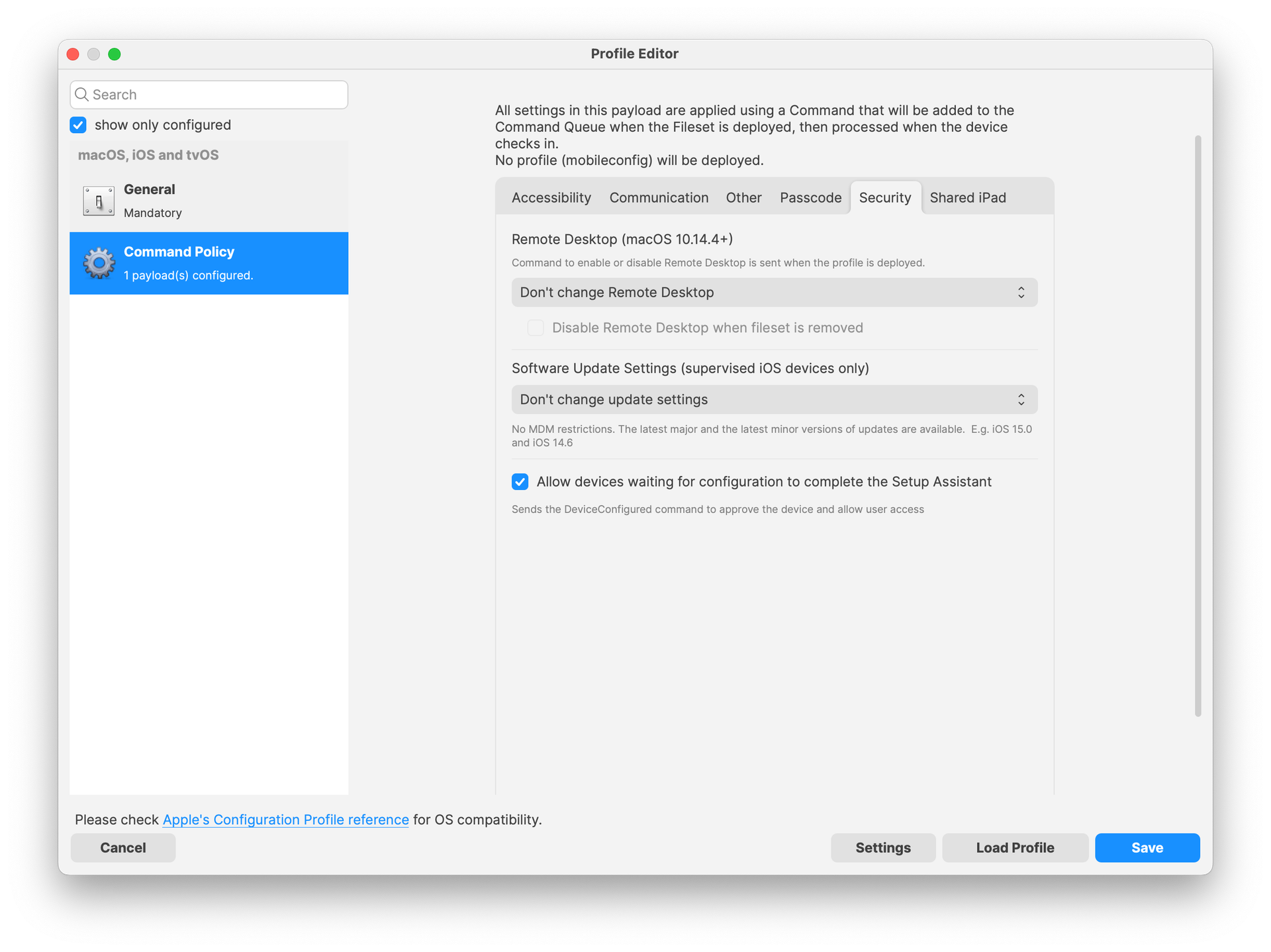
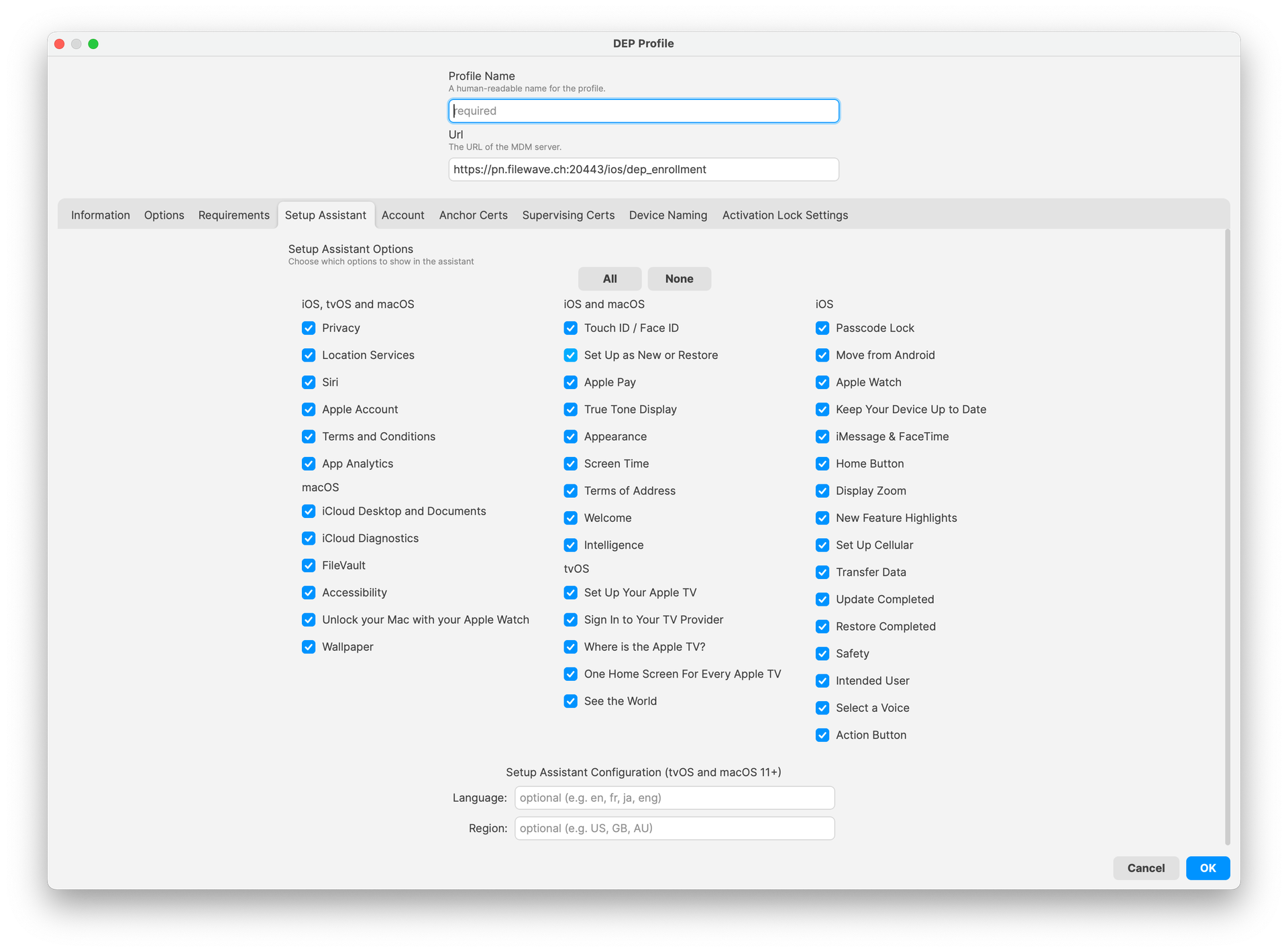
DEP skip keys: The following skip keys have been added to DEP profile (together with Setup Assistant Profile):
Action Button
Apple Intelligence
Voice Selection
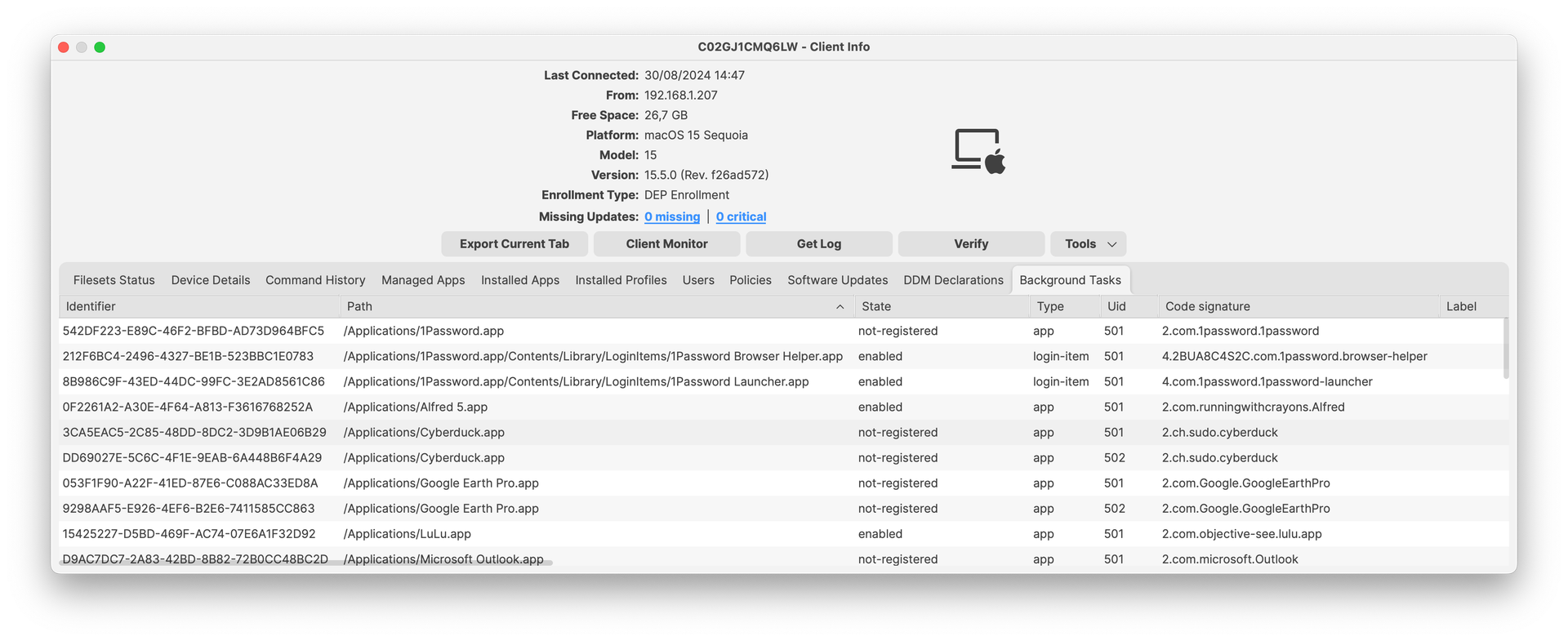
iOS application installed on Apple Silicon mac devices: iOS application filesets can now be associated to macOS devices ; if both application and device are compatible, application will be installed, as long as a license is available.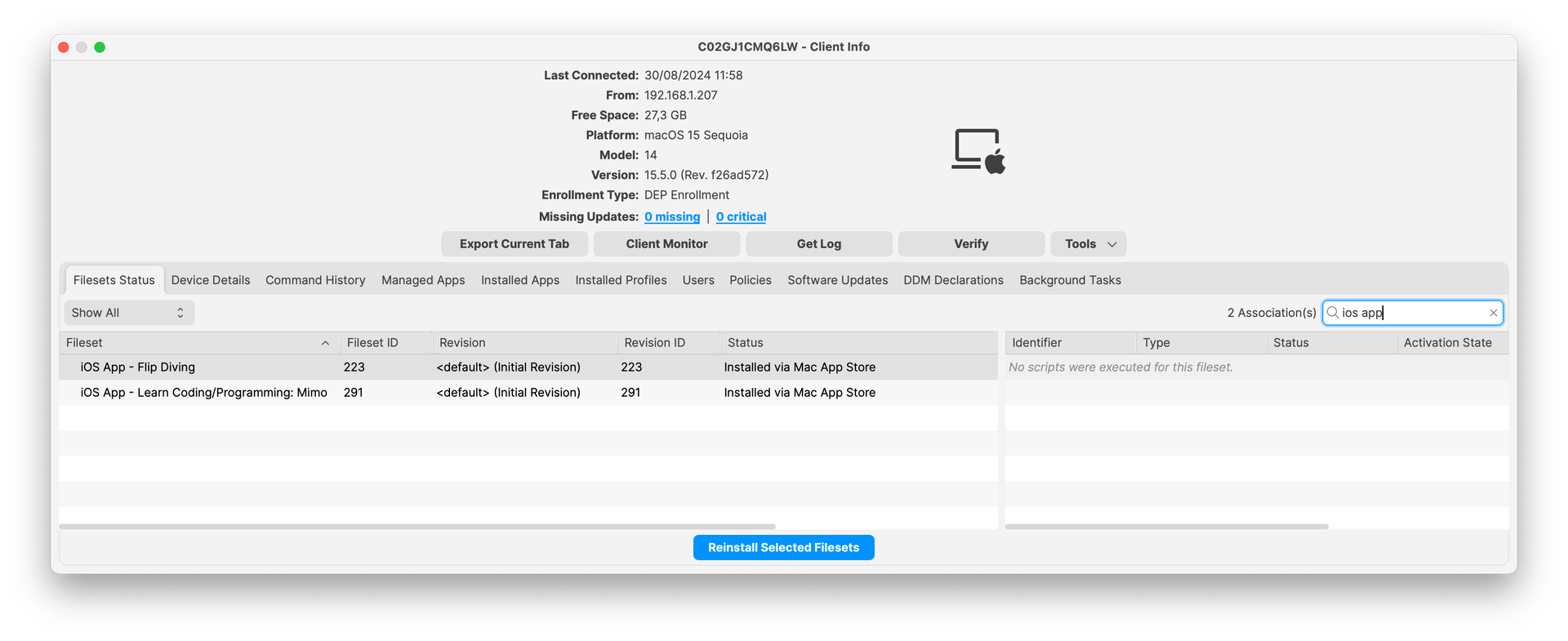 Service Background (DDM status - macOS): Background tasks based on a launch daemon are now reported in Inventory for macOS devices supporting DDM.
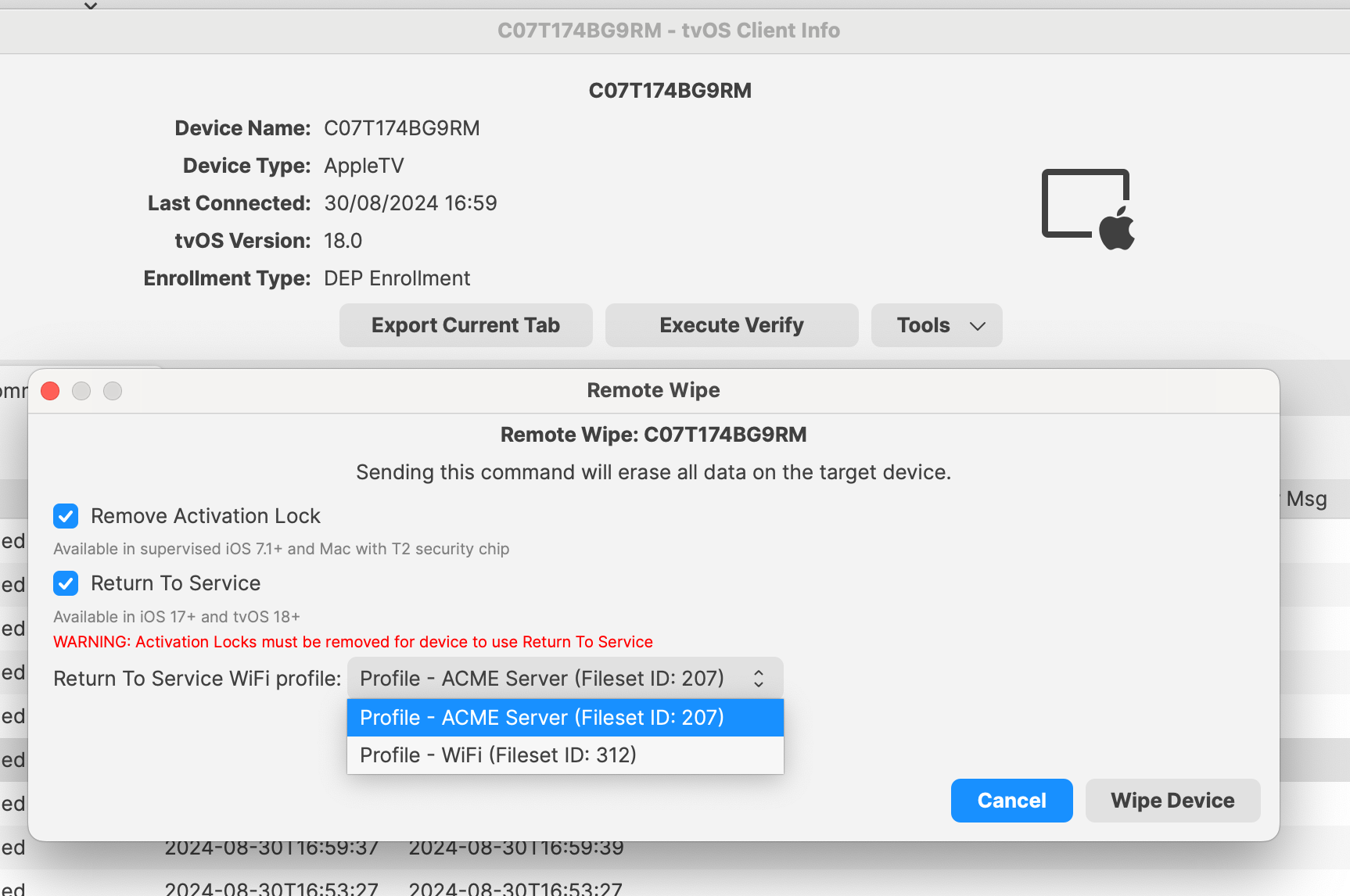
Return to Service (RTS) for Apple TVs: Return to Service options are now available for Apple TVs (tvOS 18+) ; this allows Wi-Fi only Apple TVs to have zero-touch wipe and re-enroll process.
Account Driven Enrollment: For iOS/iPadOS devices, supports new BYOD workflow based on Apple Account Driven Enrollment.
Chromebook-Specific Changes
Chrome Extension: New version is available with 15.5 release. Extension is needed for Notifications to function properly and also contains several issues fixed. The extension should automatically update on clients.
Chrome Management in FileWave Anywhere: Verify option is now available in FileWave Anywhere for single and bulk devices action. It is also supported as a bulk action for different platforms (i.e mac and chrome). Note: “Modify Chromebook” permission is not needed to preform Verify action.
Android-Specific Changes
Android Lost Mode: EMM devices which are in “Missing” device state will now use Android Lost Mode mechanism. As Android Lost mode allows the end user to exit lost mode by entering device passcode, FileWave will then report in inventory the current state and the expected state. It is also possible to “Play Lost Mode Alert” on lost devices.
Windows-Specific Changes
64-bit client for Windows
FileWave relies on several opensource components - you can find exhaustive list on each download page. Keeping these components up to date is mandatory for both security reasons and for better features. Starting with version 15.5, FileWave uses now Qt 6, which is running only on 64-bit operating systems. FileWave 15.5 can’t run on Windows 32-bit edition anymore.
The change from 32-bit to 64-bit executable on Windows has an impact on how filesets are delivered:
To facilitate the transition to the 64-bit platform, Microsoft added silent, automatic redirection. When a 32-bit program tries to access c:\Program Files\, Windows automatically redirects file system calls to C:\Program Files (x86) ; this allows legacy program to work smoothly on both platforms. This redirection applies in several concepts and is documented by Microsoft in the WOW64 (Windows On Windows 64) page.
As FileWave Agent (fwcld) 15.4 is a 32-bit application, it is impacted by the silent redirect from Windows ; files deployed using FileWave may then be deployed in a different location. A Fileset property setting allows to control wether redirection mechanism should be disabled or not.
Starting with FileWave 15.5, filesets can be configured as 32-bit or 64-bit:

This has an impact on:
To facilitate migration:
As 64-bit applications are located in c:\Program Files instead of c:\Program Files (x86), if you have scripts calling fwcld.exe to manage "Command Line" custom fields will need to be updated to use the new path.
Firewall Script for Client Monitor
If you use Client Monitor with Windows clients then you've deployed some version of the firewall script from the KB. With the move to 64bit Windows there is a change in location for the executable used in the firewall rule. The normal Client Update Fileset will add the new rule without you needing to do anything. Read More...
Windows Client Upgrade Fileset
We have further enhanced the Windows Client Upgrade Fileset to try to account for additional scenarios that could lead to a failed upgrade. The updates include trimming a log file that could grow to be too large and enhancements to how the scheduled task is created and executed that performs the actual upgrade.
FileWave Windows Imaging (IVS)
FileWave Windows Imaging solution relies on PXE Boot, which delivers a tiny Linux image containing all required components to run the imaging process. Compatibility with different hardware depends on how the tiny linux image is built - mainly which Linux kernel version and embedded packages and modules.
FileWave Kiosk
Company Information
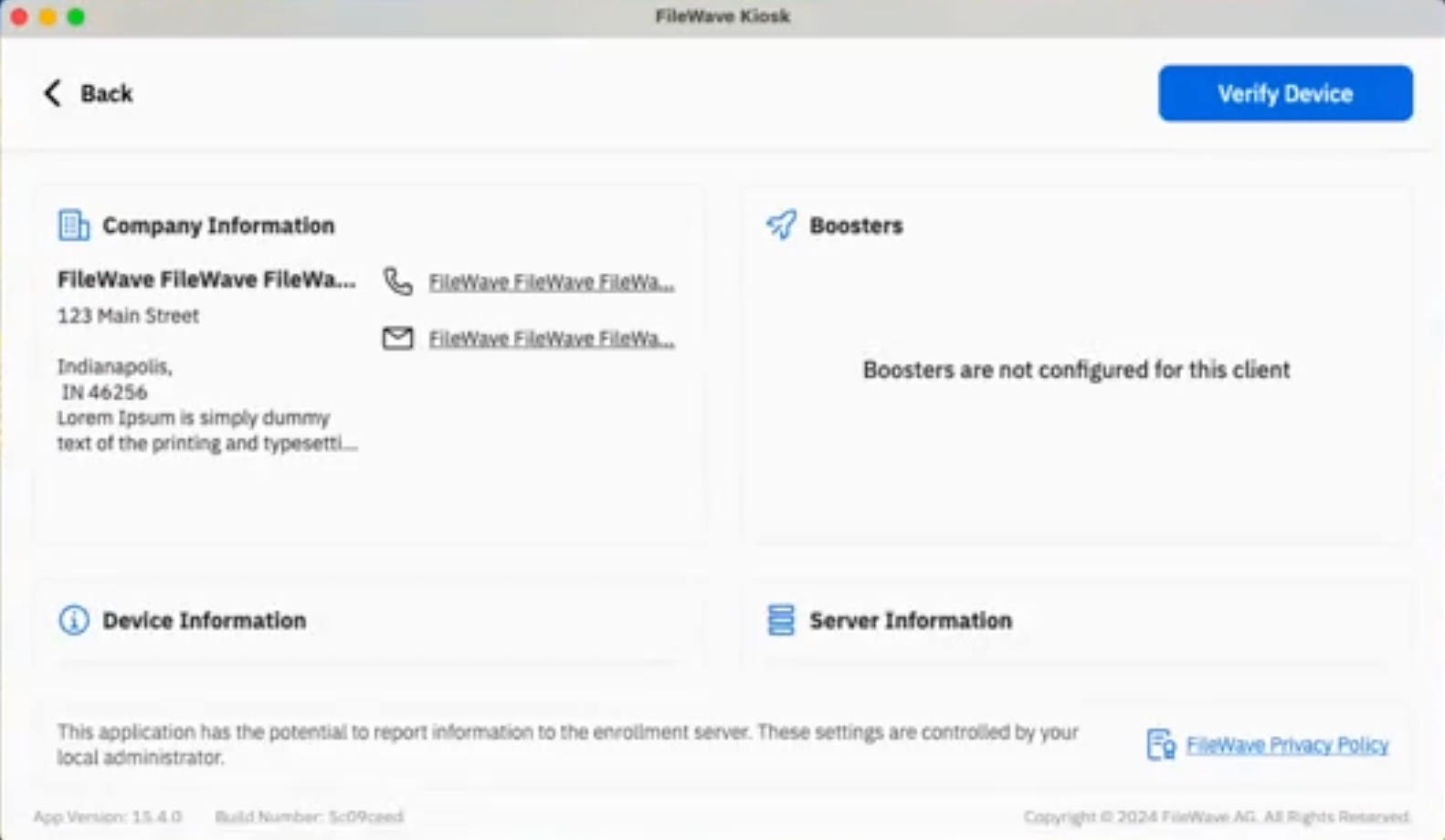
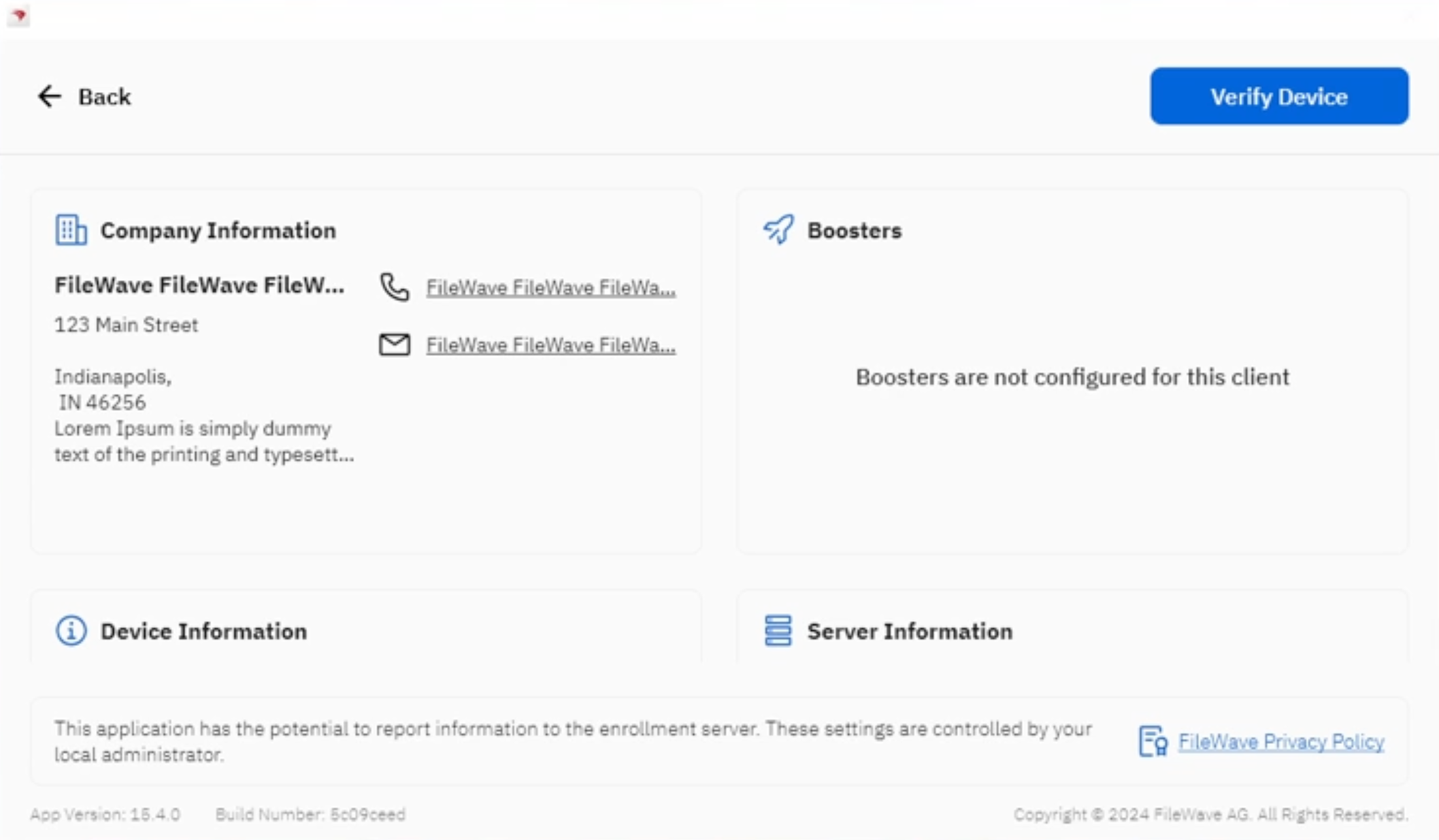
With 15.4.0 - Company information are now available in Desktop versions of the Kiosk (macOS, Windows):
Reinstall and Go To App Store actions
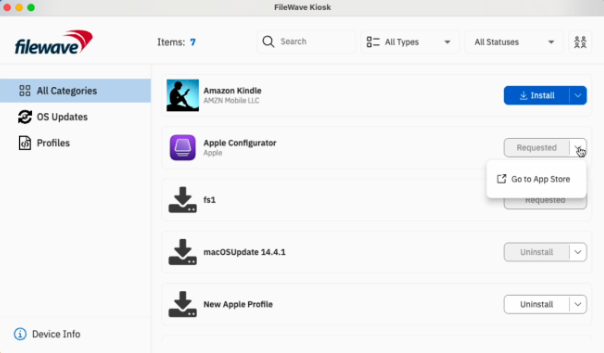
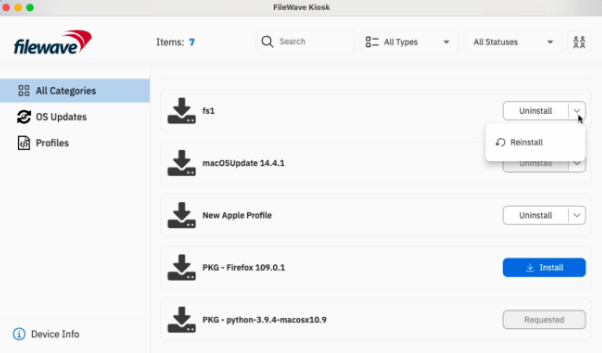
Reinstall and Go To App Store actions have been added in Fileset Details and Browse Filesets views:
Go To App Store button is visible for all VPP filesets.
Reinstall button is visible for non-VPP filesets in the following scenarios:
If the fileset is already installed.
If the installation of the fileset failed.
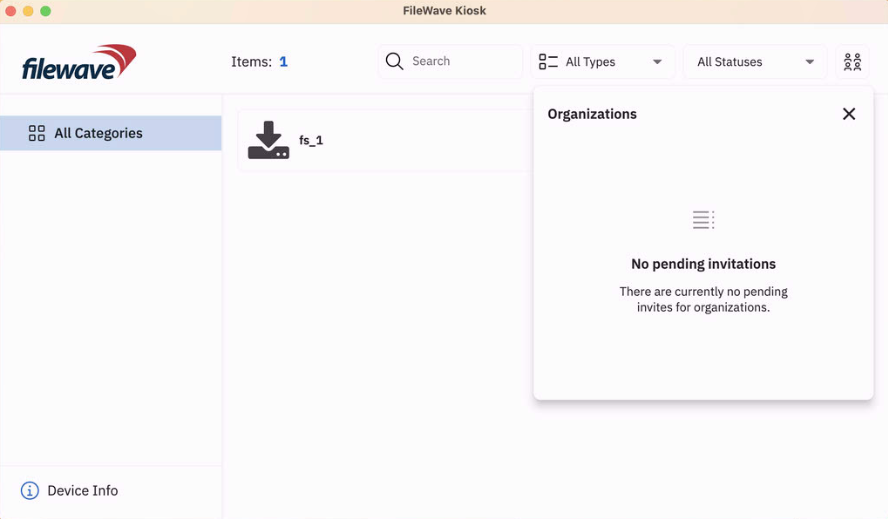
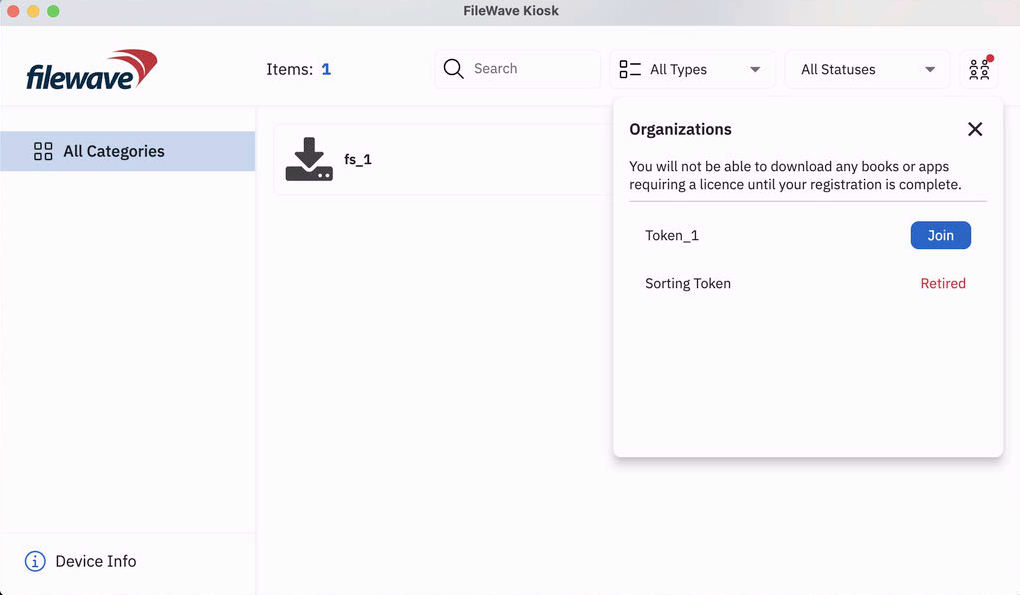
New design for Join Organization modal
New organization modal is showing both active and retired VPP invites. Red indicator is shown only if the action is required (pending organization(s) to join).
Deprecated Features
The following features have been deprecated from FileWave 15.5.0. They are present but will be removed in a future release:
We encourage you to provide product feedback if you have any concerns: FileWave Product Management
Decommissioned Features
The following features have been removed from FileWave 15.5.0:
While it was not possible to create new MCX (Workgroup Manager) Fileset since FileWave 7.0, it was still possible to import and edit MCX configurations from 2013 and before. As MCX and Workgroup Manager has been made deprecated by Apple for 10 years, support has been removed from FileWave 15.5.
The following features were removed from FileWave 15.4.0 and are worth mentioning again due to being major changes:
Google FCM Deprecation Support:
Enable (if are not already enabled) the following API to manage ChromeOS on FileWave:
Firebase Cloud Messaging API
Firebase Management API
More...Changes and Fixes in 15.5.1
Changes and Fixes in 15.5.1
Bug fixes:
Fixes in 15.5.0:
Fixes in 15.4.3:
Included Open Source Software
Click here for the extensive list of Open Source Software included in the FileWave products.
Upgrading Your Environment
macOS Downloads
 macOS Upgrade Fileset (md5: 3248583970caad8e85871081533ee198)
macOS Admin (md5: fa07a9b2d5bd80557727f423e30f90b4)
macOS Booster (md5: 81ffaa06de0662ff4b6eccf6ab58020f)
macOS Server (md5: c0f1f77856b34752e8bf956d076c5e4b)
Remember that to upgrade macOS FileWave clients you should use the Upgrade Fileset. Never deploy the macOS Client installer from https://custom.filewave.com to an existing device. It is intended for new installs.
Windows Downloads

Windows Upgrade Fileset (md5: 6b8be5bb4aa7b49e620e436b0e34b90d)
Windows Admin (md5: 0888f119ead03619ebbba7f4622dd503)
Windows Booster (md5: d5ab85c6991b7929e6fc2e1690b91751)
Remember that to upgrade Windows FileWave clients you should use the Upgrade Fileset. Never deploy the Windows Client installer from https://custom.filewave.com to an existing device. It is intended for new installs.

Chrome Extension
 The FileWave Inventory extension for Chromebook has to be installed via the Google Admin Console for your domain. Please see Quickstart Guide for Chromebooks for detailed instructions
Debian Linux Downloads

Debian Linux Server (md5: 3b10d63df0d7c9592502c60b398e5458)
Debian Linux Booster (md5: 512302baf6d352afdceca6ac264e4bf3)
Debian Linux IVS: FileWave Admin (md5: 3e9a566f885a02b2f00516589c9f7cd2)
Debian Linux IVS: FileWave Imaging Client (md5: 3933b6b2306a8147d854d8eee4cf713b)
Debian Linux IVS: IVS Kernel (md5: 75e0d74a28d1bf7b2ea6372d9e0170f0)
Debian Linux IVS: FileWave IVS (md5: e079ab71c4ef957386fec878eb9a09a0)
For any of the below upgrades you would want to console or SSH to your Server/Booster/IVS and then run the command listed to upgrade the relevant component.
If you are using a FileWave appliance that before 15.4.0 the SSH access was with the user "root" and for any appliance setup from 15.4.0 or later the user is "fwadmin" and you would have been forced to set the password on first login.
Upgrading the FileWave Server
To install or upgrade the FileWave Server, use the following :
curl -fsSL https://kb.filewave.com/attachments/411 | sudo bash -s -- -v 15.5.0 -r 1 -p -yUpgrading a Booster
To install or upgrade the FileWave Booster, use the following or Booster Auto-Upgrade :
curl -fsSL https://kb.filewave.com/attachments/412 | sudo bash -s -- -v 15.5.0 -r 1 -p -yUpgrading a IVS
To upgrade the FileWave IVS, use the following:
curl -fsSL https://kb.filewave.com/attachments/408 | sudo bash -s -- -v 15.5.0 -r 1 -p -yVirtual Appliance Downloads

OVA Images
These three images are OVA images suitable for VMWare or other systems that use OVAs:
VMware and VirtualBox (OVA) Server Appliance (md5: 04ca58d741d4943b5c1eaa61dee3bd9b)
VMware and VirtualBox (OVA) Booster Appliance (md5: a60eed781b80c56755040f4d4ea1ae7d)
VMware and VirtualBox (OVA) Imaging Appliance (md5: fcc38d772cdf1e862ccf089a05be6d35)
 HyperV Images
These three images are Hyper-V images suitable for Microsoft Hyper-V (Gen 1):
Hyper-V (VHD) Server Appliance (md5: 832be21c369d082e75c2852d7449afb3)
Hyper-V (VHD) Booster Appliance (md5: bf93cd727614a28b9cb926abd79158fa)
Hyper-V (VHD) Imaging Appliance (md5: a0d2541405914c84e5b38b82771b7773)
These three images are Hyper-V images suitable for Microsoft Hyper-V (Gen 2):
Hyper-V (VHD) Server Appliance (md5: a59de4edb35a65505d8383ab6d4c1ca8)
Hyper-V (VHD) Booster Appliance (md5: c3f4e46d59e04b514c2829fee7255dc9)
Hyper-V (VHD) Imaging Appliance (md5: 0c34d4051526594c86ec38aee47347e6)
To get started with the FileWave Server appliance please see: 1. Installation and Setup | FileWave KB
For a Booster you would setup networking just like you do with Server and then: Booster Installation | FileWave KB
For more information about importing the IVS appliance please see: Importing FileWave Appliances

CentOS is EOL. You must Migrating your On-Premise FileWave Server to new Hardware to get to FileWave on Debian or consider our Cloud Hosting Product.
Unconfigured Client Installers
macOS and Windows
Please note that the below is only to be used when Support has identified that they are needed to fix an issue. Normally these Client packages are not used. Pushing the PKG or MSI below from FileWave can break a client.
macOS Client (md5: a20567dc69e94394f3a9d17f513c7b92)
Windows Client (md5: 037884b744e435348d55fe39fc45410f)