
Automatic VPP License Assignment for iOS/iPadOS BYOD
What
Device-based VPP license assignment is the preferred method for managed iOS and iPadOS devices because it does not depend on a user's Apple Account. Apple User Enrollment for BYOD cannot use device-based assignment, however, and some content such as Apple Books requires user assignment. FileWave's Automatic setting handles both cases: it uses device-based assignment when the device and content support it, then falls back to user-based assignment when they do not.
When/Why
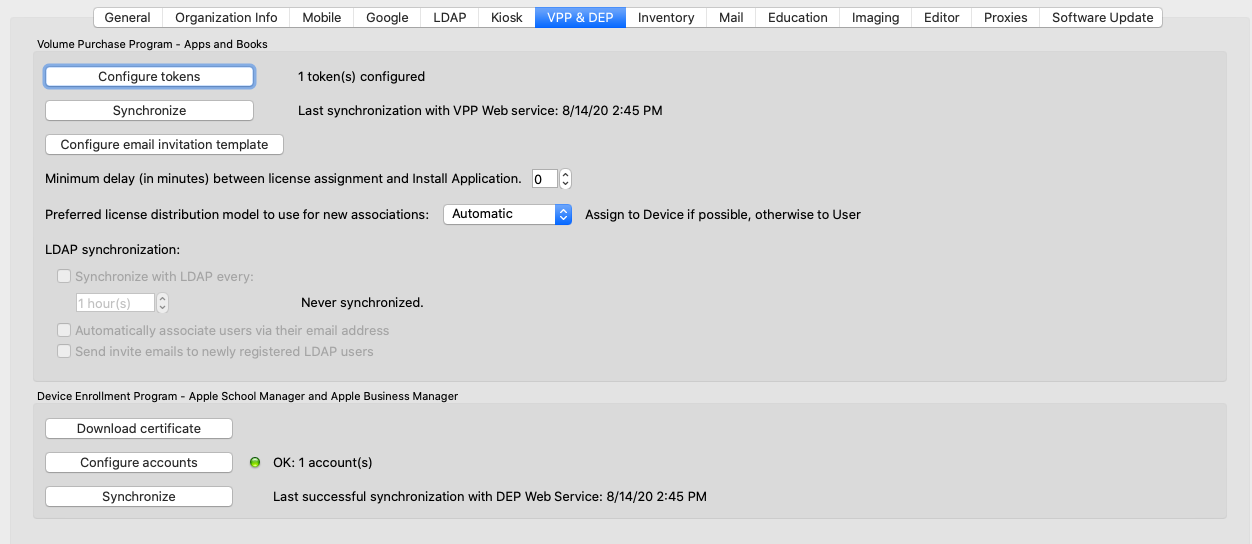
A VPP app association can assign its license to the device or the user. The VPP preference sets the default for new associations, while the license setting on an individual association can override that default. Select Automatic when you want new associations to choose the compatible assignment method. In FileWave Central 16.4 and later, open Preferences > VPP & ADE > Configuration > Show Advanced Settings in the Apps and Books section; see VPP and ADE Preferences for the current interface. The screenshot below shows the earlier single-pane layout.
You can override that default on an individual association:
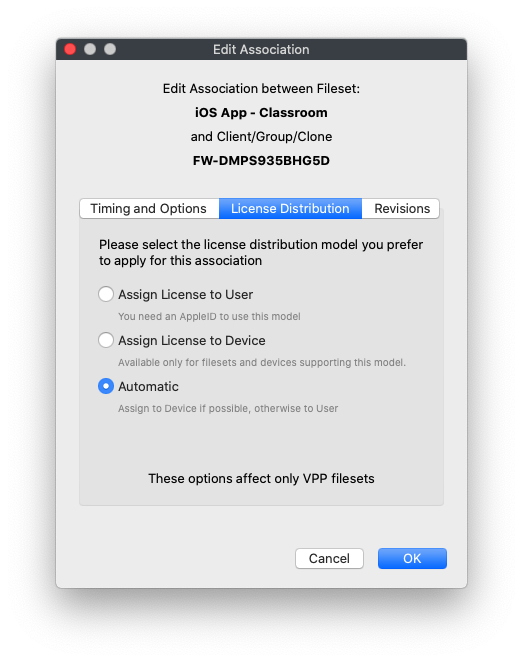
Automatic first tries device-based licensing. If the device or content cannot use that method, FileWave uses user-based assignment instead. For Apple User Enrollment, FileWave registers and associates the Apps and Books user on demand when targeted licensed content requires it; you do not need to pre-create and invite each licensing user. This does not replace the Managed Apple Account used for User Enrollment or the Apps and Books token and available licenses required for the content. Configure and synchronize the token using VPP and ADE Preferences before testing app delivery.
Automatic assignment also helps when you do not manage BYOD devices. Apps that support device-based licensing continue to use it. If you later associate an app that lacks device-based licensing or an Apple Book that requires a user, FileWave can use user assignment for that association without forcing you to remember a one-off setting change.
How
Changing the preference affects new associations. Existing associations keep their current license setting. If an Apple User Enrollment device receives a device-based association, the app can be associated but cannot install because that enrollment cannot use device-based licensing. Update applicable older associations to Automatic so FileWave can fall back to user assignment.
If many existing associations need the same change, use the Associations view to edit them in bulk.
No comments to display
No comments to display