
Imaging MAC Addresses (Pass-Through MAC Addresses)
What
For Windows imaging, FileWave can store a manually entered Imaging MAC Address separately from the MAC addresses the client reports through inventory. This matters when the imaging address belongs to a USB Ethernet adapter, or is a pass-through MAC address, and is not always active on the device. Keeping the imaging value separate prevents inventory updates from overwriting the address IVS should use.
When/Why
Some Windows devices expose a pass-through MAC address for USB Ethernet adapters. Instead of using the adapter's own MAC address, the adapter presents a device-specific address. This avoids many devices sharing the same adapter MAC address, but the pass-through address may not appear in FileWave inventory unless it is active during inventory reporting.
How
Use the editable "Imaging MAC Address" column in views that show clients, such as Clients, Imaging, and Associations. When you enter an Imaging MAC Address for a Windows client, FileWave stores it separately from "Serial/MAC". The value can be set in these cases:
- When a placeholder is created
- When a placeholder is imported from a text file
When "Imaging MAC Address" is set for an added client, the "Serial/MAC" column is unchanged. Because this field is used for Windows imaging, it does not create enrollment conflicts; serial/MAC enrollment conflicts apply to macOS.
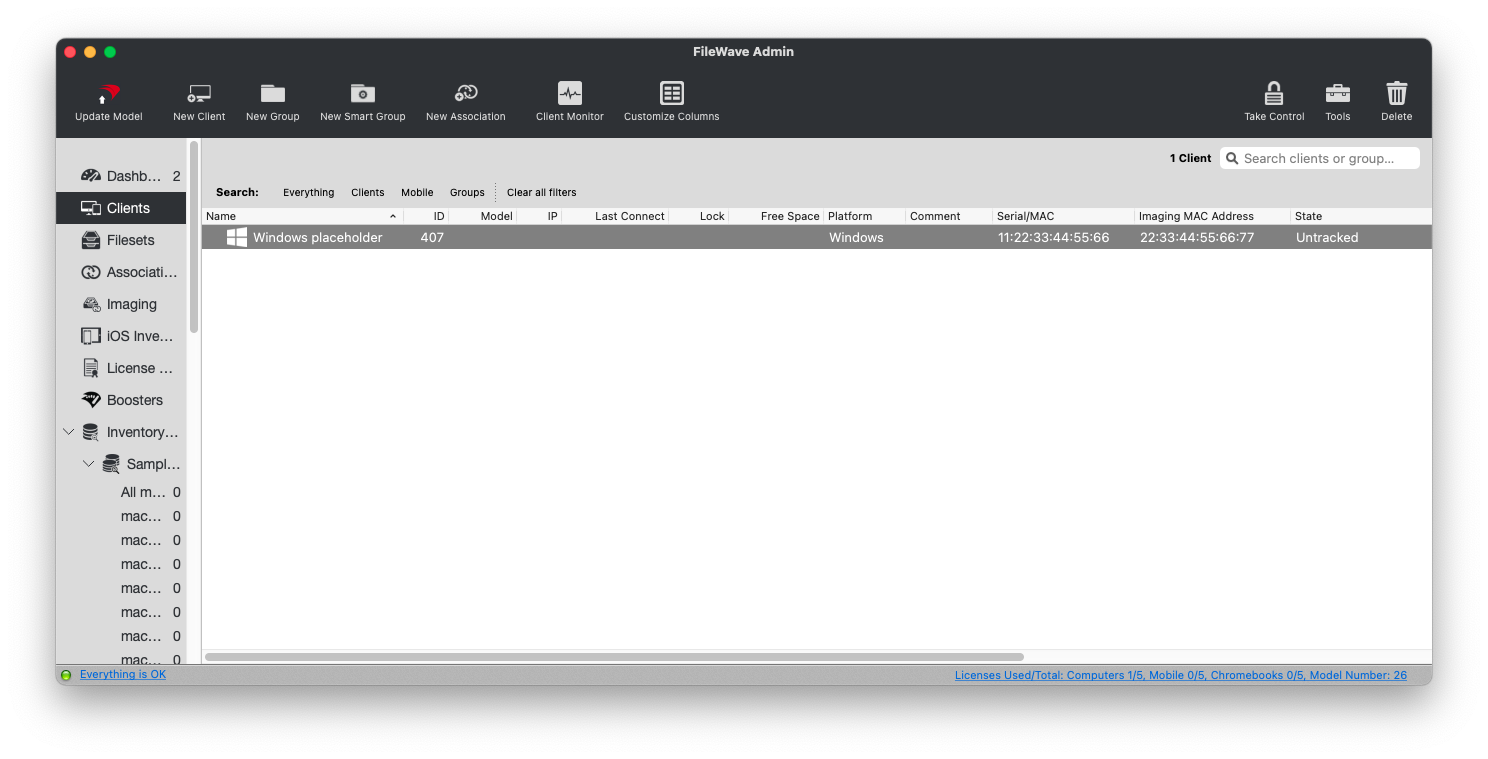
IVS recognizes Windows client MAC addresses reported to inventory and the manually specified Imaging MAC Address, if one exists.
You can also mass-import Imaging MAC Addresses with the import tool in the web admin console.
No comments to display
No comments to display