
Restrictions Profile: macOS System Settings and Control Center
What
On macOS 13 Ventura and later, System Preferences is named System Settings. Apple also introduced identifiers for individual System Settings extensions, including Control Center. This matters when a Restrictions payload limits which settings a user can open.
When/Why
Use this payload when you need to hide selected macOS settings without accidentally blocking unrelated settings. Older configurations controlled System Preferences with an allow list or deny list:
- Enabled
Preference Panes - Disabled
Preference Panes
For macOS 13 and later, Apple added a deny list for System Settings extensions:
- Disabled
System Settings
Apple marks this payload and these keys as deprecated, so check the current Apple device-management schema before building a new long-lived restriction:
When DisabledSystemSettings is present, macOS enables every System Settings extension that is not listed and ignores DisabledPreferencePanes and EnabledPreferencePanes. Control Center uses com.apple.ControlCenter-Settings.extension: include that identifier only when you intend to block Control Center.
How
The following older example uses an allow list of System Preferences panes:
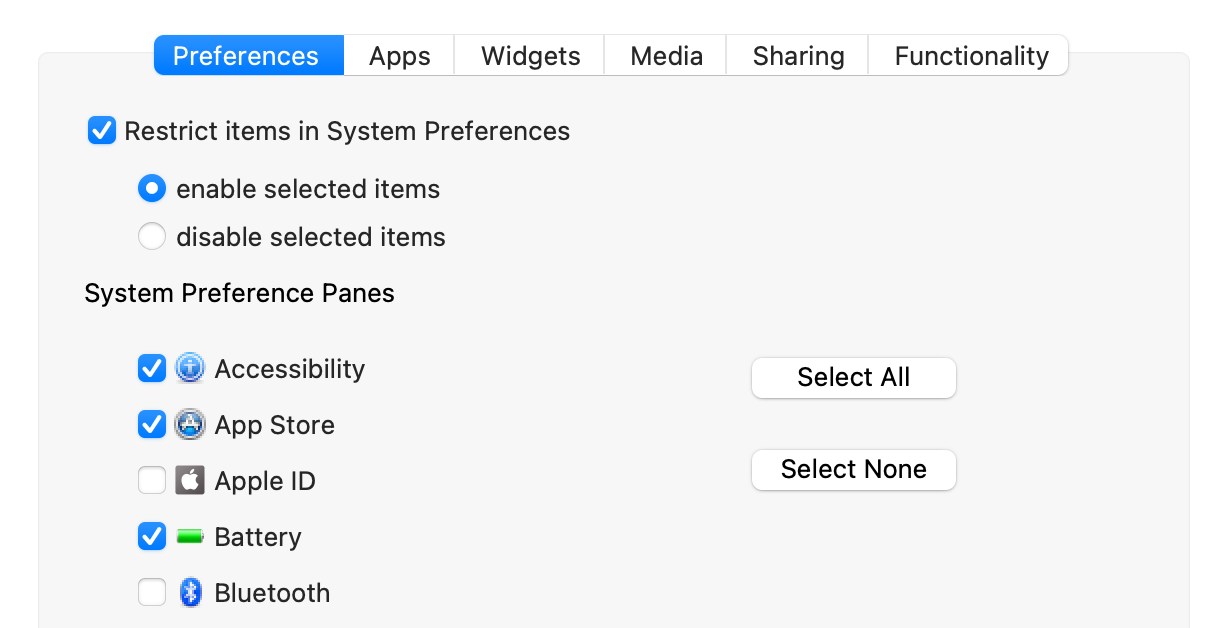
On macOS 13 or later, do not rely on this allow-list pattern to preserve access to Control Center. Use Disabled System Settings as a deny list instead, then select only the settings that users must not open.
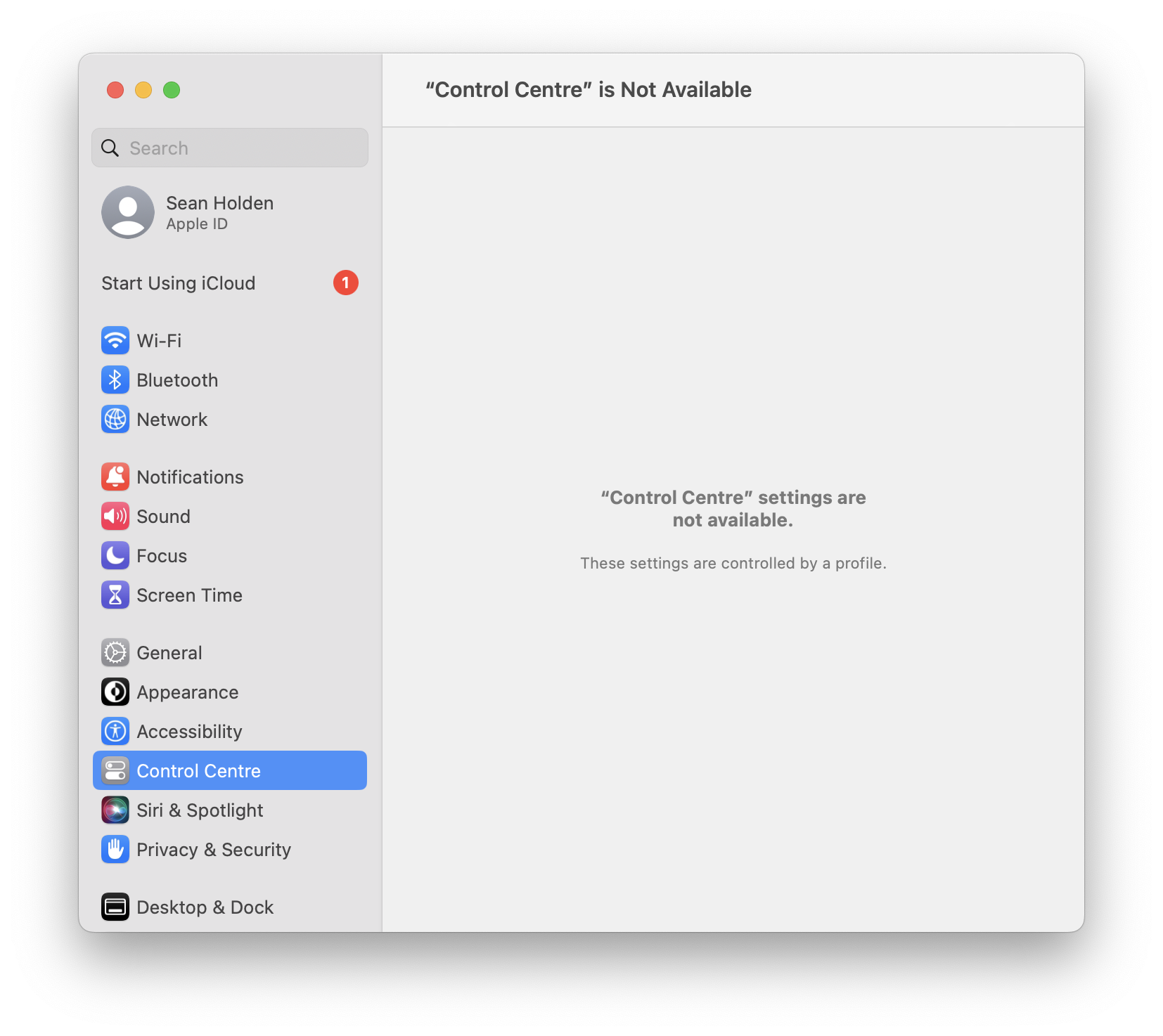
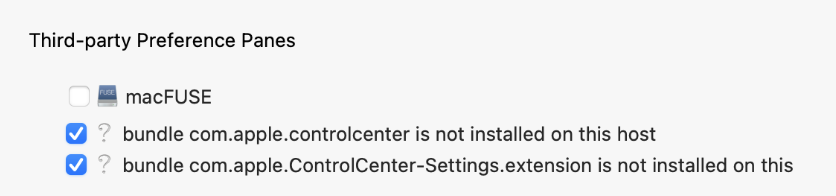
Do not add Control Center as a third-party preference pane. Use Apple's System Settings extension identifier instead.
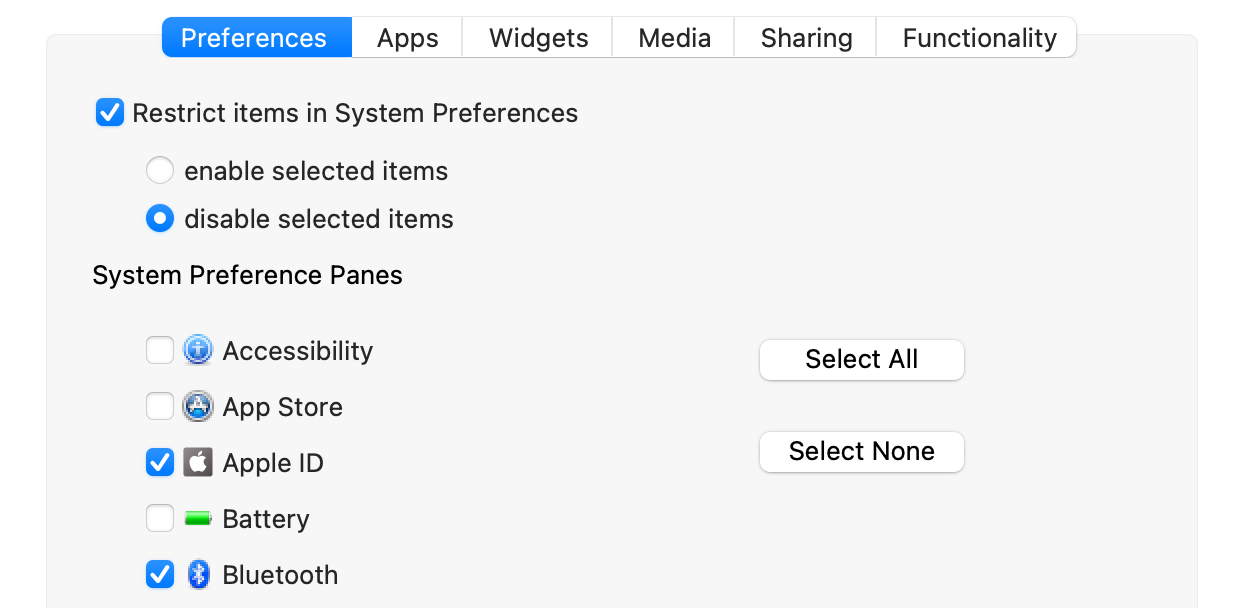
Reverse the older allow-list logic and configure only the settings you want to deny, as shown below. Deploy the profile to one pilot Mac first. Confirm that each intended setting is hidden, Control Center remains available unless you deliberately listed com.apple.ControlCenter-Settings.extension, and FileWave reports the profile as installed before expanding the Deployment.
No comments to display
No comments to display