
Alternate Browser Configuration on iOS/iPadOS
What
FileWave can direct iOS and iPadOS web links to a browser other than Safari in two ways: target a browser from a Web Clip URL, or set the device's default browser.
- Use a browser-specific URL scheme for selected Web Clips.
- Set and, when required, restrict the default browser on iOS and iPadOS 18.2 or later.
When/Why
Use a browser-specific Web Clip when only certain sites require another browser. Set the default browser when the organization's broader compatibility or security policy applies to all web links.
Where an alternate browser is targeted, that browser must already be installed on the device.
How
Web Clip URL
Match the URL scheme. Use the browser's HTTP or HTTPS prefix to match the destination, and test the completed link on a pilot device before broad deployment.
A Web Clip that uses a standard http:// or https:// URL opens in the user's current default browser. Safari remains the default unless it has been changed.
On a device where Safari is still the default browser, either of these URLs opens in Safari:
-
http://www.filewave.com https://www.filewave.com
Each browser has an identifier which may be set to force the Web Clip to open in that browser, including:
| Browser | Browser URL Prefix | Browser URL Secure Prefix |
| Google Chrome | googlechrome:// | googlechromes:// |
| Firefox | firefox://open-url?url=http:// | firefox://open-url?url=https:// |
| Microsoft Edge |
microsoft-edge-http:// |
microsoft-edge-https:// |
Example
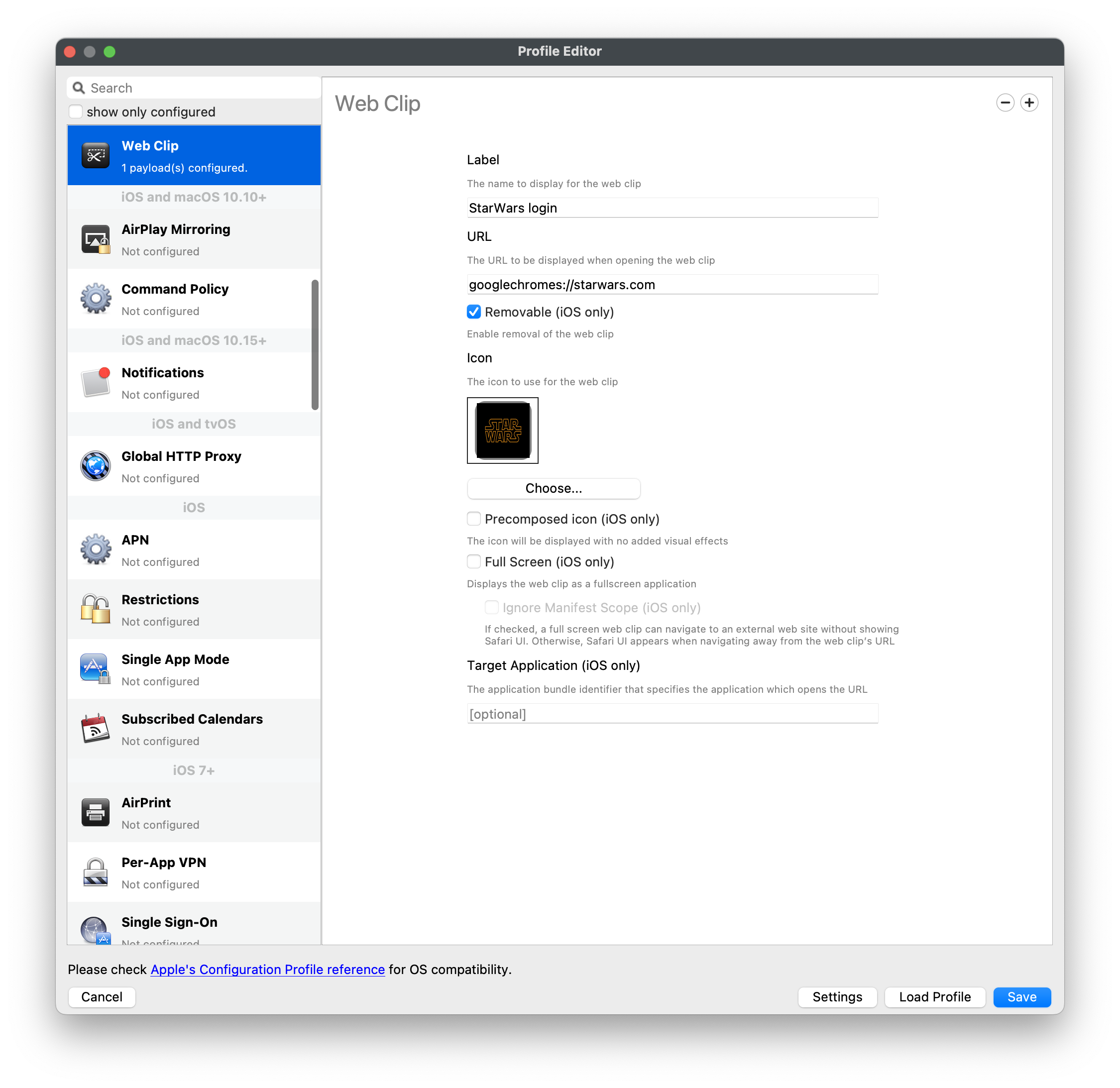
Imagine the Google Chrome web browser is the chosen target application for the Web Clip, either of the following should open using the Google Chrome browser:
googlechrome://www.filewave.comgooglechromes://www.filewave.com
Using the latter example, this is how this should look in the URL of the Profile Payload:
Force Default Browser
FileWave 16 adds an MDM command for setting the default browser on iOS and iPadOS 18.2 or later.
This is a command sent to devices:
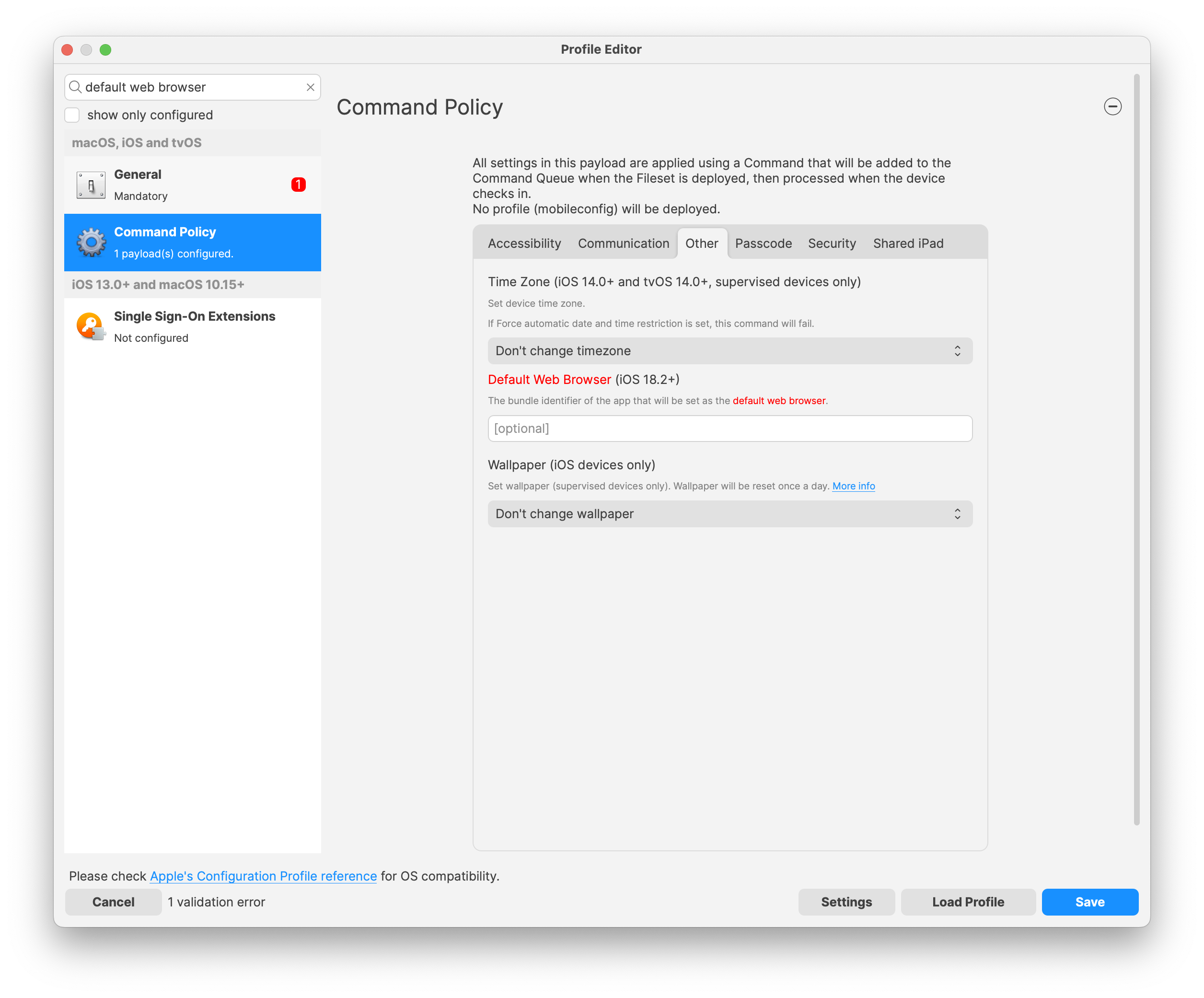
Enter the browser application's Bundle ID. Common examples include:
| Browser | Bundle ID |
|
Safari |
com.apple.mobilesafari |
| Firefox | org.mozilla.ios.Firefox |
| Opera | com.opera.OperaTouch |
| Microsoft Edge | com.microsoft.msedge |
| Google Chrome | com.google.chrome.ios |
| Brave | com.brave.ios.browser |
The command sets the default browser, but users can change that preference unless a Restrictions profile prevents default-browser modification. FileWave reapplies command policy during its 24-hour policy cycle:
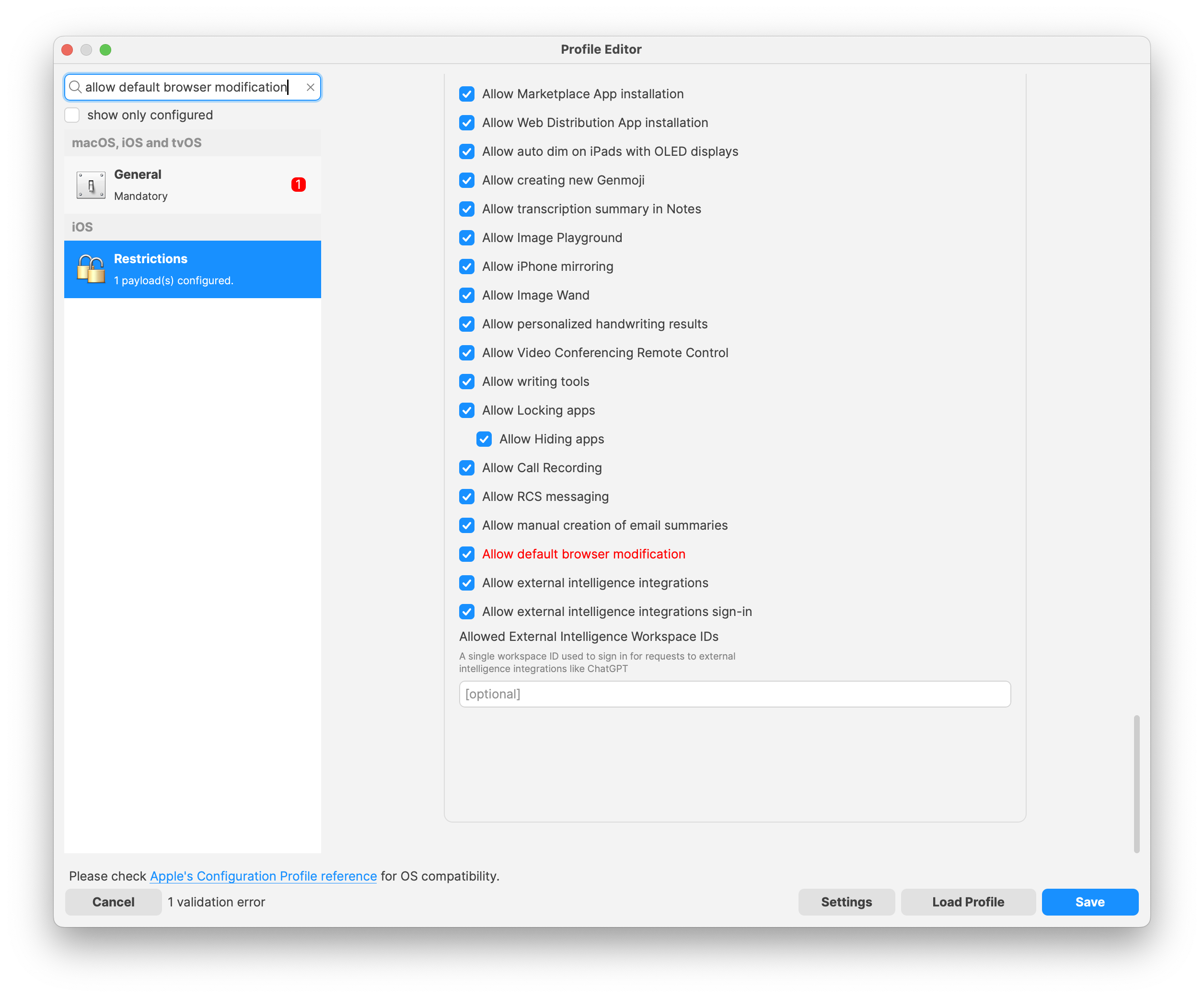
As per Apple's documentation, this restriction does not prevent the MDM command from setting an alternate browser:

No comments to display
No comments to display