
Access the FileWave Dashboard
Dashboard access requirements
A FileWave administrator account needs explicit permission to open the FileWave Dashboard.
Permission levels
Assign one of these Dashboard permission levels to each administrator:
- No Access
- Read-Only Access
- Read-Write Access
Configure the permission in the Manage Administrators Assistant. Use Read-Only Access for administrators who only need to view dashboards; grant Read-Write Access only when they need to create or change dashboard content.

Open the Dashboard
After the permission is assigned, open WebAdmin and choose Go To Dashboard:
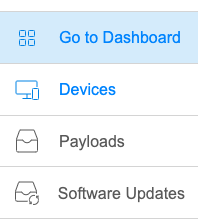
WebAdmin passes the established administrator session to the Dashboard, so a second sign-in is not required. Dashboard access is routed through WebAdmin and remains limited by the assigned permission level.
No comments to display
No comments to display