
Archiving Clients
Archive a client when you want to stop active management while keeping the device record and historical inventory in FileWave. Archived clients do not consume a FileWave license, are hidden from normal client views by default, and are removed from the active FileWave Model.
Archive is different from Delete. Delete removes the record from FileWave. Archive keeps the record as an inactive object that can be shown again or reinstated later.
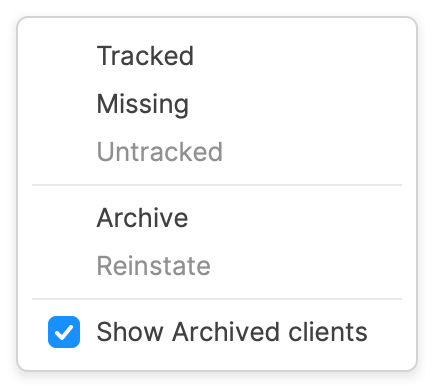
What Archive does
- Removes the client from the active FileWave Model.
- Stops normal model and inventory updates for the archived record.
- Hides the client from normal views unless archived clients are shown.
- Frees the FileWave client license used by that record.
- Keeps the record available for historical review or later reinstatement.
A Model Update is required after changing client state.
Before you archive
If the device should stop communicating with FileWave permanently, remove the active management path before or during the archive workflow.
- For Windows computers, deploy the uninstall Fileset before archiving. See Uninstall the FileWave Client on Windows.
- For macOS computers, deploy the uninstall Fileset or run the standalone uninstaller before archiving if the FileWave Client should be removed. See Uninstall the FileWave Client on macOS.
- For Apple MDM-enrolled devices, review the MDM enrollment behavior below before archiving.
- For Android or ChromeOS devices, use the platform-specific removal article instead of treating the device as a normal FileWave Client. See Removing Android Devices and Removing ChromeOS / Chromebook devices.
Reinstating an archived client
Enable Show Archived clients to find the retained record, then use Reinstate when that computer should return to active management. Run a Model Update after changing its state. Reinstating the record does not replace a removed FileWave Client or MDM enrollment profile: reinstall the Client if it was removed, and re-enroll the device if its MDM profile was removed. Device restrictions may require a wipe before re-enrollment; review the Apple MDM guidance below before proceeding.
Apple MDM enrollment
Before archiving an MDM-enrolled Apple device, review Remove MDM profile for devices removed from FileWave model in the Device un-enrollment section of FileWave Central preferences. The setting shown below controls whether removal is requested for applicable devices. The same section states that User Enrolled devices are always instructed to remove the MDM profile when removed from the model, so do not assume that clearing the checkbox preserves every enrollment.

After an MDM enrollment profile is removed, the device may no longer have a management channel to report success back to FileWave. Treat the command as a best-effort offboarding action and verify the device state separately.
For Automated Device Enrollment devices, Apple generally provides two supported ways to remove a non-removable enrollment profile: send the MDM command that removes the profile, or wipe the device. FileWave can trigger the MDM removal command through the archive workflow when the applicable setting and enrollment state allow it.
If MDM removal does not complete
If an Apple MDM profile is non-removable and the archive command did not reach the device, do not treat manual profile-file removal as a normal offboarding procedure. Wipe the device when appropriate, or contact FileWave Technical Support for guidance on the safest recovery path for that device.
If the goal is to repair a Mac that should still be managed but appears to have lost its MDM enrollment state, see Apple MDM Missing Enrolment Profile before using destructive recovery steps.
No comments to display
No comments to display