
FileWave Kiosk Displays Company Information
What
FileWave Kiosk / App Portal can display Company Information configured in FileWave Central. Use this to give users a consistent place to find your organization name, support contact details, address, or other help desk information from macOS, Windows, iOS, and iPadOS devices.
Where to configure it
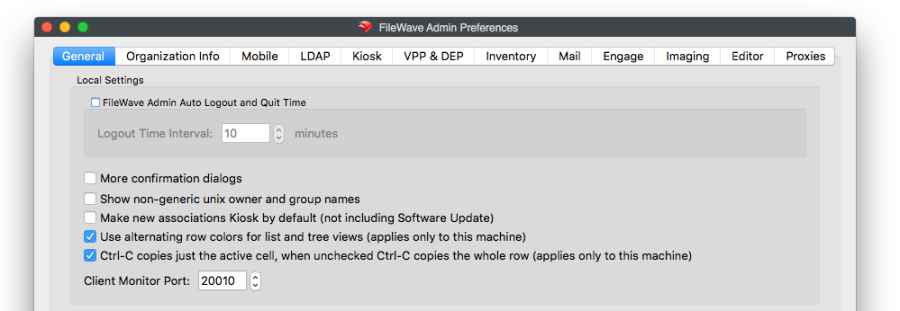
In FileWave Central, open Preferences and select the Organization Info tab. Update the organization details you want users to see in Kiosk / App Portal. These are shared organization details, not an individual device's name or enrollment information.
Use contact details intended for your users, such as the IT help desk's shared email address and phone number. Do not put passwords or private administrator notes in this end-user-visible information.
The older FileWave Admin screenshot below shows where the Organization Info tab is located, but General is selected. Select Organization Info to edit the company details.
What users see
macOS and Windows
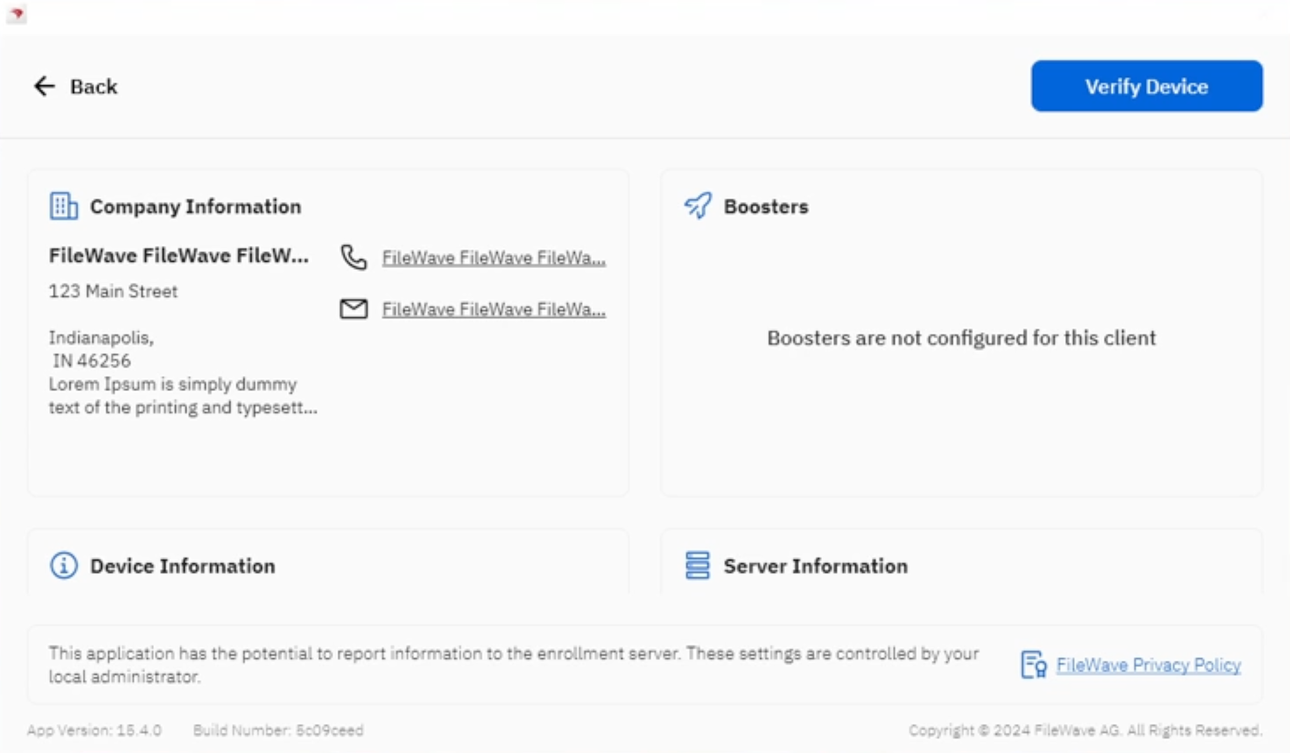
On macOS and Windows computers, open Kiosk / App Portal and select Device Info. The Company Information panel appears in the device information view, separately from the device, Server, and Booster details.
iOS and iPadOS
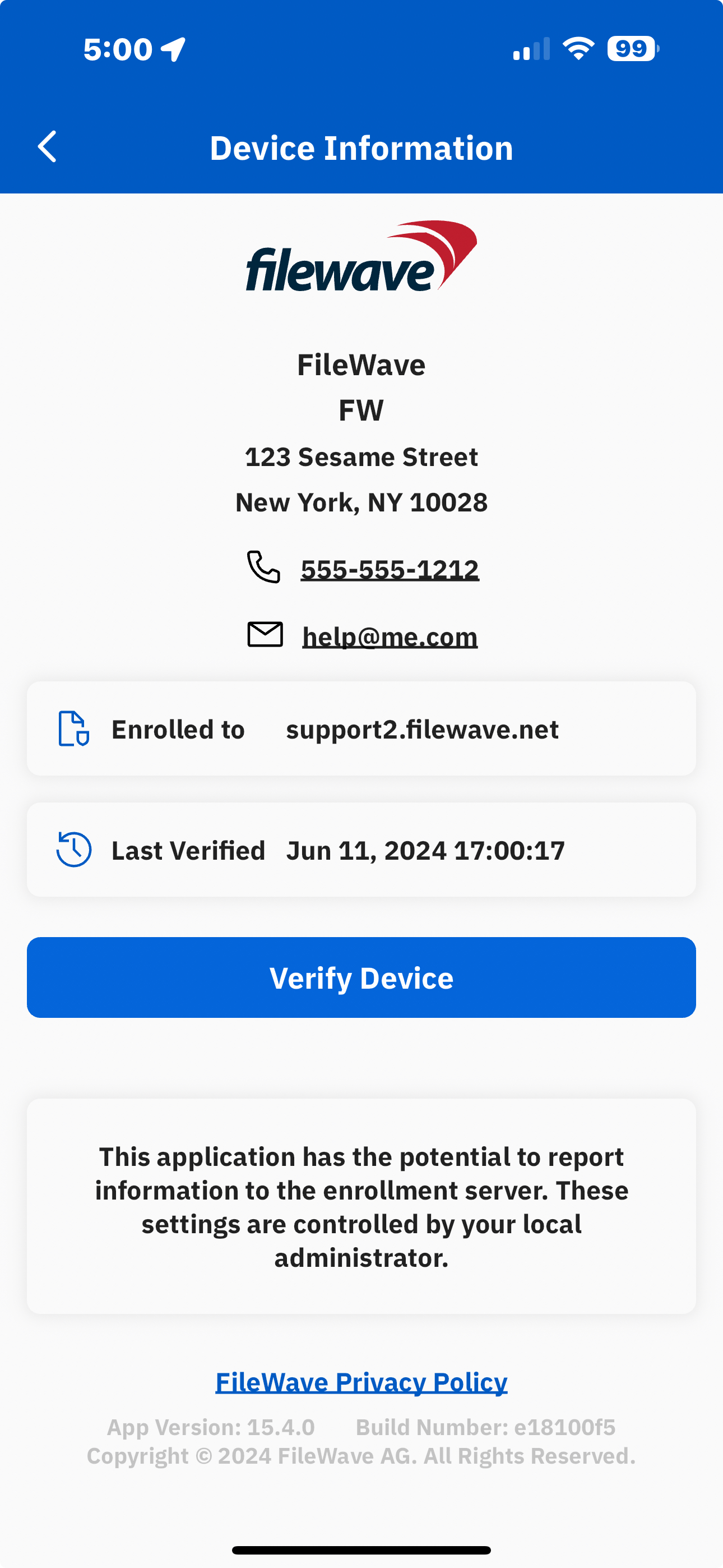
On iOS and iPadOS devices, the same organization details appear in the Device Information view. The company contact block is separate from Enrolled to and Last Verified, which describe the individual device's enrollment and verification.
Check what users can see
After changing the organization details, check the Device Information view on a representative device for each platform you use:
- Confirm the organization name, address, phone number, and email are the intended values.
- Check long names and contact text at the device's normal window or screen size. The desktop example above shows how long values can be truncated.
- If a device still shows old details, first confirm the values in Organization Info on the intended FileWave Server and compare with another device. Record the affected platform and Kiosk version if you need Support to investigate.
No comments to display
No comments to display