
Start a TeamViewer Session Without a Working FileWave Client
What
FileWave Anywhere can create an attended TeamViewer session link even when the endpoint has no FileWave Client or its client service is not working. This path does not require the endpoint to appear as an active FileWave Client before the session starts.
When/Why
Use this workflow to begin repair or enrollment when the normal FileWave remote-session path is unavailable. The user opens a temporary session link while the technician joins from a separate technician link. Once connected, repair or reinstall the FileWave Client so future management can return to the normal device workflow.
How
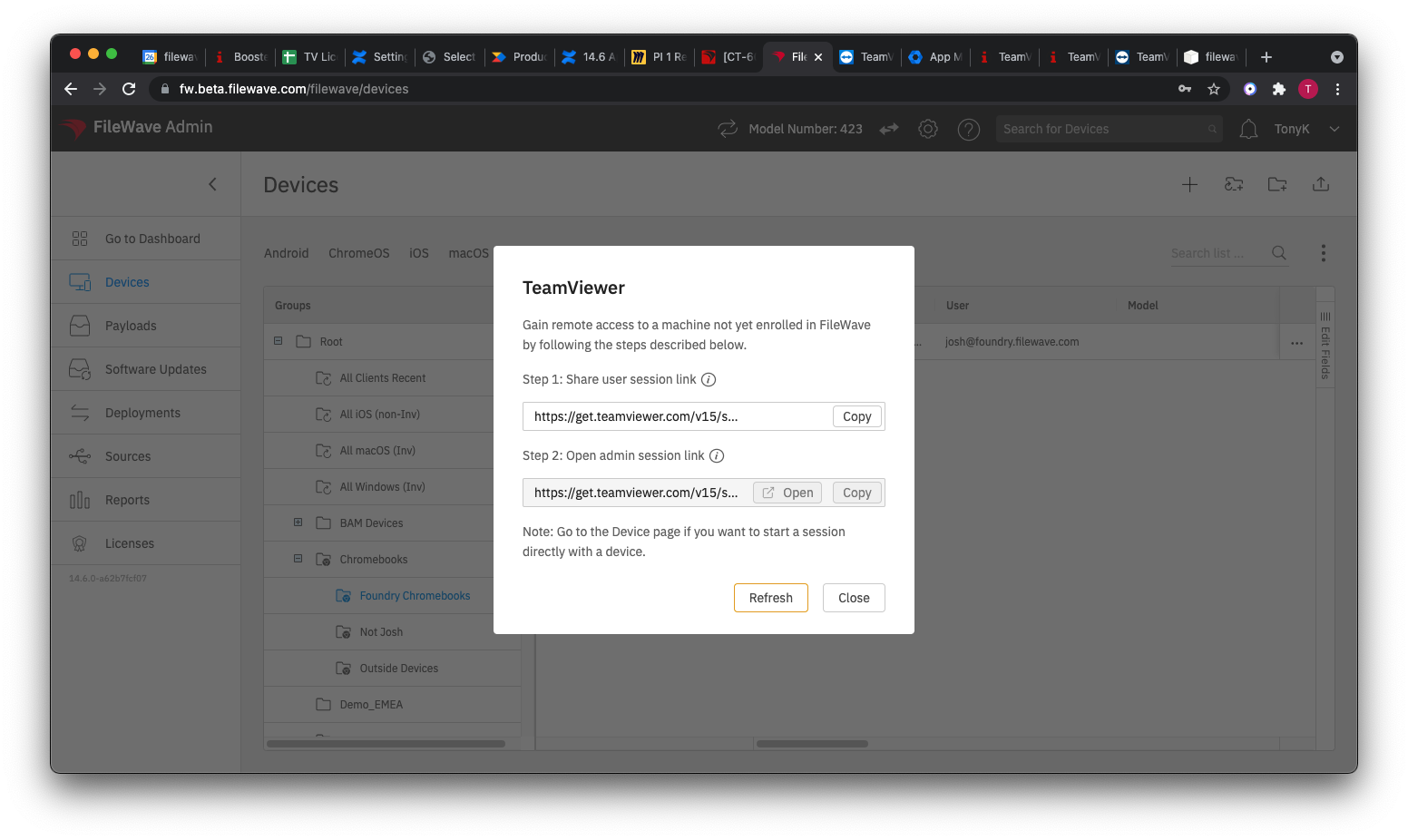
This workflow is available in FileWave Anywhere. Administrators with TeamViewer access see the session-link icon in the toolbar beside the model number:

This icon (  ) creates separate links for the endpoint user and the technician:
No comments to display
No comments to display