
DEP/ADE Forbidden Error
Description
When creating an ADE (formerly DEP) association or running another ADE synchronization action, FileWave may show this error: DEP error: Forbidden.
The most likely causes are:
- The FileWave Server SSL certificate changed. Check Preferences > Mobile to confirm that the server SSL certificate is not revoked or expired.
- The external IP address of the FileWave Server changed.
Apple stores the external IP address of the FileWave Server from the last successful contact. If that IP address differs during synchronization, the action can fail and the ADE Server Token must be replaced.
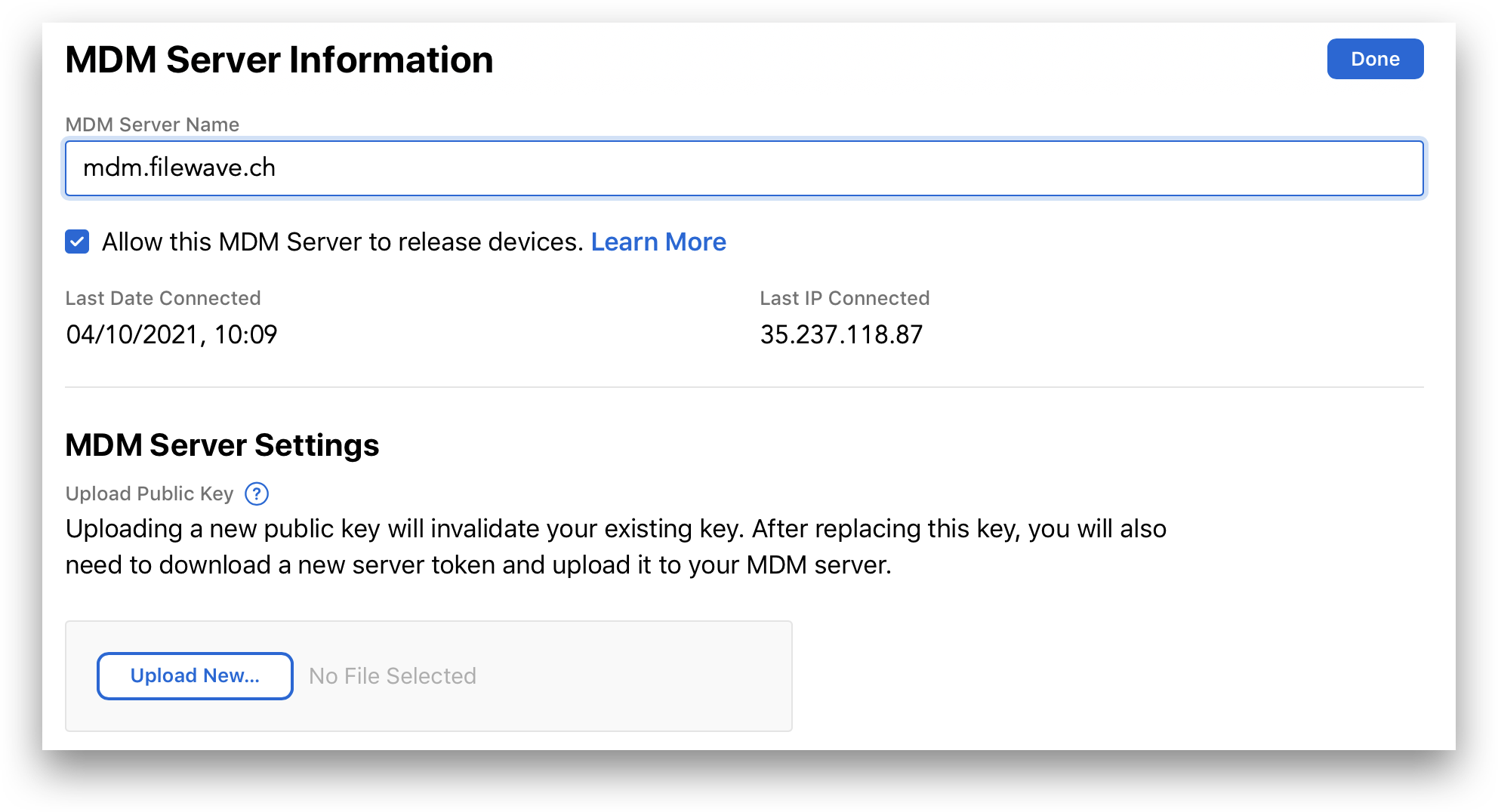
You can check the stored IP address in the relevant ADE account:
In the Apple portal, open Settings, select the MDM server, and choose Edit. The Last Date Connected and Last IP Connected values appear in the MDM Server Information view.
Requirements
- FileWave MDM ADE certificate
Resolution
A Forbidden error requires replacing the ADE Server Token, not updating it in place.
In FileWave Central, go to Preferences > VPP & ADE:
- Choose Download certificate (requires the fwadmin password) and save the certificate.
In the relevant Apple ADE account, Apple Business Manager or Apple School Manager:
- Select Settings.
- Highlight the MDM server from the list and choose Edit.
- Select Upload New... and select the certificate downloaded from FileWave.
- When prompted, download the ADE Server Token.
Back in FileWave Central, go to Preferences > VPP & ADE:
- Click Configure Accounts (requires the fwadmin password).
- Select the Forbidden token and use the - button to remove it.
- Select the + button and choose the ADE Server Token downloaded from Apple.
- Run an ADE Full Sync. Hold Alt/Option while choosing the synchronization action; the button name changes to indicate a full sync.
After the token is replaced and the full sync completes, synchronization should succeed.
If the ADE Server Token is currently configured in the Education tab of Preferences, remove that association before removing the ADE token. You can add it again afterward.
No comments to display
No comments to display