
View - Licenses Overview
What
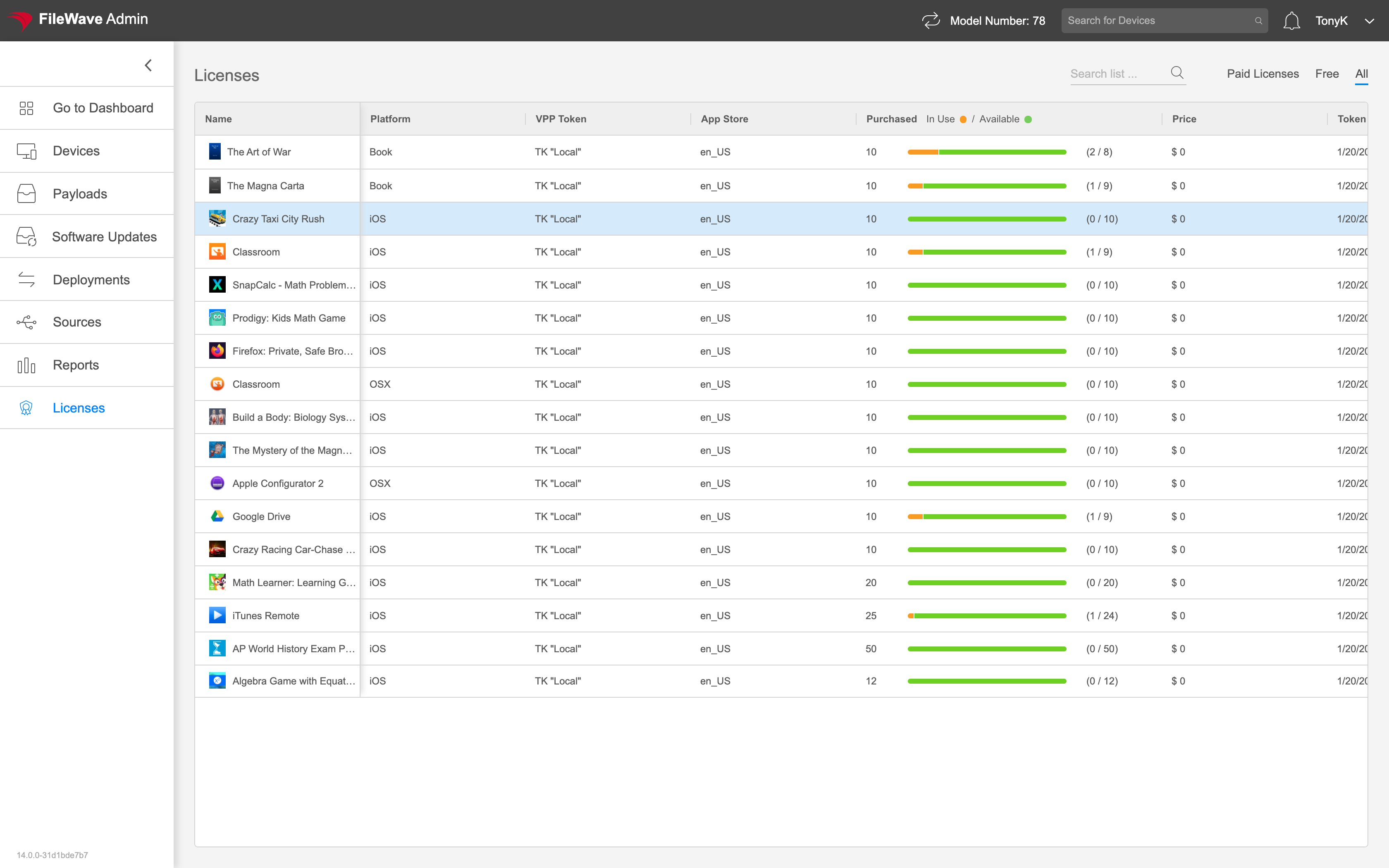
Use Licenses in FileWave Anywhere to review purchased, in-use, and available Apple Apps and Books (VPP) licenses by token. These content licenses are separate from the FileWave device licenses that let your organization manage computers and mobile devices. For those counts and expiration dates, use Check FileWave License Counts and Expiration Dates.
When/Why
Use this view when you need to check whether enough app licenses are available before or during a deployment. A quick review can catch low-license conditions before users start seeing install failures.
How
Start with a configured Apps and Books token and licenses acquired for the intended Apple location. Then check the matching record in Anywhere:
- Open Licenses and find the app or book. Check any search text and the Paid Licenses, Free, or All filter if it is not visible.
- Match the Platform and VPP Token before comparing quantities. Licenses for another platform or location do not establish availability for this assignment.
- Read Purchased separately from In Use / Available. In the illustrated book row, 10 purchased licenses are split into 2 in use and 8 available; those are example values, not deployment targets.
- If the expected licenses are missing, confirm the purchase and owning location with the Apple administrator, then check token synchronization. Follow the license-shortage workflow before retrying the affected deployment.
A license allocation does not prove that an app installed or is being used. Check the device's Fileset status and installed app separately. Apple Books licenses cannot be revoked and reassigned after distribution to a user; do not plan to reclaim them like managed app licenses.
No comments to display
No comments to display