
NAT Support for Client Monitor/Verify
What
FileWave can send a Verify command to managed devices even when the admin workstation does not have direct network line-of-sight to the client. This is useful for remote devices behind NAT, at home, or on networks where the admin console cannot directly reach the device.
When/Why
Use Verify when testing a new payload or Fileset, troubleshooting check-in behavior, or prompting a remote client to re-evaluate assigned content. Historically, Client Monitor workflows depended on direct network reachability. Current FileWave workflows provide a remote-friendly path from FileWave Anywhere, and the 16.0+ Client Monitor adds broader NAT-compatible monitoring.
How
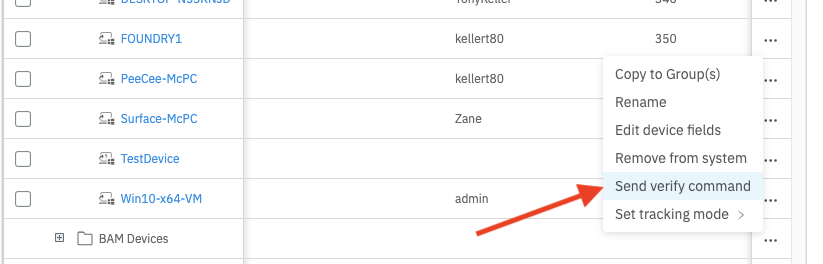
From the Devices pane in FileWave Anywhere, open the device action menu and choose Send verify command for a single device:
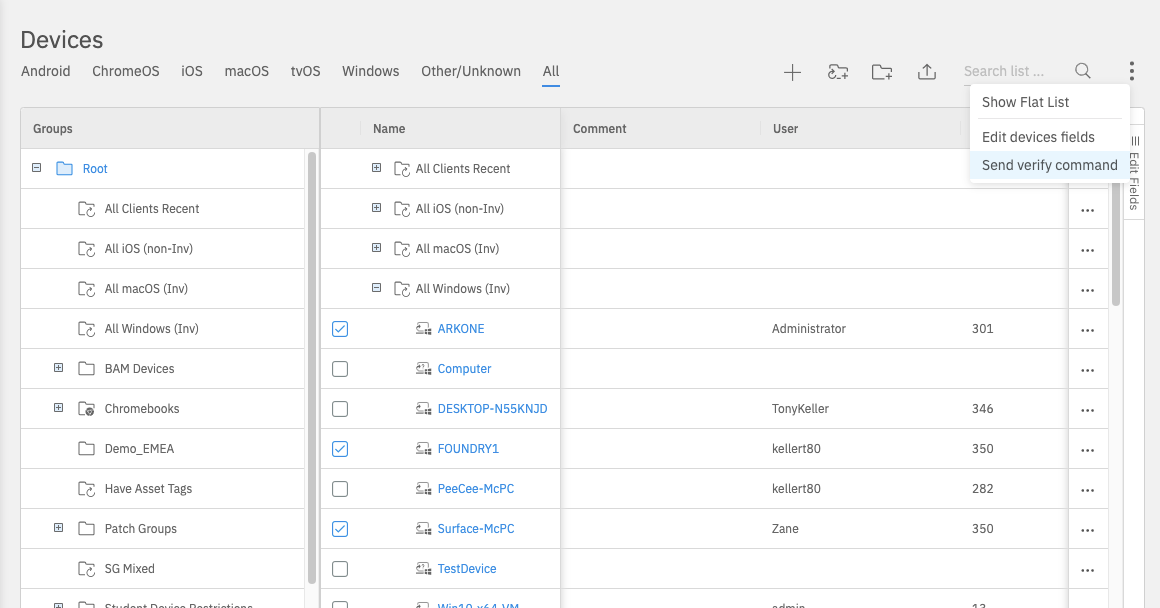
You can also select multiple devices and send the same Verify command to the selected devices:
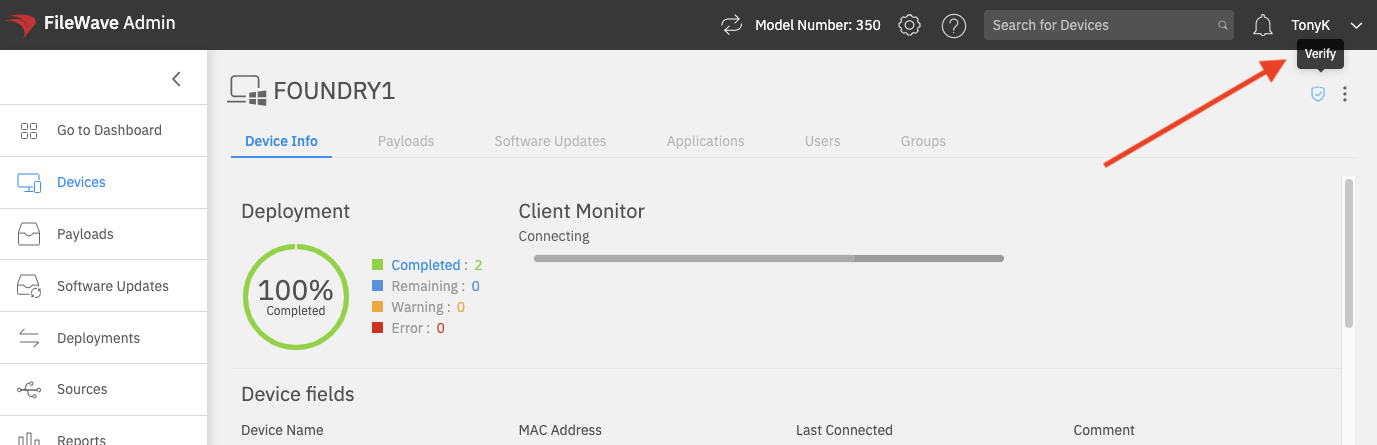
From an individual device page, use the Verify action in the device toolbar:
Client Monitor includes additional troubleshooting tools beyond the Verify workflow shown here. For the current 16.0+ Client Monitor behavior, including NAT-compatible monitoring through the newer connection model, see the related Client Monitor article.
No comments to display
No comments to display