
Windows MDM Wipe Command
What
FileWave Anywhere can send a Wipe command to Windows devices that are enrolled through Windows MDM. Windows MDM is separate from a standard FileWave Client (fwcld) enrollment; for enrollment context, see Manually enrolling a device into FileWave Windows MDM.
When/Why
Use the device action menu when an MDM-enrolled Windows device must be reset before reassignment or retirement, or when local recovery is no longer appropriate.
Wipe permanently removes data from the device. Verify the selected device and confirm that required data is backed up before sending the command. The option appears only for Windows devices enrolled through Windows MDM.
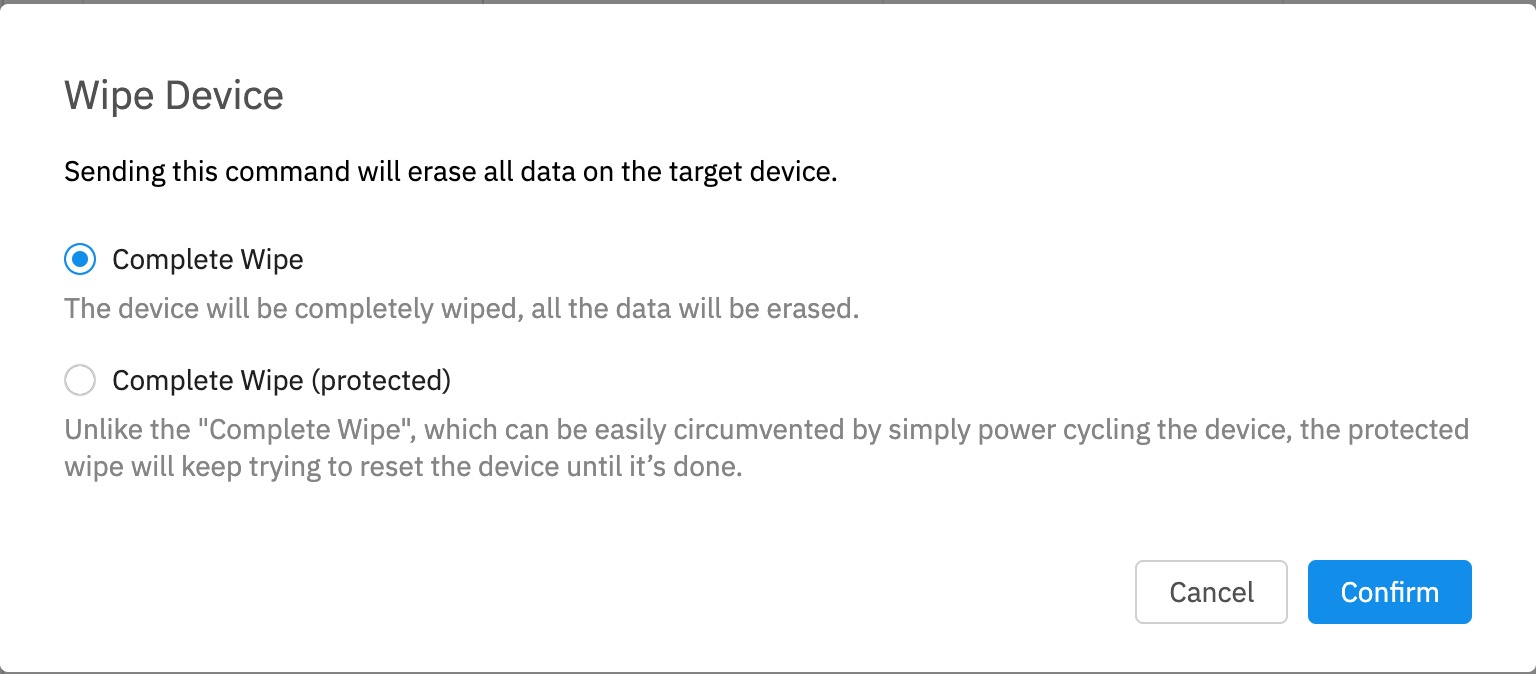
Complete Wipe (protected) repeatedly attempts a full reset and can leave some devices unable to boot. Reserve it for lost or stolen devices when stronger erasure is required and recovery is not expected.
How
- Select the Windows device and verify its identity.
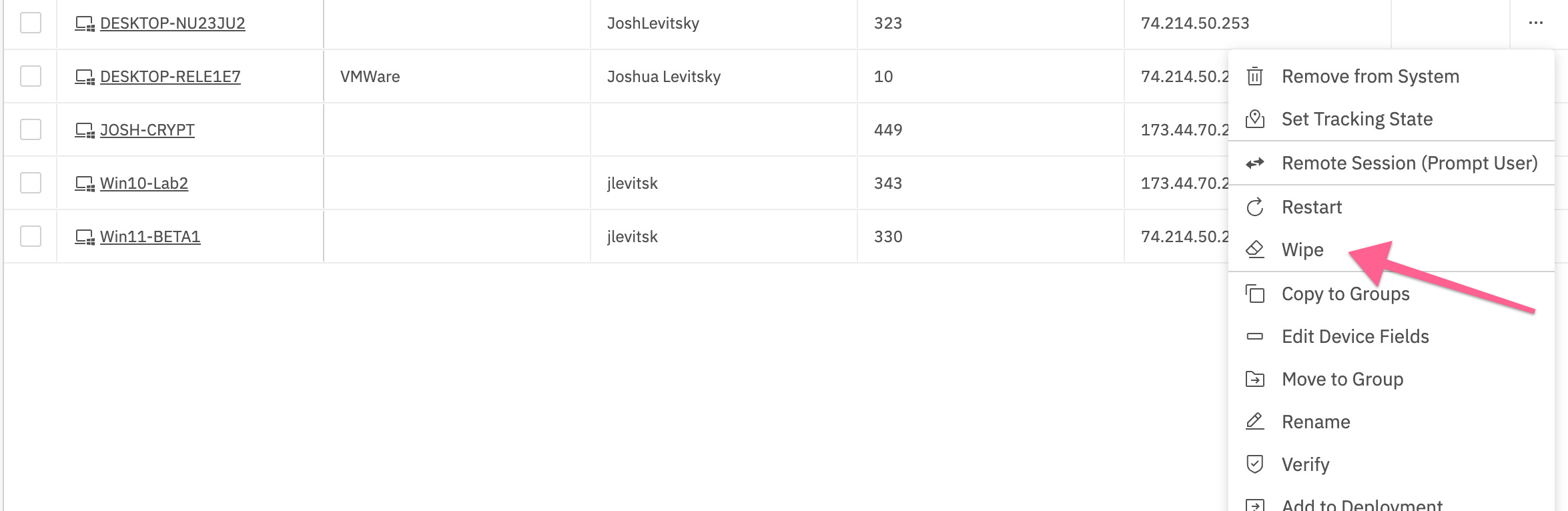
- Open the ellipsis action menu and choose Wipe.
- In the confirmation dialog, select Complete Wipe for a standard reset or Complete Wipe (protected) for the stronger lost-or-stolen-device option.
- Review the warning and selected device, then choose Confirm.
No comments to display
No comments to display